1. Introduction
Thank you for choosing the ZJchao Air Conduction Headset. This open-ear sports headset is designed to provide clear sound quality and a comfortable fit for various activities. This manual will guide you through the setup, operation, and maintenance of your device to ensure optimal performance.
2. Product Overview
2.1 Key Features
- Secure and Comfortable Design: Ultra-light and skin-friendly frame designed for intense workouts, ensuring the headset remains stable.
- Fast and Stable Connection: Equipped with V5.3 and EDR technology for fewer dropouts and a reliable listening experience.
- Clear and Crisp Sound: Air conduction technology delivers full-bodied bass and a stereo experience.
- Wide Compatibility: Compatible with smartphones, iOS devices, laptops, and any device with Bluetooth version 5.3 or higher.
- Long Battery Life: 80mAh battery provides approximately 8 hours of playback time, fully charged in 1.5 hours.
2.2 Package Contents
- 1 x Air Conduction Headset
- 1 x Charging Cable
2.3 Headset Components and Controls
Familiarize yourself with the headset's components and control buttons for easy operation.
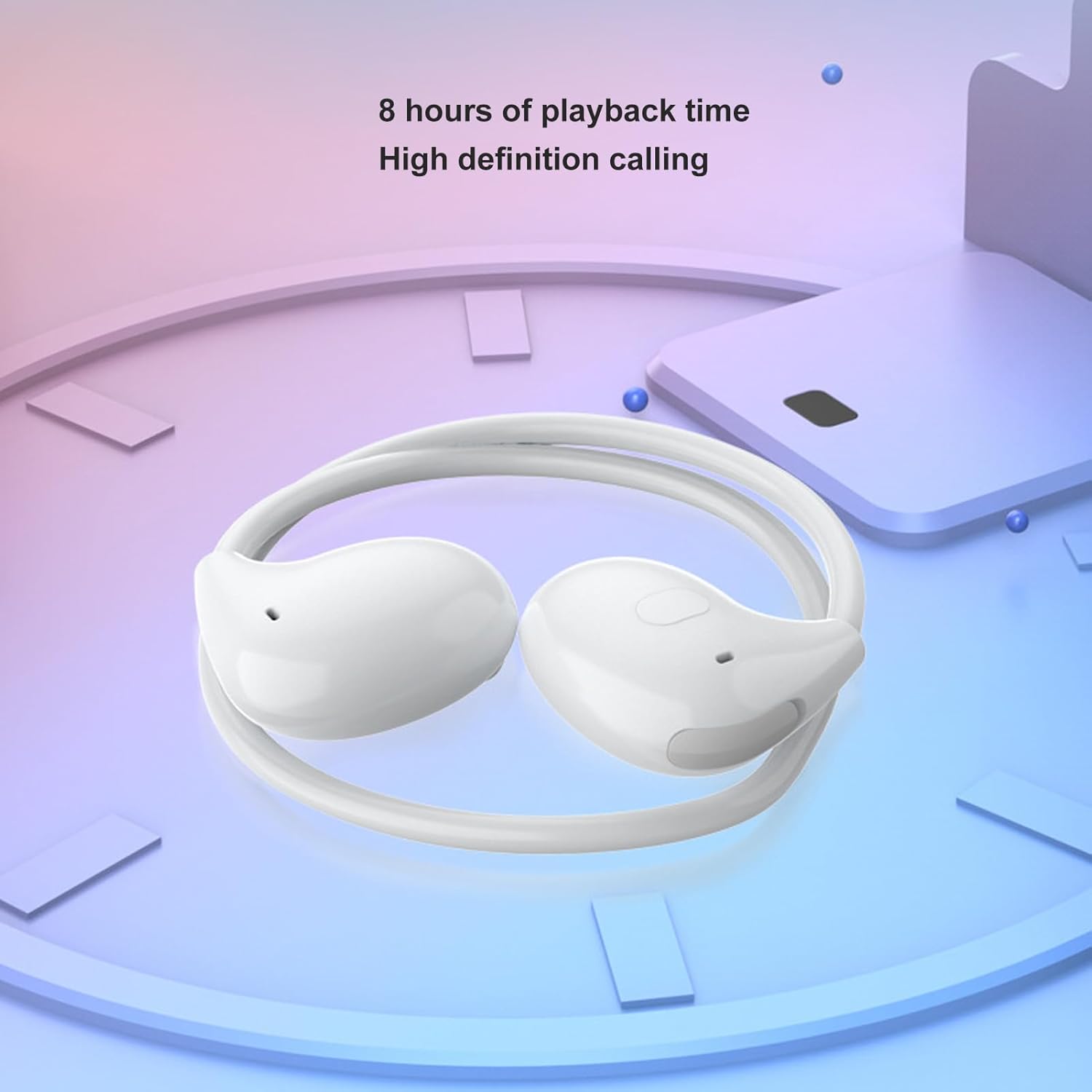
Image: Overview of the headset with control icons indicating functions like play/pause, previous/next song, mode switching, hang up/answer, and speech recognition.

Image: The headset shown with text descriptions of its control functions: Play/Pause, Previous song, Following song, Mode switching, Hanging up answer, and Speech recognition (Press for 2 seconds and let go).
- Play/Pause: Press once to play or pause music.
- Previous Song: Press twice to go to the previous track.
- Next Song: Press three times to go to the next track.
- Mode Switching: Press four times to switch modes (if applicable).
- Hang Up/Answer: Press once to answer an incoming call or hang up an ongoing call.
- Speech Recognition: Press and hold for 2 seconds to activate your device's voice assistant.
3. Setup
3.1 Charging the Headset
Before first use, fully charge the headset. Connect the provided charging cable to the charging port on the headset and a USB power source. The charging indicator light will show the charging status. A full charge takes approximately 1.5 hours.

Image: The ZJchao Air Conduction Headset folded, highlighting its compact design and indicating an 8-hour playback time and high-definition calling capability.
3.2 Powering On/Off
- Power On: Press and hold the power button until the indicator light flashes.
- Power Off: Press and hold the power button until the indicator light turns off.
3.3 Bluetooth Pairing
To connect your headset to a device:
- Ensure the headset is fully charged and powered off.
- Press and hold the power button until the indicator light flashes rapidly, indicating pairing mode.
- On your device (smartphone, laptop, etc.), enable Bluetooth and search for available devices.
- Select "ZJchao Headset" (or similar name) from the list of devices.
- Once connected, the indicator light on the headset will change, usually to a slow flash or solid blue.

Image: The ZJchao Air Conduction Headset shown wirelessly connected to a smartphone, illustrating its independent gaming channel, ultra-low latency gaming, 8 hours of playback, and high assisted auditory position recognition features.
4. Operating Instructions
4.1 Wearing the Headset
Place the headset over your ears, ensuring the air conduction speakers are positioned comfortably near your ear canals. The flexible design allows for a secure fit during movement.

Image: A person wearing the ZJchao Air Conduction Headset, demonstrating its ergonomic design that mimics the human ear for a tight, non-slip fit, combining comfort and stability.

Image: A split image showing the ergonomic design of the headset fitting into an ear and a feather illustrating its lightweight nature (under 15g).
4.2 Music Playback
- Play/Pause: Press the designated button once.
- Next Track: Press the designated button three times.
- Previous Track: Press the designated button twice.
4.3 Call Management
- Answer/End Call: Press the designated button once during an incoming call or an active call.
- Reject Call: Press and hold the designated button for 2 seconds during an incoming call.
4.4 Voice Assistant
To activate your device's voice assistant (e.g., Siri, Google Assistant), press and hold the designated button for 2 seconds.
5. Maintenance
Proper maintenance ensures the longevity of your headset.
- Cleaning: Wipe the headset with a soft, dry cloth. Do not use abrasive cleaners or immerse in water.
- Storage: Store the headset in a cool, dry place, away from direct sunlight and extreme temperatures. Use the provided storage case when not in use to protect it from dust and damage.
- Charging: Avoid overcharging. Disconnect the charging cable once the headset is fully charged.

Image: The ZJchao Air Conduction Headset neatly stored in its compact, exquisite storage box, emphasizing its portability and protection.
6. Troubleshooting
If you encounter issues with your headset, refer to the following common solutions:
- No Power: Ensure the headset is fully charged.
- Cannot Pair: Make sure the headset is in pairing mode (rapidly flashing indicator light) and within range of your device. Turn off and on Bluetooth on your device.
- No Sound: Check the volume levels on both the headset and your connected device. Ensure the headset is properly paired.
- Poor Sound Quality: Move closer to your connected device to reduce interference. Ensure there are no obstructions between the headset and the device.
7. Specifications
| Item Model Number | ZJchaoefi45zhkuv-11 |
| Material | ABS Plastic |
| Battery Type | 80mAh (Included) |
| Bluetooth Version | V5.3, EDR |
| Supported Modes | HFP/HSP/A2DP/AVRCP |
| Operating Range | Over 15 meters / 49ft |
| Music Playback Time | ≥8 hours (at 70% volume) |
| Standby Time | ≥300 hours |
| Charging Time | 1.5 hours |
| Item Weight | 1.48 ounces |
| Package Dimensions | 4.72 x 3.94 x 1.97 inches |
| Compatible Devices | Laptops, Smartphones (with Bluetooth V5.3 or higher) |
8. Warranty and Support
For warranty information or technical support, please refer to the documentation provided with your purchase or contact ZJchao customer service through the retailer where the product was purchased. Keep your proof of purchase for warranty claims.