
Introduction
This manual provides essential instructions for the safe and effective use, installation, and maintenance of your TrustCell Replacement Battery, model CS-PRC250VX, designed for the CleanMate S460 device. Please read this manual thoroughly before using the product.

Image: The TrustCell replacement battery, showing its compact blue cylindrical form factor with attached wiring and connector.
Product Specifications
The TrustCell Replacement Battery is engineered to meet the specific power requirements of the CleanMate S460.
- Battery Type: Li-ion
- Capacity: 2600mAh
- Voltage: 11.1V
- Energy Rate: 28.86Wh
- Dimensions: 70.00mm x 36.30mm x 35.20mm
- Gross Weight: 219g
- Model Number: CS-PRC250VX
- Certifications: ISO9001, RoHS, CE, UN38.3, MSDS
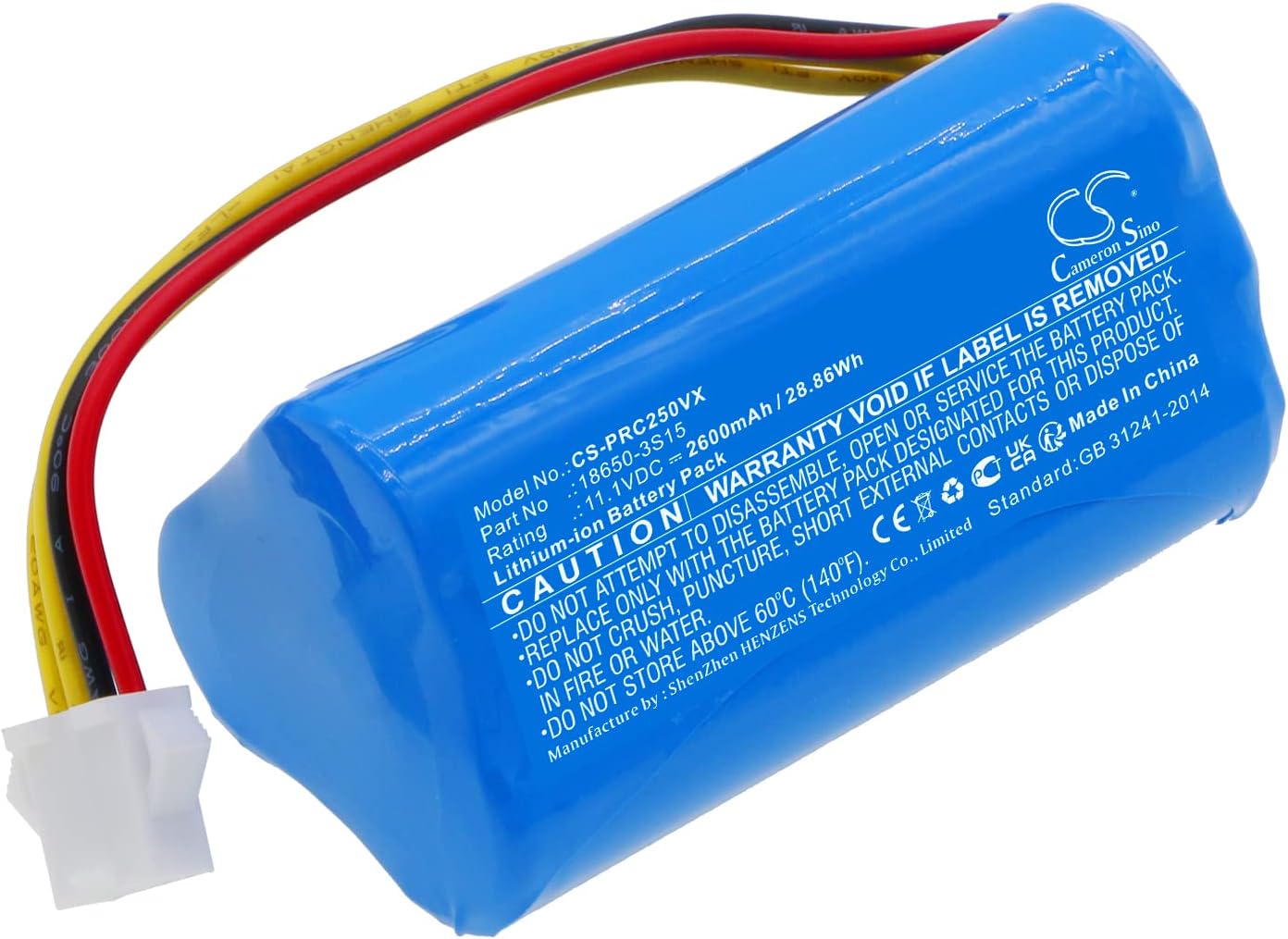
Image: The TrustCell replacement battery, displaying its label with model number CS-PRC250VX, Li-ion type, 11.1V voltage, and 2600mAh capacity.
Safety Information and Cautions
Adhering to the following safety guidelines is crucial for preventing damage, injury, or reduced battery life.
- Do not disassemble: Attempting to open or service the battery pack will void the warranty and can be hazardous.
- Avoid extreme conditions: Do not dispose of the battery in fire or water. Do not store above 60 ℃ (140 ℉).
- Prevent physical damage: Do not crush, puncture, or subject the battery to short external contacts.
- Proper charging: Use only the charger and power adapter specified for your CleanMate S460 device. Using low-quality third-party chargers can shorten the battery's lifespan and pose safety risks.
- Child safety: Keep the battery out of reach of children.
Installation Instructions
Follow these steps to correctly install the replacement battery in your CleanMate S460.
- Power Off Device: Ensure your CleanMate S460 is completely powered off and unplugged from any power source before beginning installation.
- Locate Battery Compartment: Refer to your CleanMate S460's original manual to locate and open the battery compartment.
- Remove Old Battery: Carefully disconnect the old battery's connector and remove it from the compartment.
- Insert New Battery: Place the TrustCell replacement battery into the compartment, ensuring it fits securely.
- Connect Battery: Align the battery connector with the device's port and push firmly until it clicks into place. Ensure the connection is secure and properly seated.
- Close Compartment: Close the battery compartment cover securely.

Image: A detailed view of the battery's connector, highlighting the four-pin white plug and colored wires (yellow, black, red) for proper connection.
Operating Instructions
To optimize the performance and lifespan of your new battery, follow these operating guidelines.
- Initial Charge Cycles: A new battery will achieve its best performance after 2 or 3 complete charge and discharge cycles. Fully charge the battery, then use the device until the battery is depleted, and repeat this process a few times.
- Regular Charging: Charge the battery regularly using the original or a compatible, high-quality charger designed for your CleanMate S460.
- Protection Features: The battery is equipped with built-in protection against overcharge, over-discharge, over-voltage, and short circuits to ensure safe and durable use.
Maintenance and Storage
Proper maintenance and storage will help extend the life of your TrustCell battery.
- Temperature: Store the battery in a cool, dry place, away from direct sunlight and extreme temperatures. Avoid storing above 60 ℃ (140 ℉).
- Charge Level for Storage: If storing the battery for an extended period, it is recommended to charge it to approximately 50-70% capacity. Avoid storing a fully charged or completely depleted battery for long durations.
- Regular Use: For optimal performance, use and recharge the battery periodically, even if the device is not in regular use.
Troubleshooting
If you encounter issues with your TrustCell replacement battery, consider the following:
- Device Not Powering On:
- Ensure the battery is correctly installed and the connector is securely attached.
- Verify the battery has sufficient charge. Connect the device to its charger and allow it to charge for at least 30 minutes.
- Battery Not Charging:
- Check if the charger and power adapter are functioning correctly and are compatible with your CleanMate S460.
- Ensure the charging port on your device is clean and free of debris.
- Reduced Battery Life:
- Perform 2-3 full charge and discharge cycles to calibrate the battery.
- Review device usage patterns; intensive tasks consume more power.
If these steps do not resolve the issue, please contact customer support.
Warranty and Support
TrustCell provides comprehensive support for your replacement battery.
- Warranty: This product is covered by a 1-year refund or replacement warranty from the date of purchase.
- Customer Service: For any questions, concerns, or assistance, our customer service team is available 24/7.
- Contact: Please contact us via email for prompt after-sales service. Refer to your purchase documentation for specific contact details.
Disposal Information
Do not dispose of this battery with general household waste. Lithium-ion batteries contain materials that require special handling. Please recycle the battery at an authorized recycling facility or return it to the point of purchase for proper disposal, in accordance with local regulations.