
Product Overview
This document provides essential information for the safe and effective use of your TrustCell Replacement Battery for Qianxun Q600 GNSS. This Li-ion battery features a capacity of 3400mAh and a voltage of 7.4V, with a rate of 25.16Wh. It is designed to meet the exact specifications of the original battery, ensuring reliable performance and durability.

Figure 1: TrustCell Replacement Battery for Qianxun Q600 GNSS. This image shows the overall appearance of the battery, highlighting its compact design and the main product label.
Setup and Initial Use
Before first use, it is recommended to fully charge the battery. A new battery will achieve its best performance after 2 or 3 complete charge and discharge cycles.
Installation
- Ensure your Qianxun Q600 GNSS device is powered off before attempting battery installation or removal.
- Locate the battery compartment on your device.
- Carefully insert the TrustCell replacement battery, ensuring the connector is properly aligned and securely connected to your device.
- Close the battery compartment cover.
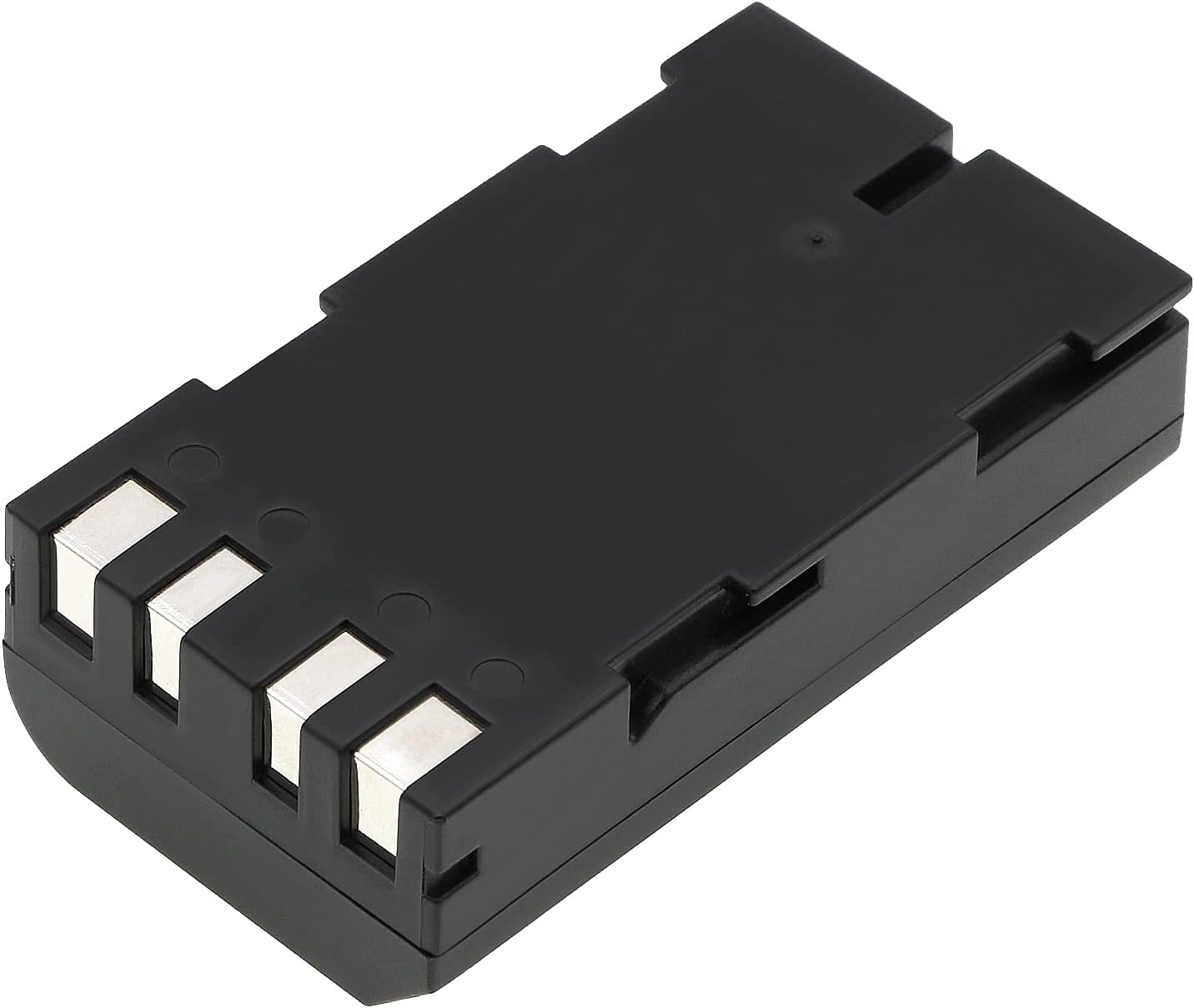
Figure 2: Bottom view of the TrustCell battery. This image illustrates the connector pins, which must be correctly aligned with the device's battery terminal for proper installation.
Operating Instructions
Once installed, the battery powers your Qianxun Q600 GNSS device. Monitor your device's battery indicator for charge levels. For optimal performance, avoid completely draining the battery frequently.
Charging
- Use only the original or a high-quality, compatible charger designed for your Qianxun Q600 GNSS device.
- Do not use low-quality third-party adapter chargers, as this can shorten the battery's lifespan.
- Charge the battery in a well-ventilated area.
Maintenance and Storage
Proper maintenance and storage can extend the life of your battery.
- Store the battery in a cool, dry place when not in use.
- Avoid storing the battery above 60°C (140°F).
- If storing for extended periods, charge the battery to approximately 50% capacity.
- Keep the battery contacts clean and free from dust or debris.
Troubleshooting
If you encounter issues with your battery, consider the following common solutions:
- Battery Not Charging: Ensure the charger is properly connected and functional. Verify the battery is correctly seated in the device.
- Short Battery Life: Perform 2-3 full charge and discharge cycles to optimize battery performance. Ensure you are using a compatible and quality charger.
- Device Not Powering On: Check if the battery is fully charged and properly installed.
Safety Precautions
ATTENTION: Read instructions in operating guide before using the battery. To reduce risk of fire or burns, observe the following:
- Do not disassemble: Do not attempt to disassemble, open, or service the battery pack.
- Do not dispose of in fire or water: Improper disposal can lead to explosion or leakage.
- Do not store above 60°C (140°F): High temperatures can damage the battery and pose a safety risk.
- Do not crush, puncture, short external contacts: Avoid physical damage to the battery.
- Replace only with the battery pack designated for this product: Using incompatible batteries can be dangerous.

Figure 3: Close-up view of the TrustCell battery label. This image clearly displays important safety warnings and product specifications printed on the battery itself.
Specifications
Detailed technical specifications for the TrustCell Replacement Battery:
| Feature | Specification |
|---|---|
| Battery Type | Li-ion |
| Capacity | 3400mAh |
| Voltage | 7.4V |
| Rate | 25.16Wh |
| Model Number | CS-TOX110XL |
| Product Dimensions | 1.55 x 0.85 x 2.78 inches (70.70x39.40x21.70mm) |
| Item Weight | 4.9 ounces (139g) |
| Certifications | ISO9001, RoHS, CE, UN38.3, MSDS |
Warranty and Support
TrustCell provides a comprehensive warranty and dedicated customer support for your replacement battery.
Warranty Information
This product is covered by a 1-year refund or replacement warranty from the date of purchase. This warranty covers manufacturing defects and ensures the battery meets its stated specifications.
Customer Support
For any questions, concerns, or assistance, please contact our customer service team. We offer 24/7 prompt after-sales service.
Contact: Please reach out via email.