
Introduction
This manual provides essential information for the safe and effective use of your TrustCell Replacement Battery, model CS-NP40CA. This high-quality Li-ion battery is designed as a direct replacement for Silvercrest IAN 79938 Camera Digicam DSLR batteries, ensuring reliable power for your device. Please read these instructions carefully before first use.
Product Overview
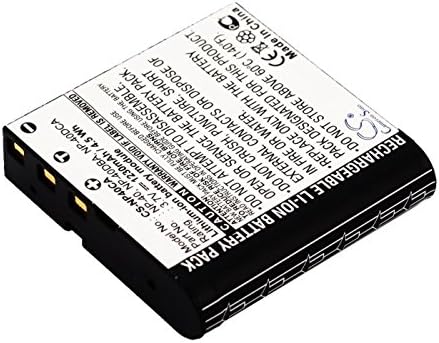
Figure 1: Top-down view of the TrustCell replacement battery, showing the label with model number CS-NP40CA and specifications.

Figure 2: Angled view of the battery, highlighting the detailed product label and regulatory markings.
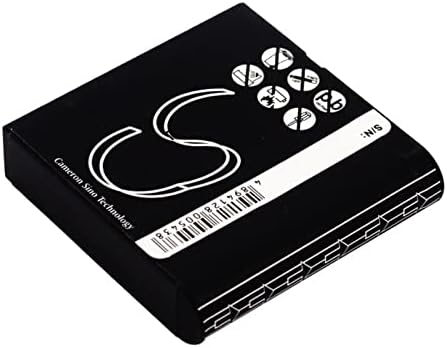
Figure 3: Bottom view of the battery, displaying the serial number and additional markings.
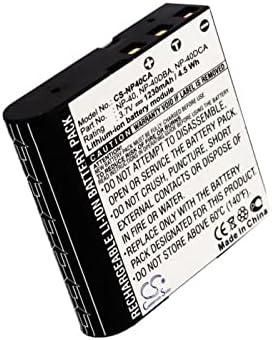
Figure 4: Side view of the battery, clearly showing the electrical contact points for device insertion.
Setup and First Use
- Initial Charging: For optimal performance, a new battery should undergo 2 or 3 complete charge and discharge cycles. Fully charge the battery, then use your device until the battery is depleted, and repeat this process two more times.
- Installation: Carefully insert the battery into your Silvercrest IAN 79938 Camera or compatible device. Ensure the connector is properly aligned and securely connected to your device's battery compartment.
- Charging: Use a compatible charger designed for your camera or a high-quality, certified charger. Avoid using low-quality third-party adapter chargers, as this can shorten the battery's lifespan.
Operating Guidelines
- Always ensure the battery is fully charged before important use to maximize operating time.
- Monitor your device's battery indicator to avoid unexpected power loss during operation.
- If the device will not be used for an extended period, it is recommended to store the battery with a partial charge (around 50%) to preserve its health.
Maintenance and Safety Precautions
Caution: Failure to follow these safety guidelines may result in fire, electric shock, injury, or damage to the battery or device.
- Do not disassemble: Never attempt to open, modify, or disassemble the battery pack. This can lead to internal short circuits, overheating, or explosion.
- Avoid extreme conditions: Do not expose the battery to fire, water, or extreme temperatures. Do not store above 60 ℃ (140 ℉).
- Physical damage: Do not crush, puncture, or drop the battery. If the battery appears damaged, swollen, or leaking, discontinue use immediately and dispose of it properly.
- Proper disposal: Dispose of used batteries according to local regulations. Do not dispose of in household waste.
Troubleshooting
| Problem | Possible Cause | Solution |
|---|---|---|
| Battery not charging | Improper connection, faulty charger, or battery not seated correctly. | Ensure the battery is fully inserted and the connector is secure. Try a different, known-good charger. |
| Short battery life | New battery not fully conditioned, using a low-quality charger, or extreme operating conditions. | Perform 2-3 full charge/discharge cycles. Use a high-quality, compatible charger. Avoid using the device in very hot or cold environments. |
| Device not powering on with battery | Battery not charged, battery contacts dirty, or battery fault. | Charge the battery fully. Clean battery contacts on both the battery and device with a dry cloth. If issues persist, contact support. |
Specifications
| Battery Type | Li-ion |
| Capacity | 1100mAh |
| Voltage | 3.7V |
| Rate | 4.07Wh |
| Model Number | CS-NP40CA |
| Dimensions | 38.25 x 38.15 x 9.50 mm (1.5 x 0.37 x 1.51 inches) |
| Gross Weight | 51.0g (1.8 ounces) |
| Certifications | ISO9001, RoHS, CE, UN38.3, MSDS |
Warranty Information
Your TrustCell replacement battery is covered by a 1-year refund or replacement warranty from the date of purchase. This warranty covers manufacturing defects and ensures the battery meets its stated specifications under normal use. Please retain your proof of purchase for warranty claims.
Customer Support
If you have any questions, concerns, or require assistance with your TrustCell battery, please do not hesitate to contact our customer support team. We offer 24/7 prompt after-sales service.
- Email: Please refer to your purchase documentation or the seller's contact information on the platform where you purchased the product.
- Online: Visit the official TrustCell website for FAQs and additional support resources.