
Introduction
This manual provides essential information for the safe and effective use of your TrustCell replacement battery. This battery is designed as a compatible replacement for various devices, specifically those requiring part numbers 015.560.000F, 015.560.001B, 80100303, 80100505, and RC600AA16AD.
The battery is a Ni-MH type with a voltage of 19.2V and a capacity of 1600mAh (30.72Wh).

Image: Top-down view of the TrustCell replacement battery, showing its green casing and connector wires.
Setup and Initial Use
Pre-Installation Check
Before installing the new battery, carefully verify that the model number of your device and the part number of your original battery are compatible with this replacement battery. Refer to the compatibility list in the introduction.
Installation
- Ensure your device is powered off and disconnected from any power source.
- Locate the battery compartment on your device.
- Carefully remove the old battery.
- Insert the new TrustCell battery into the compartment, ensuring proper alignment.
- Connect the battery's connector securely to your device's port. Ensure the connector has been properly connected to your device.
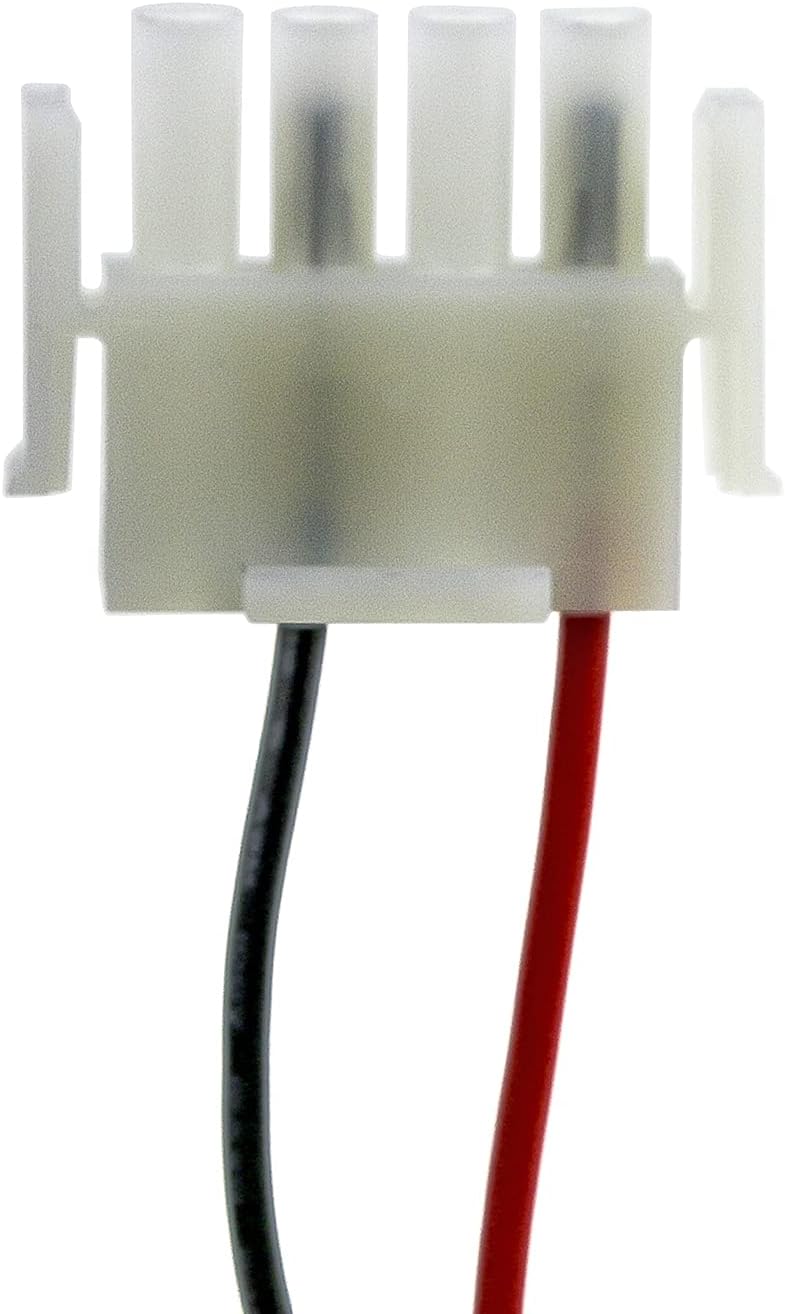
Image: A close-up view of the white battery connector with red and black wires, illustrating the connection point.
Initial Charging
A new battery will achieve its optimal performance after 2 or 3 complete charge and discharge cycles. It is recommended to fully charge the battery before its first use, then allow it to fully discharge during normal operation, and repeat this process a few times.
Operating Guidelines
To maximize the lifespan and performance of your TrustCell battery, adhere to the following guidelines:
- Charging: Always use the charger designated for your device. Avoid using low-quality third-party adapter chargers, as this can significantly shorten the battery's life.
- Discharge: For Ni-MH batteries, it is generally beneficial to allow the battery to discharge significantly before recharging, especially during the initial cycles.
- Regular Use: Consistent use and proper charging practices contribute to the battery's longevity.
Maintenance and Storage
Proper maintenance and storage are crucial for extending the life of your battery.
- Storage Temperature: Do not store the battery above 60℃ (140℉). Store in a cool, dry place away from direct sunlight and extreme temperatures.
- Long-Term Storage: If storing the battery for an extended period, ensure it has a partial charge (around 50%) and recharge it every few months to prevent deep discharge.
- Cleaning: Keep the battery contacts clean and free from dust or debris. Use a dry, soft cloth for cleaning.
Safety Precautions
Observe the following safety precautions to prevent damage, injury, or fire:
- Do not disassemble the battery pack.
- Do not dispose of in fire or water.
- Do not store above 60℃ (140℉).
- Do not crush, puncture, or short external contacts.
- Replace only with the battery pack designated for this product.

Image: A clear view of the battery's label, displaying model number, part number, rating, and important safety cautions.
Troubleshooting
If you encounter issues with your TrustCell battery, consider the following:
- Battery Not Charging:
- Ensure the battery connector is securely and correctly inserted into the device.
- Verify that the charger is functioning correctly and is the appropriate one for your device.
- Check if the device's charging port is clean and free of debris.
- Short Battery Life:
- Ensure you have completed 2-3 full charge/discharge cycles for optimal performance.
- Avoid using low-quality third-party chargers.
- Check if the operating environment temperature is within recommended limits.
- Battery Not Recognized:
- Re-check compatibility with your device's model and original battery part number.
- Ensure the battery is fully seated in its compartment.
If problems persist after following these steps, please contact customer support.
Specifications
| Feature | Detail |
|---|---|
| Model Number | CS-RST170AF |
| Part Numbers (Adaptation) | 015.560.000F, 015.560.001B, 80100303, 80100505, RC600AA16AD |
| Battery Type | Ni-MH (Nickel Metal Hydride) |
| Voltage | 19.2V |
| Capacity | 1600mAh |
| Rate | 30.72Wh |
| Dimensions | 1.96 x 1.13 x 4.49 inches (114.00x49.70x28.60mm) |
| Item Weight | 1.26 pounds (572.8g) |
| Certifications | ISO9001, RoHS, CE, UN38.3, MSDS |
Warranty and Support
TrustCell provides a 1-year refund or replacement warranty for this product. We are committed to ensuring your satisfaction with our batteries.
For any problems, questions, or assistance, please do not hesitate to contact our customer service. We offer 24/7 prompt after-sales service and will reply to your inquiries within 24 hours. You can typically find contact information for the seller or manufacturer on your purchase receipt or the product's listing page.
For more information about Cameron Sino, the manufacturer, you may visit their website: www.cameronsino.com.