
Product Overview
This manual provides instructions for the installation and care of your Aulzaju protective case and screen protectors. The product is designed to offer comprehensive protection for your compatible TCL Flip series phone against scratches, drops, and daily wear.
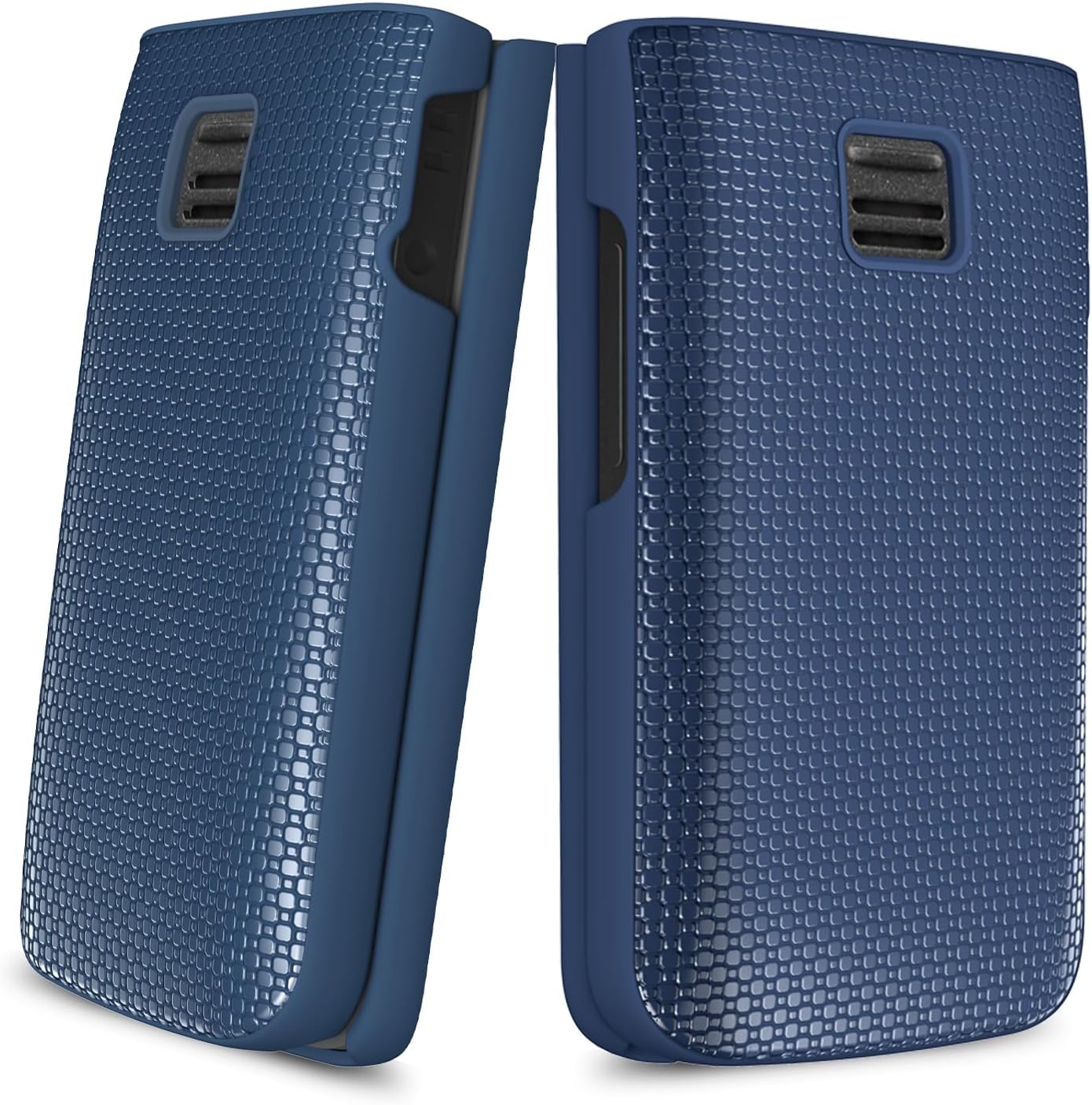
The package includes a front cover, a back cover, a front screen protector, and an inner screen protector, ensuring 360-degree protection for your device.
Compatible Models
This protective case and screen protector set is compatible with the following phone models:
- TCL Flip PLUS 4058L
- TCL Flip 4058E(CA)
- TCL Flip 2 T408DL
- TCL Go Flip 2 4058G
- Alcatel Go Flip 4
- TCL Flip
- TCL Flip Pro
- TCL Flip Go
- TCL Classic
- TCL Flip 2
Key Features
- 360-Degree All-Around Protection: Includes a front cover, back cover, front screen protector, and inner screen protector for comprehensive device safeguarding.
- Precise Fit: Lightweight design that is easy to install and remove, without adding excessive bulk. Offers a comfortable, anti-slip grip.
- High-Grade Material: Constructed from frosted PC (Polycarbonate) for the back combined with soft TPU (Thermoplastic Polyurethane) material for the inner layer, providing dual-layer impact protection.
- Anti-Yellowing and Anti-Oil Properties: Designed to resist yellowing over time and repel oils for a cleaner appearance.


Setup and Installation
Installing the Protective Case
- Ensure your phone is clean and free of dust or debris.
- Carefully align the back cover with the rear of your phone. Press firmly around the edges until it snaps securely into place.
- Align the front cover with the top half of your phone. Gently press around the edges to ensure a snug fit.
- Verify that all ports, buttons, and camera cutouts are correctly aligned and accessible.
Applying the Screen Protectors
- Clean both the inner and outer screens of your phone thoroughly using a microfiber cloth to remove any smudges or dust.
- Peel off the protective film from the adhesive side of the inner screen protector.
- Carefully align the inner screen protector with your phone's internal display, starting from one edge and slowly lowering it. Use a squeegee or a soft card to smooth out any air bubbles.
- Repeat the process for the front (outer) screen protector, ensuring proper alignment with the external display.
- Gently wipe both applied screen protectors to ensure they are firmly adhered and free of bubbles.


Operating and Usage
Once installed, the protective case and screen protectors are designed to be seamlessly integrated with your TCL Flip phone. The case allows full access to all buttons, ports, and camera functions. The screen protectors maintain touch sensitivity and display clarity.
The external screen protector is designed to protect the outer display, allowing you to view notifications, time, and date without opening the phone. The inner screen protector safeguards the main display during use.
Maintenance and Care
- To clean the case, gently wipe it with a soft, damp cloth. Avoid using harsh chemicals or abrasive materials, as these may damage the finish.
- For screen protectors, use a microfiber cloth to remove fingerprints and smudges. If necessary, slightly dampen the cloth with water or a screen-safe cleaning solution.
- Periodically remove the case to clean any dust or debris that may accumulate between the phone and the case.
- Avoid exposing the case to extreme temperatures or direct sunlight for prolonged periods, as this may affect its material integrity.
Troubleshooting
- Case Not Fitting Properly: Ensure you have the correct model of the case for your specific TCL Flip phone. Double-check that all edges are snapped into place.
- Screen Protector Bubbles: Small bubbles can often be smoothed out by gently pushing them towards the edge with a soft card or microfiber cloth. For persistent bubbles, carefully lift the nearest edge of the protector and reapply slowly.
- Reduced Touch Sensitivity: Ensure the screen protector is applied correctly without dust underneath. If issues persist, reapplication might be necessary.
- Difficulty Accessing Buttons/Ports: Verify that the case is correctly aligned. If not, remove and re-install, ensuring all cutouts match your phone's features.
Product Specifications
| Specification | Detail |
|---|---|
| Brand | Aulzaju |
| Compatible Phone Models | TCL Flip Plus, TCL Flip 4058E(CA), TCL Flip 2 T408DL, TCL Go Flip 2 4058G, Alcatel Go Flip 4, TCL Flip, TCL Flip Pro, TCL Flip Go, TCL Classic, TCL Flip 2 |
| Material | Acrylic, Acrylonitrile Butadiene Styrene, Rubber, Silicone, Tempered Glass, Thermoplastic Polyurethane |
| Color | Blue |
| Special Features | 360 Degree Protection, Anti-Yellowing, Built-in Screen Protector, Foldable, Heavy Duty Protection |
| Item Weight | 1.13 ounces |
| Package Dimensions | 5.28 x 4.33 x 1.42 inches |
Warranty and Support
For any questions, concerns, or support needs regarding your Aulzaju protective case and screen protectors, please contact the manufacturer directly. Refer to the product packaging or the seller's information for specific warranty details and contact methods. The manufacturer aims to address all inquiries within 24 hours via email and provide assistance for any issues encountered.