
hornbill Smart WiFi Front Door Lock
Hornbill Smart WiFi Front Door Lock User Manual
Model: Smart WiFi Front Door Lock
1. Product Overview
The Hornbill Smart WiFi Front Door Lock offers advanced security and convenience for your home or office. This keyless entry system integrates multiple unlocking methods, including fingerprint, passcode, mobile application, IC card, and traditional mechanical keys. With the included WiFi gateway, you can remotely control and monitor your lock, providing real-time notifications and enhanced security features.

Image: Complete set of Hornbill Smart WiFi Front Door Lock components, showcasing the handle, deadbolt, keypad, WiFi gateway, and two IC cards.

Image: Visual representation of the five primary unlocking methods for the Hornbill Smart Lock: Fingerprint, Passcode, APP, IC Card, and traditional Key.
2. Package Contents
Please verify that all components are present in your package:
- Smart Lock Assembly (Keypad and Interior Unit)
- Door Handle Set
- WiFi Gateway
- IC Cards (Quantity: 2)
- Mechanical Keys (Quantity: 2)
- Mounting Hardware (Screws, Spindles, etc.)
- Installation Template
- User Manual (this document)
3. Specifications
| Model Name | Keyless Entry Fingerprint Deadbolt with Handle Set |
| Brand | hornbill |
| Lock Type | Deadbolt |
| Material | Aluminum |
| Color | F-oil Rubbed Bronze |
| Product Dimensions | 2.54 x 2.54 x 2.54 cm (Lock unit); 1.99 kg (Item Weight) |
| Door Thickness Compatibility | 1-1/4" to 1-3/4" (32mm to 45mm) |
| Backset Compatibility | Adjustable 2-3/8" or 2-3/4" (60mm or 70mm) |
| Power Source | 4 AA Batteries (not included) |
| Control Methods | App, Remote, Touch, Voice (Alexa, Google Assistant) |
| Fingerprint Capacity | Up to 100 fingerprints |
| Passcode Capacity | Up to 100 codes |
| IC Card Capacity | Up to 100 IC cards |
| Operating Temperature | -4°F to 158°F (-20°C to 70°C) |
| Water Resistance | IP54 (Dust and splash resistant) |
4. Installation
The Hornbill Smart Lock is designed for easy installation on standard pre-drilled doors. A screwdriver is typically the only tool required. Ensure your door meets the following specifications before beginning installation:
- Door Thickness: 1-1/4" to 1-3/4" (32mm to 45mm).
- Backset: Adjustable 2-3/8" or 2-3/4" (60mm or 70mm).
- Cross Bore Diameter: Standard 2-1/8" (54mm). If the hole diameter is less than 2.12", a hole saw may be required.
Follow the detailed instructions provided in the separate installation guide or the voice prompts during initial setup for a guaranteed fit. The lock is compatible with both right and left handing doors.

Image: Detailed dimensions for the Hornbill Smart Lock components, assisting with proper installation and fit on various door types.
Important Note: If the lock is installed on a METAL door, it may cause signal interference and affect the remote control functionality of the lock.
5. Setup
After physical installation, proceed with the electronic setup of your smart lock.
5.1 Battery Installation
The lock requires 4 AA batteries (not included). Open the battery cover on the interior unit and insert the batteries, ensuring correct polarity. The lock will provide voice prompts to guide you through the basic digital setup.
5.2 Smart Life APP Pairing
To utilize the full smart features, download the "Smart Life" APP from your device's app store. Follow the in-app instructions to pair your lock and the included WiFi gateway. The gateway enables remote control and monitoring capabilities.

Image: The Smart Life APP interface on a smartphone, demonstrating options for managing temporary access codes, user members, and smart scene configurations for the lock.
5.3 User Management
Once paired, use the Smart Life APP to add and manage users. You can register up to 100 fingerprints, 100 passcodes, and 100 IC cards. Assign different access levels (e.g., administrator, regular user) as needed.

Image: The Smart Life APP's user management screen, illustrating how to add and authorize users and administrators for the smart lock system.
6. Operating Instructions
6.1 Unlocking Methods
- Fingerprint: Place your registered finger on the fingerprint sensor. The lock will unlock in approximately 0.1 seconds with a recognition rate higher than 99.99%.

Image: Demonstrates the quick and accurate fingerprint unlocking process on the smart lock.
- Passcode: Enter your registered 6-digit passcode on the keypad, followed by the '#' key.
Anti-Peeping Mode: To prevent others from guessing your code, you can enter random digits before or after your actual passcode. The lock will still recognize the correct sequence within the longer string of numbers.

Image: A user entering a passcode on the smart lock's digital keypad.
- APP Control: Use the Smart Life APP to remotely lock or unlock your door from anywhere, provided your gateway is connected to the internet.
Remote Passcode Generation: The APP allows you to generate temporary or timed passcodes for guests or service providers, which can be sent directly to their devices.
Image: Demonstrates the remote passcode generation feature via the mobile application, allowing users to create and share temporary access codes.
- IC Card: Tap a registered IC card against the designated area on the lock's keypad.
- Mechanical Key: In case of battery depletion or electronic malfunction, use the provided mechanical keys as a backup.
- Alexa Voice Control: Integrate your lock with Amazon Alexa for voice-activated unlocking. Ensure your gateway is properly connected and linked to your Alexa account.
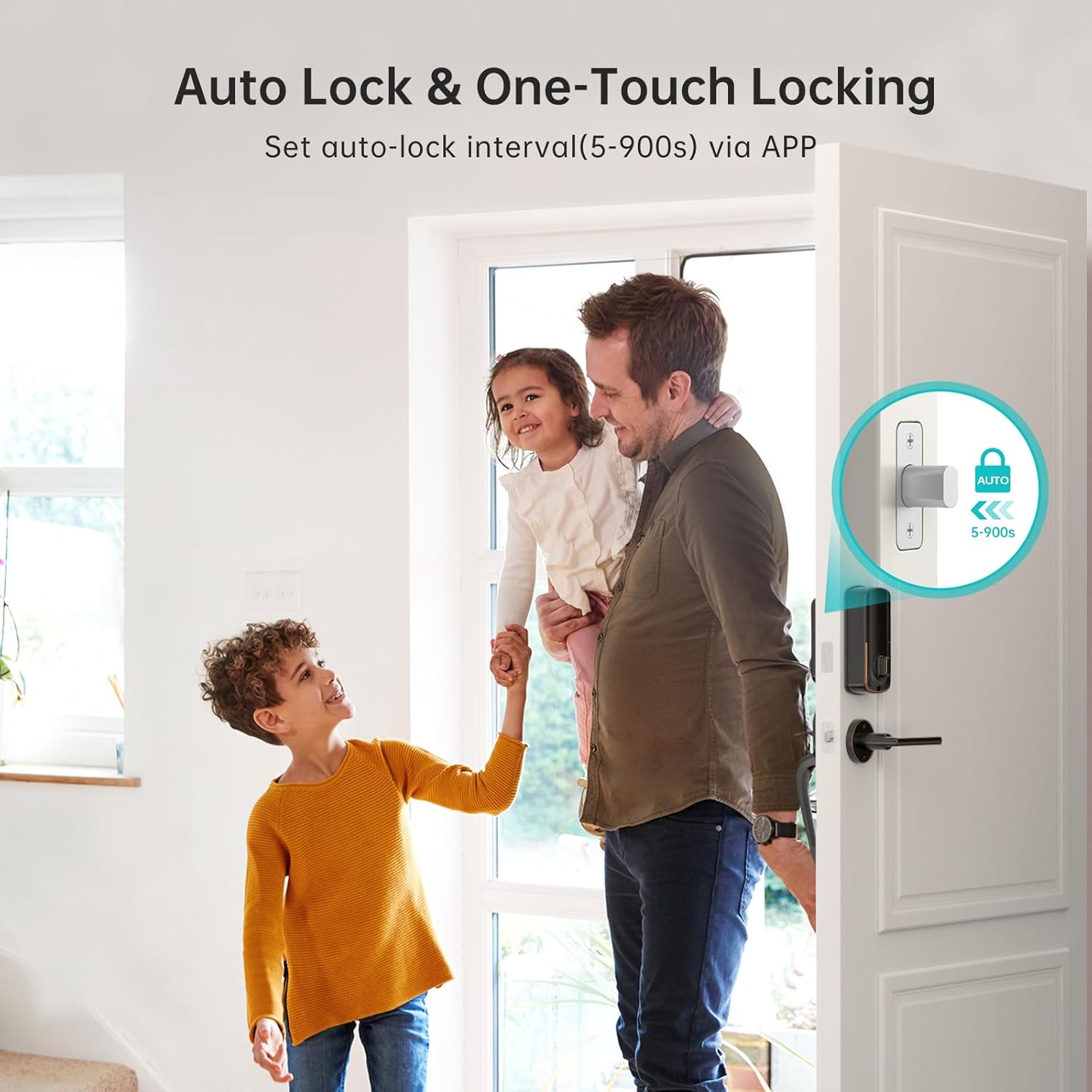
Image: Illustrates the convenience of unlocking the smart lock using voice commands through Amazon Alexa.
6.2 Locking Methods
- Auto-Lock: The lock can be configured via the Smart Life APP to automatically lock after a set period (5-900 seconds) once the door is closed.

Image: Visual explanation of the auto-lock function, which can be customized through the mobile application.
- One-Touch Locking: Press and hold the '#' key on the keypad for a few seconds to manually lock the door from the outside.
- APP Control: Lock the door remotely using the Smart Life APP.
6.3 Real-time Notifications and Logs
The Smart Life APP provides real-time notifications for lock activity, such as unlocking events or low battery warnings. You can also view a detailed access log to track who entered and when.
Image: A user reviewing the real-time notification and access log features within the Smart Life APP.
7. Maintenance
7.1 Battery Replacement
The lock is powered by 4 AA batteries, which can last up to 6 months under normal usage. The Smart Life APP will notify you when the battery level is low, prompting you to replace them. Always replace all four batteries simultaneously with new, high-quality alkaline AA batteries.
7.2 Cleaning and Care
Clean the lock's exterior with a soft, damp cloth. Avoid using abrasive cleaners or solvents, as these can damage the finish or electronic components. Ensure the fingerprint sensor and keypad are kept clean for optimal performance.
8. Troubleshooting
- Lock not responding: Check battery level in the Smart Life APP or replace batteries. If still unresponsive, use the mechanical key.
- Incorrect passcode lockout: If an incorrect passcode is entered 5 times consecutively, the keypad will lock for 3 minutes as a security measure. Wait for the lockout period to expire before attempting again.
- Remote control issues: Ensure the WiFi gateway is properly connected to your home network and within range of the smart lock. If the lock is installed on a metal door, signal interference may occur, affecting remote functionality.
- Fingerprint not recognized: Ensure your finger is clean and dry. Re-register your fingerprint if issues persist.
- Difficulty with installation: Refer to the detailed installation guide or contact customer support for assistance. Ensure door dimensions and backset are compatible.
9. Warranty and Support
Hornbill is committed to providing reliable products and excellent customer service.
- Money Back Guarantee: 30-Day money back policy.
- Warranty: 1-year warranty from the date of purchase.
- Technical Support: Lifetime technical support is available.
For technical assistance or warranty claims, please contact Hornbill customer support:
Free Call Tech Support: +1 888-778-6119