
LICORNE P099
LICORNE Portable Tire Inflator User Manual
Model: P099
1. Product Overview
The LICORNE Portable Tire Inflator is a versatile and powerful air compressor designed for quick and efficient inflation of various items. Equipped with a built-in rechargeable battery, it offers cordless operation and boasts a 5x faster inflation speed compared to standard electric air pumps. This device features a digital pressure gauge, multiple smart modes, and an automatic shut-off function for precise and safe inflation. It also includes emergency functionalities such as an LED light and a USB output port for charging electronic devices.

Image 1.1: Overview of the LICORNE Portable Tire Inflator and its included accessories.
2. Product Components
The package includes the following items:
- Portable Tire Inflator Unit
- Manual
- Type C Charging Cable
- Cigarette Lighter Power Cord
- Air Nozzle (for standard valves)
- Long Tapered Nozzle (for inflatables)
- Ball Air Nozzle (for sports balls)
- Presta Valve Needle (for bicycle tires)
- Cloth Storage Bag
- Air Tube (Hose)
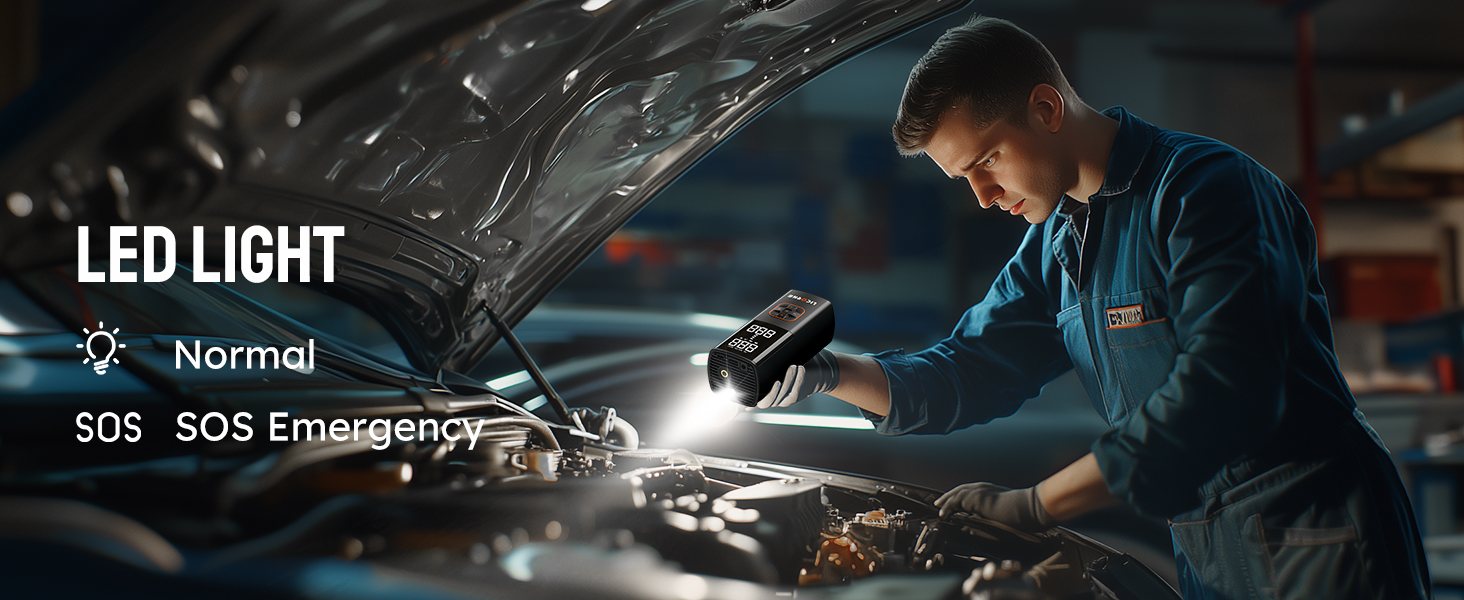
Image 2.1: Visual representation of all items included with the tire inflator.
3. Setup and Charging
Before first use, ensure the device is fully charged. Connect the provided Type C charging cable to the inflator's C-type charging port and a suitable USB power adapter (not included). The LED display will indicate charging status. A full charge provides up to 2 hours of cordless runtime.
The inflator can also be powered via the included Cigarette Lighter Power Cord for continuous operation, especially useful when the battery is low or for prolonged tasks.

Image 3.1: The inflator supports both cordless battery operation and corded power via a cigarette lighter adapter.
4. Operating Instructions
- Connect the Air Tube: Screw the air tube securely onto the inflator's air outlet. Attach the appropriate nozzle (Air Nozzle, Long Tapered Nozzle, Ball Air Nozzle, or Presta Valve Needle) to the other end of the air tube.
- Power On: Long press the power button (usually marked with a power symbol) to turn on the device. The LCD screen will illuminate.
- Select Mode: Press the 'M' button to cycle through the preset inflation modes: Car, Motorcycle, Bike, and Ball. Each mode has a default pressure range.
- Set Desired Pressure: Use the '+' and '-' buttons to adjust the target pressure value. The unit supports PSI, KPA, BAR, and KG/CM². Press 'M' briefly to switch between units.
- Connect to Item: Securely connect the nozzle to the item you wish to inflate (e.g., tire valve, sports ball valve). The current pressure will be displayed on the screen.
- Start Inflation: Press the power button again to begin inflation. The device will automatically stop when the preset pressure is reached.
- Disconnect: Once inflation is complete, disconnect the nozzle from the item and the air tube from the inflator.

Image 4.1: Correct operating instructions for the inflator, showing connection, mode selection, and inflation.

Image 4.2: The dual display screen shows both the real-time pressure and the preset target pressure.
5. Applications and Smart Modes
The inflator features 4 preset modes for common inflation needs, plus a customizable 'N' mode:
- Car Mode: Ideal for car tires (typically 25-36 PSI).
- Motorcycle Mode: Suitable for motorcycle tires (typically 25-40 PSI).
- Bike Mode: For bicycle tires (typically 30-150 PSI).
- Ball Mode: For sports balls (typically 7-16 PSI).
- Custom Mode (N): Allows manual setting of pressure up to 180 PSI for various other inflatables.

Image 5.1: The inflator is suitable for a wide range of applications, from vehicle tires to sports equipment.
6. Emergency Features
The LICORNE Portable Tire Inflator is equipped with features for emergency situations:
- LED Light: A top-mounted LED light provides illumination for inflating in the dark, changing tires, or general visibility. It can also be used in SOS mode for signaling.
- Power Bank Function: The 5V/2A USB output port allows the inflator to serve as an emergency power source for charging electronic devices like smartphones.

Image 6.1: The inflator's emergency features include an LED light and the ability to charge other devices.
7. Maintenance
- Keep the device clean and free from dust and debris. Use a soft, dry cloth for cleaning.
- Store the inflator and its accessories in the provided cloth storage bag when not in use to prevent damage.
- Avoid exposing the device to extreme temperatures or direct sunlight for prolonged periods.
- Ensure the air tube and nozzles are clear of obstructions before and after use.
8. Troubleshooting
- Device not turning on: Ensure the battery is charged. If using the corded option, check the vehicle's 12V outlet for power.
- Inflator not inflating: Check that the air tube is securely connected to both the inflator and the item. Ensure the correct nozzle is used and properly attached. Verify the target pressure is set above the current pressure.
- Inaccurate pressure reading: Ensure the nozzle is fully seated on the valve stem to prevent air leakage. If discrepancies persist, compare with a known accurate pressure gauge.
- Device overheating: Prolonged continuous operation can cause the device to heat up. Allow it to cool down before resuming use.
9. Specifications
| Model Name | P099 |
| Brand | LICORNE |
| Maximum Operating Pressure | 180 PSI |
| Power Source | Battery Powered / 12V DC |
| Voltage | 12 Volts |
| Noise Level | 85 dB |
| Item Weight | 2.1 Pounds |
| Product Dimensions | 5.56"L x 7.2"W x 2.9"H |
| Color | Black |
10. Safety Information and Warnings
- Important Note: It is not recommended to use this portable inflator for utility vehicles such as RVs, large trucks, or tractors. The device may not reach the desired pressure, and prolonged operation could damage the motor.
- Keep out of reach of children.
- Do not operate the inflator in wet conditions or immerse it in water.
- Avoid over-inflating items. Always refer to the recommended pressure for the item being inflated. The automatic shut-off feature helps prevent over-inflation.
- Do not block the air vents during operation to prevent overheating.
- Disconnect the power source when not in use or before performing any maintenance.
11. Warranty and Support
LICORNE is committed to providing high-quality products and considerate service. This product comes with an 18-month expiration date for warranty coverage. For any issues, questions, or support needs, please contact our professional customer service team, available 7 days a week, 24 hours a day. We offer hassle-free replacement or return services for eligible products.
For further assistance, please visit the LICORNE Store on Amazon.
Ask a question about this manual
Ask about setup, troubleshooting, compatibility, parts, safety, or missing instructions. Manuals+ will review the question and use this page’s manual context to help answer it.