
1. Introduction
The ERAZER X8 AI Language Translation Earbuds are designed to facilitate real-time communication across language barriers. These earbuds integrate advanced AI translation technology, music playback, and call functions into a single, portable device. This manual provides detailed instructions for the setup, operation, maintenance, and troubleshooting of your ERAZER X8 earbuds to ensure optimal performance and user experience.

Image: The ERAZER X8 AI Language Translation Earbuds with their charging case, showcasing the sleek design and compact form factor.
2. Setup Guide
2.1. What's in the Box
Upon unboxing your ERAZER X8 earbuds, please verify that all components are present:
- 2 x ERAZER X8 Translation Earbuds
- 1 x Charging Case
- 1 x USB-C Charging Cable
- 2 x User Manual (this document)
- 1 x Lanyard

Image: A visual representation of all items included in the ERAZER X8 product packaging, including the earbuds, charging case, cables, and manuals.
2.2. Charging the Earbuds
Before initial use, fully charge the earbuds and the charging case. Place the earbuds into the charging case. Connect the USB-C charging cable to the charging case and a compatible power source. The indicator lights on the case will show the charging status.
- Charging Time: Approximately 1.5 hours for a full charge.
- Listening Time: Up to 6 hours on a single charge.
- Total Battery Life (with charging case): Up to 20 hours.

Image: An illustration depicting the battery life of the ERAZER X8 earbuds and their charging case, highlighting charging and usage times.
2.3. App Installation and Pairing
The ERAZER X8 earbuds require the Earjoy application for full functionality, especially for translation features. The app is compatible with both iOS and Android devices.
- Download the App: Scan the QR code provided in the physical user manual or search for "Earjoy" in your device's app store (Apple App Store for iOS, Google Play Store for Android).
- Enable Bluetooth: Ensure Bluetooth is enabled on your smartphone or tablet.
- Pairing: Open the Earjoy app. The app will guide you through the pairing process. Select "ERAZER X8" from the list of available Bluetooth devices. The earbuds utilize advanced Bluetooth 5.4 technology for a stable and low-latency connection.
- Initial Setup in App: Follow the on-screen prompts within the Earjoy app to complete the initial setup, including language preferences.

Image: A visual representation of the Earjoy application interface, demonstrating its real-time translation capabilities and user interaction.

Image: A diagram illustrating the Bluetooth 5.4 wireless technology integrated into the ERAZER X8 earbuds, ensuring stable and efficient connectivity.
3. Operation
3.1. Wearing the Earbuds
The ERAZER X8 earbuds feature an ergonomic open-ear design for comfortable and secure fit during prolonged use. The adjustable ear hook angle allows for customization to different ear sizes, ensuring the speaker is positioned optimally.

Image: A person wearing the ERAZER X8 earbuds, demonstrating the ergonomic ear-hanging design for open-ear comfort and a secure fit.
3.2. Basic Controls
The earbuds are equipped with touch controls for various functions:
| Action | Function |
|---|---|
| Single-Tap (L/R) | Play/Pause Music, Answer/End a Call |
| Double-Tap (L) | Volume Up |
| Double-Tap (R) | Volume Down |
| Triple-Tap (L) | Previous Track |
| Triple-Tap (R) | Next Track |
| Long Press 2s (L/R) | Activate Voice Assistant, Phone Mode/Reject a Call |

Image: A diagram illustrating the various touch control gestures (single-tap, double-tap, triple-tap, long press) and their corresponding functions on the ERAZER X8 earbuds.
3.3. Translation Modes and Features
The ERAZER X8 earbuds offer multiple translation modes to suit different communication scenarios:
- AI Dialogue Mode: Ideal for one-on-one conversations, providing real-time, continuous translation.
- Free Talk Mode: Allows for more natural, flowing conversations with automatic language detection.
- Touch Mode (Dual Ear Click Mode): Activates translation by touching the earbud, suitable for quick exchanges.
- Speaker Mode (Headphones + Phone Mode): One earbud translates to the wearer, while the phone's speaker translates for the other party.
- Translation Machine Mode: Utilizes the earbuds as a dedicated translation device.
The earbuds support translation for over 135 languages, bridging communication gaps effectively. You can share one earbud for direct two-way translation.

Image: A visual guide to the four distinct translation modes available with the ERAZER X8 earbuds, designed for various communication scenarios.

Image: An illustration highlighting the real-time language translation capability of the ERAZER X8 earbuds, supporting over 135 languages via the companion app.
3.4. Multifunction Design (Music & Calls)
Beyond translation, the ERAZER X8 earbuds function as standard wireless headphones, allowing for music playback and hands-free calling.
- Music Playback: Control music directly from the earbuds using the touch controls (Play/Pause, Next/Previous Track, Volume).
- Call Functions: Answer, end, or reject calls using the touch controls. The integrated microphone ensures clear communication.

Image: A composite image demonstrating the 3-in-1 functionality of the ERAZER X8 earbuds: real-time translation, music playback, and phone call management.
3.5. Portability
The compact size of the ERAZER X8 earbuds and charging case makes them highly portable. An included lanyard provides an additional convenient carrying option to prevent loss.
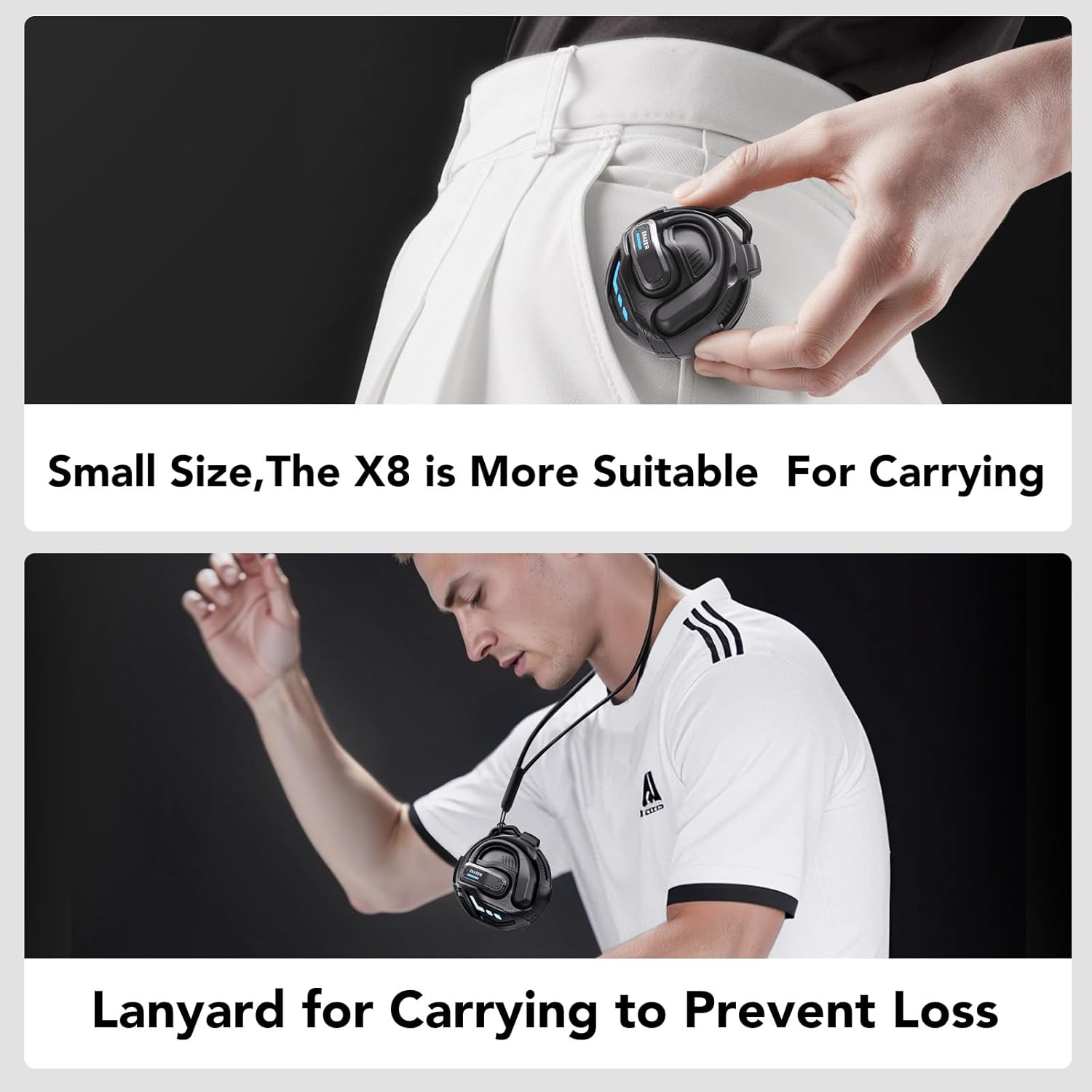
Image: Images showcasing the small size of the ERAZER X8 earbuds and charging case, along with the included lanyard for easy and secure carrying.
4. Maintenance
Proper maintenance ensures the longevity and optimal performance of your ERAZER X8 earbuds.
- Cleaning: Regularly wipe the earbuds and charging case with a soft, dry, lint-free cloth. Do not use abrasive cleaners, alcohol, or chemical solvents.
- Storage: When not in use, store the earbuds in their charging case to protect them from dust and damage. Store in a cool, dry place away from direct sunlight and extreme temperatures.
- Battery Care: To preserve battery health, avoid fully discharging the earbuds frequently. If storing for an extended period, ensure they are charged to approximately 50% capacity.
- Avoid Water Exposure: The earbuds are not waterproof. Avoid exposure to water, sweat, or high humidity.
5. Troubleshooting
If you encounter issues with your ERAZER X8 earbuds, please refer to the following common solutions:
| Problem | Possible Cause / Solution |
|---|---|
| Earbuds not pairing/connecting |
|
| Poor sound quality |
|
| Translation not working or inaccurate |
|
| One earbud not working |
|
For further assistance, please refer to the Earjoy app's help section or contact customer support.
6. Specifications
| Feature | Detail |
|---|---|
| Model Number | X8 |
| Brand | QYGCKJ (ERAZER) |
| Translation Languages | 135+ languages supported via Earjoy App |
| Connectivity | Bluetooth 5.4 |
| Battery Type | Lithium Polymer (included) |
| Battery Life (Earbuds) | Up to 6 hours listening time |
| Battery Life (with Case) | Up to 20 hours total |
| Charging Time | Approx. 1.5 hours |
| Item Weight | 5.6 ounces |
| Package Dimensions | 5.71 x 4.1 x 2.05 inches |
| App Compatibility | iOS & Android (Earjoy App) |
7. Warranty and Support
Your ERAZER X8 AI Language Translation Earbuds are covered by a standard manufacturer's warranty against defects in materials and workmanship. Please refer to the warranty card included in your product packaging for specific terms and conditions, including the warranty period.
For technical support, troubleshooting assistance beyond this manual, or warranty claims, please contact QYGCKJ customer service through the contact information provided in the Earjoy application or on the official QYGCKJ website. Please have your product model number (X8) and purchase details ready when contacting support.