
IDUINO MKZ-RM-SD
IDUINO Makerzoid Robot Master Standard 100-in-1 Building Block Sets
Model: MKZ-RM-SD
Introduction
This manual provides instructions for assembling, operating, and maintaining your IDUINO Makerzoid Robot Master Standard building block set. This educational toy allows users to construct over 100 different robot models and learn about robotics and programming through interactive play. It is designed to foster imagination, logical thinking, concentration, and creativity in children aged 6 and above.
Safety Information
This product meets international safety standards, including ASTM, EN71, and FCC certifications, ensuring a safe playing experience.
Warning: Not suitable for children under 3 years due to small parts which may present a choking hazard. Adult supervision is recommended during assembly and play to ensure proper use and safety.
What's in the Box
- 1 x Host unit
- 1 x Motor
- 1 x Sensor
- 370+ Building Blocks
- 1 x Instruction Manual (this document)
Setup
1. Assembly
The Makerzoid Robot Master requires assembly. Follow the detailed instructions provided in the accompanying paper manual or within the Makerzoid app to construct your desired robot model. The kit allows for over 100 different robot configurations, from simple to complex.

Image Description: A child happily playing with various assembled Makerzoid robots, including a crab-like robot, a helicopter, a car, and other creative designs. This image illustrates the diverse range of models that can be built with the kit.
2. Power Supply
The robot requires batteries for operation. Batteries are not included in the package. Insert the required batteries into the designated battery compartment of the host unit. Ensure correct polarity when inserting batteries.

Image Description: An illustration showing the internal components of a gray building block unit with two orange cylindrical batteries being inserted. This indicates how to power the robot.
3. App Installation and Connection
Download the free Makerzoid app from your device's app store (available for iOS and Android). Once installed, open the app and follow the on-screen instructions to connect to your assembled robot via Bluetooth. The app provides comprehensive building instructions, intuitive control interfaces, and powerful programming tools.

Image Description: A visual guide demonstrating how to program and control the robot using a free mobile application. It shows three phone screens: one for building instructions, one for remote control, and one for block-based coding. A rabbit-like robot is shown next to a phone displaying the control interface.
Operating Instructions
Remote Control
Use the Makerzoid app's remote control interface to drive and manipulate your robot. The app allows for various movements and actions depending on the robot model built. Experiment with different control schemes to master your robot's movements.
Programming
The Makerzoid app features a graphical drag-and-drop programming interface. This allows users to create custom behaviors for their robots, such as following lines, avoiding obstacles, detecting distance, and controlling LED lights. The app also offers 23 instructive video courses to guide users through machine structural, dynamics, and programming concepts step-by-step.
Infrared Distance Sensor
The infrared distance sensor enables the robot to perform different actions by detecting objects. It releases and receives infrared rays to measure distance, allowing for interactive responses.
- Follow Mode: The robot can be programmed to follow objects or lines.
- Avoidance Mode: The robot can be programmed to detect and avoid obstacles in its path.
- Drawing Mode: The sensor can be utilized in conjunction with other components for creative functions, such as guiding the robot to draw patterns.
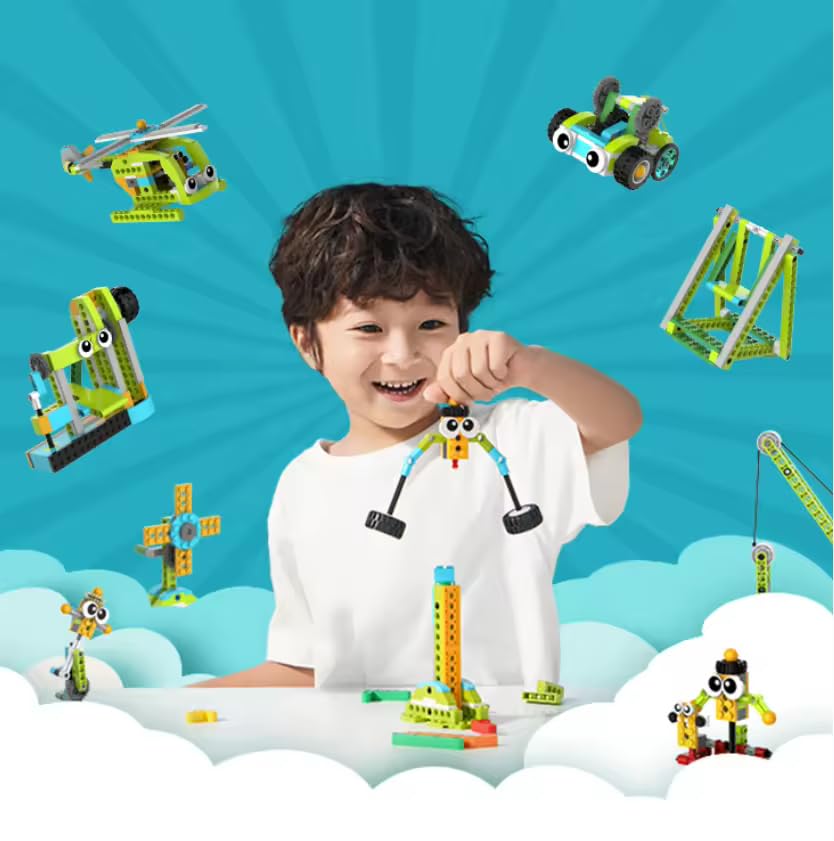
Image Description: A detailed illustration of the infrared distance sensor connected to a robot. Below it, three smaller images demonstrate its functions: a robot following a line, a robot avoiding an obstacle, and a robot drawing on paper.
LED Lights and Motors
The kit includes colorful LED lights that can be programmed to display various patterns and colors, adding visual flair to your robot. The motors provide the necessary power for movement, allowing the robot to perform dynamic actions and interact with its environment.
Image Description: A diagram highlighting key features of the Makerzoid robot components. It shows colorful LED lights, buttons for control, expanded motors, and the battery compartment.
Maintenance
- Keep all building blocks and electronic components clean and dry. Use a soft, dry cloth for cleaning.
- Avoid exposing the product to extreme temperatures, direct sunlight, or high humidity.
- When not in use for extended periods, remove batteries from the host unit to prevent potential leakage and damage.
- Store components in their original packaging or a suitable, organized container to prevent loss or damage.
- Regularly check for any loose connections or damaged parts and replace if necessary.
Troubleshooting
Robot Not Responding
- Check if batteries are correctly inserted and fully charged. Replace if necessary.
- Ensure the robot's host unit is powered on.
- Verify the Bluetooth connection between the robot and the app.
- Restart the app and the robot.
App Connection Issues
- Make sure Bluetooth is enabled on your mobile device.
- Ensure the robot is within the recommended operating range of your device.
- Close and reopen the Makerzoid app.
- Try restarting your mobile device.
Programming Errors
- Review your block-based code for any logical errors or incorrect sequences.
- Refer to the in-app video courses for guidance on programming concepts and examples.
- Ensure all sensors and motors are correctly connected to the host unit as per the building instructions.
Specifications
| Feature | Detail |
|---|---|
| Model Number | MKZ-RM-SD |
| Brand | IDUINO |
| Material | Acrylonitrile Butadiene Styrene (ABS Plastic) |
| Age Range | 6 to 14 Years (Minimum Recommended: 6, Maximum Recommended: 12) |
| Number of Blocks | 370+ |
| Robot Models | 100+ in 1 |
| Control Method | App-enabled (iOS/Android) |
| Educational Objective | STEM (Science, Technology, Engineering, Mathematics) |
| Included Components | 1 Host, 1 Motor, 1 Sensor, Building Blocks |
| Assembly Required | Yes |
| Country of Origin | China |
Warranty and Support
Warranty information for the IDUINO Makerzoid Robot Master Standard is typically provided with your purchase or can be found on the manufacturer's official website. Please retain your proof of purchase for any warranty claims.
For technical support, product inquiries, or assistance with assembly and operation, please refer to the contact information provided by your retailer or the manufacturer, Makerzoid. Online resources, including the Makerzoid app's video courses, are also available for guidance.
Ask a question about this manual
Ask about setup, troubleshooting, compatibility, parts, safety, or missing instructions. Manuals+ will review the question and use this page’s manual context to help answer it.