
Sunoony F905
Sunoony Solar Camping Fan User Manual
Model: F905
Introduction
Thank you for purchasing the Sunoony Solar Camping Fan. This versatile device combines a powerful fan, an LED lantern, and a portable power bank, designed for optimal comfort and convenience in various outdoor and indoor settings. This manual provides detailed instructions for safe operation, setup, maintenance, and troubleshooting to ensure you get the most out of your product.

Image: The Sunoony Solar Camping Fan, showcasing its fan, LED light ring, and USB charging capability for a smartphone.
Safety Information
- Do not immerse the fan in water or other liquids. The product is Not Water Resistant.
- Keep out of reach of children.
- Do not block the fan blades or air inlets/outlets during operation.
- Use only the provided Type-C cable for charging.
- Do not disassemble, repair, or modify the product yourself. Contact customer support if service is required.
- Avoid exposing the solar panel to extreme heat or direct sunlight for prolonged periods when not in use, as this may damage the battery.
- Ensure proper ventilation when charging.
Package Contents
Please check the package for the following items:
- Sunoony Rechargeable Camping Fan x 1
- User Manual x 1
- Type-C Cable x 1
Product Overview
Familiarize yourself with the components of your Sunoony Solar Camping Fan:
- Fan Head: Contains the fan blades and LED light ring.
- Control Panel: Buttons for power, light, oscillation, and timer.
- LED Display: Shows battery level (0-100%) and current fan speed.
- Solar Panel: Located on the back, for solar charging.
- USB Type-C Input Port: For charging the fan.
- USB Output Port: For charging external devices (power bank function).
- Handle: For easy carrying or hanging.
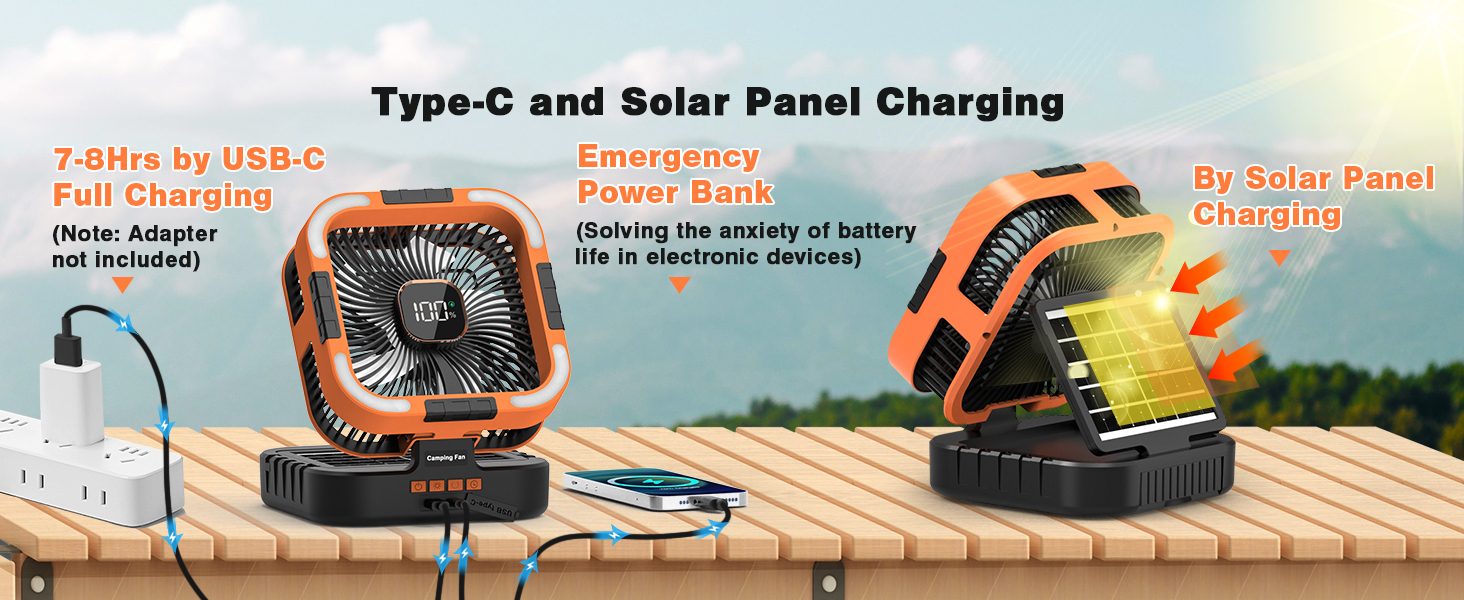
Image: A detailed view of the fan's control panel and display, highlighting the power, light, oscillation, and timer buttons, along with the USB Type-C input and USB output ports.
Setup
- Unpack: Carefully remove the fan and all accessories from the packaging.
- Initial Charge: Before first use, fully charge the fan using the provided Type-C cable and a compatible 5V/2A adapter (not included). The LED display will show the battery percentage.
- Placement: Place the fan on a stable, flat surface or hang it using the integrated handle. Ensure there is adequate space around the fan for optimal airflow.
Operating Instructions
Power On/Off and Fan Speed Control
- Power On: Press the power button (⏻) once to turn on the fan. The LED display will show the current battery level and fan speed.
- Adjust Speed: Press the power button repeatedly to cycle through 6 fan speeds. Each press increases the speed.
- Power Off: Continue pressing the power button until the fan turns off, or long-press the power button.

Image: Visual representation of the fan's 6-speed airflow settings, indicating RPM and air velocity for each speed.
LED Lantern Function
- Turn On/Change Color: Press the light button (☀) once to turn on the LED light. Press repeatedly to cycle through white light, yellow light, and a combination of yellow and white light.
- Adjust Brightness: Long-press the light button to continuously adjust the brightness level (dimming function). Release when desired brightness is reached.
- Turn Off: Continue pressing the light button until the light turns off, or long-press the light button.

Image: The fan's LED light operating in yellow, white, and combined yellow and white modes, demonstrating the dimming capability.
Oscillation Function
- Press the oscillation button (↻) once to activate 120° automatic oscillation.
- Press the oscillation button again to stop oscillation.

Image: The fan demonstrating its 120-degree head rotation feature, providing wider air circulation.
Timer Function
- Press the timer button (⏰) to set the fan to automatically turn off after a specified duration.
- Available timer settings are 1 hour, 2 hours, 4 hours, and 6 hours. Press repeatedly to cycle through the options.
- The fan will automatically shut off once the set time expires.
Power Bank Function
- Connect your smartphone, tablet, or other USB-powered device to the USB output port on the fan using your device's charging cable.
- The fan's 10,000mAh battery can be used to charge your devices.
Charging the Fan
Type-C Charging
- Connect the provided Type-C cable to the fan's Type-C input port and the other end to a 5V/2A USB power adapter (not included) or a computer USB port.
- A full charge typically takes 7-8 hours.
- The LED display will show the battery percentage increasing during charging.
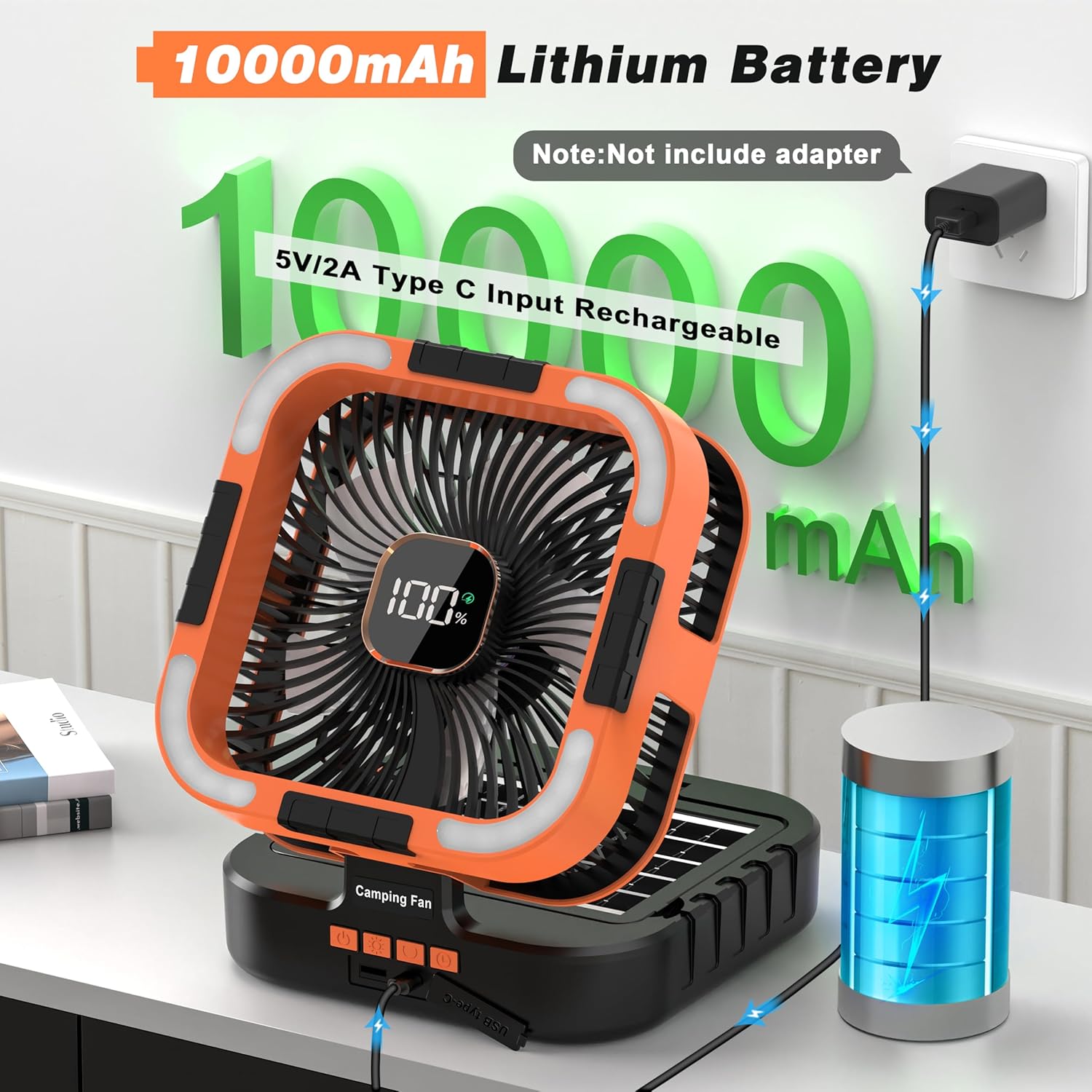
Image: The fan connected to a wall adapter via a Type-C cable, illustrating the charging process for its 10,000mAh battery.
Solar Charging
- Place the fan with the solar panel facing direct sunlight.
- The solar panel will convert sunlight into electricity to charge the internal battery.
- Solar charging is ideal for maintaining battery life or for emergency charging in outdoor environments. It may take longer than Type-C charging depending on sunlight intensity.
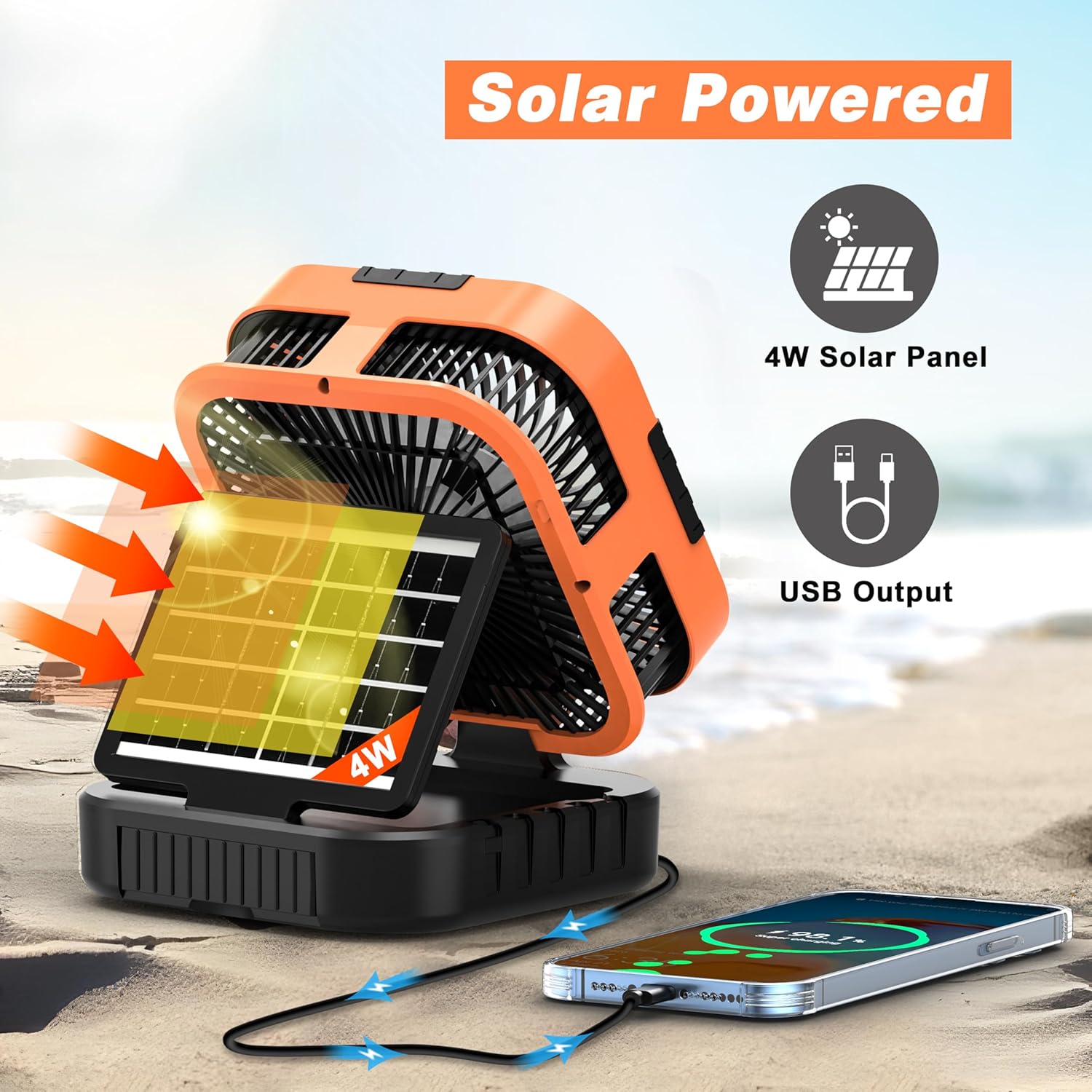
Image: The fan positioned with its solar panel angled towards the sun, demonstrating its solar charging capability.
Maintenance
- Cleaning: Use a soft, dry cloth to wipe the fan's surface. Do not use abrasive cleaners or solvents.
- Storage: When not in use for extended periods, store the fan in a cool, dry place. It is recommended to charge the battery every 3 months to maintain its lifespan.
- Avoid Obstructions: Ensure the fan blades and air vents are free from dust and debris for optimal performance.
Troubleshooting
| Problem | Possible Cause | Solution |
|---|---|---|
| Fan does not turn on. | Battery is depleted. | Charge the fan using the Type-C cable or solar panel. |
| Fan speed is weak. | Low battery level. | Recharge the fan. |
| Light does not turn on. | Battery is depleted or light function is off. | Charge the fan. Press the light button to activate. |
| Cannot charge external devices. | Fan battery is too low or cable is faulty. | Ensure fan is sufficiently charged. Try a different USB cable. |
| Solar charging is slow. | Insufficient direct sunlight or cloudy conditions. | Place the fan in direct, strong sunlight. Solar charging is slower than Type-C charging. |
Specifications
| Feature | Detail |
|---|---|
| Brand | Sunoony |
| Model Number | F905 |
| Battery Capacity | 10,000mAh (Rechargeable Lithium-Ion Polymer) |
| Charging Input | Type-C (5V/2A recommended) |
| Charging Time | 7-8 hours (Type-C) |
| Fan Speeds | 6 adjustable speeds |
| Oscillation Angle | 120° automatic rotation |
| LED Light | 3 colors (white, yellow, mixed) with dimming |
| Timer Settings | 1H, 2H, 4H, 6H |
| Noise Level | 42 dB (at lowest speed) |
| Product Dimensions | 8.18"L x 5.11"W x 8.18"H |
| Item Weight | 3.5 pounds |
| Material | Plastic |
| Water Resistance | Not Water Resistant |
Warranty and Support
Sunoony is committed to providing high-quality products and excellent customer service. For any questions, concerns, or warranty claims, please contact our professional after-sales service team.
- Warranty: Please refer to your purchase documentation for specific warranty terms and conditions.
- Customer Support: For assistance, please visit the Sunoony Store on Amazon or contact us through the Amazon messaging system. Our team is available 7/24h to solve problems and optimize products based on customer suggestions.
Ask a question about this manual
Ask about setup, troubleshooting, compatibility, parts, safety, or missing instructions. Manuals+ will review the question and use this page’s manual context to help answer it.