1. Product Overview
The heetipuk M2 Magnetic Bluetooth Speaker is a compact and versatile audio device designed for portability and convenience. It features a unique magnetic base allowing it to attach to various metal surfaces, and can also function as a phone stand. With Bluetooth 5.3 connectivity, TF card playback, and vibrant RGB lighting, it delivers clear audio with enhanced bass.

Figure 1: heetipuk M2 Magnetic Bluetooth Speaker.
2. What's Included
Please check the package contents to ensure all items are present:
- 1 x Magnetic Bluetooth Speaker
- 1 x Magnetic Sticker
- 1 x USB C Charging Cable
- 1 x Lanyard
- 1 x User's Manual (this document)

Figure 2: Package Contents.
3. Setup
3.1 Charging the Speaker
Before first use, fully charge the speaker. Connect the provided USB-C charging cable to the speaker's charging port and the other end to a USB power adapter (not included) or a computer's USB port. The RGB lights may indicate charging status.
Charging Time: Approximately 2 hours.
Battery Life: Up to 7 hours at 70% volume.
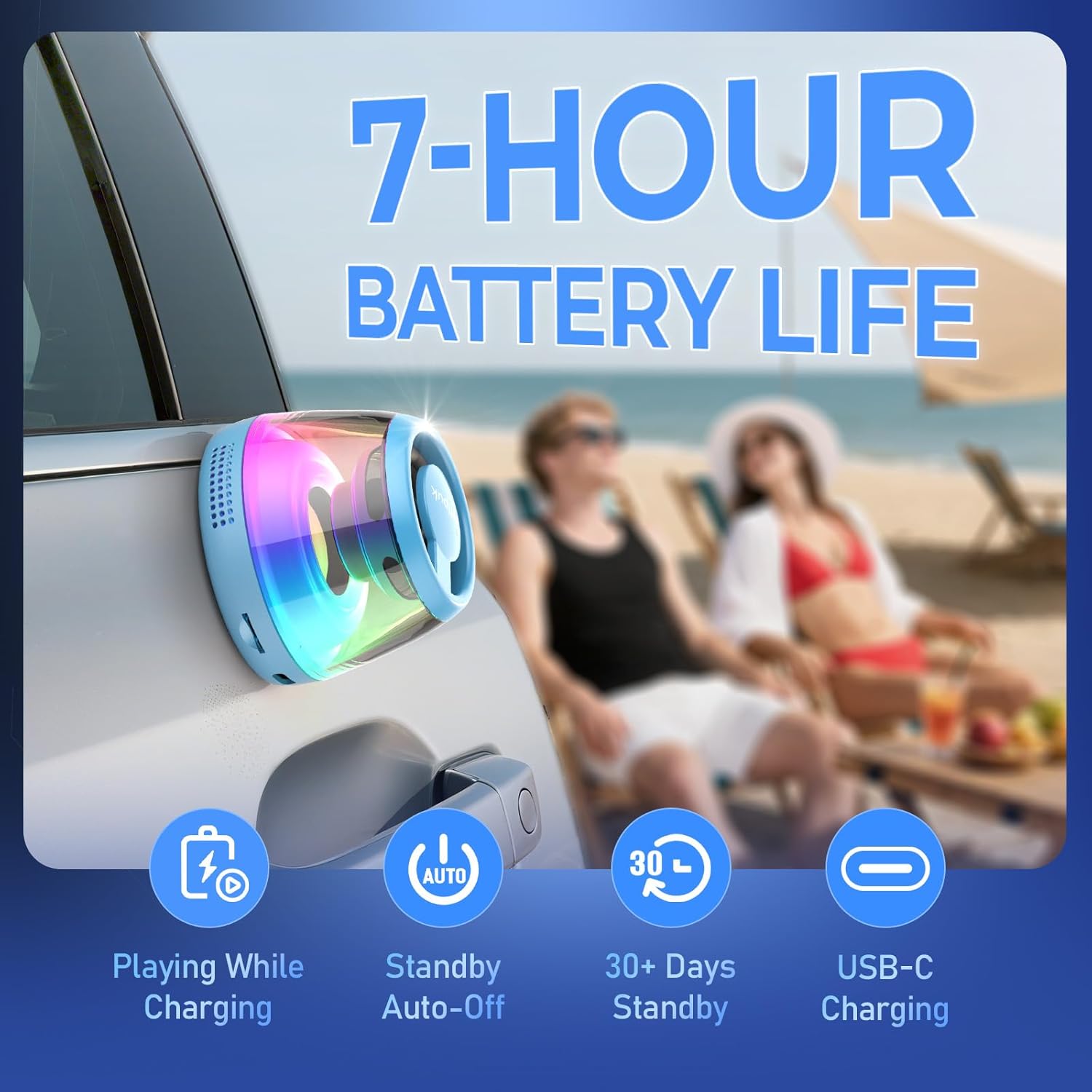
Figure 3: Charging and Battery Life.
3.2 Attaching the Magnetic Ring (Optional)
If you wish to attach the speaker to a non-magnetic surface, such as a phone case or a wall, use the included magnetic sticker. Peel off the adhesive backing and firmly press the magnetic sticker onto the desired clean, flat surface. The speaker can then magnetically attach to this ring.

Figure 4: Magnetic Attachment Options.
4. Operating Instructions
4.1 Power On/Off
To power on the speaker, press and hold the power button (usually the center button) until the RGB lights illuminate. To power off, press and hold the power button again until the lights turn off.
4.2 Bluetooth Pairing
- Ensure the speaker is powered on and in pairing mode (indicated by flashing RGB lights).
- On your device (smartphone, tablet, etc.), enable Bluetooth and search for available devices.
- Select "M2" from the list of found devices.
- Once connected, the speaker will emit a confirmation tone, and the RGB lights will change to a steady pattern.
Video 1: Demonstrating the magnetic attachment and phone stand features of the heetipuk M2 speaker.

Figure 5: Connectivity Options.
4.3 TF Card Playback
Insert a TF (microSD) card with your desired audio files into the designated slot on the speaker. The speaker will automatically switch to TF card playback mode. Use the control buttons to navigate tracks and adjust volume.
4.4 TWS (True Wireless Stereo) Function
The heetipuk M2 speaker supports TWS, allowing two M2 speakers to pair together for a stereo audio experience. Refer to the specific TWS pairing instructions in the included physical user manual for detailed steps.

Figure 6: TWS Functionality.
4.5 RGB Lighting Control
The speaker features vibrant RGB lighting. The lights can be manually turned on or off by a dedicated button or by pressing the power button briefly (depending on model variation). Refer to the physical user manual for precise button functions.

Figure 7: Vibrant RGB Lighting.
4.6 Phone Stand Function
When attached to a phone via its magnetic base (or the magnetic ring), the speaker can be positioned to act as a phone stand, supporting your device in both horizontal and vertical orientations for media viewing or video calls.

Figure 8: Speaker as a Phone Stand.
5. Maintenance
- Keep the speaker dry. It is not waterproof.
- Clean the speaker with a soft, dry cloth. Do not use abrasive cleaners or solvents.
- Avoid exposing the speaker to extreme temperatures or direct sunlight for prolonged periods.
- Store in a cool, dry place when not in use.
6. Troubleshooting
| Problem | Possible Cause | Solution |
|---|---|---|
| Speaker does not turn on. | Low battery. | Charge the speaker fully. |
| Cannot pair via Bluetooth. | Speaker not in pairing mode; device Bluetooth off; too far from speaker. | Ensure speaker is in pairing mode. Turn device Bluetooth off and on. Move device closer to speaker (within 33 feet). |
| No sound from speaker. | Volume too low; incorrect source selected (Bluetooth/TF card); speaker not connected. | Increase volume on both speaker and connected device. Ensure correct mode is selected. Re-pair Bluetooth if necessary. |
| Magnetic attachment is weak. | Surface is not magnetic or magnetic sticker is not properly applied. | Ensure the surface is ferrous metal or that the magnetic sticker is securely attached to a clean, flat surface. |
7. Specifications
| Feature | Detail |
|---|---|
| Model Name | M2 |
| Brand | heetipuk |
| Speaker Type | 5W Internal-Magnet Loudspeaker |
| Speaker Maximum Output Power | 5 Watts |
| Audio Output Mode | Mono (supports TWS for stereo) |
| Wireless Communication Technology | Bluetooth 5.3 |
| Bluetooth Range | 33 Feet |
| Battery Life | Up to 7 Hours (at 70% volume) |
| Charging Time | 2 Hours |
| Power Source | Battery Powered (1 x 9V battery included) |
| Product Dimensions (D x W x H) | 2.2" x 2.2" x 1.7" |
| Item Weight | 1.13 ounces |
| Material | Plastic |
| Is Waterproof | False |
| Includes MP3 player? | Yes (via TF Card Slot) |
| UPC | 799511838560 |
8. Warranty and Support
The heetipuk M2 Magnetic Bluetooth Speaker comes with a Limited Warranty. For specific warranty terms and conditions, please refer to the documentation included in your product packaging or contact heetipuk customer support.
For technical support, troubleshooting assistance, or general inquiries, please visit the official heetipuk website or contact their customer service team through the contact information provided with your purchase.


