
1. Overview
This manual provides instructions for the Avisontek GT90-1 garage door opener remote. This remote is designed for use with Genie garage door openers manufactured between 1982 and 1996, specifically those utilizing 9 or 12 DIP switches. It serves as a replacement for models such as GT90, GT90-2, GT90-3, AT90, MAT90, CT90, LD12, AT290, GPT90-1, LDT90, CT90, PMT90, CT90-1, and AT90-1, PMT90-1.
The remote features 390MHz Fixed Code technology, offering a control range of up to 164 feet. Its compact design allows for easy placement on a car's sun visor. The device is FCC-certified and constructed with a durable ABS alloy casing.
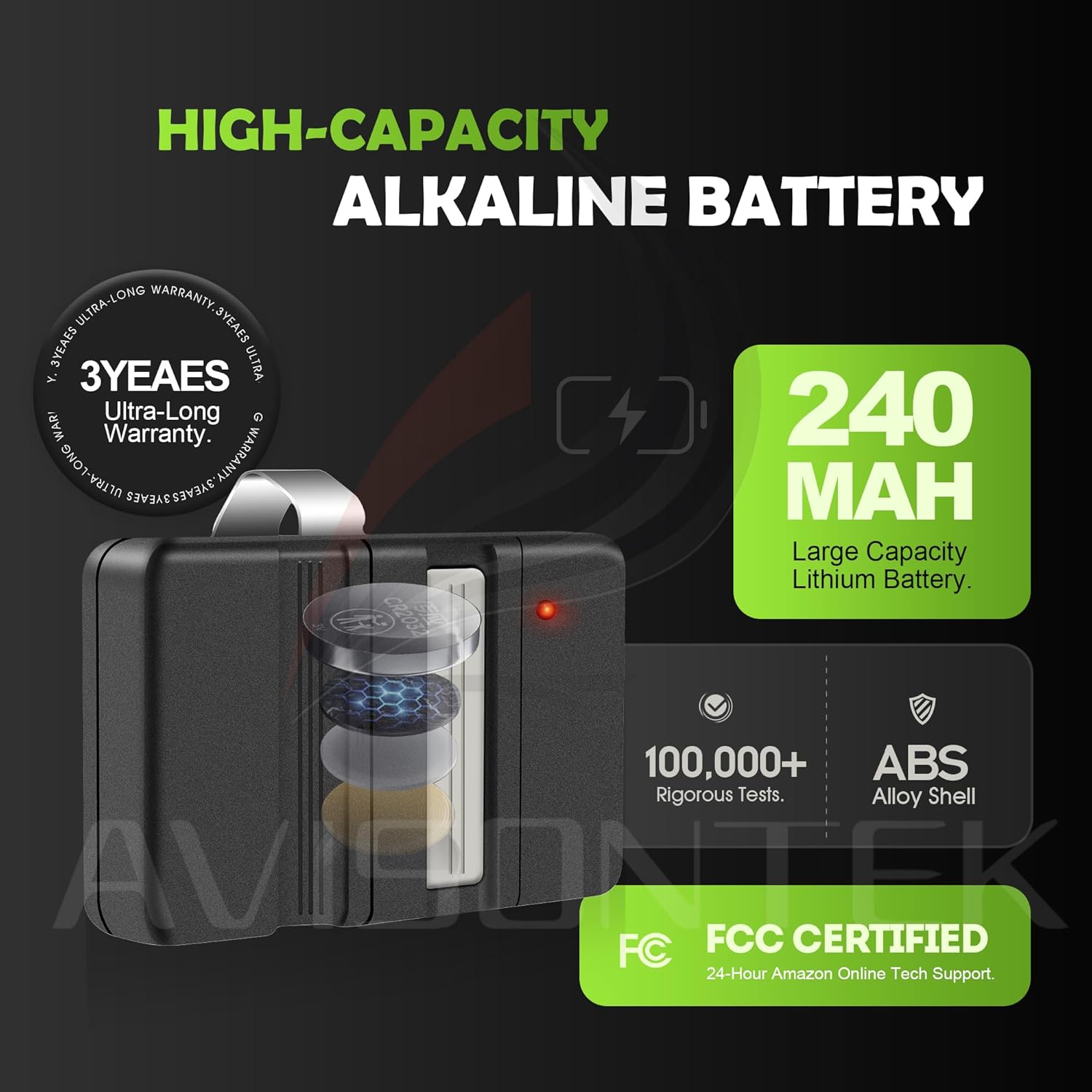
Figure 1.1: Compatibility Information. This image illustrates the types of Genie garage door opener remotes that are compatible (9 or 12 DIP switch, 1982-1996 models) and incompatible (remotes manufactured since 1997) with the Avisontek GT90-1.
2. Setup and Programming
Follow these steps to program your Avisontek GT90-1 remote to your existing Genie garage door opener.
- Remove the Transmitter Cover: Slide the cover away from the front of the transmitter to access the battery and the DIP switches. The code can be changed using a small screwdriver.
- Setting the Codes for 12 DIP Switches: You may set your transmitter to any code you desire, but ensure the code you set matches both your transmitter and receiver exactly. There are twelve (12) DIP switches, each of which can be placed in two different positions (+, -). DO NOT set all switches in the same position, such as all '+' or all '-'.
- Setting the Codes for 9 DIP Switches: For some receivers which only have 9 DIP Switches, it will be necessary for you to move the small black code terminal (Figure C) or push the small DIP switch (Figure D). Therefore, the code selection of the 9 DIP switches receiver model and the DIP switches on your remote transmitter 1 thru 9 should be set exactly the same. The same as those on your receiver, switches 10, 11, 12 on the transmitter should be set in the ON position.

Figure 2.1: Programming Instructions. This image provides a visual guide for accessing the DIP switches and setting the codes for both 9 and 12 DIP switch configurations.
3. Operating Instructions
Once programmed, operating the Avisontek GT90-1 remote is straightforward.
- To open or close your garage door, simply press the single button on the remote.
- The remote offers an effective control range of up to 164 feet, allowing you to operate your garage door from a distance.
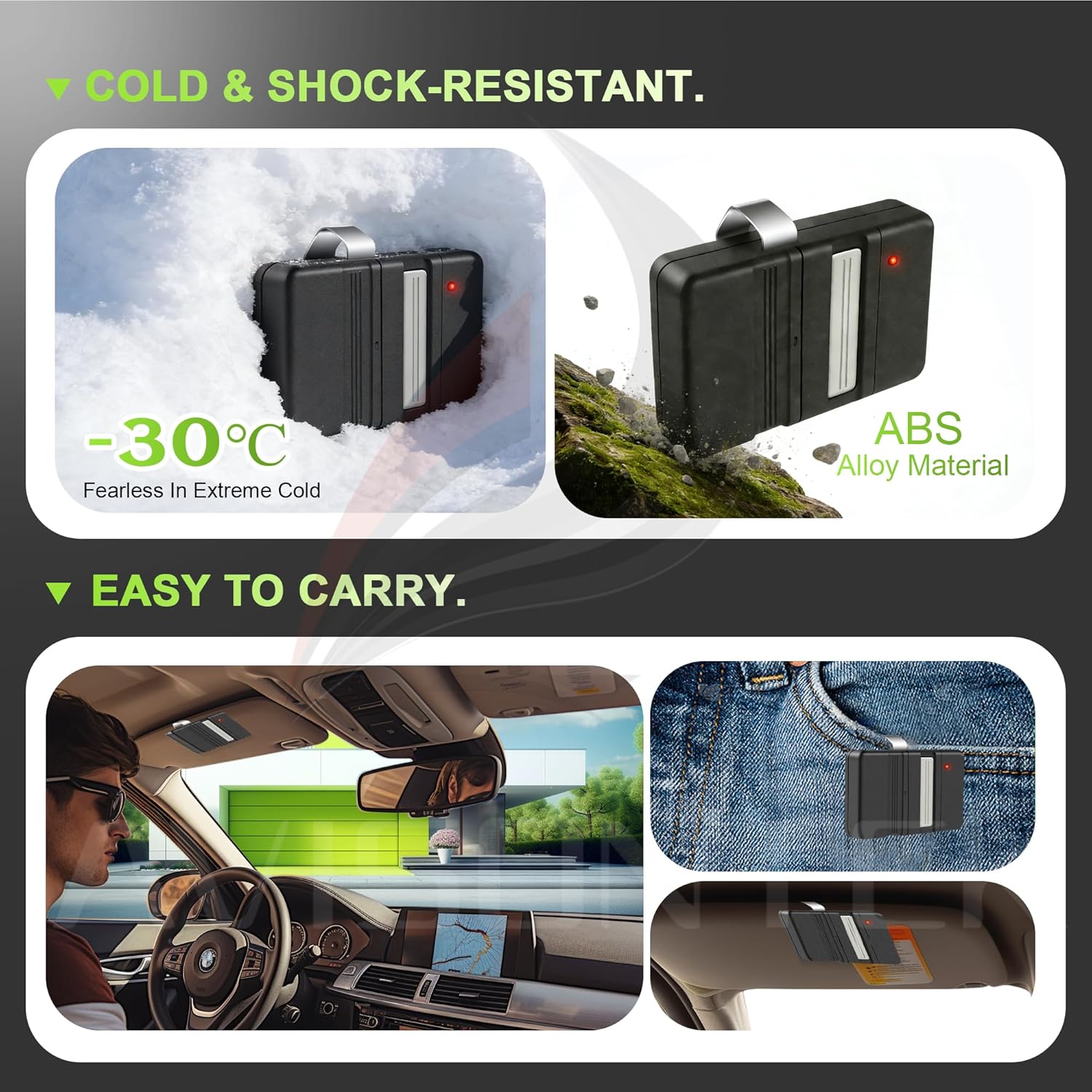
Figure 3.1: Remote Operating Range. This image illustrates the remote's ability to operate a garage door from a distance of up to 164 feet.
4. Maintenance
To ensure the longevity and optimal performance of your Avisontek GT90-1 remote, consider the following maintenance points:
- Battery Replacement: The remote is powered by a high-capacity 240MAH Lithium battery (2 CR5 batteries required, included). When the remote's range decreases or it stops responding, it may be time to replace the batteries. Access the battery compartment by sliding off the transmitter cover.
- Durability: The remote features a sturdy ABS alloy casing, designed to be cold and shock-resistant. While durable, avoid excessive force or exposure to extreme conditions beyond its design limits.
- Cleaning: Wipe the remote with a soft, dry cloth. Avoid using harsh chemicals or abrasive cleaners.

Figure 4.1: Battery and Chip. This image highlights the long-duration lithium battery and rugged low-power chip, contributing to the remote's extended use and efficient performance.

Figure 4.2: Durability and Portability. This image demonstrates the remote's cold and shock-resistant features, along with its compact size for easy carrying or attachment to a sun visor.
5. Troubleshooting
If your Avisontek GT90-1 remote is not functioning as expected, consider the following:
- No Response: Check the battery. Replace if necessary.
- Reduced Range: This often indicates a low battery. Replace the batteries.
- Incorrect Operation: Verify that the DIP switch settings on your remote precisely match those on your garage door opener receiver. Refer to Section 2 for programming instructions.
- Interference: Ensure there are no obstructions or strong radio frequency sources between the remote and the garage door opener that could cause interference.
If issues persist after attempting these steps, please contact customer support.
6. Specifications

Figure 6.1: Product Parameters. This image provides a summary of the remote's key specifications, including working range, frequency, and dimensions.
| Brand | Avisontek |
| Model Name | garage door opener remote |
| Model Number | GT90-1 |
| Compatible Devices | 1982 to 1996 9 or 12 DIP SWITCH Genie Garage Door Opener (GT90, GT90-2, GT90-3, AT90, MAT90, CT90, LD12, AT290, GPT90-1, LDT90, CT90, PMT90, CT90-1, AT90-1, PMT90-1) |
| Connectivity Technology | Radio Frequency (390MHz Fixed Code) |
| Maximum Range | 164 Feet |
| Button Quantity | 1 |
| Controller Type | Button Control |
| Battery Type | Lithium (2 CR5 batteries included) |
| Item Weight | 0.09 Kilograms |
| Color | Black |
7. Warranty and Support
Avisontek provides a 10-Year Warranty for this product. For any inquiries or support needs, please contact us through our store homepage by clicking "Ask a question" or via our support email. We aim to respond within 24 hours.

Figure 7.1: Customer Support. This image highlights the availability of 24-hour online technical support for the product.