
1. Overview
The Coolwell RGB-Matrix-P3-64x64 is a high-quality RGB full-color LED matrix designed for a wide range of DIY projects and professional displays. It features 4096 individual RGB LEDs arranged in a 64x64 pixel grid with a 3mm pitch, delivering vibrant, high-resolution visuals. The adjustable brightness ensures visibility in various environments.
Measuring 192x192mm, this LED matrix is suitable for desktop displays, wall-mounted signage, or custom creations requiring colorful animation or text. It is designed for easy integration with Raspberry Pi and Arduino platforms via the HUB75 interface, offering seamless data input and output. Chain support allows connecting multiple panels for large-scale displays.
Open-source development resources and tutorials are available to assist users in programming and customizing the matrix for various applications, including displaying text, images, and intricate animations.

Image: The Coolwell RGB-Matrix-P3-64x64 LED panel displaying its key specifications in vibrant colors.
2. Package Contents
Verify that all components listed below are included in your package:
- RGB-Matrix-P3-64x64 LED matrix and accessories x1
- Power supply terminal adapter x1
- 16P wire ~30cm x1
- RGB LED Matrix Panel Power Adapter x1

Image: All components included in the package: the 64x64 LED matrix panel, ribbon cable, power cable, power terminal adapter, and mounting screws.
3. Setup
This section outlines the basic steps for setting up your RGB LED Matrix Panel with a compatible microcontroller like Raspberry Pi or Arduino.
3.1 Power Supply Connection
The RGB LED matrix requires a stable 5V power supply. Each panel typically requires a standalone 5V/4A or above power supply when in operation. Connect the provided power supply terminal adapter to the matrix panel's power input.
3.2 Data Connection (HUB75 Interface)
The panel uses a HUB75 interface for data input and output. Connect the provided 16P ribbon cable from your Raspberry Pi or Arduino's GPIO pins (or a compatible driver board) to the HUB75 input header on the LED matrix panel. Ensure correct pin alignment to prevent damage.

Image: The RGB LED matrix panel connected to an adapter board via a ribbon cable, with power input and output connections visible.
3.3 Adapter Board (Optional)
An adapter board may be used to simplify connections and provide additional power options (e.g., USB-C or DC input). Connect the matrix panel to the adapter board, and then connect the adapter board to your microcontroller.
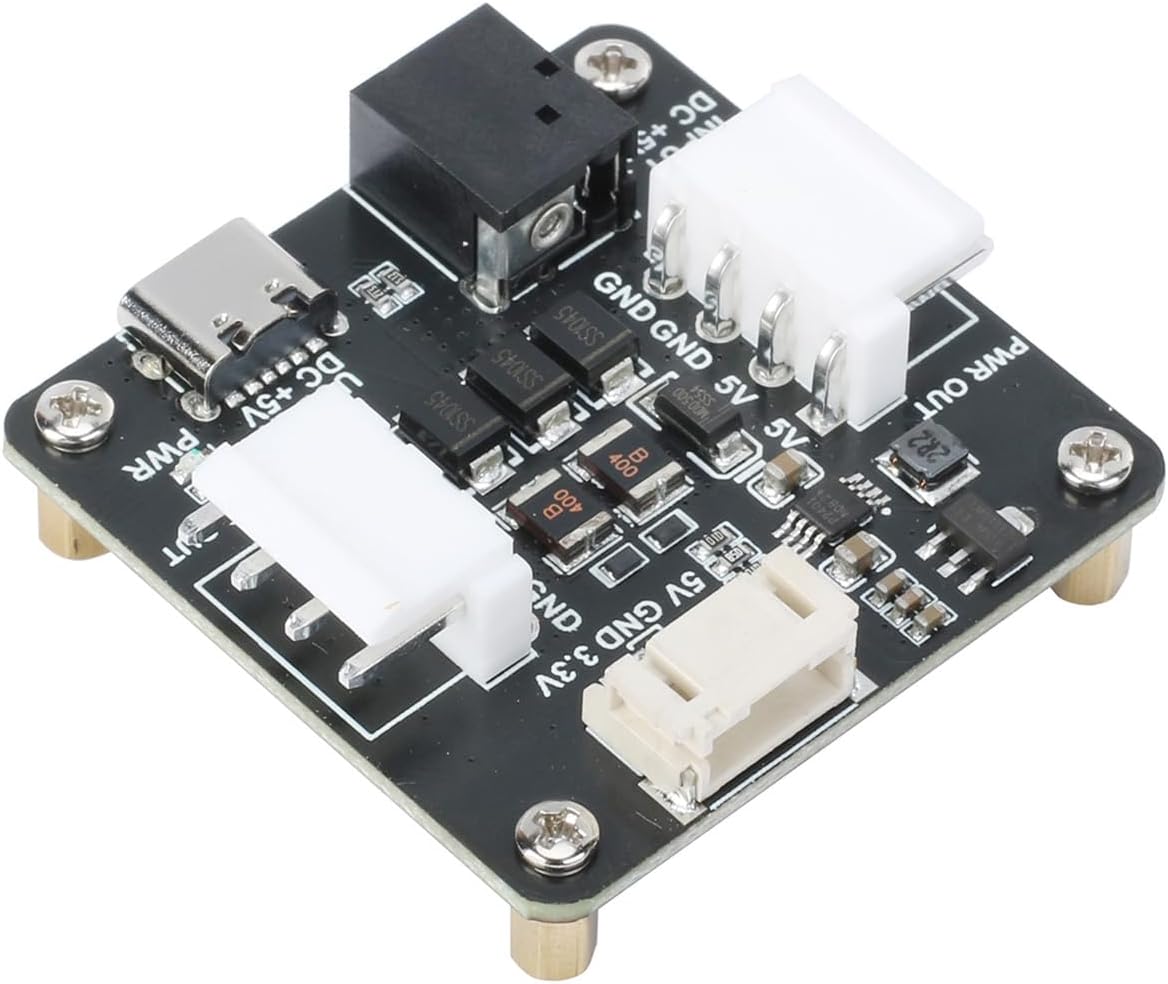
Image: A detailed view of the adapter board, showing various input/output ports including USB-C, DC input, and power output headers.
4. Operating Instructions
The Coolwell RGB-Matrix-P3-64x64 is designed for programmable display applications. Operation involves writing code on a compatible microcontroller (e.g., Raspberry Pi, Arduino) to control the LEDs.
4.1 Programming and Software
Utilize open-source libraries and development resources provided for Raspberry Pi and Arduino to program the display. These resources typically include example code for displaying text, images, and animations. Refer to the specific documentation for your chosen platform and library.
4.2 Displaying Content
Once programmed, the panel can display a variety of content. Examples include:
- Static text messages or scrolling text.
- Still images and graphics.
- Dynamic animations and visual effects.
- Real-time data displays (e.g., time, temperature).
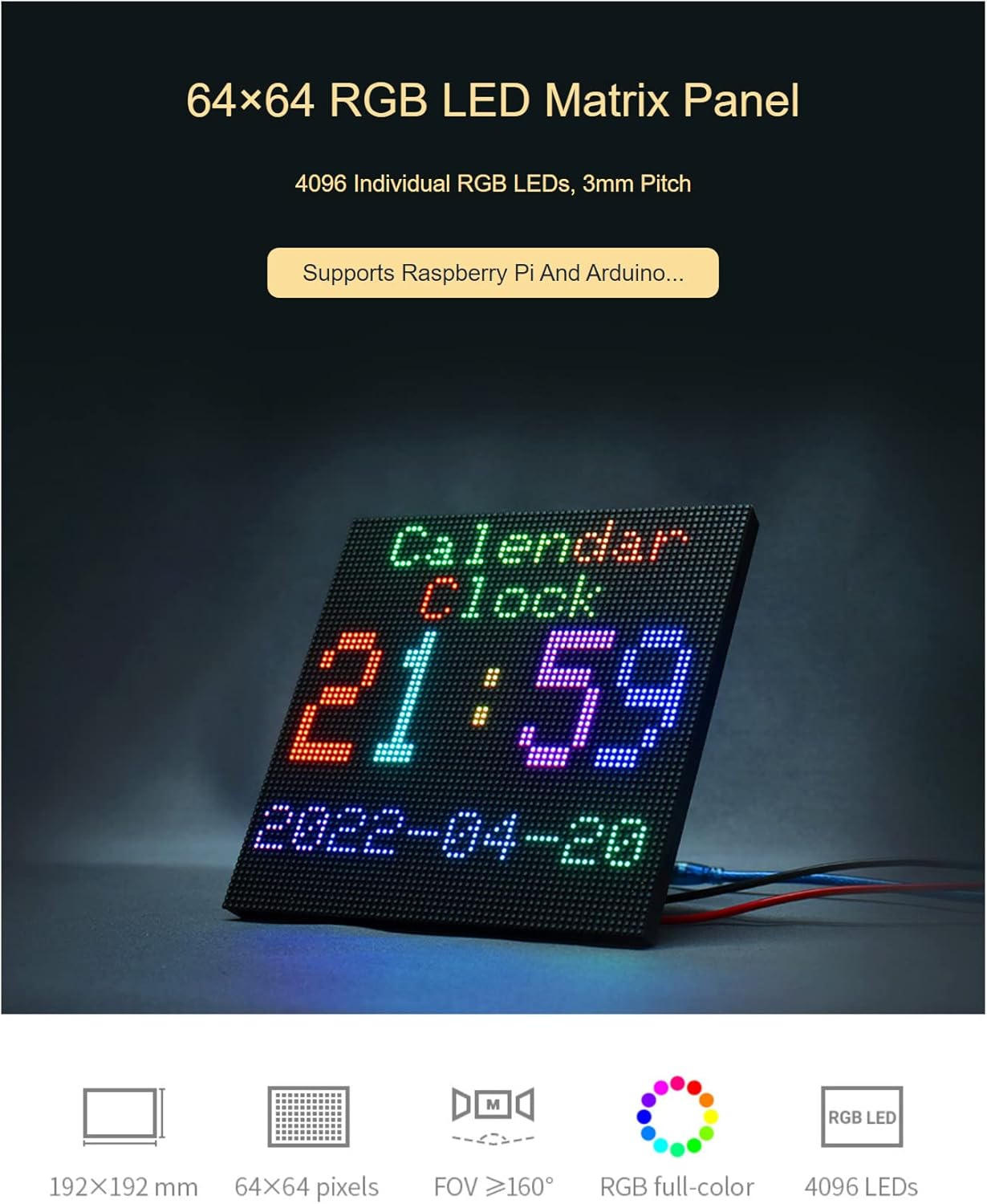
Image: The LED matrix panel configured to display a digital calendar and clock, demonstrating its capability for informational displays.
4.3 Chainable Design for Larger Displays
Multiple RGB-Matrix-P3-64x64 panels can be chained together to create larger display surfaces. This is achieved by connecting the output HUB75 header of one panel to the input HUB75 header of the next. Ensure each panel receives adequate power when chaining.
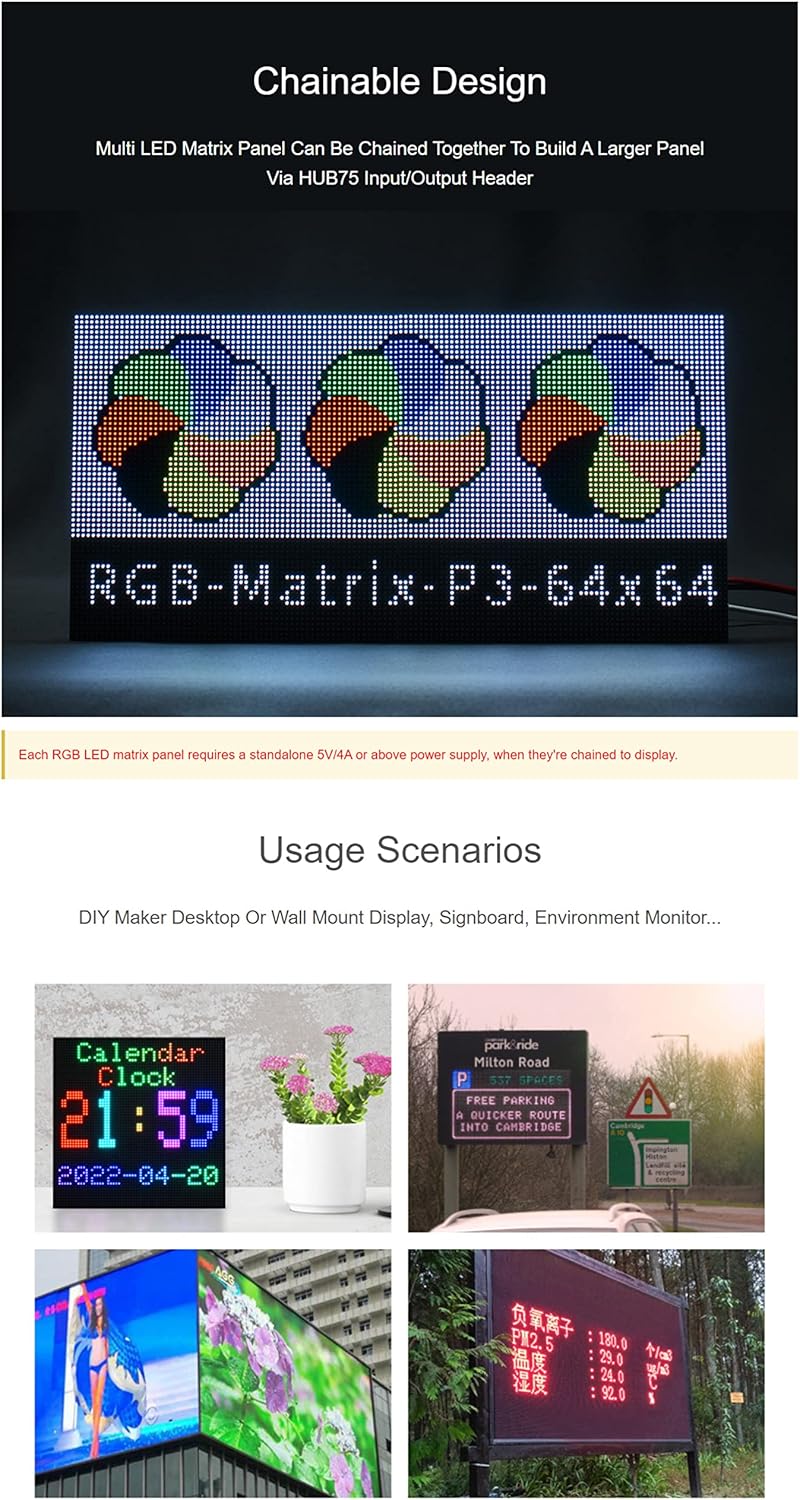
Image: Three RGB LED matrix panels connected in a chain, demonstrating the ability to create a larger, continuous display from multiple units.
5. Maintenance
Proper maintenance ensures the longevity and optimal performance of your RGB LED Matrix Panel.
5.1 Cleaning
To clean the surface of the LED panel, gently wipe it with a soft, dry, lint-free cloth. For stubborn dust or smudges, slightly dampen the cloth with distilled water. Avoid using harsh chemicals, abrasive cleaners, or excessive moisture, as these can damage the LEDs or electronic components.
5.2 Storage
When not in use, store the panel in a cool, dry place away from direct sunlight and extreme temperatures. Keep it in its original packaging or a protective anti-static bag to prevent dust accumulation and physical damage.
5.3 Handling
Always handle the panel by its edges. Avoid touching the LED surface directly to prevent fingerprints or damage to the individual LEDs. Do not apply excessive force or bend the panel.
6. Troubleshooting
This section provides solutions to common issues you might encounter with your RGB LED Matrix Panel.
6.1 No Display / Blank Screen
- Check Power: Ensure the 5V power supply is correctly connected and providing sufficient current (at least 4A per panel).
- Check Data Cable: Verify that the 16P ribbon cable is securely connected to both the matrix panel's HUB75 input and your microcontroller/driver board. Ensure correct orientation.
- Software/Code: Confirm that your programming code is running correctly and sending data to the display. Test with a known working example program.
6.2 Incorrect Colors / Flickering
- Data Connection: Recheck the data cable connections for loose pins or incorrect wiring.
- Power Fluctuations: Insufficient or unstable power can cause flickering. Ensure your power supply is robust enough for the number of panels connected.
- Software Configuration: Verify that the software library is configured for the correct panel type (e.g., 64x64, 3mm pitch) and HUB75 settings.
6.3 Partial Display / Dead Pixels
- Physical Damage: Inspect the panel for any visible physical damage to the LEDs or circuit board.
- Connection Issues: For partial displays, check the internal connections if chaining multiple panels, or the specific data lines for the affected section.
- Manufacturing Defect: If a small number of pixels are consistently dead from first use, it may indicate a manufacturing defect.
7. Specifications
Detailed technical specifications for the Coolwell RGB-Matrix-P3-64x64 LED Matrix Panel:
| Feature | Description |
|---|---|
| Model Name | RGB-Matrix-P3-64x64 |
| Pixel Resolution | 64 x 64 pixels |
| Total LEDs | 4096 (RGB) |
| Pixel Pitch | 3mm |
| Panel Dimensions | 192mm x 192mm (approx. 7.56 x 7.56 inches) |
| Interface | HUB75 (Input/Output for chaining) |
| Power Requirement | DC 5V (minimum 4A per panel recommended) |
| Compatibility | Raspberry Pi, Arduino, other microcontrollers with HUB75 support |
| Display Type | Full-Color RGB LED |
| Adjustable Brightness | Yes |
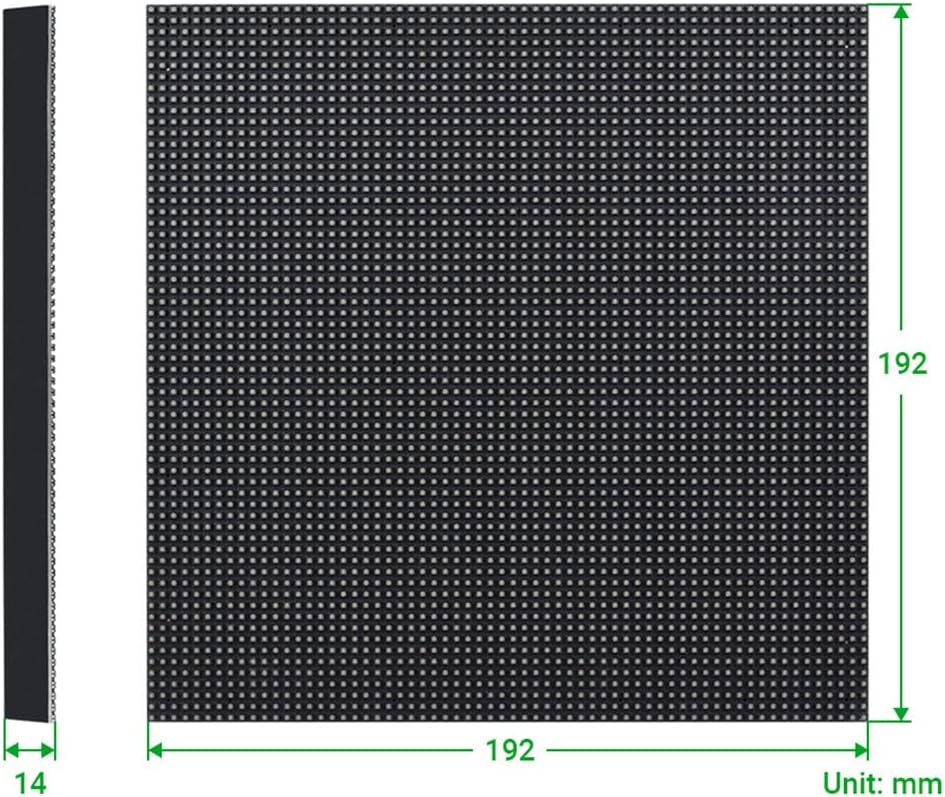
Image: Diagram illustrating the physical dimensions of the 64x64 RGB LED matrix panel, showing its 192mm x 192mm size and 14mm thickness.
8. Warranty and Support
Information regarding product warranty and customer support was not provided in the available product data. Please refer to the seller's or manufacturer's official website for the most current warranty terms and support contact details.