
1. Introduction
Thank you for choosing the BytePower Portable Charger PowerBank K108. This device is designed to provide reliable and fast charging for your electronic devices on the go. Featuring PD 20W fast charging, a 10000mAh battery capacity, an intelligent LCD display, and multiple output ports, it is an ideal companion for travel, business trips, and daily use.
2. Package Contents
- 1 x BytePower Portable Charger PowerBank K108
- 1 x USB Charging Cable
- 1 x User Manual
3. Product Overview
The BytePower K108 PowerBank is designed for convenience and efficiency. It features a sleek design with a mirror finish, resisting scratches and fingerprints.
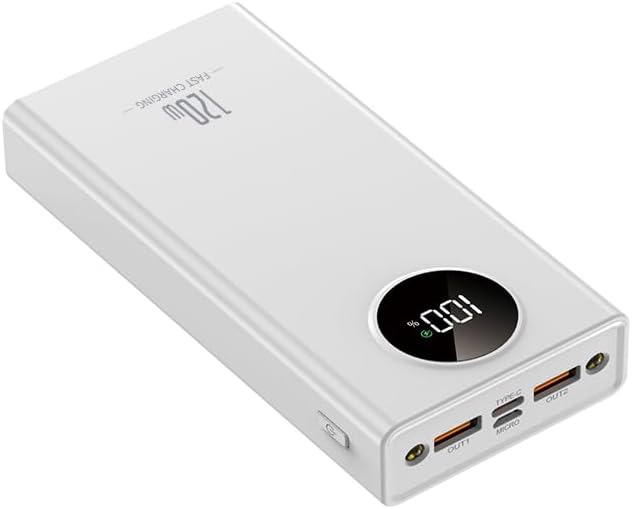
Figure 1: Front view of the BytePower Portable Charger PowerBank K108, showing the LCD display and output ports.
Components:
- Intelligent LCD Digital Display: Shows real-time remaining battery percentage.
- USB-A Output Ports (x2): For charging various devices.
- USB-C Input/Output Port (x1): Supports PD 20W fast charging for both input and output.
- Micro-USB Input Port (x1): For charging the power bank.
- Power Button: Activates the display and initiates charging.
- High-Brightness LED Light: Integrated flashlight for outdoor emergency lighting.

Figure 2: Various angles of the BytePower K108, highlighting its compact design and port layout.
4. Setup
Initial Charging of the Power Bank:
- Connect the provided USB charging cable to the USB-C or Micro-USB input port on the power bank.
- Plug the other end of the cable into a compatible USB wall adapter (not included) or a computer's USB port.
- The LCD display will show the charging progress. Ensure the power bank is fully charged before first use for optimal performance.
5. Operating Instructions
Charging Your Devices:
- Connect your device's charging cable to one of the available output ports (USB-A or USB-C) on the power bank.
- Connect the other end of the cable to your electronic device.
- Press the power button on the side of the power bank to activate charging. The LCD display will show the remaining battery level.
- The power bank supports PD 20W fast charging via the USB-C port for compatible devices.
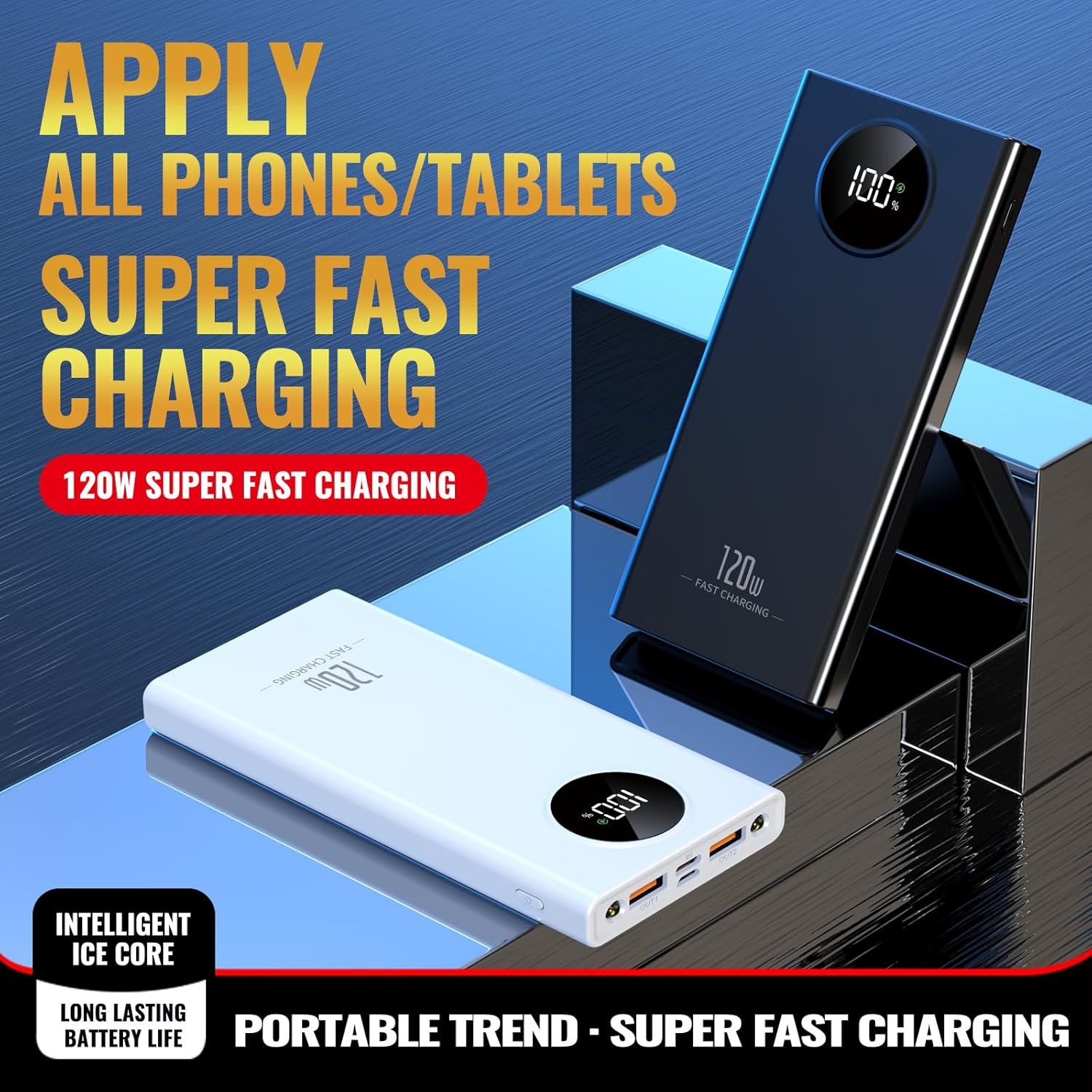
Figure 3: The power bank simultaneously charging a smartphone and a tablet, demonstrating its multi-device capability.
Using the LCD Display:
Press the power button once to view the current battery percentage on the intelligent LCD digital display.
Activating the LED Flashlight:
Press and hold the power button for a few seconds to turn the high-brightness LED flashlight on or off. This feature is useful for outdoor or emergency situations.
Video 1: Demonstration of the BytePower K108's PD 20W fast charging capability.
6. Specifications
| Feature | Detail |
|---|---|
| Model Number | K108 |
| Battery Capacity | 10000mAh (Note: Some product descriptions may refer to a 20000mAh variant; this manual is for the 10000mAh K108 model.) |
| Input (Type-C) | 5V/3A, 9V/2A, 12V/1.5A |
| Input (Micro) | 5V/2A, 9V/2A, 12V/1.5A |
| Output (USB-A x2) | 5V/3A, 9V/2A, 12V/1.5A, 10V/2.25A |
| Output (Type-C) | 5V/3A, 9V/2.2A, 12V/1.65A (PD 20W) |
| Dimensions | 141 x 67 x 16 mm (5.55 x 2.64 x 0.63 inches) |
| Item Weight | 8.8 ounces |
| Special Features | Digital Display, High-Brightness LED Light |
| Compatibility | Universal for iPhone, Samsung, Google, iPad, Tablets, etc. |
7. Maintenance
- Keep the power bank away from water, fire, and extreme temperatures.
- Avoid dropping or subjecting the device to strong impacts.
- Clean the device with a soft, dry cloth. Do not use harsh chemicals or abrasive materials.
- Store the power bank in a cool, dry place when not in use.
- For optimal battery life, fully charge the power bank at least once every three months if not used regularly.
8. Troubleshooting
- Device not charging: Ensure the power bank is charged. Check if the charging cable is securely connected to both the power bank and your device. Try a different cable or port.
- Slow charging: Verify that your device supports fast charging and that you are using a compatible cable and the correct port (USB-C for PD 20W).
- LCD display not working: Press the power button to activate the display. If it remains off, the battery might be completely depleted or there could be an internal issue.
- Power bank not charging: Ensure the input cable is properly connected to the power bank's input port and a working power source. Try a different cable or wall adapter.
9. Safety Information
- Do not disassemble, modify, or repair the device yourself.
- Do not expose the power bank to direct sunlight for prolonged periods or place it near heat sources.
- Keep out of reach of children.
- Dispose of the power bank according to local regulations. Do not dispose of it with household waste.
- This power bank complies with airline regulations for carry-on luggage.
10. Warranty and Support
BytePower products come with a standard manufacturer's warranty. For detailed warranty information, please refer to the product packaging or contact BytePower customer support. If you encounter any issues or have questions regarding your PowerBank K108, please visit the official BytePower website or contact our customer service team for assistance.
Manufacturer: shenzhen Coolstar technology limited


