Product Overview
This manual provides essential information for the assembly, operation, maintenance, and troubleshooting of your Homary 70.9-inch Modern L-Shape Executive Desk. Please read these instructions carefully before beginning assembly or use to ensure proper function and longevity of your product.

Image: The Homary L-Shape Executive Desk, featuring a black finish and integrated storage, positioned in a modern office environment.
Safety Information
- Anchoring: Ensure the desk is properly anchored to the wall to prevent tipping, especially if children are present or if the desk will hold heavy items.
- Weight Capacity: Do not exceed the maximum weight recommendation of 220.5 pounds (100 kg) for the desktop. Refer to the specifications section for individual load capacities of drawers.
- Assembly: Follow all assembly instructions carefully to ensure the desk's structural integrity and stability. Incorrect assembly can lead to instability and potential injury.
- Placement: Place the desk on a level surface to prevent wobbling and ensure even weight distribution.
Setup and Assembly
Your Homary Executive Desk requires assembly. All necessary assembly tools are included in the packaging. Please ensure you have sufficient space and assistance if needed during the assembly process.
1. Unpacking and Inspection
Carefully unpack all components. The product is delivered in multiple packages to prevent collision damage during transportation. Verify that all parts listed in the included parts list are present and undamaged before proceeding.
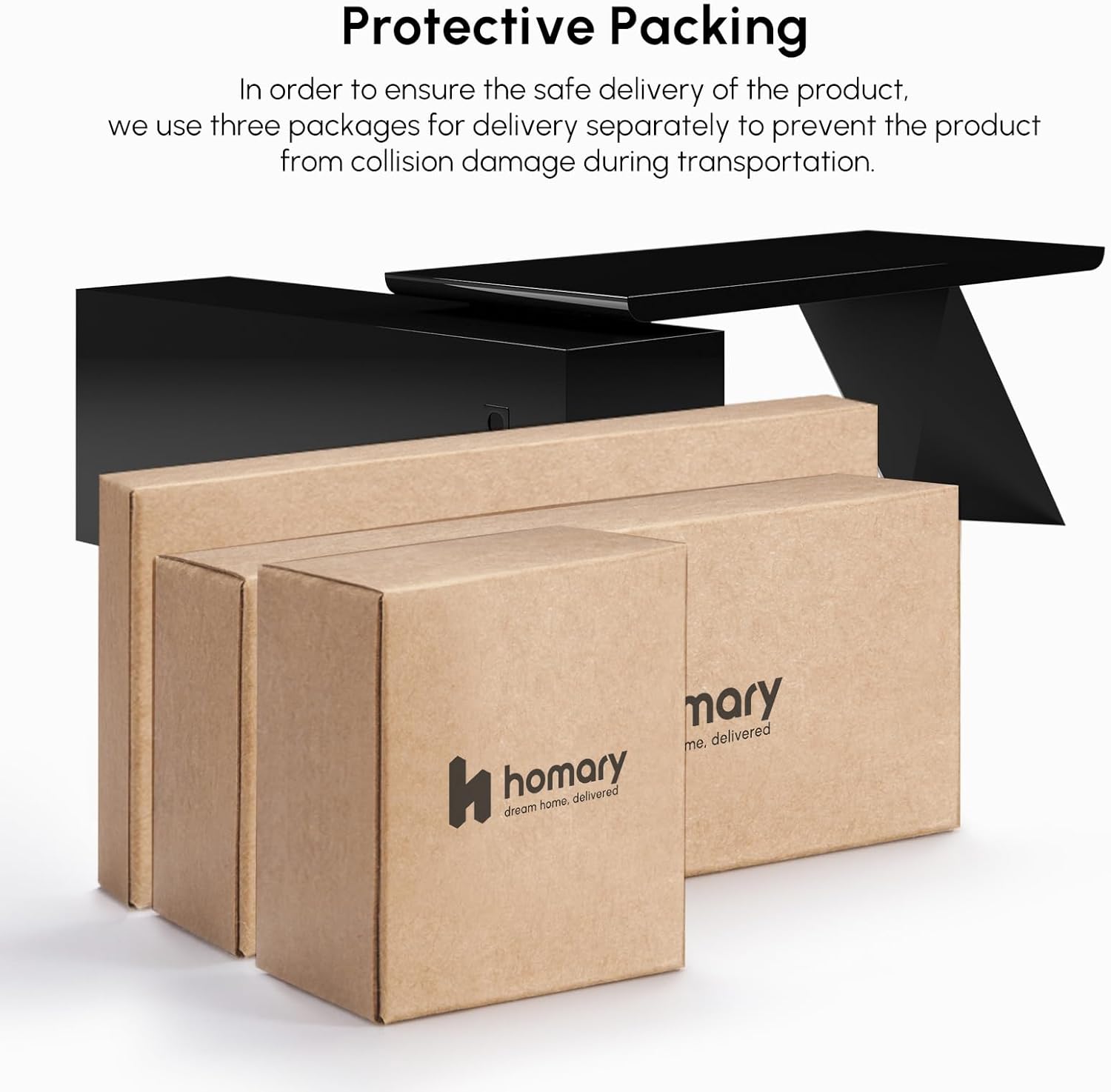
Image: Illustration of the protective packaging used for shipping the desk components.
2. Assembly Steps
Refer to the detailed assembly instructions provided in the separate assembly guide included with your product. It contains step-by-step diagrams and instructions for each component. Ensure all screws and fasteners are tightened securely, but do not overtighten.
- Identify all components and hardware.
- Assemble the main desk frame according to the diagrams.
- Attach the L-shaped return and storage unit.
- Install drawers and cabinet doors.
- Place the desk in its desired location and ensure it is level.
- Secure the desk to the wall using appropriate anchoring hardware (not always included, check your specific package).
Operating and Usage
The Homary L-Shape Executive Desk is designed to maximize your workspace and enhance organization for studying, working, and writing.
Workspace and Ergonomics
The innovative L-shaped design provides an expansive surface area, allowing for multiple monitors, documents, and other work essentials. The desk features an ergonomic legroom design, offering approximately 27.56 inches (700mm) of comfortable space for your legs.

Image: Diagram illustrating the ergonomic legroom and overall dimensions of the desk.
Storage Features
The integrated storage unit includes three spacious drawers and two open storage cabinets, providing ample space for organizing documents, office supplies, and electronic devices. A cable outlet inlet is also provided for neat cable management.

Image: The desk showcasing its large L-shaped workspace and the integrated storage unit with open shelves.
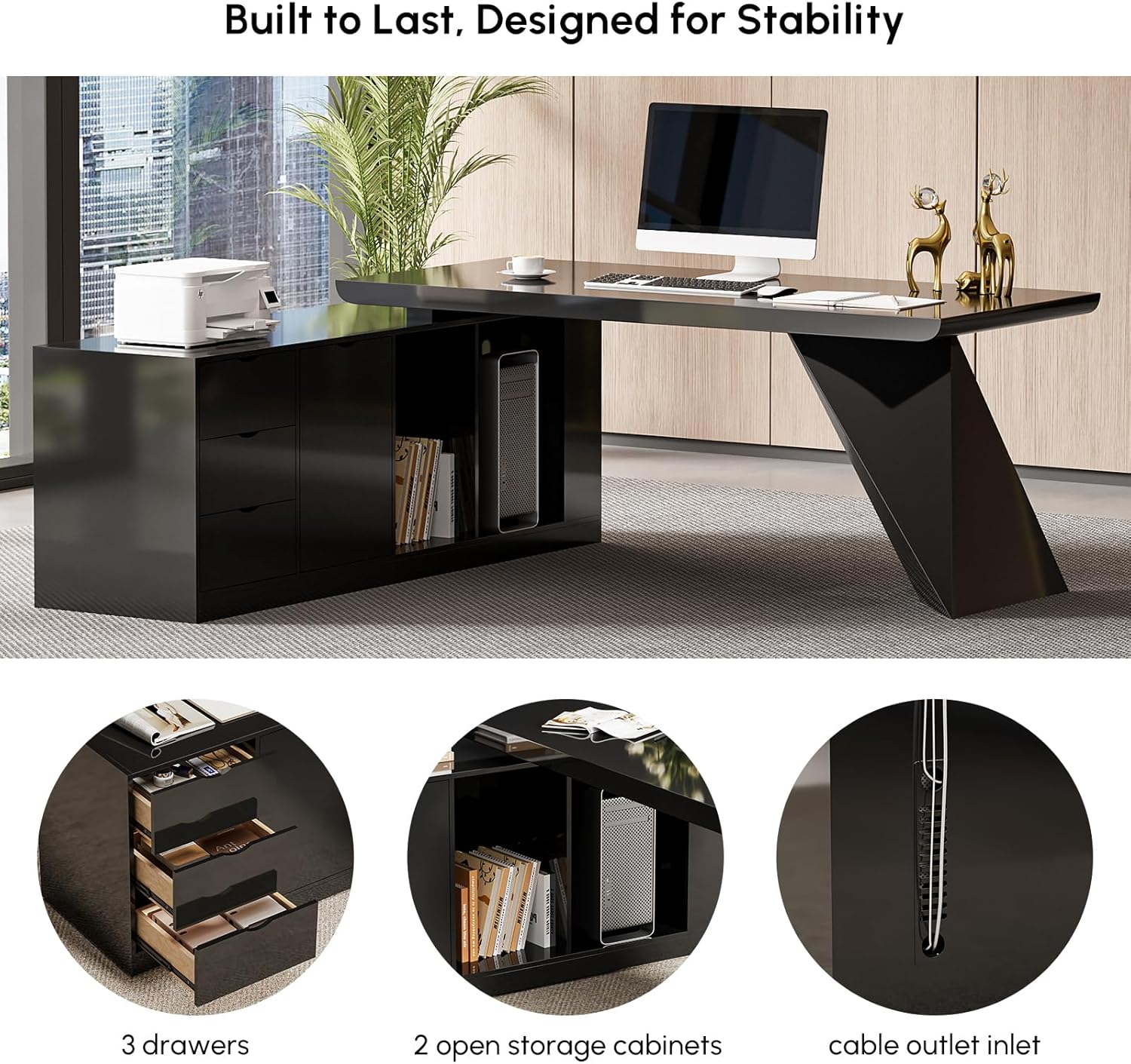
Image: Detailed view of the desk's storage section, highlighting the three drawers, two open storage cabinets, and a cable outlet for organized wiring.
Maintenance and Care
To ensure the longevity and appearance of your Homary Executive Desk, follow these maintenance guidelines:
- Cleaning: The high-density MDF surface is designed to be easy to clean. Use a soft, damp cloth with a mild, non-abrasive cleaner. Avoid harsh chemicals or abrasive materials that could damage the finish.
- Spills: Wipe up spills immediately to prevent moisture absorption and staining, especially on the wooden surfaces.
- Heat and Moisture: Avoid placing hot items directly on the desk surface. Use coasters for drinks. Protect the desk from excessive moisture and direct sunlight to prevent warping or fading.
- Hardware: Periodically check and tighten all screws and fasteners to maintain stability.

Image: A magnified view of the desk's thick MDF wood surface, emphasizing its robust, abrasion-resistant, and easy-to-clean characteristics.
Troubleshooting
This section addresses common issues you might encounter with your executive desk.
- Wobbling Desk: Ensure the desk is placed on a flat, level surface. Check all assembly screws and tighten them if loose. Adjust any leveling feet if present.
- Drawers Sticking: Verify that the drawer slides are correctly installed and free of obstructions. Ensure the drawers are not overloaded.
- Surface Scratches: While the MDF surface is durable, avoid dragging sharp or heavy objects across it. Use desk pads or mats for protection.
- Missing Parts: If any parts were missing upon delivery, please contact customer support immediately with your order details.
Specifications
Detailed specifications for the Homary 70.9-inch Modern L-Shape Executive Desk.

Image: Comprehensive diagram showing the overall dimensions of the desk, including desktop load and drawer load capacities.
| Feature | Detail |
|---|---|
| Brand | homary |
| Model Number | JJI68Q4602 |
| Product Dimensions (D x W x H) | 70.9"D x 70.9"W x 29.5"H (1800mm x 1800mm x 750mm) |
| Color | Black |
| Style | Modern |
| Base Material | Engineered Wood |
| Top Material Type | Engineered Wood (MDF Finish) |
| Special Feature | L-Shape, Integrated Storage |
| Room Type | Office, Study Room |
| Number of Drawers | 3 |
| Number of Cabinets | 1 (with 2 open shelves) |
| Tabletop Thickness | 1.97 Inches |
| Item Weight | 328.77 Pounds (149.13 kg) |
| Maximum Weight Recommendation | 220.5 Pounds (100 kg) for desktop |
| Required Assembly | Yes |
| Includes All Assembly Tools | Yes |
Warranty Information
This Homary Executive Desk comes with a Limited Warranty. For specific details regarding coverage, duration, and terms, please refer to the warranty documentation included with your purchase or contact Homary customer support.
Customer Support
If you have any questions, require assistance with assembly, or need to report missing/damaged parts, please contact Homary customer support.

Image: Homary customer support contact details, showing an email address for inquiries.
- Email: service@homary.com
- Please provide your order number when contacting customer support for faster service.
- Customer care center typically replies within 24 hours, excluding public holidays.


