
1. Introduction
Thank you for purchasing the aopiata AP09 Bluetooth 5.4 Wireless Earbuds. This manual provides essential information for the safe and effective use of your device. Please read it thoroughly before use and retain it for future reference.
2. Safety Information
- Do not expose the earbuds or charging case to extreme temperatures, humidity, or corrosive environments.
- Avoid dropping, impacting, or disassembling the device.
- Keep the device away from children and pets.
- Do not use the charging case in wet conditions, as it is not waterproof.
- Use only the provided charging cable or a certified equivalent.
- Prolonged listening at high volumes may cause hearing damage. Adjust volume to a safe level.
3. Package Contents
- aopiata AP09 Wireless Earbuds (L/R)
- Charging Case
- USB Type-C Charging Cable
- Instruction Manual
- Ear Tips (S, M, L sizes)
4. Product Overview
The aopiata AP09 earbuds feature a compact design with touch controls and a digital display charging case.
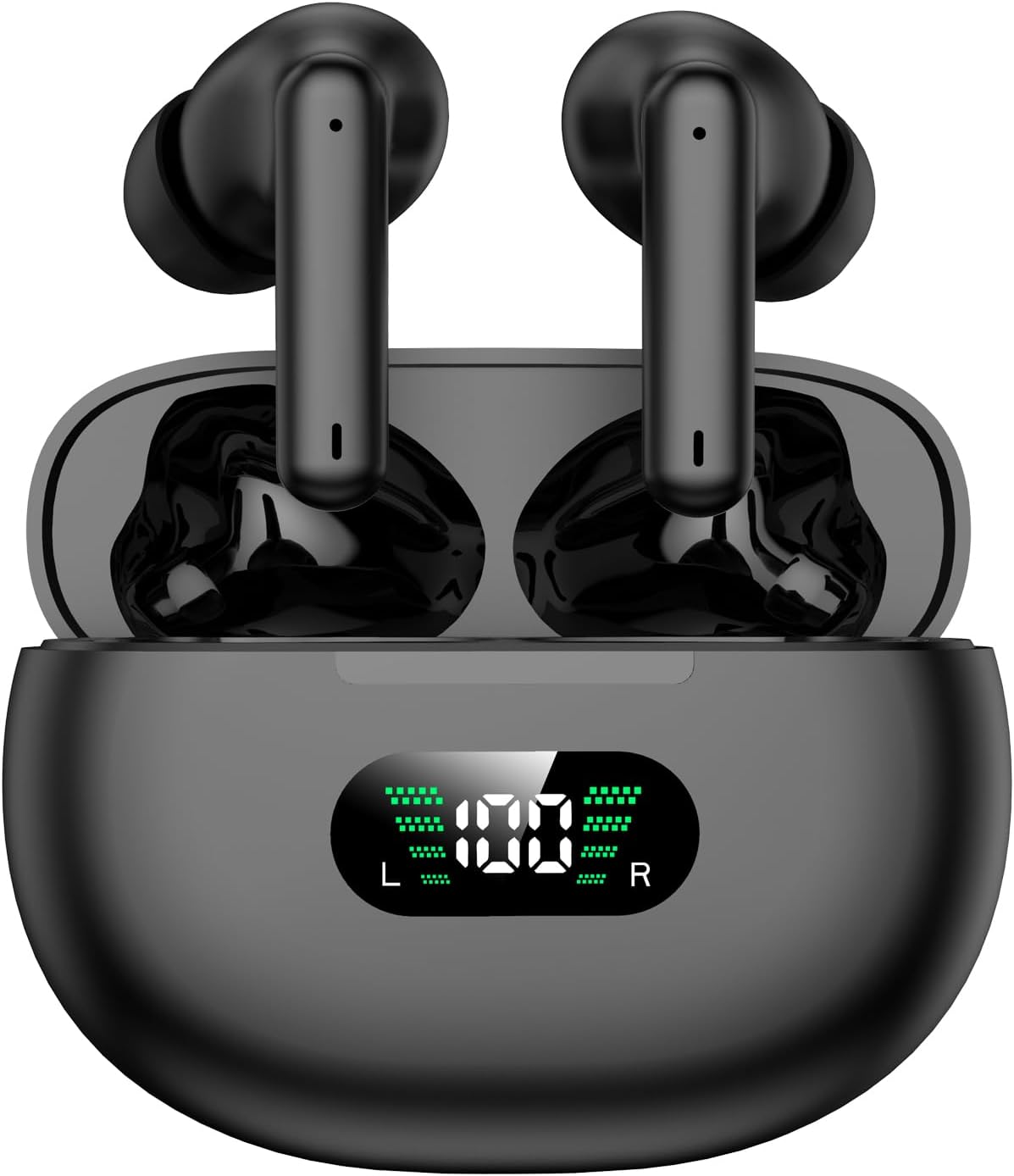
Image: aopiata AP09 Wireless Earbuds in their charging case, displaying the current battery percentage on the front LED screen.
4.1. Components
- Earbuds: Left (L) and Right (R) earbuds with touch-sensitive surfaces and built-in microphones.
- Charging Case: Stores and charges the earbuds. Features an LED display for battery status.
- USB Type-C Port: For charging the case.
4.2. LED Power Display
The charging case features an LED display that shows the remaining battery percentage of the case and individual battery levels for the left (L) and right (R) earbuds.

Image: Detailed view of the charging case's LED display, indicating the overall case battery percentage and separate battery indicators for the left and right earbuds.
5. Setup
5.1. Charging the Earbuds and Case
Before first use, fully charge the earbuds and the charging case.
- Place the earbuds into the charging case. Ensure they are correctly seated; magnets will hold them in place.
- Connect the USB Type-C cable to the charging port on the case and the other end to a USB power adapter (not included).
- The LED display on the case will show the charging status. The case takes approximately 1.5 hours to fully charge.
- Once fully charged, the LED display will turn off.
Note: The charging case is not waterproof. Do not expose it to water or moisture.

Image: Visual representation of the earbuds' battery life (6 hours per charge, 36 hours total with case) and the Type-C fast charging feature. The charging case takes 1.5 hours to charge.
5.2. Pairing with a Device
The earbuds feature automatic pairing for convenience.
- First-time pairing: Open the charging case and remove both earbuds. They will automatically enter pairing mode.
- On your device (smartphone, tablet, etc.), enable Bluetooth.
- Search for available Bluetooth devices and select "AP09" from the list.
- Once connected, you will hear a confirmation sound, and the earbuds will be ready for use.
- Subsequent use: After the initial pairing, simply open the charging case and remove the earbuds. They will automatically connect to the last paired device.

Image: Step-by-step guide for instant pairing: 1) Take out earbuds, 2) Turn on Bluetooth on your device, 3) Automatic pairing (Headphone name: AP09).
6. Operating Instructions
The aopiata AP09 earbuds utilize touch controls for various functions.
6.1. Power On/Off
- Power On: Open the charging case and remove the earbuds. They will power on automatically.
- Power Off: Place the earbuds back into the charging case and close the lid. They will power off automatically.
6.2. Music Playback
- Play/Pause: Tap the touch button on either the L or R earbud once.
- Volume Up: Tap the touch button on the R earbud twice.
- Volume Down: Tap the touch button on the L earbud twice.
- Next Track: Tap the touch button on the R earbud three times.
- Previous Track: Tap the touch button on the L earbud three times.
6.3. Call Functions
- Answer/End Call: Tap the touch button on either the L or R earbud once.
- Reject Call: Long press the touch button on either the L or R earbud for approximately 2 seconds.
6.4. Voice Assistant (Siri/Google Assistant)
- Activate: Long press the touch button on either the L or R earbud for approximately 3 seconds.
6.5. Single/Dual Earbud Use
You can use either earbud independently or both together for stereo sound.
- Single Earbud Mode: Simply remove one earbud from the case, and it will connect to your device. The other earbud can remain in the case.
- Dual Earbud Mode: Remove both earbuds from the case. They will automatically connect to each other and then to your device, providing a stereo audio experience.

Image: A comprehensive guide to the touch controls for the earbuds, illustrating actions for music playback (play/pause, volume, track skip), phone calls (answer/end, reject), and activating the voice assistant.
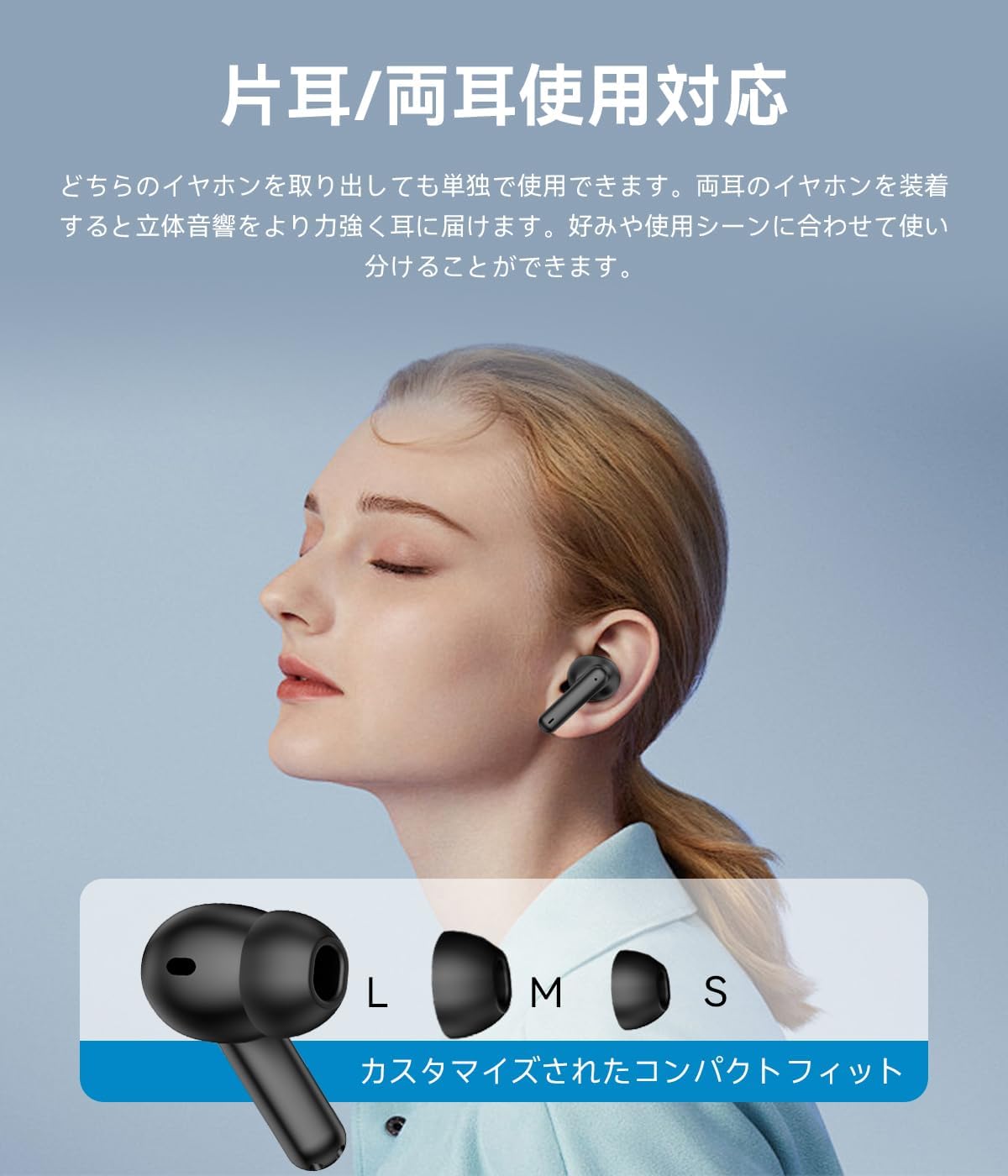
Image: Demonstrates the flexibility of using one or both earbuds, along with a visual guide to selecting the correct ear tip size (S, M, L) for a customized, comfortable fit.
7. Maintenance
7.1. Cleaning
- The earbuds are IPX7 waterproof, allowing for rinsing. However, avoid using harsh chemicals or abrasive materials.
- Wipe the earbuds with a soft, damp cloth. Ensure they are completely dry before placing them back in the charging case.
- Clean the charging contacts on both the earbuds and the case regularly with a dry cotton swab to ensure proper charging.
- Clean the charging case with a dry, soft cloth. Do not use water or liquids on the charging case.
7.2. Storage
- When not in use, store the earbuds in their charging case to protect them and keep them charged.
- Store the device in a cool, dry place, away from direct sunlight and extreme temperatures.

Image: Highlights the ergonomic design for a secure fit and the IPX7 waterproof rating, making the earbuds suitable for activities like washing, gym workouts, and running.
8. Troubleshooting
| Problem | Possible Cause | Solution |
|---|---|---|
| Earbuds do not power on. | Low battery. | Place earbuds in the charging case and charge fully. |
| Earbuds do not pair. | Bluetooth is off on device; earbuds not in pairing mode; previously paired device interfering. | Ensure Bluetooth is on. Remove both earbuds from case to enter pairing mode. Forget 'AP09' from your device's Bluetooth list and re-pair. |
| No sound or intermittent sound. | Earbuds not connected; low battery; device volume too low; out of Bluetooth range. | Check Bluetooth connection. Charge earbuds. Increase device volume. Ensure device is within 10 meters of earbuds. |
| Charging case not charging. | Charging cable or adapter issue; dirty charging port. | Try a different USB Type-C cable and power adapter. Clean the charging port with a dry cotton swab. |
| Touch controls not responding. | Earbuds are wet; temporary software glitch. | Ensure earbuds are dry. Place earbuds back in the case, close the lid, then remove them to reset. |
9. Specifications
| Feature | Detail |
|---|---|
| Model Name | AP09 |
| Brand | aopiata |
| Connectivity Technology | Wireless (Bluetooth 5.4 + EDR) |
| Headphone Form Factor | True Wireless |
| Color | 01black |
| Earbud Weight | Approx. 3.8g per earbud |
| Bluetooth Range | Up to 10 meters |
| Noise Cancelling | CVC 8.0 |
| Waterproof Rating | IPX7 (Earbuds only, charging case is not waterproof) |
| Earbud Playback Time | Up to 6 hours per charge |
| Total Playback Time (with case) | Up to 36 hours |
| Charging Case Charge Time | Approx. 1.5 hours |
| Charging Port | USB Type-C |
| TELEC Certification Number | R210-187442 |
| Package Dimensions | 10.1 x 8.1 x 2.9 cm |
| Package Weight | 70 g |

Image: An exploded diagram of an earbud highlighting its 13mm diaphragm speaker and polymer diaphragm, designed for rich audio reproduction and HiFi sound quality, alongside a user wearing the earbuds.
10. Warranty and Support
For warranty information and customer support, please refer to the contact details provided with your purchase or visit the official aopiata website. Keep your proof of purchase for warranty claims.


