
Introduction
Thank you for choosing the BWOO BW98 TWS Wireless Earbuds. These earbuds are designed to provide a high-fidelity audio experience with advanced features such as Bluetooth 5.3 connectivity, Environmental Noise Cancellation (ENC), and IPX4 water resistance. This manual will guide you through the setup, operation, and maintenance of your new earbuds to ensure optimal performance and longevity.

Image: The BWOO BW98 TWS Wireless Earbuds and their charging case, showcasing their sleek off-white design.
Product Overview
Key Features
- True Stereo Sound: Enjoy high-fidelity stereo audio with deep bass and clear highs.
- Bluetooth 5.3: Provides fast, stable, and low-latency wireless connectivity.
- Environmental Noise Cancellation (ENC): Reduces background noise for clearer calls.
- IPX4 Water Resistance: Resistant to sweat and light splashes, suitable for workouts and outdoor activities.
- Extended Battery Life: Up to 18 hours of total playtime with the charging case.
- Intuitive Touch Controls: Easily manage music, calls, and volume.
- Type-C Fast Charging: Quick and convenient recharging.

Image: A visual representation of the BW98's core features, including Environmental Noise Cancellation, deep bass stereo sound, Bluetooth 5.3 connectivity, and the charging case's battery capacity.
Setup
1. Charging the Earbuds and Case
Before first use, fully charge the earbuds and the charging case. The charging case has a 250 mAh battery capacity and takes approximately 1 hour to fully charge.
- Place the earbuds into the charging case.
- Connect the Type-C charging cable to the charging port on the case and plug the other end into a USB power adapter (not included).
- The indicator light on the case will show charging status. Once fully charged, the light will change or turn off depending on the model.

Image: The BW98 earbuds resting in their charging case, highlighting the extended battery life of 12 hours for the case, 4 hours for music, and 4 hours for calls.
2. Pairing with Your Device
The earbuds will automatically enter pairing mode when taken out of the charging case.
- Open the charging case and remove both earbuds. They will automatically power on and attempt to pair with each other.
- On your smartphone or tablet, enable Bluetooth and search for available devices.
- Select "BW98" from the list of devices.
- Once connected, you will hear a confirmation tone, and the earbuds will be ready for use.
- The earbuds will automatically reconnect to the last paired device when removed from the case, if Bluetooth is enabled on the device.

Image: A detailed view of the BW98 earbud's internal components, emphasizing the Bluetooth 5.3 smart chip for low power consumption and stable connection.
Operating Instructions
Touch Controls
The BW98 earbuds feature intuitive touch controls on each earbud. Refer to the diagram below for specific functions:

Image: A diagram illustrating the touch control functions for the BW98 earbuds, including play/pause, previous/next track, hang up, answer call, reject call, and voice assistant activation.
- Play/Pause: Double-tap (R x 2) on the right earbud.
- Previous/Next Track: Triple-tap (L x 3) on the left earbud for previous, triple-tap (R x 3) on the right earbud for next.
- Answer Call: Double-tap (L/R x 2) on either earbud.
- Hang Up Call: Double-tap (L/R x 2) on either earbud during a call.
- Reject Call: Triple-tap (L/R x 3) on either earbud.
- Voice Assistant (Siri): Double-tap (L x 2) on the left earbud.
Environmental Noise Cancellation (ENC)
The BW98 earbuds feature ENC technology to enhance call clarity by reducing ambient noise. This feature is automatically active during calls.

Image: A visual explanation of Environmental Noise Cancellation (ENC), showing how external noise is reduced to improve audio clarity, particularly during calls.
Immersive Music Experience
The earbuds are engineered to deliver Hi-Fi sound quality with deep bass and clear stereo separation for an immersive listening experience.
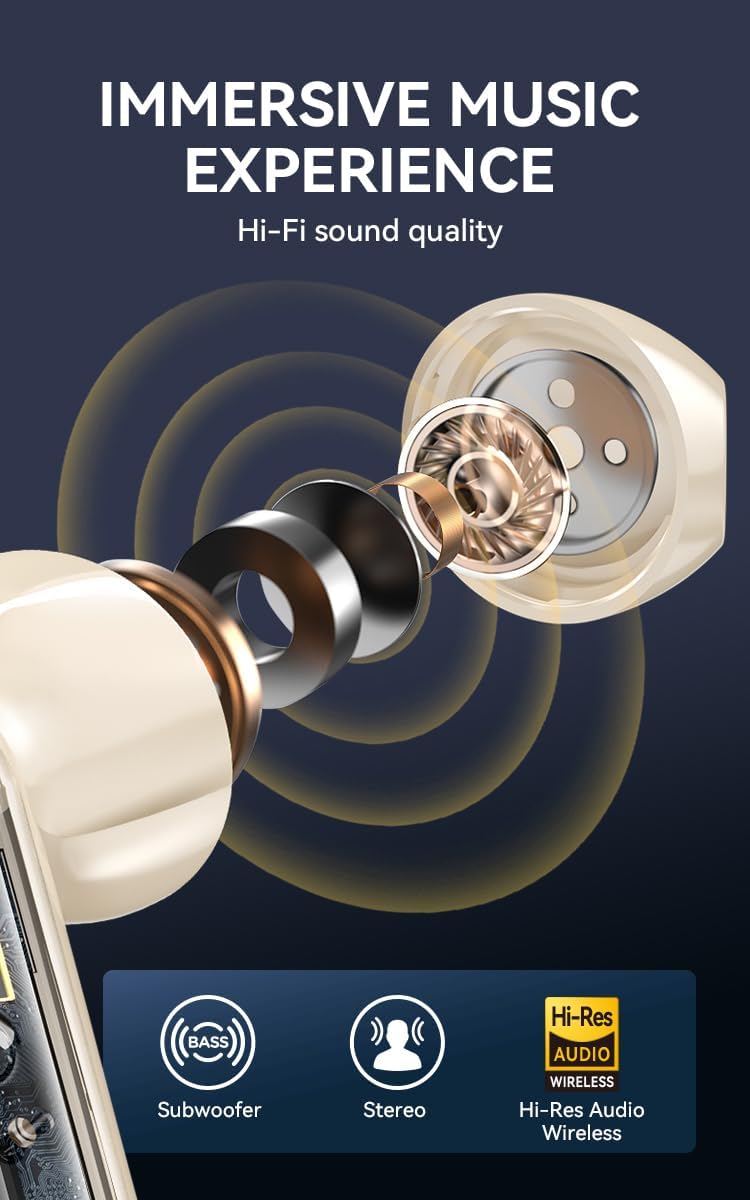
Image: A graphic detailing the immersive music experience provided by the BW98 earbuds, highlighting subwoofer-like bass, stereo sound, and Hi-Res Audio Wireless capabilities.
Maintenance
- Cleaning: Regularly clean the earbuds and charging case with a soft, dry, lint-free cloth. Do not use harsh chemicals or abrasive materials.
- Water Resistance: The earbuds are IPX4 water-resistant, meaning they can withstand splashes and sweat. Do not submerge them in water or expose them to heavy rain. Ensure they are dry before placing them back in the charging case.
- Storage: Store the earbuds in their charging case when not in use to protect them and keep them charged. Avoid extreme temperatures.
- Battery Care: To preserve battery life, avoid fully discharging the earbuds and case frequently. Charge them regularly, even if not in constant use.
Troubleshooting
| Problem | Solution |
|---|---|
| Earbuds not pairing with device. |
|
| Only one earbud is working. |
|
| Earbuds not charging. |
|
| Poor sound quality. |
|
Specifications
| Feature | Detail |
|---|---|
| Model Number | BW98 |
| Bluetooth Version | 5.3 |
| Noise Control | Environmental Noise Cancellation (ENC for calls) |
| Water Resistance Level | IPX4 (Water Resistant) |
| Ear Placement | In Ear |
| Control Type | Touch Control |
| Audio Driver Type | Dynamic Driver |
| Audio Latency | 40 Milliseconds |
| Frequency Range | 20 Hz - 20,000 Hz |
| Carrying Case Battery Capacity | 250 Milliamp Hours |
| Total Playtime (with case) | Up to 18 Hours |
| Earbud Music Time | Approx. 4 Hours |
| Earbud Call Time | Approx. 4 Hours |
| Battery Charge Time (case) | 1 Hour |
| Compatible Devices | Smartphones and tablets |
| Material | Plastic |
| UPC | 880030761818 |
Warranty Information
The BWOO BW98 TWS Wireless Earbuds come with a 1 Year Manufacturer Warranty from the date of purchase. This warranty covers manufacturing defects and workmanship under normal use. It does not cover damage caused by misuse, accidents, unauthorized modifications, or normal wear and tear. Please retain your proof of purchase for warranty claims.
Customer Support
For any questions, technical assistance, or warranty inquiries regarding your BWOO BW98 TWS Wireless Earbuds, please contact our customer support team:
Email: admin@dollarduck.ca
Please provide your model number (BW98) and proof of purchase when contacting support.