1. Product Overview
The Hryfine T20 Pro Smartwatch is a versatile wearable device designed to integrate technology with daily life. It features a vibrant 2.96 cm color display, Bluetooth 5.0 connectivity, and various functions for fitness tracking and smart notifications. The package includes the smartwatch unit, two interchangeable silicone straps, and a charging cable.
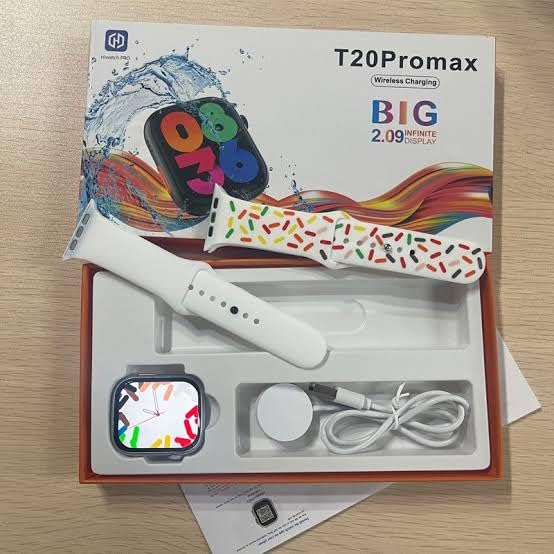
Image 1.1: Hryfine T20 Pro Smartwatch. This image displays the smartwatch with one of its silicone bands attached, highlighting its sleek design and digital display.
2. Package Contents
Upon opening the product packaging, verify that all components are present and in good condition.
- Hryfine T20 Pro Smartwatch Unit
- Silicone Strap (Primary, pre-attached or separate)
- Additional Silicone Strap (Interchangeable)
- Charging Cable (Wireless charging pad)
- User Manual (This document)

Image 2.1: Unboxing the T20 Pro Smartwatch. This image shows the smartwatch, two silicone straps, and the wireless charging cable neatly arranged within the product box.
3. Setup
3.1 Initial Charging
Before first use, fully charge the smartwatch. Connect the charging cable to a USB power adapter (not included) and place the smartwatch onto the wireless charging pad. The device requires approximately 2 hours for a full charge. A full charge provides up to 10 days of battery life under typical usage, or 24 hours of average active use.
3.2 Attaching the Straps
The T20 Pro Smartwatch comes with interchangeable silicone straps. To attach a strap, align the pins on the strap with the holes on the smartwatch casing and slide them into place until they click securely. To remove, press the small lever on the strap pin and pull the strap away from the watch body.
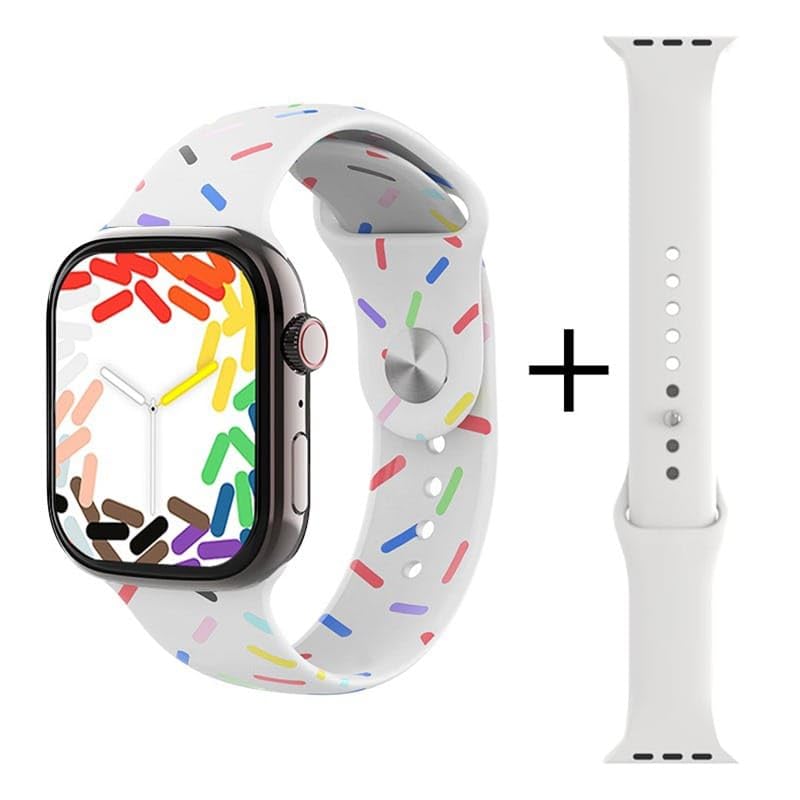
Image 3.1: Smartwatch with interchangeable straps. This image illustrates the smartwatch with one strap attached and a second strap shown separately, demonstrating the interchangeable design.
3.3 Pairing with Your Smartphone
- Ensure your smartphone's Bluetooth is enabled.
- Turn on the Hryfine T20 Pro Smartwatch by pressing and holding the side button.
- Open the companion application on your smartphone (refer to the quick start guide for app download instructions).
- Within the app, search for available devices and select 'T20 Pro' from the list.
- Confirm the pairing request on both your smartphone and the smartwatch.
- Once paired, the smartwatch will synchronize data with your phone.
4. Operating the Smartwatch
4.1 Display and Navigation
The T20 Pro features a 2.96 cm (1.17 inches) digital touchscreen display. Swipe left, right, up, or down to navigate through various menus and functions. Tap to select an option. The smartwatch also includes multiple UI sets for personalized display options.
4.2 Core Functions
- Fitness Tracking: Monitor daily activity including steps taken, calories burned, and distance traveled. Access detailed reports via the companion app.
- Notifications: Receive alerts for incoming calls, messages, and app notifications directly on your wrist.
- Music Control: Control music playback on your paired smartphone (play, pause, skip tracks).
- Sports Modes: The smartwatch includes an orange physical button for quick access to various sports modes. This feature assists in tracking specific activities with motion sensors for intelligent calculation of movement, walking distance, and calorie consumption.
- Games: The system is equipped with rich content games for entertainment.
- GPS: The device includes GPS functionality for location-based tracking during outdoor activities.
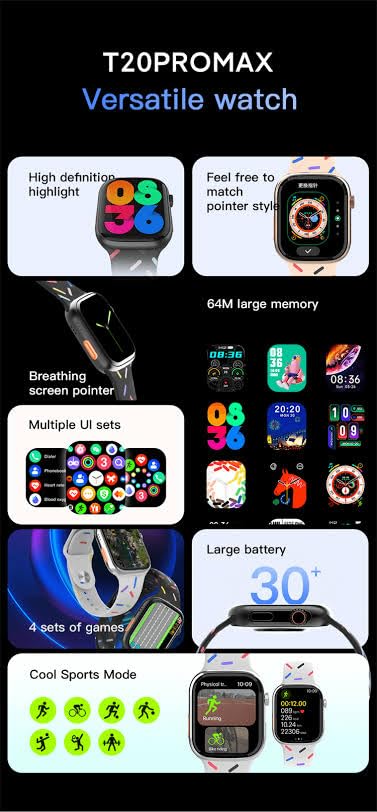
Image 4.1: Sports Mode Activation. This image highlights the smartwatch's display showing various sports tracking options and indicates the presence of an orange physical button for quick access to these modes.
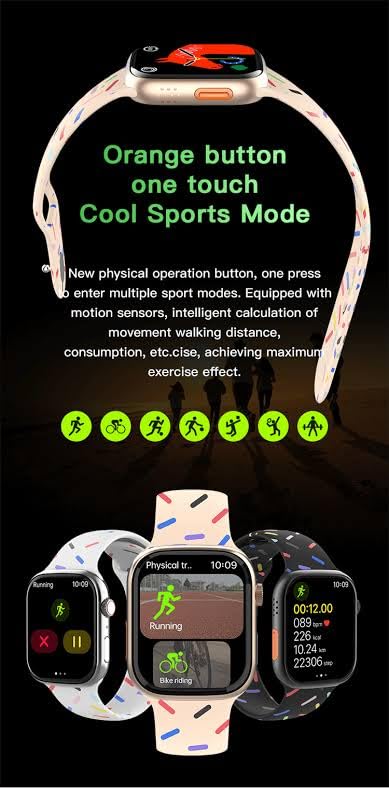
Image 4.2: Smartwatch with Games. This image shows the smartwatch displaying various game interfaces, illustrating its entertainment capabilities.
5. Maintenance
5.1 Cleaning
Regularly clean your smartwatch and straps to prevent skin irritation and maintain device hygiene. Use a soft, lint-free cloth slightly dampened with water. Avoid using harsh chemicals or abrasive materials.
5.2 Battery Care
To prolong battery life, avoid exposing the smartwatch to extreme temperatures. Charge the device using only the provided charging cable. Do not attempt to replace the battery yourself.
6. Troubleshooting
- Device not turning on: Ensure the device is fully charged. Connect it to the charger for at least 30 minutes.
- Cannot pair with smartphone: Make sure Bluetooth is enabled on your phone and the smartwatch is within range. Restart both devices and try pairing again. Check if the companion app is updated.
- Inaccurate fitness data: Ensure the smartwatch is worn snugly on your wrist. Calibrate the device through the companion app if available.
- Notifications not received: Verify that notification permissions are granted to the companion app on your smartphone. Check the app's settings to ensure notifications are enabled for the smartwatch.
- Short battery life: Reduce screen brightness, disable unnecessary features, and ensure background app usage is minimized on your smartphone.
7. Specifications
| Feature | Specification |
|---|---|
| Brand | Generic |
| Manufacturer | Hryfine |
| Model Name | T20 Pro |
| Display Size | 2.96 cm (1.17 Inches) |
| Display Type | Digital, Touchscreen |
| Connectivity Technology | Bluetooth 5.0 |
| Compatible Devices | Smartphone |
| Operating System | Proprietary OS |
| Memory Storage Capacity | 32 MB |
| Special Features | GPS |
| Battery Capacity | 300 Milliamp Hours |
| Battery Type | Lithium Polymer |
| Average Battery Life | 24 Hours (up to 10 days standby) |
| Charging Time | 2 Hours |
| Item Weight | 150 g |
| Package Dimensions | 12 x 8 x 4 cm |
8. Warranty and Support
8.1 Warranty Information
The Hryfine T20 Pro Smartwatch comes with a 1-month warranty from the date of purchase. This warranty covers manufacturing defects. Please retain your proof of purchase for warranty claims.
8.2 Customer Support
For technical assistance, troubleshooting, or warranty inquiries, please contact the retailer or the manufacturer, Hryfine. The product is packed by Rapid Sales and imported by Hryfine Manufacturer.