
blessny BL-8R-B
Solar Powered Rechargeable Exhaust Fan User Manual
Brand: blessny | Model: BL-8R-B
Product Overview
The blessny Solar Powered Rechargeable Exhaust Fan is designed to provide efficient air circulation and ventilation for various outdoor spaces. This system includes an 8-inch exhaust fan, a 25W monocrystalline solar panel, and a 66.6Wh battery backup box, allowing for continuous operation even after sunset. It is ideal for maintaining comfortable and dry environments in locations such as greenhouses, chicken coops, sheds, pet houses, attics, RVs, and boats.
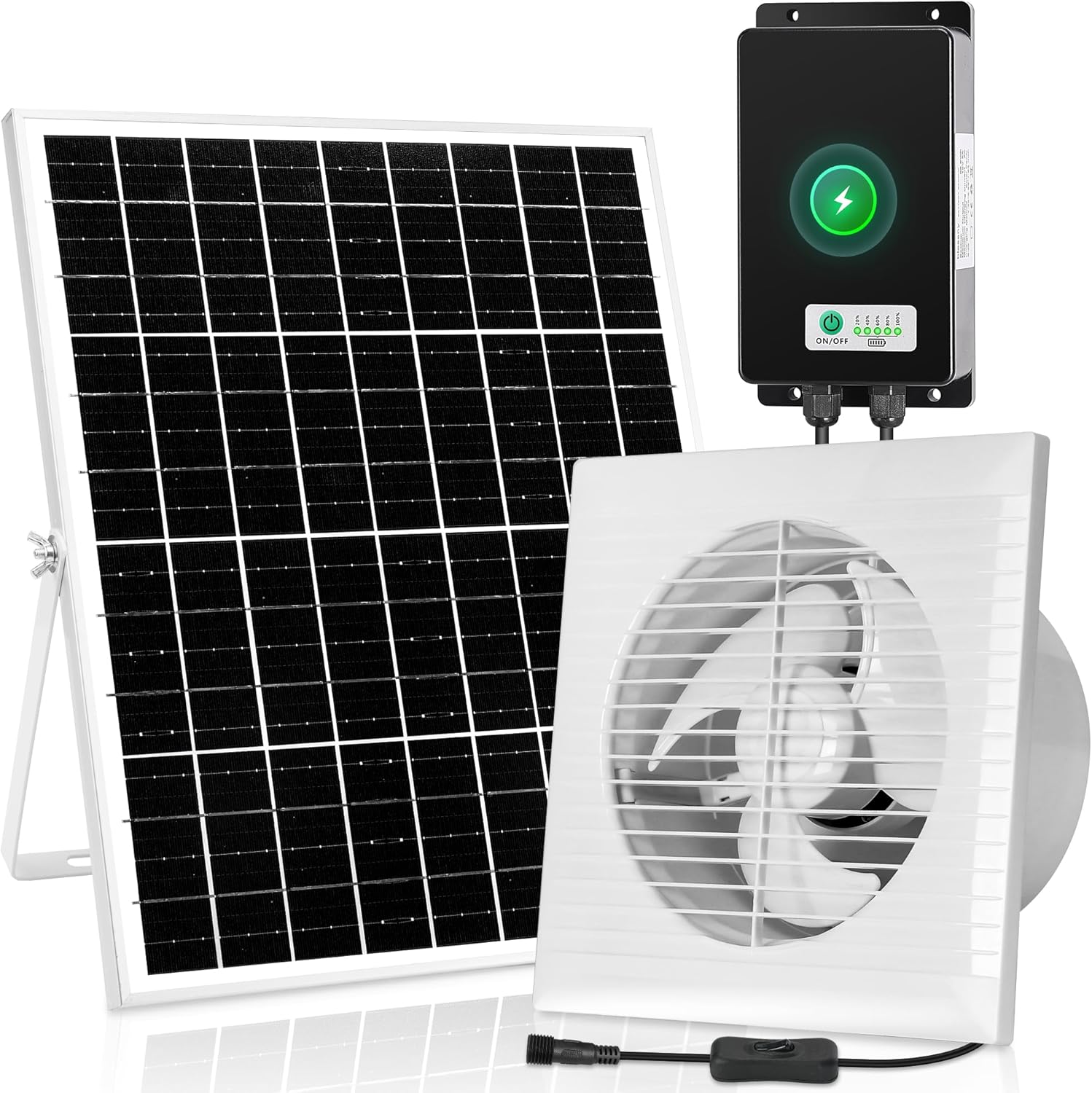
Figure 1: Complete blessny Solar Powered Rechargeable Exhaust Fan system, showing the solar panel, exhaust fan, and battery backup box.
Key Features:
- Efficient Air Circulation: 8-inch fan with a maximum airflow of 380 CFM.
- Battery Backup: 66.6Wh battery box provides up to 9 hours of operation on a full charge.
- Powerful Solar Panel: 25W monocrystalline solar panel (15.4x12.6 inches) for effective charging.
- Easy Installation: Includes all necessary screws and a detailed user manual for straightforward setup.
- Versatile Application: Suitable for greenhouses, sheds, garages, chicken coops, pet houses, attics, RVs, and boats.
- Quiet Operation: Designed for low noise levels (40 dB).
Package Contents
Before beginning installation, please verify that all components listed below are present in your package:
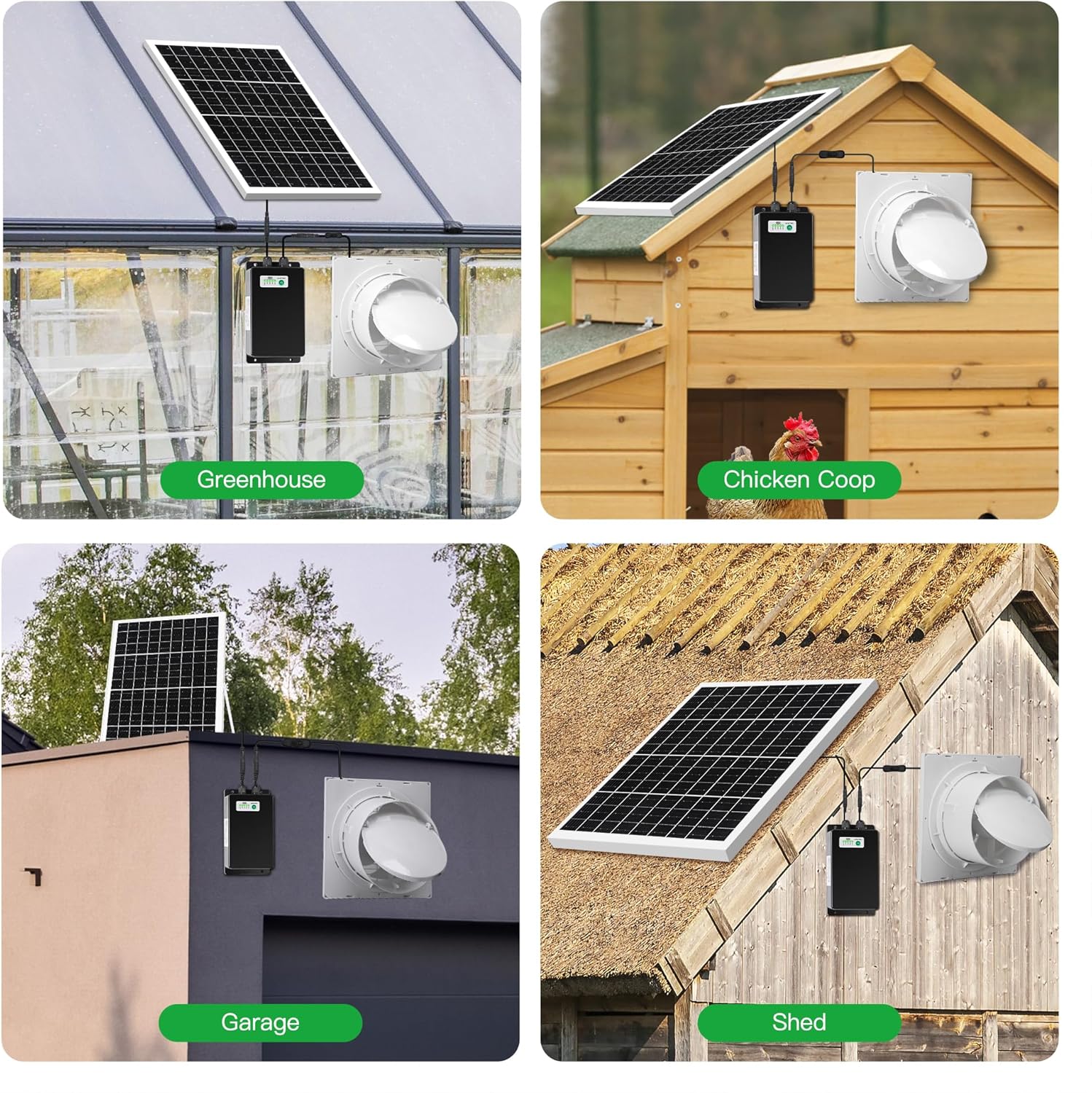
Figure 2: Visual representation of all items included in the product package.
- 1x 25W Solar Panel
- 1x 8 Inch Exhaust Fan
- 1x 66.6Wh Battery Backup Box
- 1x Solar Panel Bracket Kit
- 2x Zip-ties
- 4x Fan Screws Kit (for fan to wall)
- 2x Expansion Screws (for solar panel to wall)
- 1x User Manual (this document)
Setup and Installation
Follow these steps for proper installation of your solar exhaust fan system. Ensure the installation location receives ample direct sunlight for optimal solar panel performance.

Figure 3: Step-by-step visual guide for installing the solar exhaust fan system.
- Install the Solar Panel Bracket Kit: Attach the bracket to the solar panel using the provided hardware. This bracket allows for adjustable angling of the solar panel.
- Mount the Solar Panel: Choose a location on a roof or wall that receives maximum direct sunlight throughout the day. Install the solar panel using the expansion screws. Ensure there is no shade obstructing the solar panel.
- Mount the Battery Box: Secure the battery backup box to a wall using the provided screws or zip-ties. Connect the solar panel cord to the input port on the battery box for charging.
- Install the Exhaust Fan: Mount the 8-inch exhaust fan to a wall or window opening. Ensure the fan is positioned to effectively exhaust air from the desired space.
- Connect Fan to Battery Box: Use the provided connector to link the exhaust fan to the battery backup box.
- Power On: Turn on the battery box using its ON/OFF button. Then, activate the exhaust fan using its separate ON/OFF button located on the fan's power cord.
Important Note: The solar panel cable is 17.5 ft long, providing flexibility in placement. The fan's power cord is 4.3 ft long.
Operating Instructions
Your blessny Solar Exhaust Fan is designed for automatic and manual operation, leveraging solar power and battery backup.
Solar Charging:
During daylight hours, the solar panel will convert sunlight into electricity, powering the fan directly and simultaneously charging the 66.6Wh battery. A full charge typically takes 7-10 hours, depending on sunlight intensity.

Figure 4: Illustration of the solar panel charging the battery during the day and the fan exhausting hot air at night using battery power.
Battery Backup Operation:
Once fully charged, the 66.6Wh battery can power the exhaust fan for approximately 9 hours independently, making it suitable for nighttime operation or periods of low sunlight.

Figure 5: Close-up of the battery backup box, highlighting the battery ON/OFF button and the battery indicator lights.
Controls:
- Battery ON/OFF Button: Located on the battery backup box. Press to activate or deactivate the battery power supply.
- Fan ON/OFF Button: Located on the fan's power cord. Press to turn the fan on or off.
- Battery Indicator Light: On the battery box, these lights show the current charge level of the battery.
Typical Usage Scenarios:

Figure 6: Examples of the solar exhaust fan installed in a greenhouse, chicken coop, garage, and shed.
The fan is designed to exhaust hot air, providing cooling and ventilation. It is particularly effective in enclosed spaces during warm periods.
Maintenance
Regular maintenance ensures the longevity and optimal performance of your blessny Solar Exhaust Fan.
- Cleaning the Solar Panel: Periodically wipe the surface of the solar panel with a soft, damp cloth to remove dust, dirt, leaves, or other debris. A clean panel ensures maximum sunlight absorption and charging efficiency. Avoid abrasive cleaners or harsh chemicals.
- Cleaning the Fan Blades: Over time, dust and debris may accumulate on the fan blades, reducing airflow. Carefully clean the fan blades with a soft brush or cloth. Ensure the fan is turned off and disconnected from the battery box before cleaning.
- Battery Box Inspection: Check the battery box and all cable connections periodically for any signs of wear, damage, or corrosion. Ensure connections are secure. Keep the battery box in a dry, protected location.
- General Inspection: Regularly inspect all mounting hardware to ensure the solar panel and fan remain securely attached to their surfaces. Tighten any loose screws as needed.
Troubleshooting
If you encounter issues with your blessny Solar Exhaust Fan, refer to the following common troubleshooting steps:
| Problem | Possible Cause | Solution |
|---|---|---|
| Fan not operating. |
|
|
| Battery not charging or holding charge. |
|
|
| Reduced airflow from fan. |
|
|
| Fan making unusual noise. |
|
|
If the problem persists after attempting these solutions, please contact blessny customer support for further assistance.
Specifications
| Feature | Detail |
|---|---|
| Brand | blessny |
| Model Name | BL Fans |
| Item Model Number | BL-8R-B |
| Electric Fan Design | Exhaust Fan |
| Power Source | Solar Powered |
| Color | White |
| Product Dimensions | 9.8"D x 4"W x 9.8"H |
| Item Weight | 7.15 pounds |
| Room Type | Greenhouse, Shed, Garage, Chicken Coop, Pet House, Attic, RV, Boat |
| Special Feature | Quiet Operation |
| Recommended Uses | Exhausting, Ventilating |
| Noise Level | 40 dB |
| Wattage | 25 watts (Solar Panel) |
| Speed | 2050 RPM |
| Voltage | 12 Volts (DC) |
| Switch Type | Push Button (on fan cord and battery box) |
| Included Components | 1x Solar Panel, 1x 8 Inch Exhaust Fan, 1x Battery Back Box, 1x Screw Kit, 1x User Manual |
| Indoor/Outdoor Usage | Outdoor |
| Battery | 1x 12V battery (included), 66.6Wh capacity |
| Solar Panel Dimensions | 15.4" x 12.6" |
| Fan Diameter | 8 Inch |
| Max Air Volume | 380 CFM |

Figure 7: Detailed dimensions of the solar panel, exhaust fan, and battery backup box, including cable lengths.
Warranty and Support
Warranty Information:
This product is typically covered by a manufacturer's warranty. For specific details regarding the warranty period and terms, please refer to the warranty card included in your product packaging or contact blessny customer support directly. The standard return policy allows for returns within 30 days of purchase for refund or replacement.
Customer Support:
For technical assistance, troubleshooting not covered in this manual, or warranty claims, please contact blessny customer support. Contact information can usually be found on the product packaging, the manufacturer's official website, or through your point of purchase.
When contacting support, please have your product model number (BL-8R-B) and purchase date readily available.
Ask a question about this manual
Ask about setup, troubleshooting, compatibility, parts, safety, or missing instructions. Manuals+ will review the question and use this page’s manual context to help answer it.