1. Introduction and Overview
Welcome to the Callsky-Tab Cpad 10 Android Tablet user manual. This guide will assist you in understanding and utilizing all the features of your new device. The Cpad 10 is designed for both entertainment and productivity, featuring a powerful octa-core processor, a vibrant 10.1-inch HD display, ample memory, and a long-lasting battery.

Figure 1: Front view of the Callsky-Tab Cpad 10 Android Tablet.
2. What's in the Box
Upon unboxing your Callsky-Tab Cpad 10, please ensure all the following items are present:
- Callsky-Tab Cpad 10 Tablet
- Prefilmed Screen Protector (pre-applied or included separately)
- Charging Adapter
- 6ft Charging Cable (Type-C)
- User Manual (this document)

Figure 2: All items included in the Callsky-Tab Cpad 10 package.
3. Setup
- Initial Charge: Before first use, fully charge your tablet using the provided charging adapter and Type-C cable. Connect the cable to the tablet's charging port and the adapter to a power outlet. The battery indicator will show charging status.
- Power On/Off: Press and hold the power button (located on the top edge) for a few seconds to turn the tablet on or off.
- Initial Setup Wizard: Follow the on-screen instructions to complete the initial setup. This includes selecting your language, connecting to a Wi-Fi network, and signing in with your Google account.
- Screen Protector: If not pre-applied, carefully apply the included screen protector to prevent scratches and damage to the display.
4. Operating the Tablet
4.1 Display
The Cpad 10 features a 10.1-inch IPS screen with a resolution of 800x1280 pixels, providing clear visuals and vibrant colors for an immersive viewing experience. The IPS technology ensures wide viewing angles without color distortion.

Figure 3: High-definition display of the Cpad 10 tablet.
4.2 Performance
Equipped with a powerful 8-core CPU and advanced A55 chip architecture, the tablet delivers robust performance for daily tasks. With 12GB of RAM (3GB physical + 9GB virtual), it supports seamless multitasking, allowing you to run multiple applications simultaneously without significant lag.

Figure 4: Performance specifications of the Cpad 10 tablet.
4.3 Audio
The Cpad 10 features dual speakers, providing enhanced audio for media consumption. The volume can be increased up to 200% while maintaining sound quality, offering an immersive surround sound experience.

Figure 5: Dual speaker system for superior audio.
4.4 Storage
The tablet comes with 64GB of internal storage, allowing you to download apps, store photos, and cache videos. Storage can be expanded up to 2TB using a Micro SD card (not included), providing ample space for all your files.
4.5 Battery Life
A robust 6000mAh battery provides hours of uninterrupted use. With Android 15's power management features, the tablet maximizes battery efficiency, ensuring extended usage times for streaming, browsing, or gaming.

Figure 6: Battery capacity and estimated usage times.
4.6 Cameras
The Cpad 10 is equipped with a 5MP front camera and an 8MP rear camera, suitable for video calls and capturing everyday moments.
4.7 Multitasking
Leverage the split-screen feature to multitask with ease, allowing you to view two applications simultaneously on the 10.1-inch display.
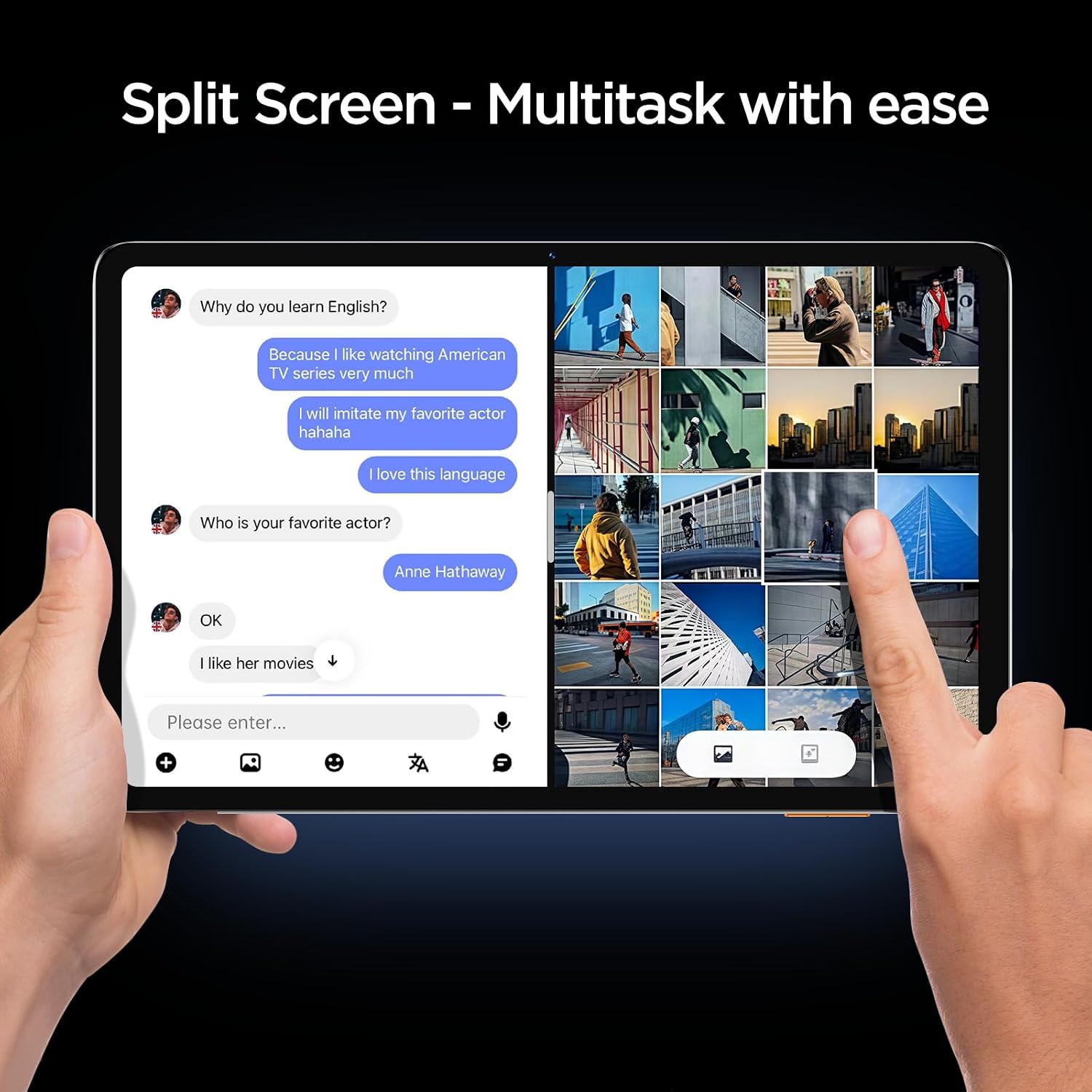
Figure 7: Split-screen functionality for enhanced productivity.
5. Maintenance
- Cleaning: Use a soft, lint-free cloth to clean the screen and body of the tablet. Avoid abrasive materials or harsh chemicals.
- Software Updates: Regularly check for and install system updates to ensure optimal performance, security, and access to new features. Go to Settings > System > System update.
- Storage Management: Periodically clear unnecessary files, cache data, and uninstall unused apps to free up storage space and maintain tablet speed.
- Battery Care: To prolong battery life, avoid extreme temperatures and do not leave the tablet fully charged or fully discharged for extended periods.
6. Troubleshooting
- Tablet Not Powering On: Ensure the tablet is sufficiently charged. Connect it to the charger for at least 30 minutes before attempting to power it on again. If the issue persists, try holding the power button for 10-15 seconds for a forced restart.
- Wi-Fi Connectivity Issues: Check if Wi-Fi is enabled in settings. Restart your Wi-Fi router. Forget the network and reconnect. If problems continue, try restarting the tablet.
- Slow Performance: Close unused applications running in the background. Clear app caches (Settings > Apps > [App Name] > Storage > Clear cache). Consider uninstalling large or unnecessary apps. A factory reset (see below) can also resolve persistent performance issues, but will erase all data.
- Apps Crashing: Ensure apps are updated to their latest versions. Clear the app's cache and data. If the problem persists, uninstall and reinstall the app.
- Factory Reset: If you encounter severe software issues or wish to restore the tablet to its original state, you can perform a factory reset. Warning: This will erase all data on your tablet. Go to Settings > System > Reset options > Erase all data (factory reset).
7. Specifications
| Feature | Specification |
|---|---|
| Brand | Callsky-Tab |
| Model Name | Cpad 10 |
| Item Model Number | A523 |
| Operating System | Android 15 |
| Screen Size | 10.1 Inches |
| Screen Resolution | 800 x 1280 Pixels (HD IPS) |
| Processor | Octa-core (1.8 GHz A55 architecture) |
| RAM | 12GB (3GB physical + 9GB virtual) |
| Internal Storage | 64 GB |
| Expandable Storage | Up to 2 TB (Micro SD Card) |
| Rear Camera | 8 MP |
| Front Camera | 5 MP |
| Battery Capacity | 6000mAh |
| Average Battery Life | 7 Hours |
| Wireless Type | 802.11ax (Wi-Fi 6) & Bluetooth |
| Item Weight | 1.85 pounds (approx. 15 ounces) |
| Product Dimensions | 9.5 x 0.3 x 6.5 inches |
| Color | White |
8. Warranty and Support
Callsky-Tab offers an industry-leading two-year extended warranty for your Cpad 10 tablet, ensuring peace of mind and protection for your investment. This warranty reflects our confidence in the durability and reliability of our product.
For technical support, warranty claims, or any inquiries regarding your Callsky-Tab Cpad 10 tablet, please refer to the contact information provided on the official Callsky-Tab website or your purchase documentation. Our dedicated customer service team is available to assist you.