
1. Introduction
This manual provides detailed instructions for the assembly, setup, operation, and maintenance of your Mould King 18038 RC Off-Road Building Car. Please read this manual thoroughly before beginning assembly or operation to ensure correct usage and optimal performance. This product is designed for individuals aged 14 years and up.

Image 1.1: The Mould King 18038 RC Off-Road Building Car and its retail packaging.
2. Safety Information
- Adult Supervision: This product is recommended for ages 14 and up. Adult supervision is advised during assembly and operation, especially for younger users.
- Small Parts: The kit contains small parts which may pose a choking hazard. Keep out of reach of small children.
- Battery Safety: Use only the specified rechargeable lithium-ion battery. Do not attempt to charge non-rechargeable batteries. Do not short-circuit, disassemble, or expose batteries to extreme temperatures or fire. Dispose of batteries responsibly.
- Operating Environment: Operate the RC car in open areas, away from people, pets, obstacles, and water. Avoid public roads.
- Electrical Components: Ensure all electrical connections are secure and dry. Do not operate the car if any electrical components are damaged or wet.
3. Package Contents
Verify that all components are present before beginning assembly. The Mould King 18038 kit includes approximately 1016 building blocks, motors, a rechargeable battery, and a remote control.
- Building Blocks (approx. 1016 pieces)
- Motors (pre-assembled into certain block components)
- Rechargeable Lithium-Ion Battery
- 2.4G Remote Control
- USB Charging Cable
- Instruction Manual (this document)

Image 3.1: The Mould King 18038 kit, including the box, assembled model, and printed manual.
4. Assembly Instructions
The building blocks are packaged into numbered bags to facilitate assembly. Follow the included step-by-step pictorial guide provided with your product for detailed construction. The process involves connecting various mechanical and structural components to form the off-road vehicle chassis, body, and integrated motor system.
4.1 Key Assembly Features
- Chassis Construction: Assemble the main frame, ensuring all connection points are secure.
- Suspension System: Install the independent shock absorption components. These are crucial for the vehicle's off-road capability.
- Wheel and Tire Installation: Attach the large, treaded tires to the wheel hubs.
- Motor and Wiring Integration: Carefully route and connect the motor wires to the central control unit as indicated in the pictorial guide.
- Body Panels and Details: Complete the exterior of the vehicle, adding aesthetic and functional details.

Image 4.1: Close-up of the vehicle's detailed suspension and steering mechanisms.
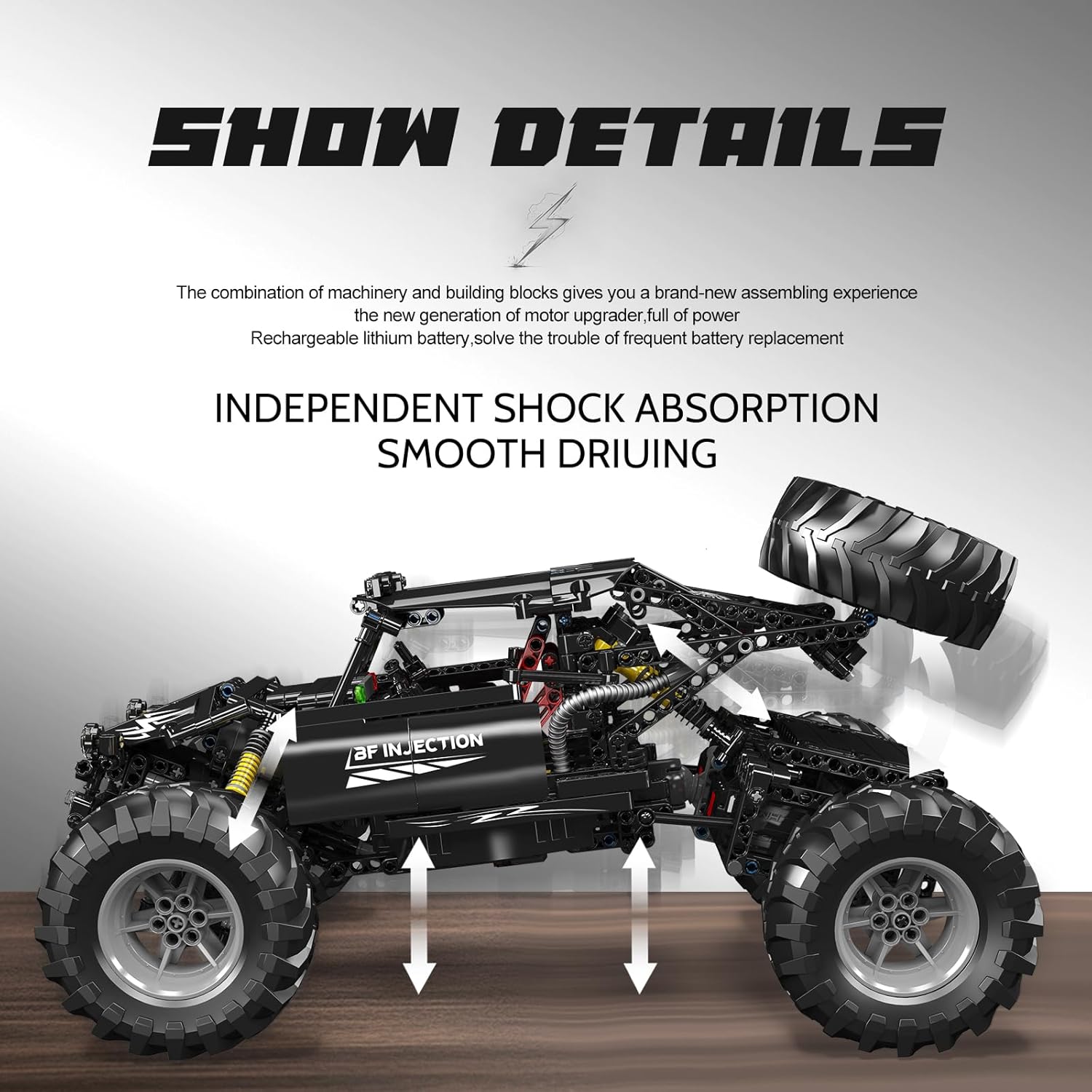
Image 4.2: Illustration of the independent shock absorption system, allowing for smooth movement over uneven terrain.
For a visual overview of the assembly process and product features, please refer to the video below:
Video 4.1: Official product video showcasing the Mould King 18038 RC Off-Road Building Car's assembly and features.
5. Setup
5.1 Battery Installation and Charging
- Locate the battery compartment on the vehicle.
- Insert the rechargeable lithium-ion battery, ensuring correct polarity.
- Close the battery compartment securely.
- To charge the battery, connect the USB charging cable to the vehicle's charging port and a compatible USB power source. The charging indicator will show the charging status.
- Allow sufficient time for a full charge before first use.
5.2 Remote Control Pairing
The Mould King 18038 supports two control modes: a 2.4G remote control and mobile phone control.
- For 2.4G Remote Control:
a. Ensure the vehicle's power is ON.
b. Turn ON the remote control. The indicator light on the remote will flash.
c. The remote control and vehicle should automatically pair. The indicator light on the remote will become solid once paired. - For Mobile Phone Control:
a. Download the official Mould King app from your device's app store.
b. Ensure the vehicle's power is ON.
c. Open the app and follow the on-screen instructions to connect via Bluetooth or Wi-Fi.
6. Operating Instructions
Once assembled and paired, your Mould King 18038 RC Off-Road Building Car is ready for operation. Familiarize yourself with the controls before driving.
6.1 Basic Controls (2.4G Remote Control)
- Left Joystick: Controls forward and backward movement.
- Right Joystick: Controls left and right steering.
- Trim Buttons: Adjust steering and throttle trim if the vehicle does not drive straight or stops when the joystick is centered.
6.2 Driving Tips
- Start with slow movements to get accustomed to the controls.
- The vehicle is designed for off-road use and can handle various terrains such as rock, grass, and desert.
- Avoid driving through deep water or mud to prevent damage to electronic components.
- Practice turning and maneuvering in open spaces.
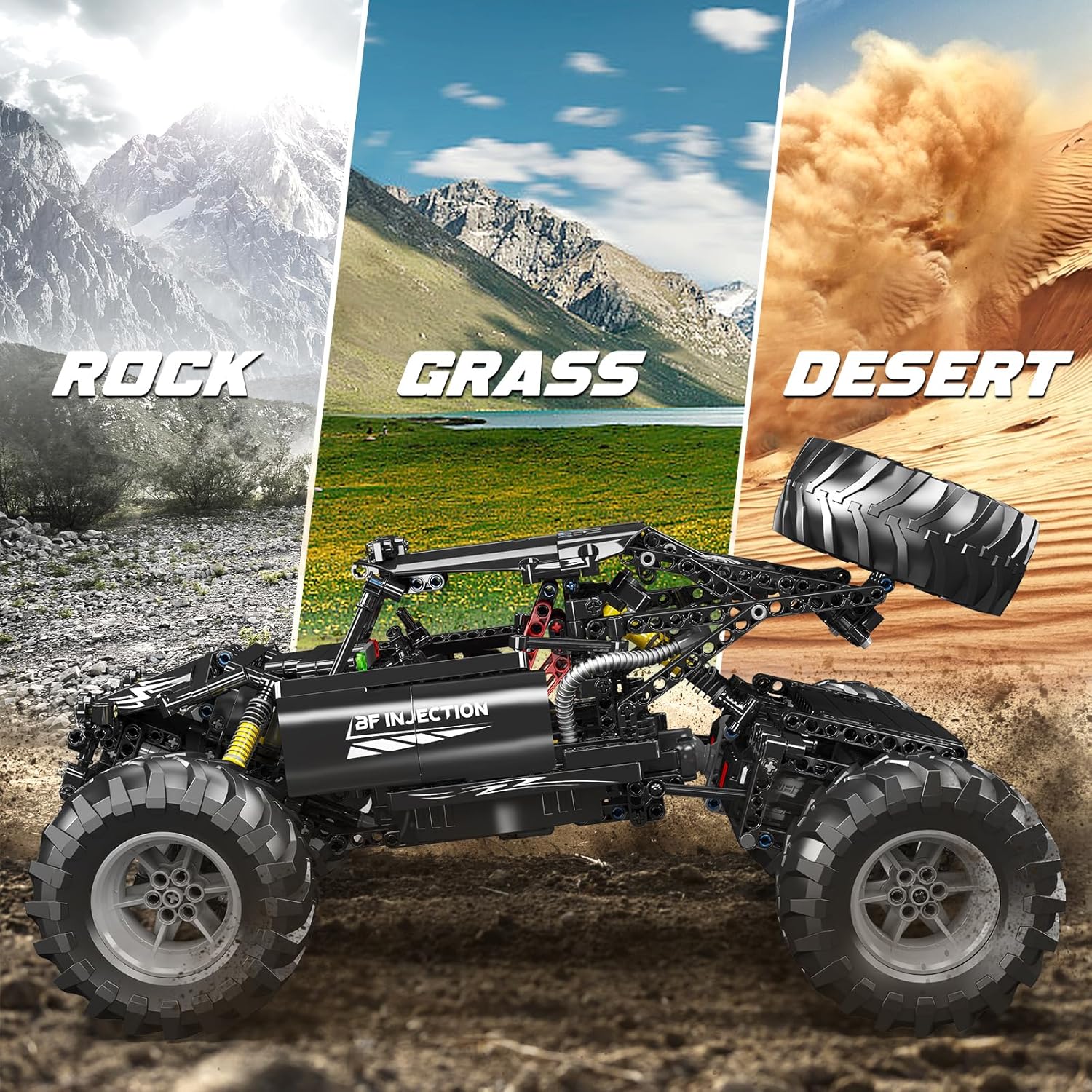
Image 6.1: The RC car demonstrating its capability on various terrains including rock, grass, and desert.
7. Maintenance
- Cleaning: After each use, especially in dusty or dirty environments, gently clean the vehicle with a soft, dry cloth. Do not use water or harsh chemicals.
- Inspection: Regularly inspect all parts for wear and tear, loose connections, or damage. Tighten any loose screws or connections.
- Battery Care: Always fully charge the battery before storage. If storing for extended periods, charge the battery every 3 months to maintain its health. Disconnect the battery from the vehicle when not in use.
- Storage: Store the vehicle and remote control in a cool, dry place away from direct sunlight and extreme temperatures.
8. Troubleshooting
| Problem | Possible Cause | Solution |
|---|---|---|
| Vehicle does not turn on. | Battery not charged or incorrectly installed. | Ensure battery is fully charged and correctly inserted. Check power switch. |
| Remote control not responding. | Remote control batteries low or not paired. | Replace remote control batteries. Re-pair the remote control with the vehicle (refer to Section 5.2). |
| Vehicle drives erratically or not straight. | Steering/throttle trim needs adjustment. | Use the trim buttons on the remote control to fine-tune steering and throttle. |
| Reduced range or interference. | Environmental interference or low battery. | Move to an open area away from other electronic devices. Ensure vehicle and remote batteries are charged. |
| Parts breaking during assembly. | Excessive force applied. | Apply gentle, even pressure during assembly. If a part is genuinely defective, contact customer support for replacement. |
9. Specifications
| Feature | Detail |
|---|---|
| Model Number | WX18038-LZYLFB |
| Number of Pieces | Approximately 1016 |
| Recommended Age | 14 years and up |
| Power Source | 1 Lithium Ion battery (included) |
| Control Type | 2.4G Remote Control, Mobile Phone App Control |
| Item Weight | 4.2 pounds (approx. 1.9 kg) |
| Package Dimensions | 13.07 x 8.7 x 4.88 inches (approx. 33.2 x 22.1 x 12.4 cm) |
| Assembled Dimensions (approx.) | 41 cm (Length) x 24.1 cm (Width) x 22.9 cm (Height) |

Image 9.1: Approximate dimensions of the assembled Mould King 18038 RC Off-Road Building Car.
10. Warranty and Support
Mould King products are manufactured to high-quality standards. For any issues, missing parts, or technical support, please contact the seller or Mould King customer service directly. Please retain your proof of purchase for warranty claims.
For further assistance, please visit the Mould King Store on Amazon.