
Introduction
Thank you for choosing the AOLON Curve Smart Watch. This device is designed to enhance your daily life with advanced health monitoring, fitness tracking, and smart communication features. This manual provides essential information for setting up, operating, and maintaining your new smart watch.

Image: The AOLON Curve Smart Watch in Rose Gold, showcasing its sleek design and vibrant display.
What's in the Box
Upon opening your AOLON Curve Smart Watch package, you should find the following items:
- AOLON Curve Smart Watch (with Watch Band attached)
- Charging Cable
- User Manual (this document)

Image: A visual representation of the product packaging contents, showing the watch, charging cable, and user manual.
Setup
1. Initial Charging
Before first use, fully charge your smart watch. A full charge typically takes approximately 2.5 hours. The watch offers up to 7 days of normal use and over 20 days in power-saving mode on a single charge.
- Connect the magnetic charging cable to the charging points on the back of the watch.
- Plug the USB end of the cable into a standard USB power adapter (not included) or a computer's USB port.
- The watch display will indicate charging status.

Image: The smart watch connected to its magnetic charging cable, illustrating the charging process and battery icon.
2. App Download and Pairing
To unlock the full potential of your AOLON Curve Smart Watch, download the companion app and pair it with your smartphone.
- Scan the QR code in your physical manual or search for "GloryFit" in the Apple App Store (for iOS) or Google Play Store (for Android).
- Install the GloryFit app on your smartphone.
- Ensure Bluetooth is enabled on your smartphone.
- Open the GloryFit app, navigate to the "Device" section, and tap "Add Device".
- Select "Aolon Curve2" from the list of available devices to pair.
- Follow any on-screen prompts to complete the pairing process.

Image: A step-by-step guide illustrating how to download the GloryFit app and connect the AOLON Curve Smart Watch to a smartphone.
Operating Your Smart Watch
1. Basic Navigation
The AOLON Curve Smart Watch features a 1.83-inch HD full-view curved display with a responsive touchscreen and an optical rotary button for intuitive navigation.
- Swipe Up/Down: Scroll through menus and notifications.
- Swipe Left/Right: Access quick functions or different watch faces.
- Tap: Select an item or confirm an action.
- Press Side Button: Return to the home screen or power on/off.
- Rotate Side Button: Scroll through menus or adjust settings.

Image: A detailed view of the smart watch's 1.83-inch HD display with 3D curved glass, highlighting its visual clarity.
2. Customizing Watch Faces
Personalize your watch with over 120 customizable watch faces available through the GloryFit app. You can also set your own photos as watch faces.
- From the watch home screen, long-press the display to quickly change watch faces.
- For more options, open the GloryFit app and navigate to the watch face selection menu.

Image: Various digital and analog watch faces shown on the smart watch, demonstrating customization options.
3. Bluetooth Calling
With its built-in microphone and speaker, the smart watch allows you to make and receive calls directly from your wrist when connected to your phone via Bluetooth.
- To make a call, access the dial pad or contact list on your watch.
- To answer an incoming call, tap the green phone icon on the watch screen.
- To reject a call, tap the red phone icon.

Image: A user interacting with the smart watch to manage calls while driving, highlighting the Bluetooth calling feature.
4. Smart Notifications
Receive real-time notifications for messages, alarms, and other app alerts directly on your watch. Note that message reply is not supported directly from the watch.
- Ensure notification permissions are granted to the GloryFit app on your smartphone.
- Swipe down on the watch face to view recent notifications.

Image: The smart watch displaying various app notifications, indicating its intelligent notification reminder feature.
5. Health Monitoring
The AOLON Curve Smart Watch provides continuous monitoring of key health metrics.
- Heart Rate: Continuous heart rate tracking with alerts for abnormal rates.
- Blood Oxygen (SpO2): Monitor your blood oxygen levels.
- Sleep Monitoring: Tracks sleep duration, quality, and stages (deep, light, REM, awake).
- Stress Monitoring: Provides insights into your stress levels.
- Women's Cycle Tracking: Supports tracking of menstrual cycles.
- Sedentary Reminders: Alerts you to move after prolonged periods of inactivity.
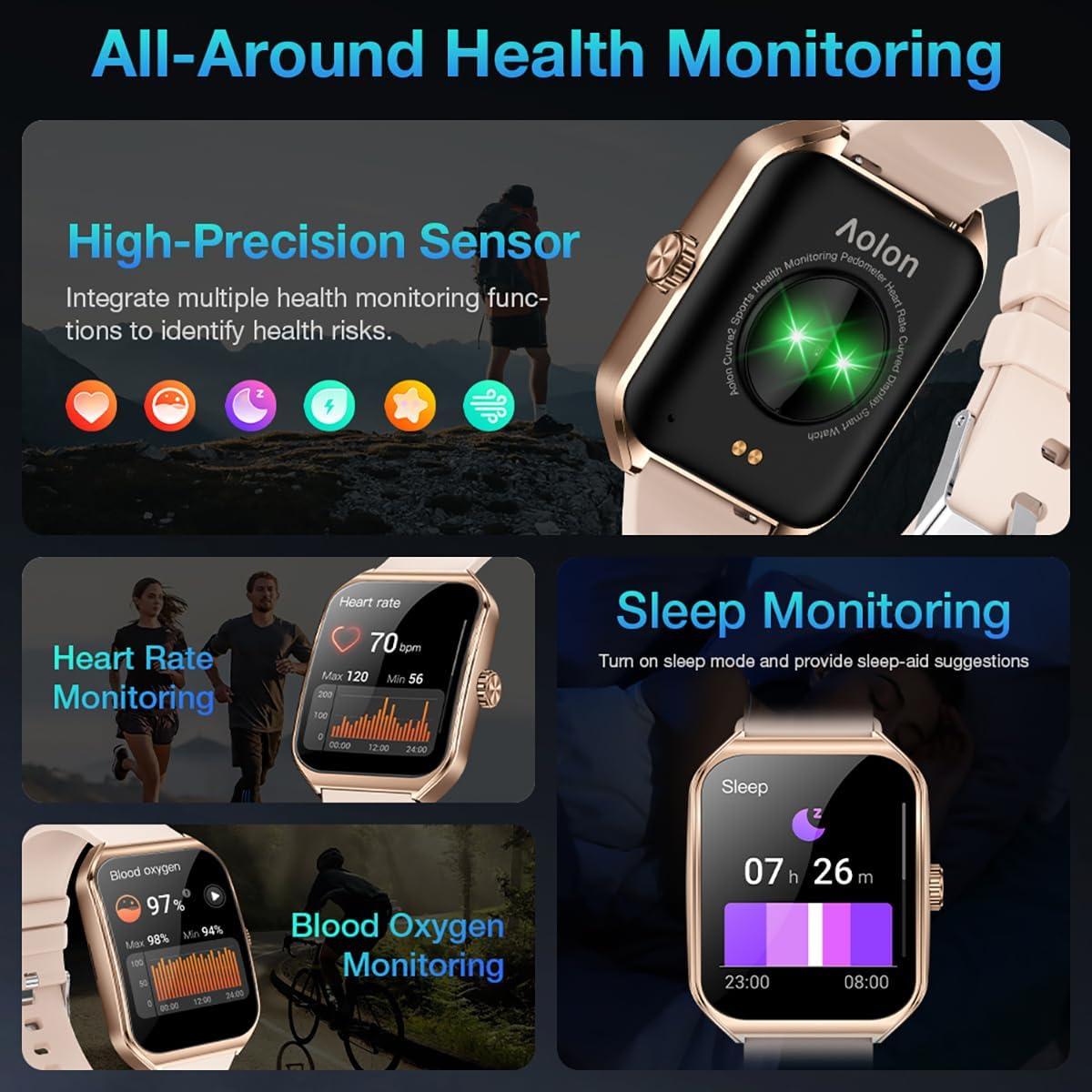
Image: A collage showing the smart watch monitoring heart rate, blood oxygen, and sleep, emphasizing its comprehensive health tracking capabilities.
Video: Demonstrates the 24/7 health monitoring features of the AOLON Smart Watch, including heart rate and SpO2 tracking.
6. Sports Modes and Activity Tracking
The watch supports over 60 sports modes, allowing you to accurately monitor heart rate, calorie consumption, and exercise duration.
- Select your desired sports mode from the watch menu (e.g., outdoor run, indoor run, outdoor walk, ball games, dance, gymnastics).
- When connected to your phone, the watch can record and track your exercise routes using your phone's GPS.
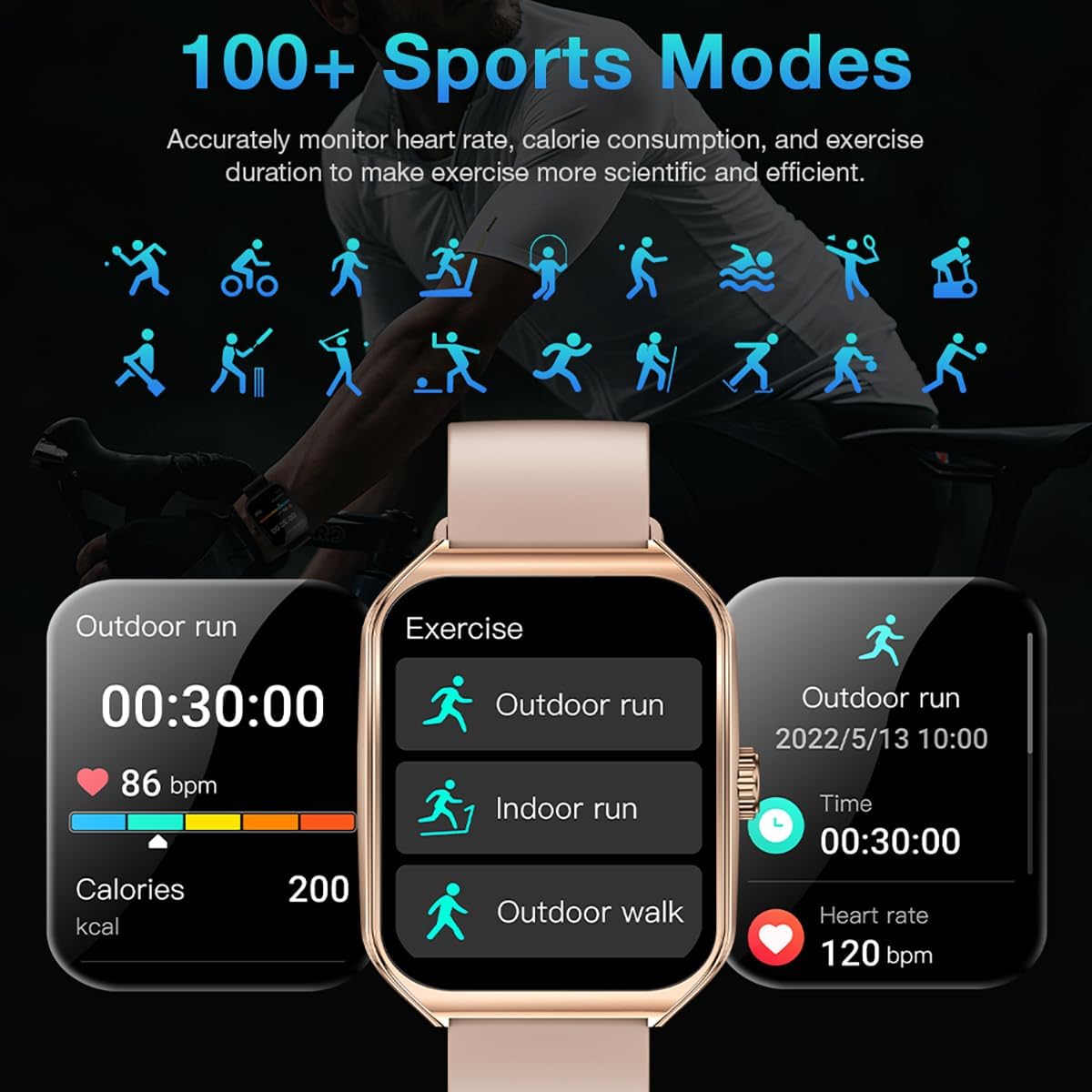
Image: The smart watch interface showing different sports modes and real-time exercise data like heart rate, calories, and distance.
7. Other Smart Features
The AOLON Curve Smart Watch integrates several convenient features for daily use:
- AI Voice Assistant: Quickly activate your voice assistant for tasks like making calls, checking weather, or setting alarms.
- Weather Forecast: Get real-time weather updates.
- Music Control: Control music playback on your smartphone.
- Alarm Clock: Set and manage alarms.
- Stopwatch & Timer: Essential timing functions.
- Find Your Phone: Locate your paired smartphone.
- Flashlight: A simple flashlight function.
- Calculator: Basic calculations on your wrist.
- SOS Function: For emergency situations.
Video: An overview of the Curve2 Smart Watch features, including fitness tracking, notifications, and various smart functions.
Maintenance
1. Cleaning Your Watch
Regular cleaning helps maintain the appearance and functionality of your smart watch.
- Wipe the screen and body with a soft, damp cloth.
- The silicone strap is washable. You can gently clean it with mild soap and water.
- Avoid using harsh chemicals or abrasive materials.
2. Water Resistance (IP67)
The AOLON Curve Smart Watch is IP67 waterproof, meaning it is resistant to dust and can withstand immersion in water up to 1 meter for 30 minutes. It is suitable for daily use and light water activities like hand washing or rain exposure.
- Do not use the watch for diving, hot showers, or prolonged submersion in water.
- Avoid exposing the watch to high-pressure water or steam.

Image: The smart watch partially submerged in water, illustrating its IP67 water resistance feature.
Troubleshooting
If you encounter issues with your AOLON Curve Smart Watch, please refer to the following common solutions:
- Watch not turning on: Ensure the watch is fully charged. Connect it to the charging cable and allow it to charge for at least 30 minutes before attempting to power it on.
- Cannot pair with phone:
- Ensure Bluetooth is enabled on your phone and the watch is within range.
- Restart both your phone and the watch.
- Check if the GloryFit app has necessary permissions (location, Bluetooth, notifications).
- If previously paired, try unpairing and re-pairing the device through the GloryFit app.
- Inaccurate health data:
- Ensure the watch is worn snugly on your wrist, not too tight or too loose.
- Clean the sensor on the back of the watch.
- Environmental factors or skin conditions can sometimes affect sensor accuracy.
- Notifications not appearing:
- Verify that notification permissions are enabled for the GloryFit app in your phone's settings.
- Ensure the watch is connected to your phone via Bluetooth.
- Check the notification settings within the GloryFit app to ensure specific app notifications are enabled.
Specifications
| Display Size | 1.83 Inches |
| Display Type | HD Curved Display with 3D Curved Glass |
| Connectivity | Bluetooth 5.0 |
| Battery Capacity | 245 Milliamp Hours |
| Battery Life (Normal Use) | Up to 7 days |
| Battery Life (Power-Saving Mode) | Over 20 days |
| Charging Time | Approx. 2.5 hours |
| Water Resistance | IP67 |
| Health Monitoring | Heart Rate, SpO2, Sleep, Stress, Women's Cycle |
| Sports Modes | 60+ modes |
| Compatibility | Android & iOS |
| Weight | 40g (watch body only) |
| Model Number | 5d738664-f1e0-4256-942f-d938b44e5e53 |
Warranty and Support
AOLON provides a 12-month warranty for your smart watch. If you encounter any issues or require assistance, please contact our customer service team.
- Customer Service: Available 24 hours a day. Please contact us through Amazon Customer Service for prompt assistance.


