
Rz.819
Kida Calculator User Manual
Model: Runzon Rz.819
1. Introduction
This manual provides essential information for the proper use and maintenance of your Kida Calculator, Model Runzon Rz.819. This colourful calculator is designed for everyday calculations, adding a touch of vibrancy to your workspace or study area. Its compact design ensures portability, making it suitable for various environments.
Please read this manual thoroughly before using the calculator to ensure optimal performance and longevity.
2. Product Features
- Vibrant Colours: Features a sleek white body with buttons in a pastel colour palette of pink, green, blue, and beige.
- Compact Design: Measures approximately 10 cm x 15 cm, making it highly portable.
- Large Display: Equipped with a large LCD display for clear readability of calculations and results.
- Functional Buttons: Includes a full set of buttons for basic arithmetic operations (addition, subtraction, multiplication, division) and other useful functions.
- Durable Construction: Built with sturdy materials for regular use and long-lasting performance.
3. Setup
3.1 Battery Installation
The Kida Calculator requires 1 AAA battery for operation. Ensure the battery is inserted with the correct polarity.
- Locate the battery compartment cover on the back of the calculator.
- Slide or lift the cover to open the compartment.
- Insert one AAA battery, matching the (+) and (-) terminals as indicated inside the compartment.
- Replace the battery compartment cover securely.
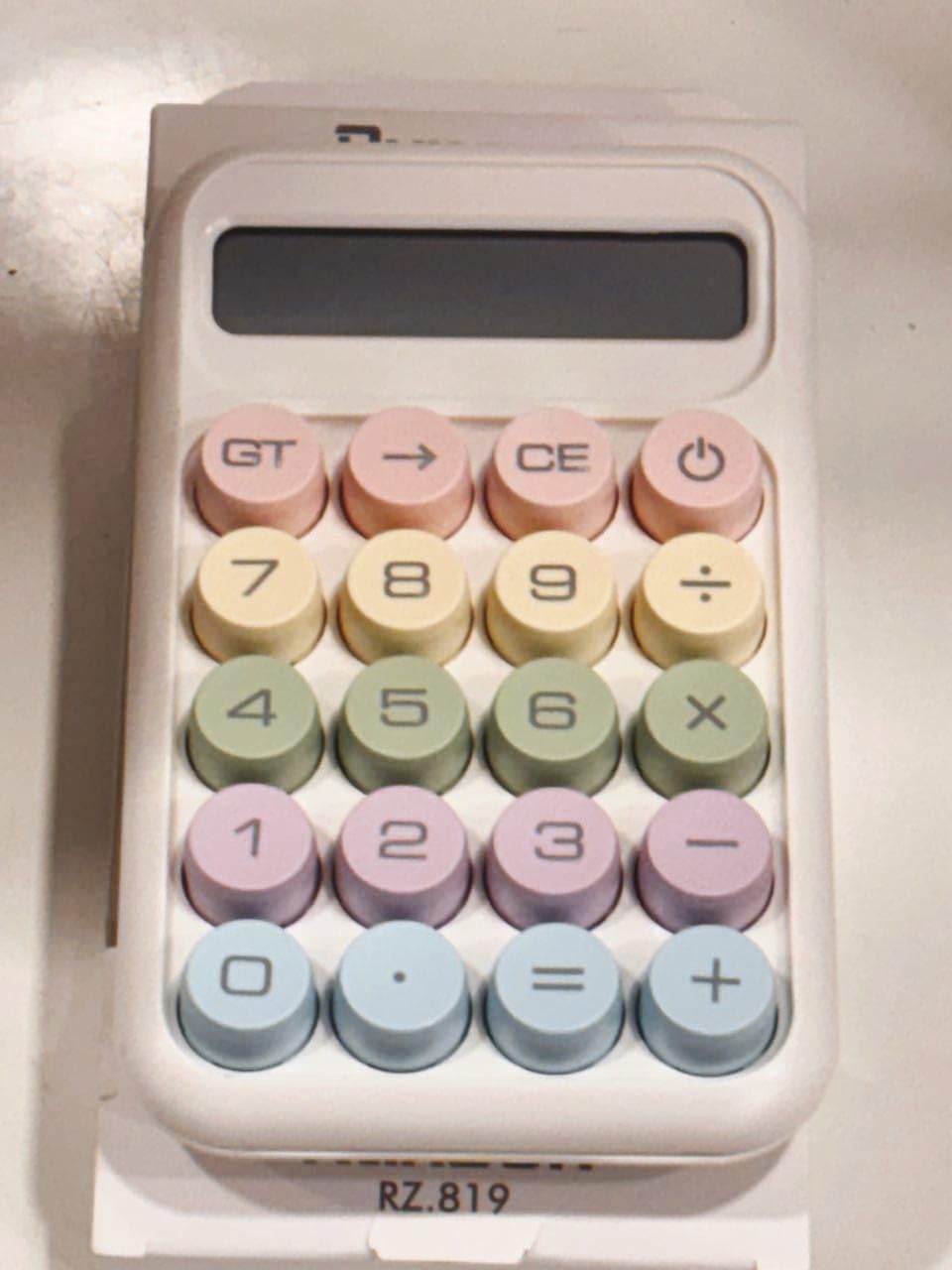
Figure 3.1: Front view of the Kida Calculator, showing the display and pastel-colored buttons.
3.2 Initial Power On
After installing the battery, press the ON/C button (often combined with the power symbol) to turn on the calculator. The display should show "0".
4. Operating Instructions
4.1 Basic Arithmetic Operations
- Addition (+): Enter the first number, press +, enter the second number, then press =.
- Subtraction (-): Enter the first number, press -, enter the second number, then press =.
- Multiplication (x): Enter the first number, press x, enter the second number, then press =.
- Division (÷): Enter the first number, press ÷, enter the second number, then press =.
4.2 Special Function Buttons
- ON/C (Power/Clear): Turns the calculator on. When on, pressing it once clears the current entry. Pressing it twice clears all entries and memory.
- CE (Clear Entry): Clears the last entered number or operation without affecting previous calculations.
- GT (Grand Total): Displays the grand total of all calculations performed since the last clear.
- → (Backspace): Deletes the last digit entered.
- . (Decimal Point): Used to enter decimal numbers.
4.3 Display Information
The large LCD display shows the numbers you enter and the results of your calculations. If an error occurs (e.g., division by zero), the display may show "Error" or "E".
5. Maintenance
5.1 Cleaning
To clean the calculator, gently wipe the surface with a soft, dry cloth. For stubborn marks, a slightly damp cloth can be used, but ensure no moisture enters the device. Do not use abrasive cleaners or solvents.
5.2 Battery Replacement
When the display becomes dim or the calculator functions erratically, it is time to replace the battery. Follow the battery installation steps in Section 3.1.
5.3 Storage
Store the calculator in a cool, dry place away from direct sunlight and extreme temperatures. If storing for an extended period, it is recommended to remove the battery to prevent leakage.

Figure 5.1: Kida Calculator in its original packaging.
6. Troubleshooting
| Problem | Possible Cause | Solution |
|---|---|---|
| Calculator does not turn on. | Dead or incorrectly inserted battery. | Check battery polarity or replace with a new AAA battery. |
| Display is dim or flickering. | Low battery power. | Replace the AAA battery. |
| Incorrect calculation results. | Incorrect button presses or previous calculation not cleared. | Press ON/C twice to clear all memory and restart the calculation. Ensure correct button presses. |
| "Error" or "E" on display. | Mathematical error (e.g., division by zero) or overflow. | Press ON/C to clear the error and re-enter the calculation. |
7. Specifications
| Feature | Detail |
|---|---|
| Brand | Generic |
| Model Name | karuida kk-2278 (also known as Runzon Rz.819) |
| Product Dimensions | 12 x 10 x 0.1 cm |
| Item Weight | 193 g |
| Batteries Required | 1 AAA battery |
| Display Type | LCD |
| Screen Size | 8 Centimetres (approx. 4 inches diagonal) |
| Power Source | Battery Powered |
| Material | Plastic |
| Colour | Pastel |
| Calculator Type | Basic |
8. Warranty and Support
8.1 Warranty Information
This product is covered by the manufacturer's standard warranty. For detailed information regarding warranty terms, conditions, and duration, please refer to the warranty policy provided at the time of purchase or contact the seller directly. A general "Warranty Policy" is indicated by the seller.
8.2 Customer Support
For any questions, technical assistance, or issues not covered in this manual, please contact the seller or the manufacturer. Please have your product model (Runzon Rz.819) and purchase details ready when seeking support.