
1. Introduction
The ERAZER XF31 Translation Earbuds are advanced open-ear headphones designed for real-time language translation, offering seamless communication across 135 languages. These earbuds feature AI dialogue capabilities, multiple translation modes, and a unique LED night running light for enhanced safety. With Bluetooth 5.4 connectivity and a long-lasting battery, they are suitable for various scenarios including business, travel, and daily use.

Image: The ERAZER XF31 Translation Earbuds and their charging case, showcasing the open-ear design and LED light.
Key Features Overview
Video: An overview of the XF31 Translator Earbuds, highlighting features such as the 360° rotating charging case, LED light, APP AI translation, multiple translation modes, and real-time translation capabilities.
2. What's in the Box
Please verify that all items are present in your package:
- 1 Pair x Headphones (Left & Right)
- 1 x Charging Case
- 1 x USB-C Charging Cable
- 1 x Charging Case Lanyard
- 1 x Headphones User Manual
- 1 x AI Translation APP Instruction Manual

Image: A visual representation of all items included in the ERAZER XF31 product package.
3. Setup
3.1 Charging the Earbuds and Case
Before first use, fully charge the earbuds and the charging case. Connect the provided USB-C cable to the charging case and a power source. The charging case features a 360° rotating design for convenient placement.

Image: The 360° rotating charging case, demonstrating its compact and portable size, and how it can be carried with the included lanyard.
3.2 App Download and Connection
The AI translation function requires the dedicated app. Follow these steps to download and connect:
- Step 1: Download the APP. Scan the QR code provided in the manual or on the packaging to download the "EARJOY" app. It is compatible with both iOS and Android devices. You can also visit earjoy.watchfun-intelligence.com/app-download-h5.
- Step 2: Turn on Bluetooth and Connect. Ensure Bluetooth is enabled on your smartphone. Take the earbuds out of the charging case to activate them.
- Step 3: Open the APP and Add Device. Open the "EARJOY" app and follow the on-screen prompts to scan for and connect your XF31 earbuds.

Image: A three-step guide illustrating how to download the EARJOY app via QR code, enable Bluetooth, and connect the earbuds within the app.
4. Operating Instructions
4.1 Power On/Off
- Power On: The earbuds automatically power on when removed from the charging case.
- Power Off: Place the earbuds back into the charging case to power them off and begin charging.
4.2 Translation Modes
The ERAZER XF31 offers four distinct translation modes for various communication needs:

Image: Visual representation of the four translation modes: Free Talk Mode, Dual Ear Click Mode, Headphones + Phone Mode, and Translation Machine Mode.
- Free Talk Mode: Ideal for natural conversations. Both parties can speak freely, and the earbuds will translate in real-time.
- Dual Ear Click Mode: One person clicks the left earbud, and the other person clicks the right earbud to start a conversation.
- Translation Machine Mode: Use your phone as the primary input device. Click the button on your phone to start a conversation.
- Headphones + Phone Mode: One person speaks into the earbuds, and the other person speaks into the phone.

Image: Two individuals conversing naturally with the earbuds, demonstrating the Free Talk Mode.

Image: Two individuals interacting, with visual cues indicating the click action on each earbud to initiate translation in Dual Ear Click Mode.

Image: A person using their phone to initiate translation, illustrating the Translation Machine Mode.

Image: Two people communicating, one using the earbuds and the other speaking into a phone, demonstrating the Headphones + Phone Mode.
4.3 AI Dialogue Mode
The earbuds can communicate with an AI assistant in real-time through the app, providing answers to complex questions, assistance with itinerary planning, and creative inspiration.

Image: A user interacting with the AI Dialogue Mode on their smartphone, showing the conversational interface.
4.4 LED Night Running Light
The earbuds feature an innovative circular LED warning light strip that automatically activates a red light strobe mode at night. This enhances visibility and safety during nighttime activities such as running or cycling.

Image: A person running at night, with the earbuds' orange LED light strip visible, emphasizing its safety feature.
When the earbuds turn on, the night light will automatically turn off after 10 seconds. To manually turn on/off the night light, long press for 5 seconds.
4.5 Audio Control and APP Features
The earbuds support touch and app control for various functions:
- Music Control: Play, pause, skip tracks.
- Call Control: Answer, end, or reject calls.
- Photo Control: Use the earbuds as a remote shutter for your phone's camera.
- Custom EQ Sound Effects: Adjust audio equalization through the app to personalize your listening experience.
- Anti-loss Function: Utilize GPS and a buzzer for dual-mode anti-lost tracking. The earbuds can emit a sound prompt, and the app can guide you to their location.
- Voice Note Mode: Real-time conference recording that converts speech to text automatically, eliminating the need for manual note-taking. Requires Bluetooth and Internet connection.

Image: The EARJOY app interface showing equalizer settings for custom sound adjustment, with various preset modes like Standard, Rock, Popular, Classic, and Jazz.

Image: A visual representation of the anti-loss function, showing the earbuds' location on a map within the app.
5. Maintenance
5.1 Cleaning
Regularly clean the earbuds and charging case with a soft, dry, lint-free cloth. Avoid using abrasive materials or harsh chemicals. Do not submerge the charging case in water.
5.2 Water Resistance
The earbuds are IPX5 water-resistant, meaning they can withstand sweat and light rain. They are not designed for submersion in water or for use during swimming. Ensure the earbuds are dry before placing them back into the charging case.
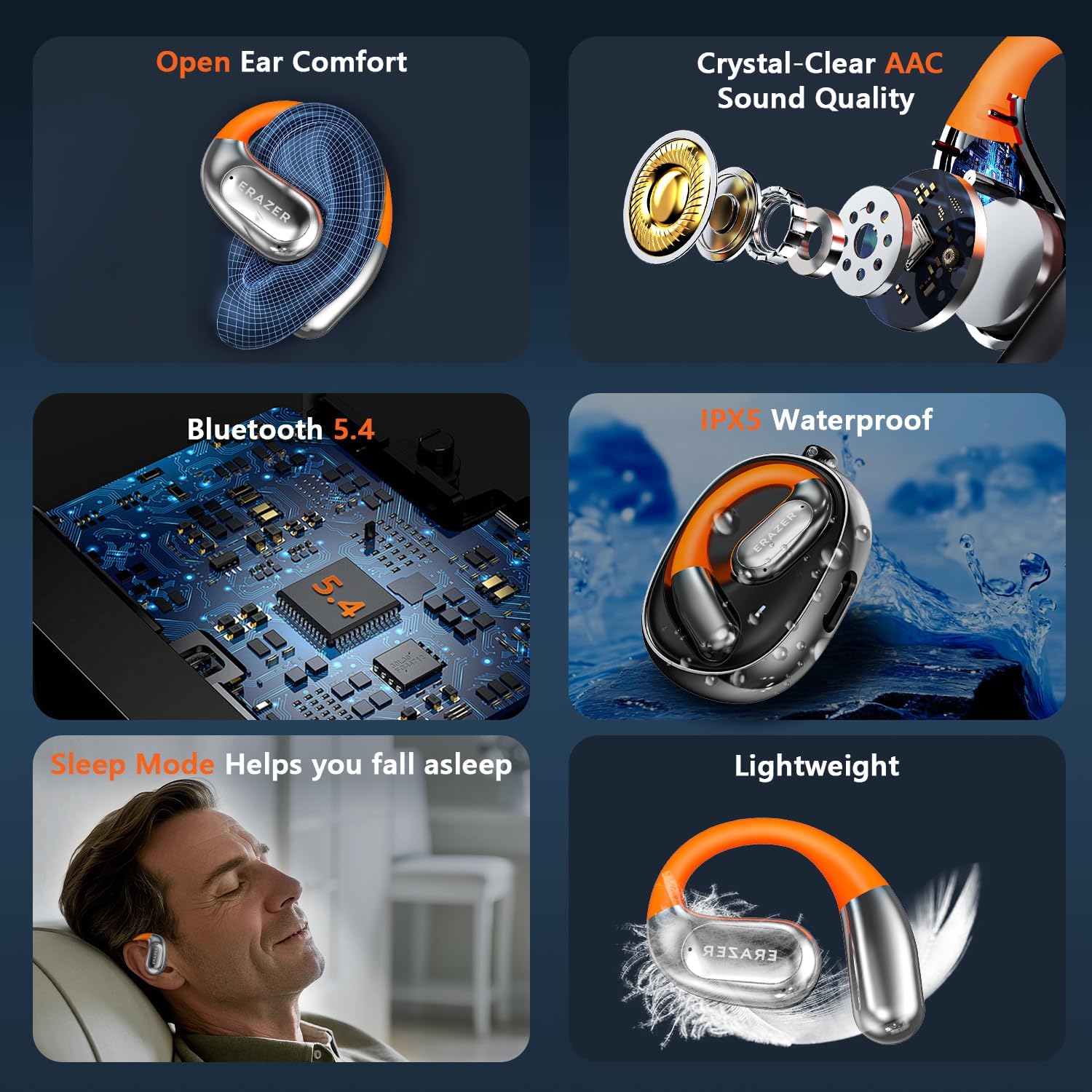
Image: A collage highlighting key features such as open-ear comfort, crystal-clear AAC sound quality, Bluetooth 5.4, IPX5 water resistance, sleep mode, and lightweight design.
5.3 Storage
When not in use, store the earbuds in their charging case to protect them and ensure they remain charged. Store in a cool, dry place away from extreme temperatures.
6. Troubleshooting
- Earbuds not pairing: Ensure Bluetooth is enabled on your device and the earbuds are out of the charging case. Try restarting your device and the earbuds.
- Translation not working: Verify that the earbuds are connected to the app and your device has an active internet connection. Check language settings in the app.
- Poor audio quality: Ensure earbuds are clean and properly seated. Check the EQ settings in the app.
- LED light not working: Check if the manual on/off function has been activated. Ensure earbuds are charged.
- App connection issues: Ensure the app is updated to the latest version. Try reinstalling the app if issues persist.
7. Specifications
| Feature | Specification |
|---|---|
| Model | XF31 |
| Translation Languages | 135 Languages |
| Bluetooth Version | 5.4 |
| Battery Life (Single Charge) | Up to 6 hours |
| Total Playtime (with Case) | Up to 40 hours |
| Charging Time | Approx. 1.5 hours |
| Water Resistance | IPX5 |
| Item Weight | 5.9 ounces |
| Package Dimensions | 5.71 x 3.66 x 2.09 inches |
8. Warranty and Support
For warranty information and customer support, please refer to the AI Translation APP Instruction Manual included in your package or visit the official AHEYE brand store on Amazon. You can also contact AHEYE customer service directly for assistance with product issues or inquiries.
Manufacturer: AHEYE
Country of Origin: China