
Introduction
The Ttbesmi Translator Earbuds JM19AI are designed to facilitate communication across language barriers with real-time AI translation. These wireless earbuds feature a smart touchscreen charging case, active noise cancellation, and Bluetooth 5.4 connectivity for stable performance and clear calls. This manual provides instructions for setup, operation, maintenance, and troubleshooting to ensure optimal use of your device.
- Real-Time AI Translation: Supports 150 languages for various scenarios including travel, study, work, and business meetings.
- Charging Case with Touch Screen: Control earbuds and remotely operate phone camera directly from the charging case screen.
- Active Noise Cancelling (ANC): Intelligent noise cancellation creates a quiet environment for focused activities.
- Bluetooth 5.4 & Clear Calls: Ensures stable connection, fast transmission, and clear calls with environmental noise reduction technology.
- Extended Battery Life: Up to 5 hours of listening on a single charge, with a total of 30 hours using the 200mAh charging case.
Setup
1. Charging the Earbuds and Case
Before first use, fully charge the earbuds and the charging case. Connect the charging case to a power source using a compatible USB cable. The touchscreen on the case will indicate charging status.
2. Bluetooth Pairing
- Ensure your smartphone's Bluetooth is enabled.
- Open the charging case. The earbuds will automatically enter pairing mode.
- On your smartphone, search for "JM19AI" or similar in the Bluetooth device list and select it to connect.
- A voice prompt or indicator on the charging case screen will confirm successful connection.
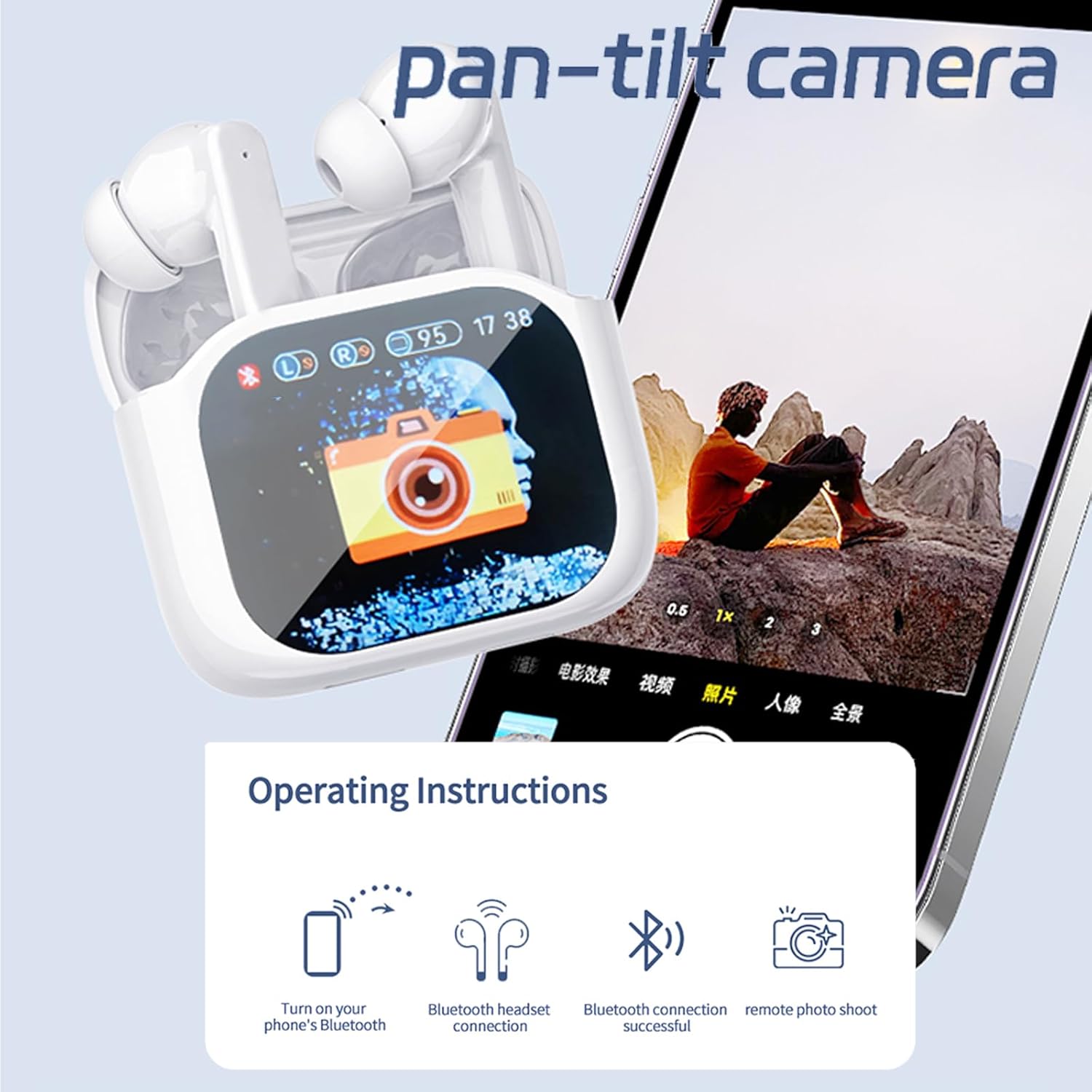
Figure 1: Initial setup steps including Bluetooth pairing and remote camera function.
Operating Instructions
1. Real-Time Translation
The earbuds support real-time translation through a dedicated application on your smartphone. Download the companion app (refer to the QR code in the product packaging or app store) and follow the in-app instructions to select languages and translation modes.
- Earphone Mode: One person speaks into the earbud, and the translation is heard by the other person through their earbud.
- Speaker Mode: One person speaks into the earbud, and the translation is played through the phone's speaker.
- Silent Mode: Only displays the translation text on the phone screen without audio output.
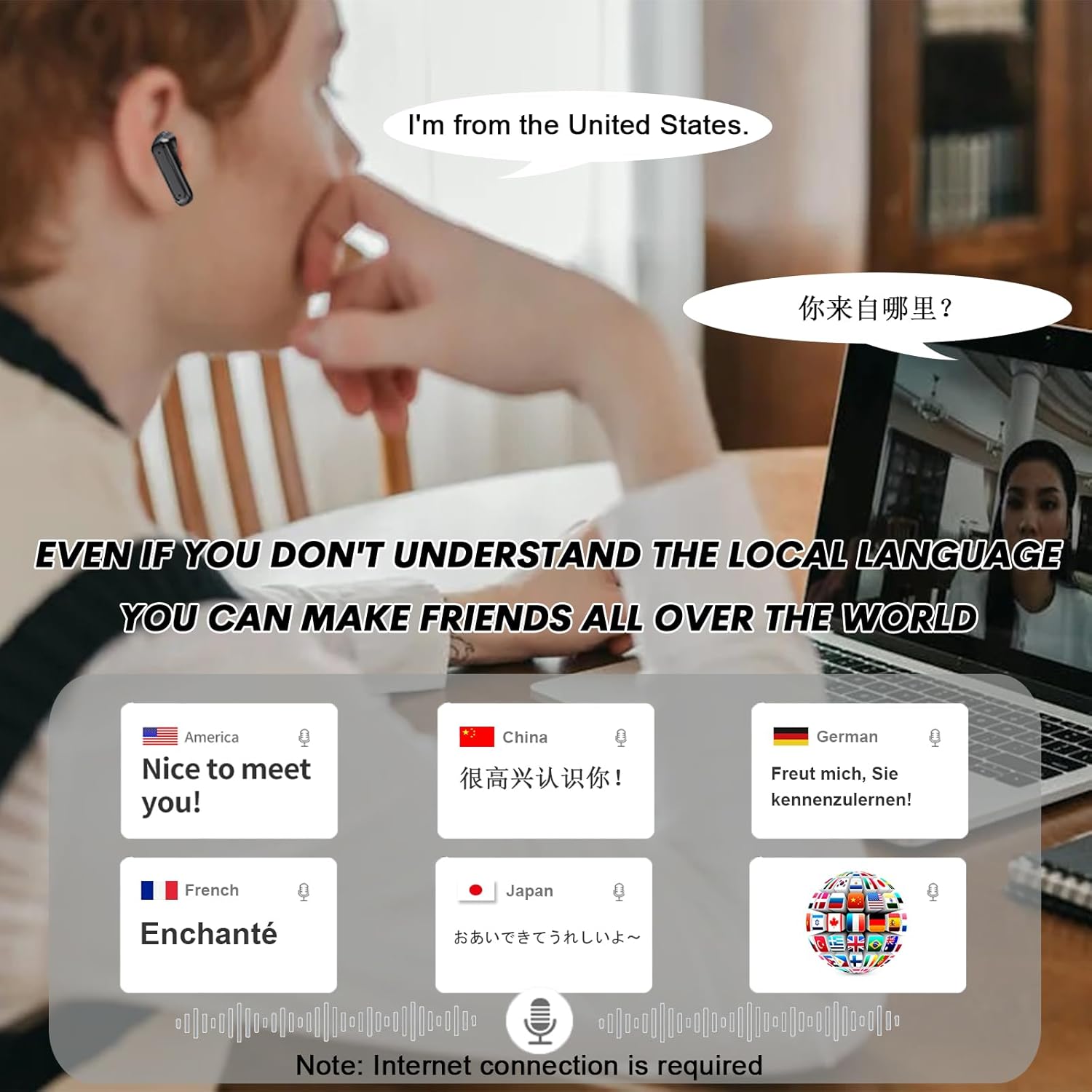
Figure 2: Example of real-time translation in use, demonstrating multi-language support.

Figure 3: Translation earbuds assisting during travel, with a view of the in-app translation mode selection.

Figure 4: Demonstrating AI-powered translation for business or casual conversations.
2. Active Noise Cancelling (ANC) and Transparency Mode
The earbuds feature active noise cancellation to reduce ambient sound and a transparency mode to allow you to hear your surroundings.
- Activating ANC: Use the touch controls on the earbuds or the touchscreen on the charging case to switch between ANC, Transparency, and Normal modes.
- Transparency Mode: Allows external sounds to be heard, useful for awareness in busy environments.

Figure 5: Illustration of Active Noise Reduction and Transparency modes.
3. Touchscreen Controls on Charging Case
The charging case features a multi-function touch color screen for convenient control without needing your phone.
- Earbud Control: Manage playback, calls, and ANC settings directly from the case.
- Remote Camera Control: Use the touchscreen to remotely trigger your smartphone's camera for photos.
- Battery Status: View the battery levels of both earbuds and the charging case.
- Find Earbuds: Utilize the "Find Earbuds" function if an earbud is misplaced.

Figure 6: Overview of the multi-function touchscreen on the charging case.
4. Earbud Touch Controls
Each earbud has touch-sensitive areas for controlling various functions:
- Single Tap: Play/Pause music, Answer/End call.
- Double Tap (Left/Right): Previous/Next track.
- Triple Tap (Left/Right): Activate voice assistant.
- Long Press: Toggle ANC/Transparency mode, Decline call.
Maintenance
- Cleaning: Regularly clean the earbuds and charging case with a soft, dry, lint-free cloth. Avoid using abrasive materials or harsh chemicals.
- Water Resistance: The earbuds are waterproof. However, avoid prolonged submersion in water and ensure they are dry before placing them back in the charging case.
- Storage: Store the earbuds in their charging case when not in use to protect them and maintain battery life. Store in a cool, dry place away from direct sunlight and extreme temperatures.
- Battery Care: To prolong battery life, avoid fully discharging the earbuds and charging case frequently. Charge them regularly.
Troubleshooting
| Problem | Solution |
|---|---|
| Earbuds not pairing |
|
| No sound from earbuds |
|
| Translation not working |
|
| Charging case touchscreen unresponsive |
|
Specifications
| Feature | Detail |
|---|---|
| Model Name | JM19AI |
| Connectivity Technology | Wireless (Bluetooth 5.4) |
| Wireless Communication Technology | Bluetooth |
| Control Method | Touch |
| Special Features | Lightweight, Microphone Included, Sports & Exercise, Universal Phone Control, Water Resistant |
| Manufacturer | Ttbesmi |
| Product Dimensions | 4.4 x 5.2 x 2 inches |
| Item Weight | 3.2 ounces |
| Batteries | 1 Lithium Ion batteries required (included) |
| Water Resistance Level | Waterproof |
| Material | Plastic |
| Form Factor | In Ear |
| Impedance | 32 Ohms |
| Noise Control | Sound Isolation (Active Noise Cancelling) |
Warranty Information
Specific warranty details for the Ttbesmi Translator Earbuds JM19AI are not provided in the product information. Please refer to the product packaging or the manufacturer's official website for comprehensive warranty terms and conditions.
Customer Support
For further assistance, technical support, or inquiries regarding your Ttbesmi Translator Earbuds JM19AI, please visit the official Ttbesmi website or contact their customer service department. Contact information is typically available on the product packaging or within the companion application.