
1. Product Overview
The AGPTEK A65 is a compact MP3 player designed for portable audio playback and various other functions. It features a clip design for active use, Bluetooth 5.3 connectivity, and a range of multimedia capabilities.

Image: Front and side view of the AGPTEK A65 MP3 Player, highlighting its compact size and integrated clip.
Key Features:
- Clip Design: For secure attachment during sports and activities.
- Bluetooth 5.3: For wireless audio streaming to compatible headphones or speakers.
- Lossless Sound: High-fidelity audio experience with digital noise reduction.
- Multi-functionality: Includes FM radio, voice recorder, pedometer, photo browsing, and e-book reader (TXT format).
- Storage: 64GB internal memory, expandable up to 128GB via TF card.
2. Setup
2.1 Charging the Device
Before first use, fully charge the MP3 player. Connect the device to a power source using the provided USB cable. A full charge typically takes approximately 1.5 hours. The battery provides up to 30 hours of music playback or 6 hours of Bluetooth music playback.
2.2 Transferring Music and Files
Connect the AGPTEK A65 MP3 player to your computer using the supplied USB-C/USB cable. The device will appear as a removable disk drive. You can drag and drop music files (MP3, WMA, APE, FLAC, WAV, DRM, ACELP, M4A, AAC) and other supported files directly into the player's storage. For optimal transfer speed and stability, ensure that the size of a single file transfer does not exceed 3GB.

Image: The AGPTEK A65 MP3 Player connected to a laptop via USB, illustrating its 64GB internal memory and support for up to 128GB TF card expansion.
The player has 64GB of internal memory. If additional storage is required, a TF (Micro SD) card up to 128GB can be inserted into the designated slot.
3. Operating Instructions
3.1 Basic Navigation
The AGPTEK A65 features physical buttons for navigation and control. Use the directional buttons (up, down, left, right) and the central play/pause button to navigate menus and control playback. The menu button (usually three horizontal lines) accesses options, and the back/return button (often a curved arrow) returns to the previous screen.
3.2 Music Playback
From the main menu, select 'Music' to browse your audio files. The player supports various formats including MP3, WMA, APE, FLAC, WAV, DRM, ACELP (for earphones) and MP3, WMA, WAVE, FLAC, APE, M4A, AAC (for Bluetooth). The device features a professional digital noise reduction chip for high-fidelity lossless sound quality.
3.3 Bluetooth Connectivity
To pair with Bluetooth headphones or speakers:
- Ensure your Bluetooth device is in pairing mode.
- On the MP3 player, navigate to the Bluetooth settings.
- Scan for available devices and select your device to pair.
Note: The AGPTEK A65 MP3 player cannot connect to mobile phones or car audio systems via Bluetooth. An audio line can be used for wired connections to car audio systems.
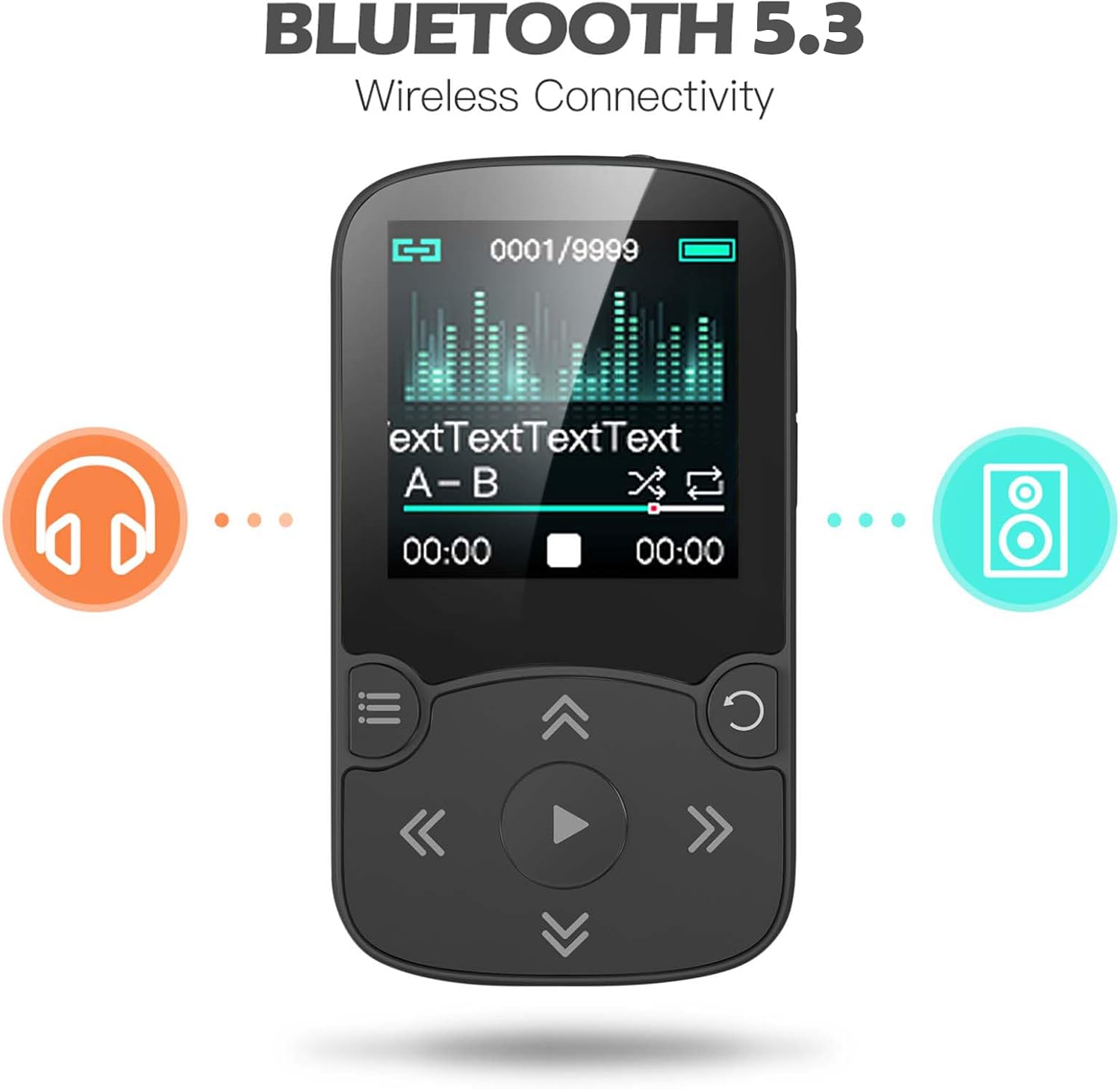
Image: The AGPTEK A65 MP3 Player screen showing Bluetooth 5.3 connectivity, with icons representing headphones and a speaker, indicating wireless audio streaming.
3.4 Pedometer Function
Activate the Pedometer Mode to record your steps, distance, calories burned, and velocity during physical activity. The clip design allows for secure attachment to clothing, making it suitable for sport and running.

Image: The AGPTEK A65 MP3 Player screen showing the pedometer function, with a graphic of a running shoe. A woman running is visible in the background, demonstrating its use during exercise.
3.5 Other Functions
- FM Radio: Tune into local FM stations.
- Voice Recorder: Record audio using the built-in microphone.
- Photo Browsing: View image files.
- E-book: Read text files (TXT format only).
- A-B Repeat: Repeat a specific section of an audio track.
- Line-In Recording: Directly record audio from another MP3 player or device using a LINE-IN cable (not included). The source device must have an output function.

Image: A diagram explaining the LINE-IN recording function, showing the AGPTEK A65 MP3 Player connected via an audio cable to various devices like another MP3 player, radio, or computer for direct audio recording.
4. Maintenance
To ensure the longevity and optimal performance of your AGPTEK A65 MP3 player, follow these maintenance guidelines:
- Keep the device dry and away from extreme temperatures.
- Clean the screen and body with a soft, dry cloth. Avoid abrasive cleaners.
- Protect the device from drops and impacts.
- Charge the battery regularly, even if not in frequent use, to maintain battery health.
5. Troubleshooting
If you encounter issues with your AGPTEK A65 MP3 player, refer to the following common solutions:
- Device not turning on: Ensure the battery is charged. Connect to a power source and attempt to power on.
- Screen frozen or unresponsive controls: If the device becomes unresponsive, hold the power button for an extended period (e.g., 10-15 seconds) to force a restart. If music continues to play but controls are frozen, allow the battery to fully discharge, then recharge and restart.
- Bluetooth disconnection/skipping: Ensure the MP3 player is within close proximity to the Bluetooth headphones/speaker. Avoid obstructions. If issues persist, check for available firmware updates on the AGPTEK official website.
- Difficulty transferring files: Ensure the USB cable is securely connected to both the player and the computer. Verify that the computer recognizes the device as a removable storage drive. Note that the device may not be fully compatible with Mac operating systems for direct file transfer.
- Navigation difficulties: The menu system may require some familiarity. Practice navigating through the options to become accustomed to the interface.
6. Specifications
| Feature | Specification |
|---|---|
| Model Name | A65 |
| Brand | AGPTEK |
| Memory Storage Capacity | 64 GB (expandable up to 128GB via Micro SD card) |
| Connectivity Technology | Aux, Bluetooth 5.3 |
| Compatible Devices | Headphones, Earphones |
| Supported Audio Standards | MP3, WMA, APE, FLAC, WAV, DRM, ACELP, AAC, M4A |
| Display Technology | LCD |
| Item Weight | 4.6 ounces |
| Batteries | 1 Lithium Polymer battery (included) |
| Included Components | MP3 Player |
7. Warranty Information
For detailed warranty information regarding your AGPTEK A65 MP3 Player, please refer to the official AGPTEK website or the warranty card included with your product packaging. Warranty terms and conditions may vary by region and purchase date.
8. Support
Should you require further assistance or have questions not covered in this manual, please visit the official AGPTEK website for FAQs, support resources, and contact information. You can also reach out to AGPTEK customer support directly.
AGPTEK Official Website: Visit AGPTEK Store