1. Introduction
Thank you for choosing the Calogy Super Mini Heat Press Machine. This compact and powerful heat press is designed for various crafting projects, offering precise temperature control and ease of use for both beginners and experienced crafters. Its small size makes it ideal for intricate designs and small items, while its robust heating capabilities ensure professional results.

Image: The Calogy Super Mini Heat Press Machine, white and pink, resting on its grey heat-resistant base.
2. Safety Guidelines
Please read all safety instructions carefully before using the Calogy Super Mini Heat Press Machine to prevent injury or damage to the product. Keep this manual for future reference.
- Always place the heat press on a heat-resistant, stable surface during operation.
- Do not touch the hot plate during or immediately after use. Use the handle provided.
- Keep out of reach of children and pets.
- Do not immerse the heat press in water or any other liquid.
- Unplug the device when not in use and before cleaning.
- Ensure the power cord is not damaged or pinched.
- Do not leave the operating heat press unattended.
- The automatic shut-off feature activates after 15 minutes of inactivity for safety.

Image: Graphic illustrating the 15-minute auto-off safety feature.
3. Package Contents
Upon opening your Calogy Super Mini Heat Press Machine package, you should find the following items:
- Mini Press Iron Machine x 1
- Heat Press Base x 1
- Storage Bag x 1
- User Manual x 1

Image: A visual representation of the items included in the product box: the mini heat press, its base, a storage bag, and the user manual.
4. Product Overview & Features
The Calogy Super Mini Heat Press Machine is designed for efficiency and precision in your crafting endeavors. Below are its key features:
- Pocket-Sized Design: Measuring only 4.25 x 4.02 x 2.44 inches (10.8 x 10.2 x 6.2 cm), this mini heat press is highly portable and perfect for small projects and on-the-go crafting.
- Powerful Heating: Despite its compact size, it heats up to 410°F (210°C), ensuring effective heat transfer for various materials.
- LED Precise Reading: The integrated LED screen provides real-time temperature readings, allowing for precise control over your projects.
- Four Heating Settings: Offers four distinct temperature levels to accommodate different materials and transfer types.
- 15-Minute Auto-Off: For enhanced safety, the device automatically shuts off after 15 minutes of inactivity.
- One-Button Control: Simplifies operation with a single button for power, temperature adjustment, and unit switching.
- Precision Tip: The uniquely designed precision tip heating plate is ideal for detailed work, corners, and small items like shoes, hats, and keychains.
- Fast Heating: Equipped with a next-gen heating plate, it heats up to 30% faster than conventional mini presses, minimizing waiting time.
- Enhanced Safety: Includes a heat-resistant base for desk protection and an internal overheating sensor for automatic power cut-off.
- Convenient Cord Length: Features an extra-long 6.49ft (1.98m) cord for flexible placement.


Images: Left - Detailed dimensions and weight of the Calogy Mini Heat Press. Right - Illustration of the fast and evenly distributed heating technology.
5. Getting Started
Before first use, ensure the heat press and its accessories are clean and free from any packaging materials. Place the heat press on its heat-resistant base on a flat, stable, and heat-proof surface.
- Unpack all components from the box.
- Place the heat-resistant base on a sturdy, flat surface away from flammable materials.
- Plug the power cord into a standard 110V US outlet.
- The LED display will light up, indicating the device is ready for operation.
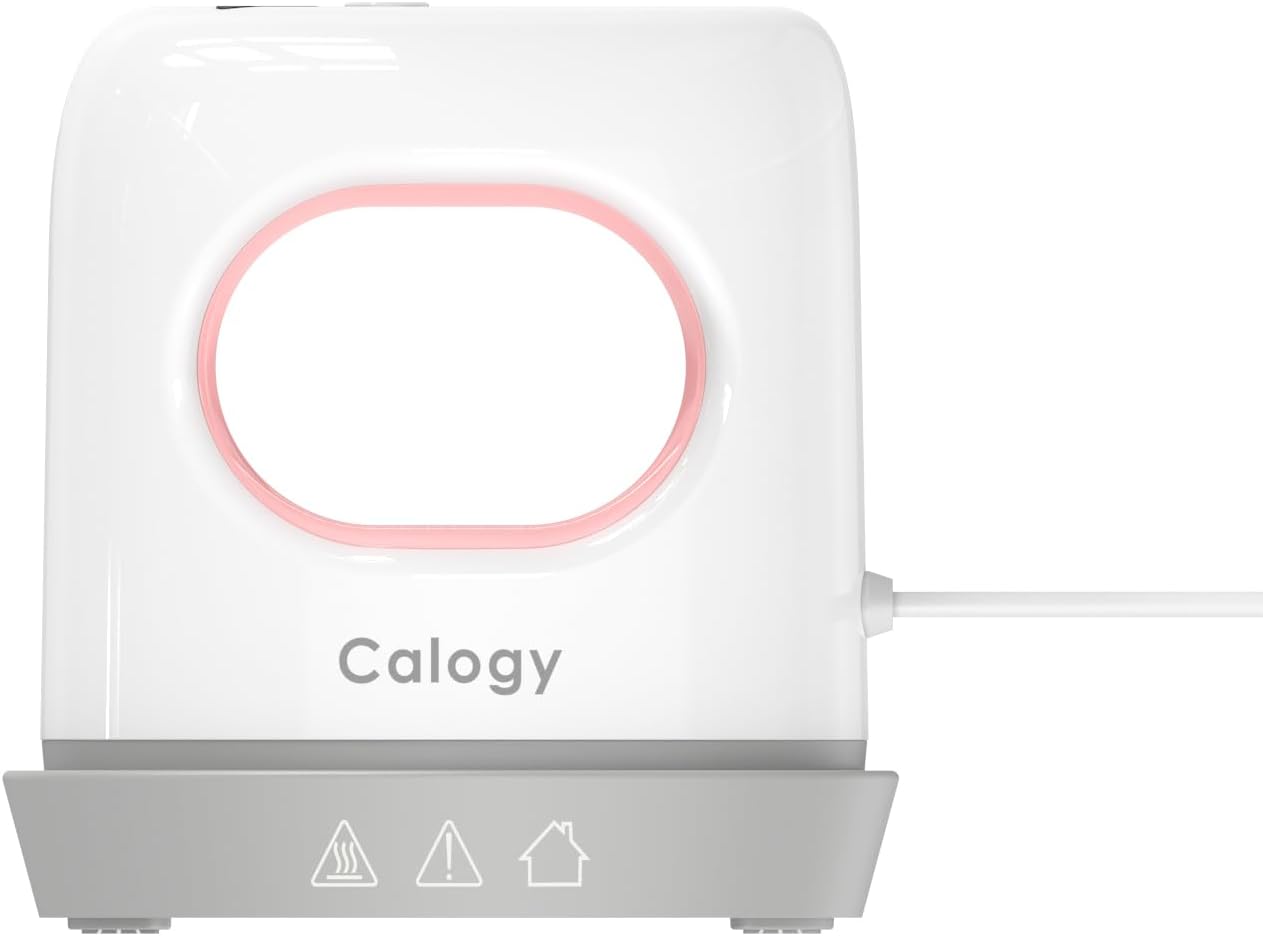
Image: The Calogy Mini Heat Press resting securely on its heat-resistant base, ready for use.
6. Operating Instructions
6.1. One-Button Control
The Calogy Super Mini Heat Press features a simple one-button interface for all functions:
- Long Press: Power ON / OFF.
- Press 1 time: Increase Temperature (cycles through L1 → L2 → L3 → L4).
- Press 2 times: Decrease Temperature (cycles through L4 → L3 → L2 → L1).
- Press 3 times: Change Temperature Units (°C / °F).
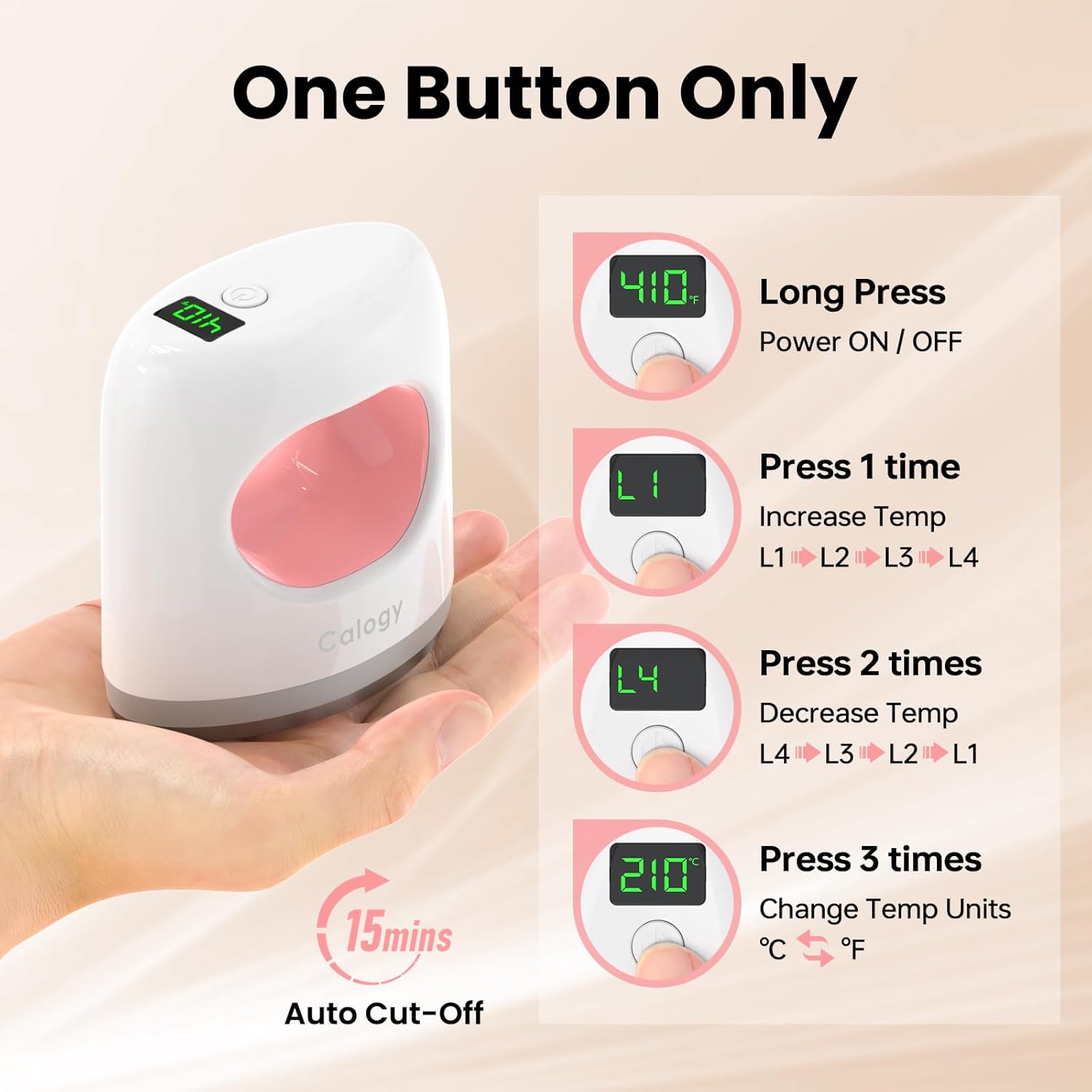
Image: Visual guide explaining the single-button operation for power, temperature adjustment, and unit conversion.
6.2. Temperature Settings
The device offers four preset temperature levels suitable for various materials:
| Level | Temperature (°F) | Temperature (°C) | Recommended Use Examples |
|---|---|---|---|
| L1 | 284°F | 140°C | Stuffed Toys, Delicate Fabrics |
| L2 | 320°F | 160°C | T-Shirts, Baby Clothes |
| L3 | 356°F | 180°C | Shoes, Canvas Bags, Denim Jackets |
| L4 | 410°F | 210°C | Wood, Plates, Mugs |
The heat press will beep when it reaches the set temperature.

Image: A visual representation of the four temperature levels (L1-L4) and their corresponding Fahrenheit readings on the heat press display.
6.3. Step-by-Step Usage
Follow these steps to achieve optimal results for your heat transfer projects:
- Prepare Your Item: Ensure your fabric or item is clean, dry, and wrinkle-free. Place it on a firm, flat surface.
- Position the Design: Place your heat transfer vinyl (HTV) or sublimation design onto the desired area of your item.
- Set Temperature: Turn on the heat press and select the appropriate temperature level (L1-L4) for your material using the one-button control. Wait for the device to reach the set temperature (it will beep).
- Apply Pressure: Place the hot plate of the heat press firmly over your design. Apply even pressure for the recommended duration (refer to your transfer material's instructions).
- Cool Down & Peel: Once pressing is complete, carefully lift the heat press. Allow the item and design to cool down completely before slowly peeling off the transfer film.
- Enjoy: Your custom DIY artwork is now complete!

Image: A step-by-step visual guide demonstrating the process of using the heat press, from setting temperature to peeling the design.
6.4. Product Application Examples
The Calogy Super Mini Heat Press is versatile and can be used for a wide range of DIY projects, including:
- Customizing T-shirts, baby clothes, and other apparel.
- Adding designs to shoes, hats, and bags.
- Personalizing keychains, patches, and earrings.
- Creating unique designs on stuffed animals and small fabric items.
- Applying transfers to hard surfaces like wood, plates, and mugs (with appropriate transfer materials).
Video: Demonstrates various DIY heat transfer projects using the Calogy Super Mini Heat Press, including applications on clothing, shoes, and coasters.

Image: A collage showcasing different DIY crafting projects, such as custom t-shirts, earrings, and stuffed animals, created using the mini heat press.
7. Care and Maintenance
Proper care will extend the life of your Calogy Super Mini Heat Press Machine:
- Cleaning: Ensure the device is unplugged and completely cool before cleaning. Wipe the heating plate with a soft, damp cloth. For stubborn residue, use a specialized heat press cleaner. Do not use abrasive cleaners or immerse in water.
- Storage: Store the heat press in its provided storage bag or a dry, safe place away from direct sunlight and extreme temperatures. Always place it on its heat-resistant base when not in use.
- Inspection: Periodically check the power cord for any signs of damage. If damage is found, discontinue use immediately and contact customer support.
8. Troubleshooting
If you encounter any issues with your Calogy Super Mini Heat Press Machine, please refer to the following common problems and solutions:
| Problem | Solution |
|---|---|
| Device does not turn on. | Ensure the power cord is securely plugged into a working outlet. Check if the outlet has power. Try a different outlet. |
| Heat press is not heating up. | Verify the device is powered on (long press the button). Ensure a temperature level (L1-L4) has been selected. Allow sufficient time for preheating. |
| Temperature display is inaccurate. | Ensure the temperature unit is set correctly (°C or °F) by pressing the button three times. If the issue persists, contact customer support. |
| Design is not transferring properly. | Check if the correct temperature level is selected for your material and transfer type. Ensure even pressure is applied. Verify the pressing time according to your transfer material's instructions. Make sure the item is flat and smooth. |
| Device automatically shuts off during use. | This is likely the 15-minute auto-off safety feature. If it shuts off unexpectedly before 15 minutes, ensure proper ventilation and that the device is not overheating due to prolonged continuous use. Allow it to cool down before resuming. |
9. Technical Specifications
| Specification | Detail |
|---|---|
| Model Number | CHP2305 |
| Product Dimensions | 4.02 x 2.44 x 4.25 inches (10.2 x 6.2 x 10.8 cm) |
| Item Weight | 1.1 pounds (0.5 kg) |
| Material | Alloy Steel, Aluminum |
| Color | White Pink |
| Voltage | 110V (US Plug) |
| Temperature Settings | L1: 284°F (140°C), L2: 320°F (160°C), L3: 356°F (180°C), L4: 410°F (210°C) |
| Auto-Off Feature | 15 minutes of inactivity |
| Recommended Uses | Earrings, Hat, Keychains, Patches, Shoes, Socks, T-Shirt, Stuffed Animals, Canvas Bags, Wood, Plates, Mugs |
10. Warranty and Support
Calogy stands behind the quality of its products. For warranty information, technical support, or any questions regarding your Super Mini Heat Press Machine, please contact Calogy customer service through the retailer where you purchased the product or visit the official Calogy website.
We are committed to providing excellent service and support to ensure your satisfaction with our products.