
Introduction
Thank you for purchasing the IDEQUY CF8006-80J 32-inch Gold Crystal Chandelier. This manual provides detailed instructions for safe installation, operation, and maintenance of your new lighting fixture. Please read this manual thoroughly before installation and retain it for future reference.
Important Safety Instructions
- Professional Installation Recommended: Installation should be performed by a qualified electrician.
- Power Disconnection: Always disconnect power at the main circuit breaker before installation, maintenance, or cleaning.
- Wiring: Ensure all electrical connections comply with local codes and ordinances.
- Mounting: The fixture must be securely mounted to a ceiling junction box rated for the fixture's weight.
- Handling Crystals: Handle crystal components with care to prevent damage or injury. Wear gloves during assembly.
- Voltage: This fixture operates on AC85-256V. Ensure your power supply matches this requirement.
- Dimmability: Use only the provided remote control or the "LampSmart pro" app for dimming and color temperature adjustments. Do not use external wall dimmers.
Package Contents
Carefully unpack all components and inspect for any damage. Keep all packaging materials until you are satisfied with the product.
- Chandelier Frame (Gold Stainless Steel Canopy)
- K9 Clear Crystal Components (various sizes)
- Built-in LED Light Source
- Remote Control
- Mounting Hardware (screws, wire nuts, etc.)
- Instruction Manual
Product Specifications

Figure 1: Product Specification Diagram. Note the gray-blue protective film on the ceiling plate should be removed after installation.
| Feature | Detail |
|---|---|
| Model Number | CF8006-80J |
| Dimensions (L x W x H) | 32"L x 32"W x 11"H |
| Color | Gold |
| Material | Crystal, Stainless Steel |
| Light Source | Built-in LED (100W, 9000 Lumens) |
| Color Temperature | 3000K-6000K (Dimmable) |
| Brightness Adjustment | 5%-100% |
| Voltage | AC85-256V |
| Control Method | Remote Control, APP (LampSmart pro), Wall Switch (On/Off only) |
| Mounting Type | Flush Mount |
| Required Assembly | Yes |
Setup and Installation
Before you begin: Ensure power is OFF at the circuit breaker. It is recommended to have two people for installation due to the size and weight of the fixture. Wear gloves to protect your hands and prevent fingerprints on crystal components.
Step 1: Prepare for Installation
- Turn off the main power supply at the circuit breaker.
- Carefully remove the chandelier from its packaging. Inspect all parts for damage.
- Identify all components against the package contents list.
Step 2: Mount the Fixture Base
- Attach the mounting bracket to the ceiling junction box using the provided screws. Ensure the bracket is securely fastened and can support the fixture's weight.
- Connect the electrical wires:
- Connect the live wire (usually black) from the ceiling to the live wire of the fixture.
- Connect the neutral wire (usually white) from the ceiling to the neutral wire of the fixture.
- Connect the ground wire (usually green or bare copper) from the ceiling to the ground wire of the fixture.
- Carefully tuck the wires into the junction box.
- Lift the chandelier base and align it with the mounting bracket. Secure the base to the bracket using the provided screws. Ensure the fixture is flush with the ceiling.

Figure 2: Chandelier base securely mounted to the ceiling.
Step 3: Attach Crystal Components
The chandelier features numerous crystal components that need to be individually attached. Refer to the specific diagram included in your package for the correct placement of each crystal type.
- Identify the different sizes and shapes of crystal components.
- Attach each crystal to the designated hooks or slots on the chandelier frame. Ensure they are securely fastened.
- Work systematically to ensure all crystals are placed correctly.

Figure 3: Attaching individual crystal components to the chandelier frame.
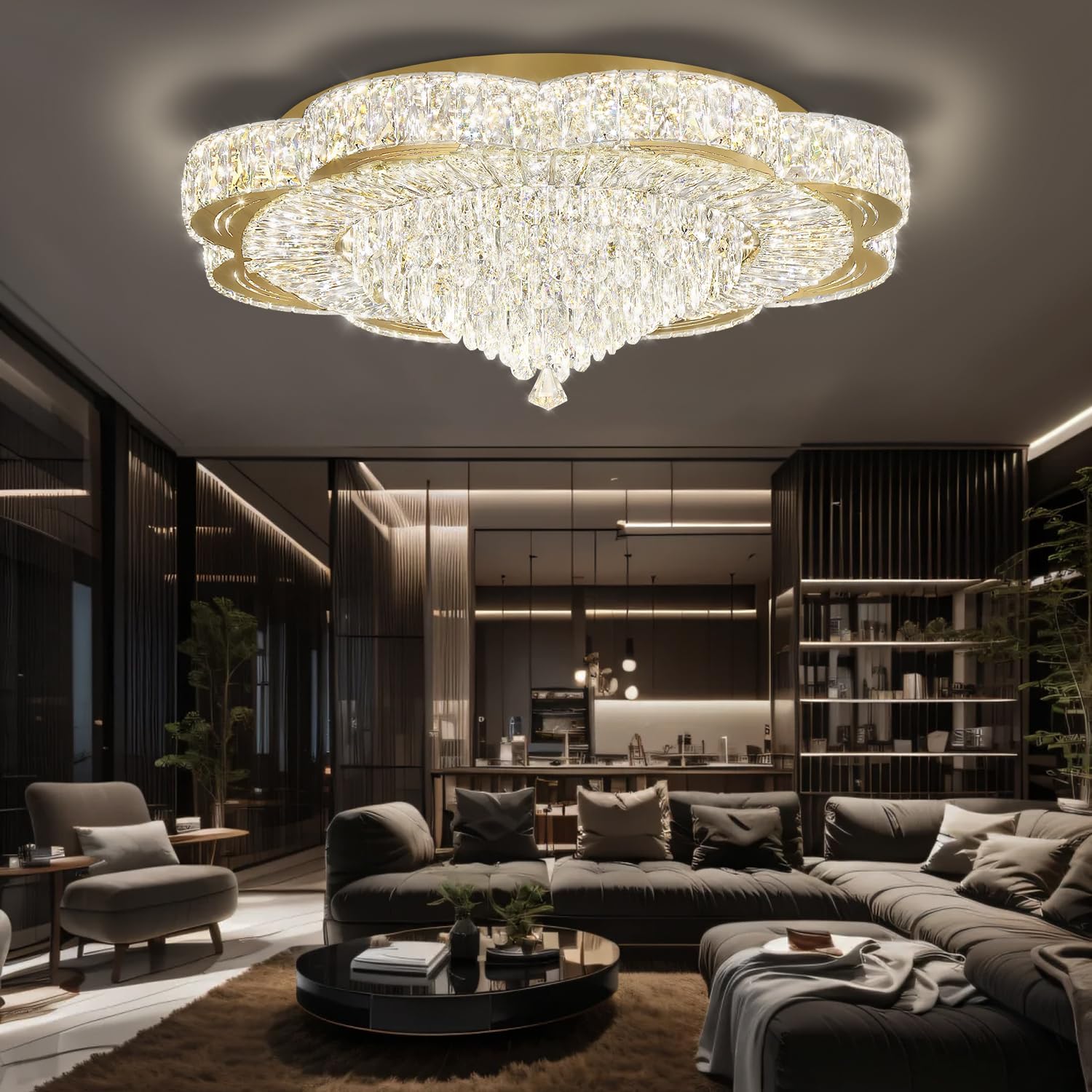
Figure 4: Fully assembled chandelier with all crystals in place.
Step 4: Final Check
- Double-check all electrical connections and ensure they are secure.
- Verify that all crystal components are properly attached and no parts are loose.
- Remove any protective films from the fixture, especially the gray-blue film on the ceiling plate.
- Restore power at the circuit breaker.
Operating Instructions
Your IDEQUY chandelier offers versatile control options for light color and brightness.
Control Methods

Figure 5: Overview of available control methods.
- Remote Control:
- Use the included remote control to turn the light ON/OFF, adjust brightness (5%-100%), and change color temperature (3000K-6000K).
- Ensure the remote control has working batteries.
- Wall Switch:
- A standard wall switch can be used to turn the chandelier ON/OFF.
- Important: Do not use an external dimmer switch on the wall. The chandelier has its own built-in dimming functionality controlled by the remote or app.
- Smartphone App ("LampSmart pro"):
- Download the "LampSmart pro" app from your smartphone's app store.
- Follow the in-app instructions to pair your chandelier with your device.
- The app allows for comprehensive control over brightness and color temperature settings.
Adjusting Color Temperature and Brightness

Figure 6: Visual representation of color temperature and brightness adjustment.
Both the remote control and the "LampSmart pro" app provide sliders or buttons to adjust the light's characteristics:
- Color Temperature: Cycle through or select specific color temperatures from warm white (3000K) to cool white (6000K) to suit your mood or activity.
- Brightness: Adjust the light intensity from a subtle glow (5%) to full illumination (100%).
Maintenance
Regular cleaning will help maintain the beauty and sparkle of your crystal chandelier.
- Cleaning:
- Ensure the power is OFF before cleaning.
- For the metal frame, wipe with a soft, dry cloth. Do not use abrasive cleaners or polishes.
- For crystal components, gently wipe with a soft, lint-free cloth dampened with a mild glass cleaner or distilled water. Avoid spraying cleaner directly onto the fixture.
- Bulb Replacement: The chandelier features a built-in LED light source. These LEDs are designed for long life and are not user-replaceable. If the LED light source malfunctions, please contact customer support.
Troubleshooting
| Problem | Possible Cause | Solution |
|---|---|---|
| Light does not turn on. | No power supply; loose wiring; faulty remote control battery. | Check circuit breaker. Ensure all wiring connections are secure. Replace remote control batteries. |
| Light flickers or dims unexpectedly. | Loose wiring; incompatible wall dimmer; power fluctuations. | Check wiring connections. Ensure no external wall dimmer is used. Contact an electrician if power fluctuations are suspected. |
| Remote control or app not working. | Remote battery dead; app not paired; signal interference. | Replace remote batteries. Re-pair the app with the chandelier. Ensure no obstructions between remote/phone and fixture. |
| Crystals appear dull or dirty. | Dust and grime accumulation. | Clean crystals as per maintenance instructions. |
Warranty and Support
IDEQUY provides an 8-year limited warranty on this product. This warranty covers manufacturing defects and malfunctions under normal use.
- Damaged or Missing Parts: If you receive the product with damaged or missing parts, please contact IDEQUY customer service immediately for free replacements.
- Customer Service: For any questions, technical assistance, or warranty claims, please contact IDEQUY customer support. Our team is available 24 hours online to assist you.
- Contact Information: Refer to the contact details provided on the IDEQUY official website or your purchase documentation.