
1. Introduction
This manual provides essential instructions for the safe and effective operation, setup, and maintenance of your Tobewan MIG200 Welding Machine. The MIG200 is a versatile 3-in-1 welder capable of Flux MIG, Lift TIG, and MMA welding processes, designed for both DIY projects and professional welding tasks. Please read this manual thoroughly before using the machine to ensure proper function and safety.

Figure 1: Tobewan MIG200 Welding Machine and included accessories, including welding gloves, mask, flux cored wire, welding rods, slag brush, ground clamp, electrode holder, and MIG torch.
2. Safety Information
WARNING: Welding can be dangerous. Always follow safety precautions to prevent injury or death.
- Always wear appropriate personal protective equipment (PPE), including a welding helmet with proper shade, flame-resistant clothing, welding gloves, and safety shoes.
- Ensure adequate ventilation to avoid inhaling welding fumes.
- Protect bystanders from arc rays and hot metal.
- Do not weld near flammable materials.
- Ensure the welding machine is properly grounded.
- Disconnect power before performing any maintenance or changing accessories.
- The Tobewan MIG200 features built-in safety protections including Over-Heat Protection, Over-current Protection, Over-voltage Protection, and Over-load Protection. While these features enhance safety, they do not replace proper operating procedures.

Figure 2: Rear view of the MIG200 highlighting its safety features: Over-Heat, Over-current, Over-voltage, and Over-load Protection.
3. Product Overview
3.1 Key Features
- Advanced Control System: Full digital control for precise welding, stable arc length, and enhanced performance.
- Powerful Welding Functionality: Minimizes spatter, ensures superior bead formation, and offers high welding efficiency with excellent arc initiation. Compatible with various welding rods.
- Durable Construction: Manufactured from high-quality materials for extended lifespan and consistent performance.
- User-Friendly Operation: Intuitive interface with a unified adjustment mode for ease of use by both beginners and experienced welders.
- Multi-functional Application: Supports Flux MIG, Lift TIG, and MMA welding processes, suitable for diverse projects.
3.2 Included Components
The Tobewan MIG200 package includes:
- 1x Tobewan MIG200 Welder Machine
- 1x MIG Torch
- 1x Welding Ground Clamp
- 1x Welding Electrode Holder
- 1x Flux Cored Wire
- 2x Welding Rods
- 1x Slag Brush
- 1x Welding Mask
- 1x Pair of Gloves
3.3 Machine Dimensions and Portability

Figure 3: The compact and portable design of the Tobewan MIG200, measuring approximately 13.5 inches in length, 8.5 inches in height, and 6 inches in width, with a weight of 7.7 lbs.
4. Setup
4.1 Power Connection
- Connect the welding machine to a standard AC110V power outlet.
- It is recommended to use a circuit breaker of 25A or higher for optimal performance and safety.
- Ensure the power switch on the rear of the machine is in the 'OFF' position before connecting to power.
4.2 Wire Spool Installation (for Flux MIG)
- Open the side panel of the welding machine.
- Place the flux cored wire spool onto the spool holder.
- Secure the spool with the spool spacer and spool lock.
- Feed the wire through the guide tube and into the drive roller mechanism.
- Close the side panel.

Figure 4: Diagram illustrating the installation of Flux Core Wire (0.030" - 0.039") into the welding machine, showing the spool, spacer, and lock.
4.3 Connecting Welding Accessories
- MIG Torch: Connect the MIG torch to the designated port on the front panel.
- Ground Clamp: Connect the ground clamp cable to the negative output terminal and attach the clamp securely to the workpiece.
- Electrode Holder (for MMA): Connect the electrode holder cable to the positive output terminal.
- TIG Welding Gun (for Lift TIG, sold separately): Connect the TIG welding gun to the appropriate port.

Figure 5: Detailed view of the MIG200's front panel, showing the welding current adjustment knob, current meter, positive output terminal for the electrode holder, and negative output terminal for the earth clamp. The rear panel shows the power switch and rear vent.
5. Operating Instructions
5.1 Control Panel Overview
The front panel features a digital display, a 'MENU' button, and a welding current adjustment knob. The display shows current settings and welding parameters.

Figure 6: Front panel of the MIG200, illustrating key operational features such as Hot Start, IGBT technology, Arc Force, Low Noise operation, and Synergic Control.
5.2 Selecting Welding Mode
Press the 'MENU' button to cycle through the available welding modes: Flux MIG, Lift TIG, and MMA. The selected mode will be indicated on the digital display.
5.3 Adjusting Welding Parameters
Use the welding current adjustment knob to set the desired amperage or wire feed speed, depending on the selected mode. The digital display will show the current setting.
5.4 Welding Process (General Steps)
- Ensure all safety precautions are in place.
- Select the appropriate welding mode and adjust parameters for your material and application.
- Position the ground clamp securely on the workpiece.
- Initiate the arc according to the specific welding process (MIG, TIG, or MMA).
- Maintain a consistent travel speed and arc length for optimal weld quality.
- After welding, turn off the machine and allow it to cool.
5.5 Applications
The Tobewan MIG200 is suitable for welding various materials and applications, including:
- Cast Iron
- Mild Iron
- Metal Cages
- Square Pipes
- Sheet Metal
- Welding rods from 1.6mm to 3.2mm
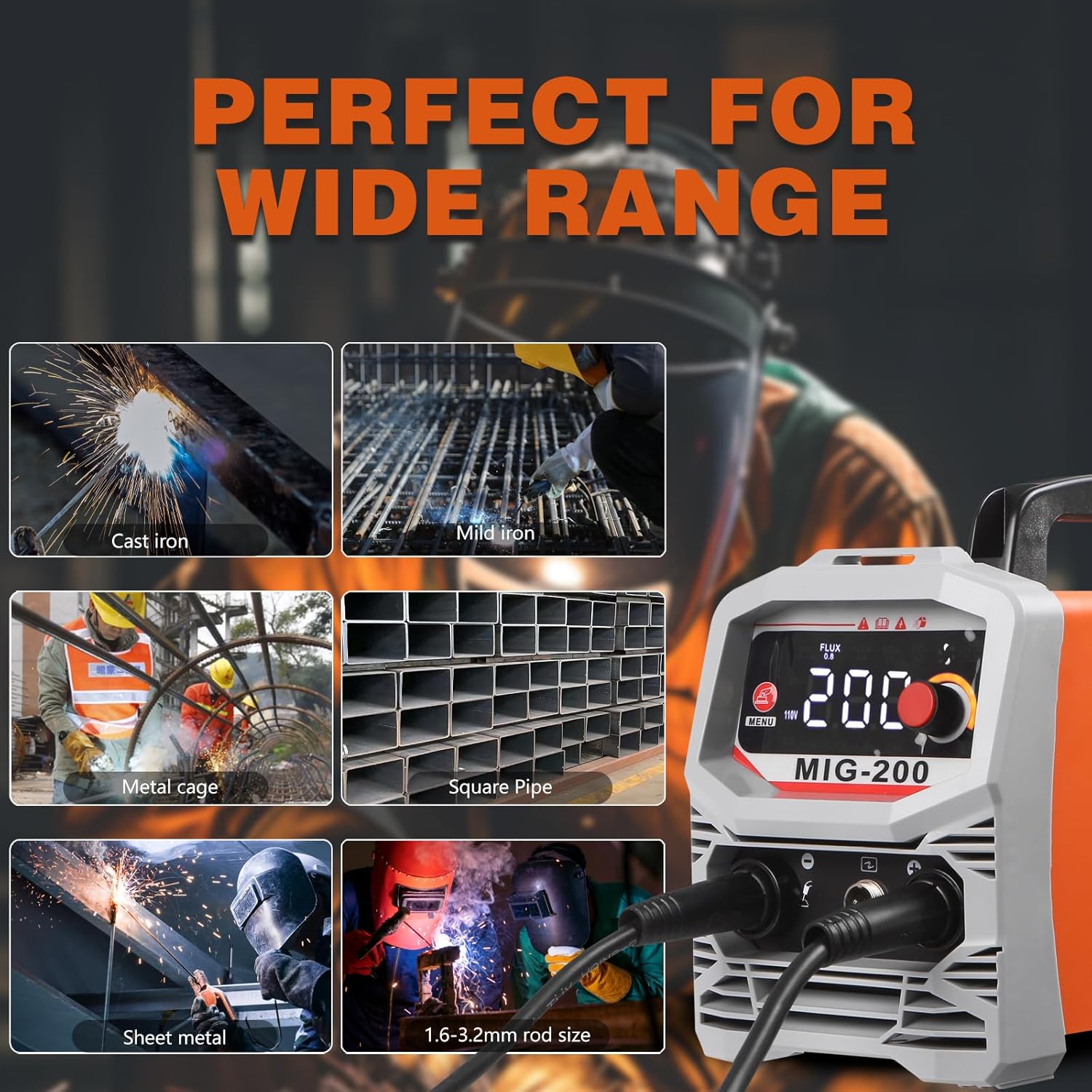
Figure 7: Examples of materials and structures suitable for welding with the MIG200, including cast iron, mild iron, metal cages, square pipes, and sheet metal, using 1.6-3.2mm rods.
6. Maintenance
- Regularly clean the machine's exterior with a dry cloth.
- Ensure cooling vents are free from dust and debris to maintain proper heat dissipation.
- Inspect cables and connections for wear or damage before each use. Replace any damaged components immediately.
- Check the MIG torch nozzle and contact tip for spatter buildup and clean or replace as necessary.
- Store the machine in a dry, clean environment when not in use.
7. Troubleshooting
| Problem | Possible Cause | Solution |
|---|---|---|
| Machine does not power on | No power supply; Power switch off; Faulty cable | Check power connection; Turn power switch on; Inspect and replace cable if damaged |
| No arc initiation | Poor ground connection; Incorrect settings; Worn contact tip/electrode | Ensure good ground contact; Adjust welding parameters; Replace worn parts |
| Excessive spatter | Incorrect voltage/wire speed; Dirty workpiece; Incorrect stick-out | Adjust settings; Clean workpiece; Adjust stick-out |
| Overheat indicator active | Exceeded duty cycle; Blocked ventilation | Allow machine to cool; Clear any obstructions from vents |
For issues not listed here, please contact Tobewan customer support.
8. Specifications
| Feature | Detail |
|---|---|
| Model Number | HZ010 (MIG200) |
| Manufacturer | Tobewan |
| Item Weight | 13.46 pounds |
| Package Dimensions | 15.71 x 13.46 x 7.4 inches |
| Power Source | AC110V |
| Welding Processes | Flux MIG, Lift TIG, MMA |
| Recommended Circuit Breaker | 25A or higher |
9. Warranty and Support
Specific warranty details for the Tobewan MIG200 Welding Machine are not provided in this manual. For warranty information, technical support, or service inquiries, please refer to the product packaging, the official Tobewan website, or contact your retailer directly.
For additional support, you may visit the Tobewan Store on Amazon.