
Introduction
This manual provides essential information for the safe and efficient operation of your AMETHEUS 12-inch Rechargeable Motion Sensor Under Cabinet Lighting. Please read these instructions thoroughly before use and retain for future reference.
Safety Information
- Do not expose the lights to water or excessive moisture. This product is not water resistant.
- Do not disassemble or attempt to repair the device. Contact customer support for assistance.
- Keep out of reach of children.
- Ensure the installation surface is clean and dry before attaching the adhesive metal plates.
- Charge the lights using the provided USB-C cable and a compatible USB power source (5V).
Package Contents
- 6 x 12-inch Under Cabinet Lighting units
- 12 x Adhesive metal plates
- 1 x USB-C charging cable
- 1 x Instruction Manual (this document)
Product Features
- PIR Motion Sensor: Automatically turns on in dark environments (below 20 lux) when motion is detected within 10 ft/120°, and turns off after 20 seconds of no motion.
- 3 Color Temperatures & Dimmable: Choose between warm white (3000K), natural light (4500K), and cool white (6500K). Stepless dimming from 10% to 100% with memory function.
- Bright and Eye-Friendly LED: Equipped with 54 LEDs providing up to 100 lumens of glare-free, soft illumination.
- Rechargeable Battery: Built-in 2400mAh battery offers up to 9 hours of continuous lighting (max brightness) or 11-32 days in automatic mode. Fully charges in approximately 3.5 hours via USB-C.
- Easy Installation: Features built-in strong magnets for direct attachment to iron surfaces, or use the included adhesive metal plates for other surfaces. Easily removable for charging.
Setup and Installation
Charging the Lights:
Before first use, fully charge all lighting units. Connect the provided USB-C cable to the charging port on the light and to a USB power source. The indicator light will turn green when fully charged.

Detailed view of the AMETHEUS under cabinet light connected to a USB-C charging cable. The image highlights the charging port and the indicator light, which changes color to show charging status (red for charging, green for fully charged). This ensures the device is ready for use.
Choosing an Installation Location:
These lights are suitable for various indoor locations such as kitchens, closets, pantries, basements, stairs, and hallways. Consider areas where motion-activated lighting or adjustable illumination would be beneficial.
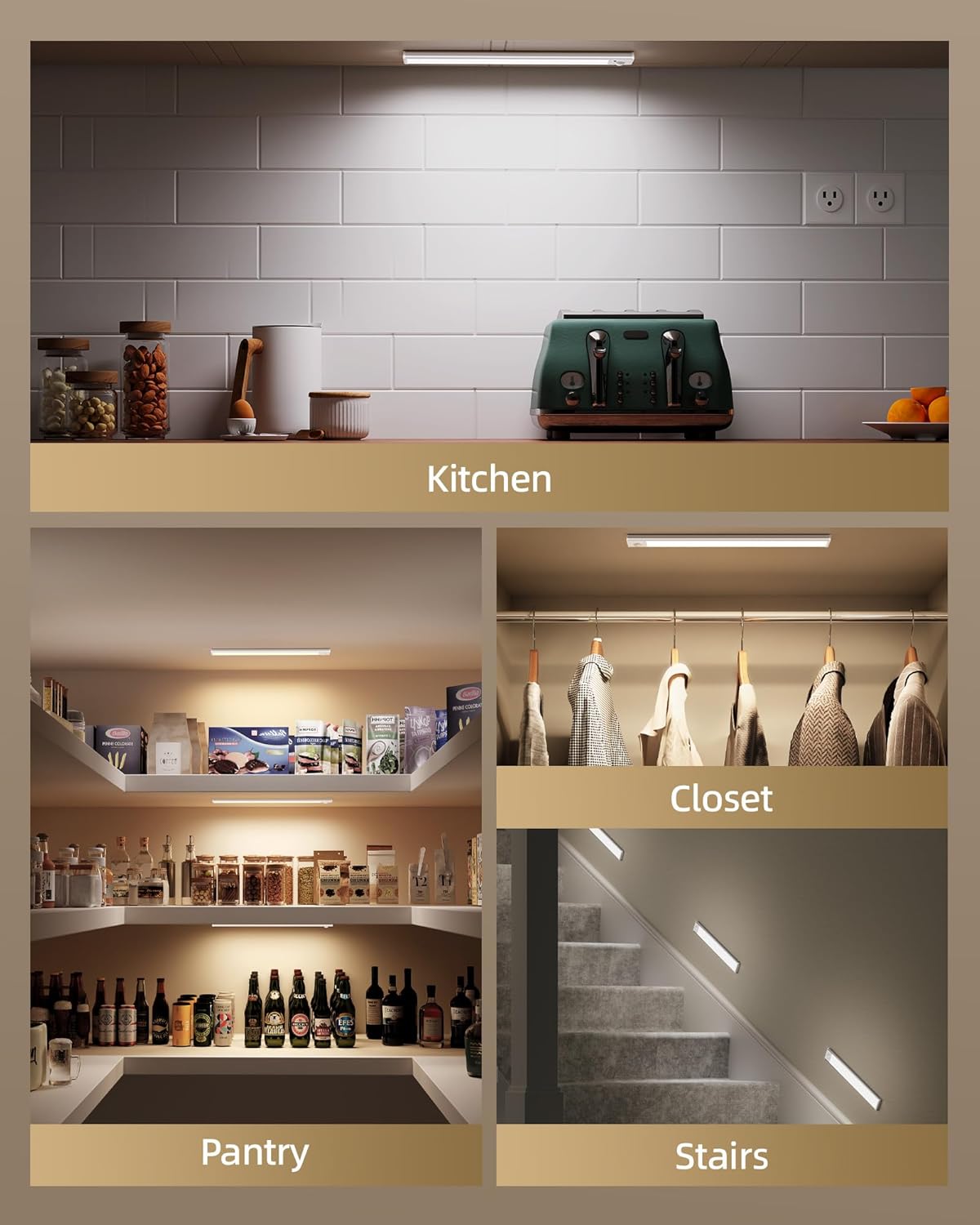
This image illustrates the versatility of the AMETHEUS lights, showcasing their use in a kitchen under cabinets, inside a closet, within a pantry, and along a staircase. It demonstrates how the lights can enhance visibility and ambiance in different home environments.
Mounting the Lights:
The lights can be installed in two ways:
- Direct Magnetic Attachment: If your desired surface is iron-based (e.g., a metal shelf), the built-in magnets allow for direct attachment.
- Adhesive Metal Plates: For non-magnetic surfaces (wood, glass, ceramic tile), use the included adhesive metal plates.
- Clean the installation surface thoroughly to ensure it is free of dust and grease.
- Peel off the protective film from the adhesive side of the metal plates.
- Attach the metal plates to the desired location. Press firmly for 30 seconds.
- Align the light unit with the installed metal plates and allow the magnets to secure it in place.

This visual guide illustrates the simple installation process. It shows how the light can be directly attached to metal surfaces using its internal magnets, or how adhesive metal plates can be applied to other surfaces (like wood or tile) to create a magnetic mounting point. The lights can then be easily attached and removed from these plates for charging or repositioning.
Operating Instructions

This image provides a detailed view of the control panel on the AMETHEUS under cabinet light. It clearly labels Button 1 for ON/AUTO Mode/OFF selection and Button 2 for cycling through 3 Color Temperatures and long-pressing for dimming. The PIR Motion Sensor is also visible.
Power On/Off and Mode Selection (Button 1):
Locate Button 1 on the light unit. This button controls the power and operating modes:
- Single Press: Cycles through ON, AUTO Mode, and OFF.
- ON Mode: The light remains continuously on.
- AUTO Mode: The light will flash twice as a prompt. In a dark environment (below 20 lux), the light will automatically turn on when motion is detected within 10 ft/120° and turn off after 20 seconds of no motion. This mode is energy efficient and ideal for areas like closets or hallways at night.
- OFF Mode: The light is turned off.
Adjusting Color Temperature and Brightness (Button 2):
Locate Button 2 on the light unit. This button controls the light's appearance:
- Single Press: Cycles through the three available color temperatures:
- Warm White (3000K)
- Natural Light (4500K)
- Cool White (6500K)
- Long Press: Activates stepless dimming. Hold the button to gradually adjust the brightness from 10% to 100%. Release the button when the desired brightness is reached. The light has a memory function and will recall the last brightness setting.

This image visually explains the light's customizable features. It displays the three distinct color temperatures (warm, natural, and cool white) and demonstrates the stepless dimming capability, allowing users to adjust brightness from 10% to 100% to suit their needs.
- Single Press: Cycles through the three available color temperatures:
Maintenance
- To clean the light unit, wipe gently with a soft, dry cloth. Do not use abrasive cleaners or solvents.
- Regularly charge the units to maintain battery health, especially if stored for extended periods.
- Ensure the motion sensor lens is clear of obstructions for optimal performance.
Troubleshooting
| Problem | Possible Cause | Solution |
|---|---|---|
| Light does not turn on. | Battery is depleted. Incorrect mode selected. | Charge the light unit. Ensure the light is in ON or AUTO mode. |
| Motion sensor not working. | Not in AUTO mode. Environment is too bright. Sensor is obstructed. | Switch to AUTO mode. AUTO mode only activates in dark environments (below 20 lux). Clear any obstructions from the sensor. |
| Light falls off surface. | Adhesive not strong enough. Surface not clean. | Ensure surface is clean and dry before applying adhesive plates. Reapply with new adhesive if necessary. |
Specifications
| Brand | AMETHEUS |
| Model Number | UCL01 |
| Product Dimensions | 12"L x 1.5"W x 0.5"H |
| Material | Acrylonitrile Butadiene Styrene, Polypropylene |
| Power Source | Battery Powered (Rechargeable 2400mAh) |
| Light Source Type | LED (54 LEDs) |
| Brightness | Up to 100 Lumens |
| Color Temperature | 3000K (Warm), 4500K (Natural), 6500K (Cool) |
| Special Features | Adjustable Color Temperature, Dimmable, Energy Efficient, Motion Sensor |
| Control Method | Touch / Motion Sensor |
| Installation Type | Under Cabinet Mount (Magnetic / Adhesive) |
| Water Resistance Level | Not Water Resistant |
| Certifications | FCC, UL |
Warranty and Support
AMETHEUS provides a lifelong free replacement service for this product. For any questions, concerns, or assistance, please contact our customer support team. We are committed to ensuring your satisfaction and peace of mind with every purchase.