
1. Introduction
The BWOO WA-05 Smart Watch is a wearable device designed to integrate health monitoring, fitness tracking, and communication features. This manual provides instructions for setting up, operating, maintaining, and troubleshooting your device to ensure optimal performance.

Image 1.1: BWOO WA-05 Smart Watch with included 3.5mm jack headphones.
2. What's in the Box
Verify that all items are present in the package:
- BWOO WA-05 Smart Watch
- Charging Cable
- 3.5mm Jack Headphones
- User Manual (this document)
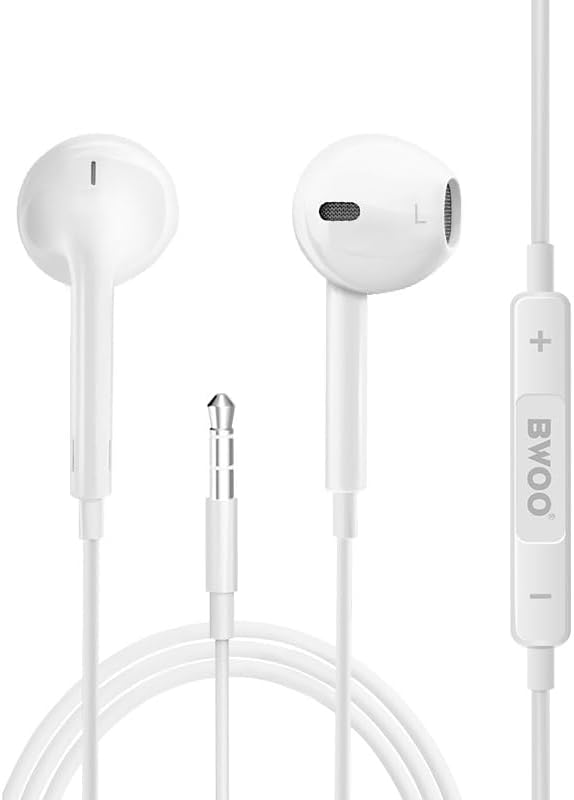
Image 2.1: Included 3.5mm jack headphones.
3. Setup
3.1 Initial Charging
Before first use, fully charge the smart watch. Connect the provided charging cable to the watch's charging port and a compatible USB power source. A full charge typically provides 5-7 days of active use or up to 30 days on standby.
3.2 App Installation
Download and install the "Da Fit" application on your smartphone. The app is available for devices running iOS 9.0 / Android 6.0 or later versions.
3.3 Device Pairing
- Ensure Bluetooth is enabled on your smartphone.
- Open the "Da Fit" app and follow the on-screen instructions to add a new device.
- Select the BWOO WA-05 from the list of available devices.
- Confirm the pairing request on both your smartphone and the smart watch.
Once paired, the watch will synchronize data with the app and enable Bluetooth calling features.
4. Operating Instructions
4.1 Display and Navigation
The WA-05 features a 1.83-inch HD touchscreen with five adjustable brightness levels. Swipe across the screen to navigate through menus and tap to select options.

Image 4.1: 1.83-inch HD TFT Screen.
4.2 Bluetooth Calling and Message Alerts
After connecting to the "Da Fit" app, the watch allows you to make and receive calls directly from your wrist using its built-in microphone and speaker. You can also store contacts and view call logs. Real-time text messages and notifications from various social media platforms will be displayed on the watch screen.
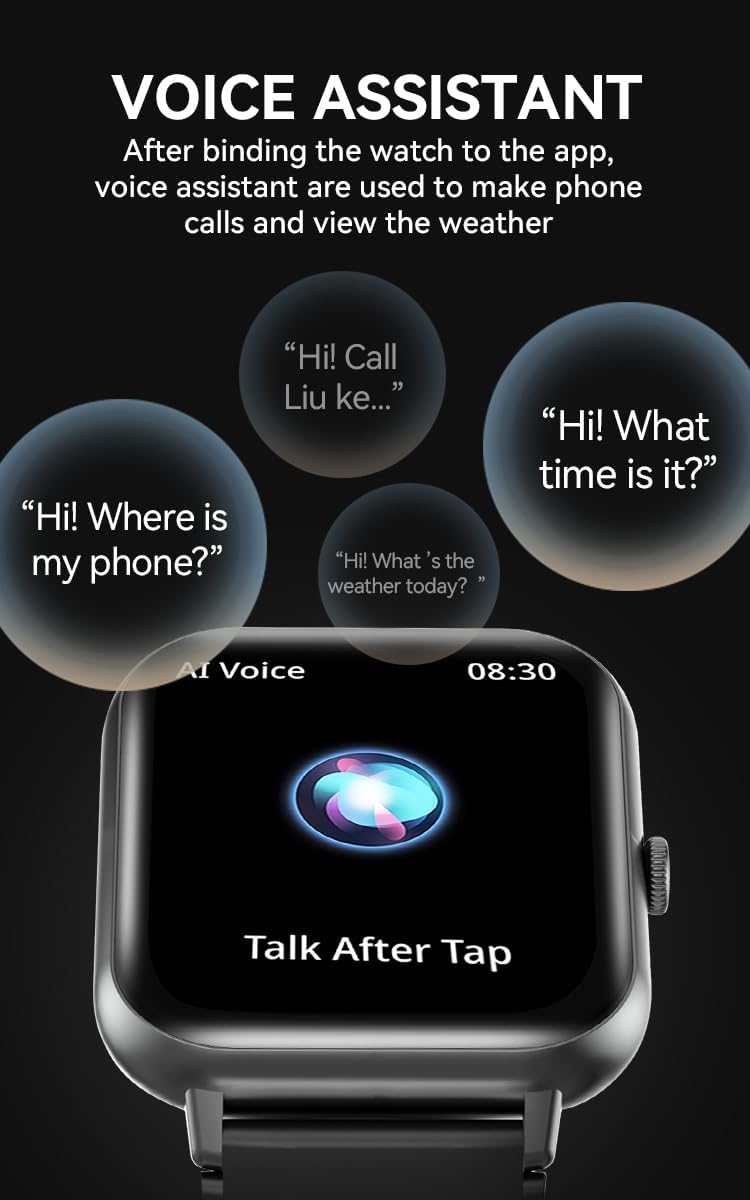
Image 4.2: Call function display on the smart watch.
4.3 Health Monitoring
The WA-05 smart watch provides continuous health monitoring features:
- Heart Rate: Monitors heart rate throughout the day.
- Sleep Tracking: Records sleep patterns.
- SpO2: Measures blood oxygen levels.
- Blood Pressure: Monitors blood pressure health status.
Note: Health monitoring data is for reference only and should not be used for medical diagnosis or treatment.

Image 4.3: Full-day heart rate monitoring.

Image 4.4: Blood pressure and blood oxygen monitoring.
4.4 Sport Modes and Pedometer
The watch offers over 120 built-in exercise modes. You can customize and add preferred activities through the Da Fit app. It also includes a pedometer to track your daily steps.

Image 4.5: Display of various fitness models.
4.5 Music Playback Control
Control music playback on your connected smartphone directly from the watch, including play, pause, skip tracks, and volume adjustment.
4.6 Watch Faces
Choose from over 100 cloud-based watch faces to personalize your device. You can also customize dials to match your preferences via the Da Fit app.
4.7 Voice Assistant
After binding the watch to the Da Fit app, the voice assistant feature can be used to initiate phone calls and check weather information.

Image 4.6: Voice assistant functionality.
4.8 Additional Features
The WA-05 includes a chronograph, calendar, alarm clock, countdown timer, sedentary reminder, and menstrual management functions.
5. Maintenance
5.1 Water Resistance
The WA-05 Smart Watch has an IP67 waterproof rating. This means it is resistant to splashes, rain, and can be worn during handwashing and daily workouts. It is not suitable for swimming, bathing, saunas, or hot springs, as these activities may cause water damage.
5.2 Cleaning
To clean your smart watch, gently wipe the screen and strap with a soft, damp cloth. Avoid using harsh chemicals or abrasive materials. Ensure the charging contacts are clean and dry before charging.
5.3 Battery Care
To prolong battery life, avoid fully discharging the watch frequently. Charge the device using only the provided charging cable. Store the watch in a cool, dry place when not in use for extended periods.
6. Troubleshooting
- Watch not turning on: Ensure the watch is fully charged. Connect it to the charger and wait a few minutes before attempting to power it on.
- Cannot pair with smartphone:
- Ensure Bluetooth is enabled on your phone and the watch.
- Verify the "Da Fit" app is installed and running.
- Check if your phone meets the compatibility requirements (iOS 9.0 / Android 6.0 or later).
- Restart both the watch and your smartphone, then attempt pairing again.
- Inaccurate health data: Ensure the watch is worn snugly on your wrist, not too tight or too loose. Avoid excessive movement during measurements. Remember that data is for reference only.
- Charging issues: Check if the charging cable is securely connected to both the watch and the power source. Ensure the charging contacts on the watch are clean and free of debris. Try a different USB power adapter.
- Notifications not appearing: Verify that app notifications are enabled in the "Da Fit" app settings and in your smartphone's system settings for the relevant applications.
- Watch requires a smartphone to function fully: The BWOO WA-05 Smart Watch is designed as a companion device and requires a smartphone with the "Da Fit" app for full functionality, including data synchronization, call features, and advanced settings.
7. Specifications
| Feature | Detail |
|---|---|
| Model | WA-05 |
| Brand | BWOO SYNC |
| Screen Size | 1.83 Inches |
| Display Type | Digital, TFT LCD |
| Resolution | 240 x 284 |
| Operating Mode | Touchscreen |
| Connectivity | Bluetooth (BT5.2) |
| Compatible Devices | Smartphone (iOS 9.0 / Android 6.0 or later) |
| Battery Capacity | 230 mAh |
| Battery Life | 5-7 days (active use), up to 30 days (standby) |
| Waterproof Rating | IP67 |
| Special Features | Bluetooth Call, Multisport Tracker, Heart Rate Monitor, SpO2 Monitor, Blood Pressure Monitor, Sleep Monitor, Notifications, Music Player Control, Voice Assistant, Chronograph, Alarm Clock, Sedentary Reminder, Menstrual Management |
| GPS | No GPS |
| Color | Black |
8. Warranty and Support
Specific warranty details are not provided in this manual. For warranty information, please refer to the product packaging, the official BWOO SYNC website, or contact your retailer. For technical support, please visit the BWOO SYNC support page or contact their customer service.