
ViaGasaFamido ViaGasaFamido8f5qkutdpg
DSO153 Handheld Digital Oscilloscope User Manual
Brand: ViaGasaFamido
Introduction
This manual provides comprehensive instructions for the safe and effective operation of your ViaGasaFamido DSO153 Handheld Digital Oscilloscope. The DSO153 is a professional, portable device featuring a 2.8-inch LCD display, 5.0MS/s sampling rate, 1M bandwidth, and full trigger functions, designed for various electrical testing and measurement applications.
Safety Information
Please read and understand all safety precautions before operating the device. Failure to follow these instructions may result in electric shock, fire, or damage to the device.
- Do not operate the oscilloscope in wet or damp conditions.
- Ensure the device is powered off before connecting or disconnecting probes.
- Do not exceed the maximum input voltage ratings specified in the technical specifications.
- Use only the provided accessories and cables.
- Do not attempt to disassemble or modify the device. Refer all servicing to qualified personnel.
- Keep the device away from strong electromagnetic fields.
Package Contents
Verify that all items listed below are present in your package:
- 1 x DSO153 Handheld Digital Oscilloscope
- 2 x User Manuals
- 1 x Lanyard
- 1 x Crocodile Clip Cable
- 1 x USB Cable (Type-C)
- 1 x Probe Cable (10X Probe)
- 12 x Accessories (likely probe tips, color rings, etc.)

Image: The DSO153 oscilloscope unit shown with its complete set of accessories, including the probe, cables, and clips.
Product Overview
The DSO153 is a compact and robust handheld oscilloscope designed for portability and ease of use. It features a clear LCD display and intuitive controls.
Key Components and Features:
- 2.8-inch HD LCD Display: Provides a clear view of waveforms and measurement data.
- Control Buttons: Including AUTO, MODE, navigation buttons, and RUN for easy operation.
- Type-C USB Port: For charging the internal battery and data transfer.
- Probe Input: Standard BNC connector for connecting the oscilloscope probe.
- Foldable Stand: Integrated stand for convenient desktop use.
- Internal Battery: 1000mAh rechargeable lithium battery for portable use.

Image: Detailed view highlighting the highly sensitive control keys, the 90-degree foldable stand, the Type-C charging and data port, and the gear toggle button for adjustments.
Setup
Initial Charging:
Before first use, fully charge the oscilloscope using the provided USB Type-C cable and a 5V 1A USB power adapter (not included). The charging indicator on the device will show charging status.
Connecting the Probe:
- Ensure the oscilloscope is powered off.
- Connect the BNC connector of the probe cable to the probe input port on the oscilloscope.
- Attach the ground clip of the probe to the ground reference of the circuit under test.
- Connect the probe tip to the test point on the circuit.
Powering On:
Press and hold the power button (usually located at the bottom or front) until the display illuminates. The device will boot up and display the main measurement interface.
Operating Instructions
Basic Measurement:
Once powered on and the probe is connected, the oscilloscope will display the waveform. The screen shows parameters such as Frequency (Freq), Period (Peri), Duty Cycle (Duty), Vmax, Vmin, Vpp, and Amplitude (Amp).

Image: The oscilloscope screen showing a square wave and various measurement parameters like frequency, duty cycle, and voltage levels, indicating its waveform analysis capabilities.
AUTO Setting:
Press the AUTO button for automatic parameter adjustment. This feature quickly optimizes the display for the input signal, making it easy to view waveforms without manual configuration. Long press the AUTO button to quickly calibrate the baseline.
Trigger Modes:
The DSO153 supports three trigger modes:
- AUTO: Automatically triggers the waveform, suitable for most periodic signals.
- Normal: Triggers only when the signal meets the set trigger conditions. Useful for stable waveforms.
- Single: Captures a single waveform when the trigger condition is met, then stops. Ideal for non-repeating signals.
Trigger Slope: Select between Rising or Falling edge triggering using the appropriate controls.
Coupling Mode:
Choose between AC and DC coupling:
- AC Coupling: Blocks the DC component of the signal, allowing only the AC component to be displayed.
- DC Coupling: Displays both the AC and DC components of the signal.
Signal Generator Function:
The oscilloscope includes a built-in signal generator capable of producing various waveforms:
- Frequency: 0-10KHz
- Duty Cycle: 0-100% (for Square and Sawtooth waves)
- Amplitude: 0.1-3.3V
- Waveforms: Sine, Square, Sawtooth (Half, Full), Positive Step, Inverse Step, Noise, Exponential Rise, Exponential Fall, DC, Sink Pulse, Lorentz.
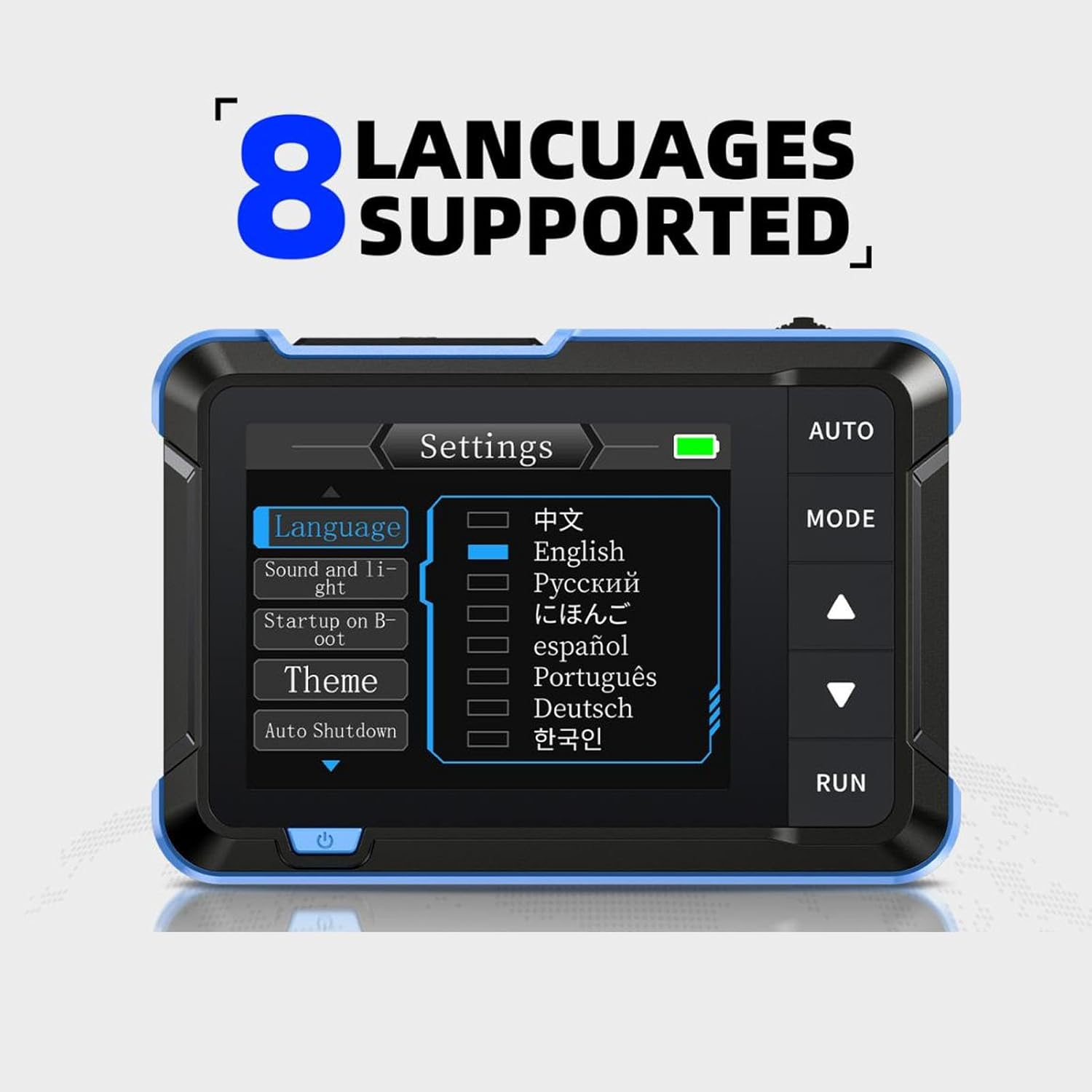
Image: Four examples of the DSO153 in use, demonstrating its ability to measure various signals such as 220V mains, switching power supply outputs, pulse signals, and other complex waveforms.
Specifications
| Parameter | Value |
|---|---|
| Item Type | Handheld Oscilloscope |
| Model | DSO153 |
| Sampling Rate | 5MS/s |
| Bandwidth | 1M |
| Vertical Sensitivity | 10mV/Div-10V/Div |
| Time Base Range | 500ns-20S |
| Probe Voltage Range | ±400V (Vpp: 800V) |
| Trigger Mode | Auto, Normal, Single |
| Trigger Slope | Rising, Falling |
| Coupling Mode | AC, DC |
| Square Wave Frequency (Calibration) | 1KHz |
| Square Wave Duty Cycle (Calibration) | 50% |
| Square Wave Amplitude (Calibration) | 3.3V |
| Generator Frequency | 0-10KHz |
| Generator Duty Cycle | 0-100% (Square and Sawtooth) |
| Generator Amplitude | 0.1-3.3V |
| Display | 2.8 inch, PPI: 320x240 |
| USB Charging | 5V 1A |
| Battery Type | 1 x 1000mAh Rechargeable Lithium Battery (Built-in) |
| Battery Endurance | Approx. 4 hours (fully charged) |
| Package Dimensions | 7.48 x 4.72 x 1.57 inches |
| Weight | 8.68 ounces |
| Model Number | ViaGasaFamido8f5qkutdpg |
| Country of Origin | China |
Maintenance
Cleaning:
Wipe the device with a soft, dry cloth. Do not use abrasive cleaners or solvents. Ensure no liquids enter the device openings.
Battery Care:
To prolong battery life, avoid fully discharging the battery frequently. Recharge the device regularly, especially if it will be stored for an extended period.
Automatic Shutdown:
The DSO153 features an automatic shutdown function to conserve power. This can be configured in the device settings. After a period of inactivity, the device will automatically power off.

Image: The oscilloscope's settings menu, displaying options for automatic shutdown intervals (OFF, 15min, 30min, 1hour) to save energy.
Troubleshooting
| Problem | Possible Cause | Solution |
|---|---|---|
| Device does not power on. | Low or depleted battery. | Connect the device to a 5V 1A USB charger and allow it to charge for at least 30 minutes before attempting to power on again. |
| No waveform displayed. | Probe not connected correctly; signal too weak or out of range; incorrect trigger settings. | Ensure probe is securely connected. Check the signal source. Press the AUTO button to automatically adjust settings. Adjust vertical sensitivity and time base. |
| Waveform is unstable or noisy. | Improper grounding; external interference; incorrect trigger level. | Ensure the probe's ground clip is securely connected to the circuit's ground. Adjust the trigger level. Move the device away from strong electromagnetic sources. |
| Buttons are unresponsive. | Temporary software glitch. | Power off the device, wait a few seconds, then power it back on. If the issue persists, contact customer support. |
Warranty and Support
ViaGasaFamido products are designed for reliability and performance. This product comes with a standard manufacturer's warranty against defects in materials and workmanship. Please refer to the warranty card included in your package for specific terms and conditions.
For technical support, troubleshooting assistance, or warranty claims, please contact ViaGasaFamido customer service through the retailer where the product was purchased or visit the official ViaGasaFamido website for contact information.
Ask a question about this manual
Ask about setup, troubleshooting, compatibility, parts, safety, or missing instructions. Manuals+ will review the question and use this page’s manual context to help answer it.