1. Introduction
Welcome to the instruction manual for your Godox iA32 Mini Camera Flash. This manual provides essential information for setting up, operating, and maintaining your flash unit to help you achieve optimal lighting in your photography.
Important Compatibility Note:
The Godox iA32 is not compatible with Sony ZV-1F, A7III, A7II, or A7 camera models. For other camera models, ensure compatibility by connecting the flash to your camera's center hot shoe contact or via a sync cord. If unsure, please contact customer support for confirmation.
This is an automatic flash, not a TTL (Through-The-Lens) flash. It adjusts power based on its built-in light sensor, not the camera's TTL system. Manual input of ISO and aperture on the flash is required. It is ideal for controlled lighting environments such as studio setups.
2. Product Overview
The Godox iA32 Mini Camera Flash is a compact and portable lighting solution designed for photographers seeking flexible and precise flash control. Its slim design and adjustable head make it versatile for various shooting scenarios.
2.1 Included Components
- 1x iA32 Camera Flash
- 1x Storage Bag
- 1x Diffuser
2.2 Key Features
- Slim & Portable Design: Ultra-slim, flat design for easy portability and attachment to your camera.
- Flexible Angle Adjustments: Flash head tilts from -7° to 90° via a side dial for versatile lighting control and bounce flash effects.
- Auto & Manual Modes: Choose between automatic power adjustment based on ISO/aperture or full manual control with 8 power levels (1/128 to full power).
- Optical Slave Modes (S1/S2): Available in Manual Mode for off-camera flash synchronization.

Figure 1: Godox iA32 Mini Camera Flash with diffuser and storage bag.

Figure 2: Display showing Auto and Manual mode controls on the Godox iA32 flash.
3. Setup
3.1 Battery Installation
- Locate the battery compartment on the flash unit.
- Open the battery compartment cover.
- Insert 2 AAA batteries (not included) into the compartment, ensuring correct polarity (+/-) as indicated.
- Close the battery compartment cover securely.
3.2 Mounting on Camera
- Ensure your camera is powered off.
- Slide the hot shoe foot of the Godox iA32 flash into your camera's hot shoe mount.
- Tighten the locking mechanism (if present) to secure the flash to the camera.

Figure 3: Attaching the Godox iA32 flash to a camera's hot shoe mount.
3.3 Attaching Diffuser
For softer and more even light distribution, you can attach the included diffuser. Gently slide the diffuser over the flash head until it is securely in place.

Figure 4: Godox iA32 flash with the diffuser attached.
4. Operating Modes
4.1 Power On/Off and Test Flash
- To power on the flash, press and hold the power button until the indicator light illuminates.
- To power off, press and hold the power button again.
- A short press of the power button will trigger a test flash.
4.2 Auto Mode
In Auto Mode, the iA32 flash utilizes its built-in light sensor to determine the appropriate flash output. This mode simplifies operation by automatically adjusting power based on ambient light conditions.
- Select Auto Mode using the mode button on the flash.
- Manually set your desired ISO and aperture values directly on the flash unit. The flash will then indicate the recommended shooting distance.
- The flash will fire with the appropriate power for the scene based on these settings.
4.3 Manual Mode
Manual Mode offers complete control over the flash power, allowing for precise lighting adjustments.
- Select Manual Mode using the mode button.
- Use the '+' and '-' buttons to adjust the flash power output. Available power levels range from 1/128 (lowest) to 1/1 (full power).
- Experiment with different power settings to achieve your desired lighting effect.
4.4 Optical Slave Modes (S1/S2)
The iA32 can be triggered wirelessly by another flash unit when set to S1 or S2 mode. These modes are only available in Manual Mode.
- S1 Mode: The iA32 fires in response to the first flash from a master flash. This is suitable for manual flash systems.
- S2 Mode: The iA32 ignores the pre-flash (metering flash) of a master flash and fires on the main flash. This is useful when using a master flash with TTL capabilities.
5. Usage Tips
5.1 Flash Head Adjustment
The flash head can be tilted from -7° to 90° using the side dial. This allows for bounce flash photography, where the light is directed off a ceiling or wall for a softer, more natural look, or for direct flash when needed.
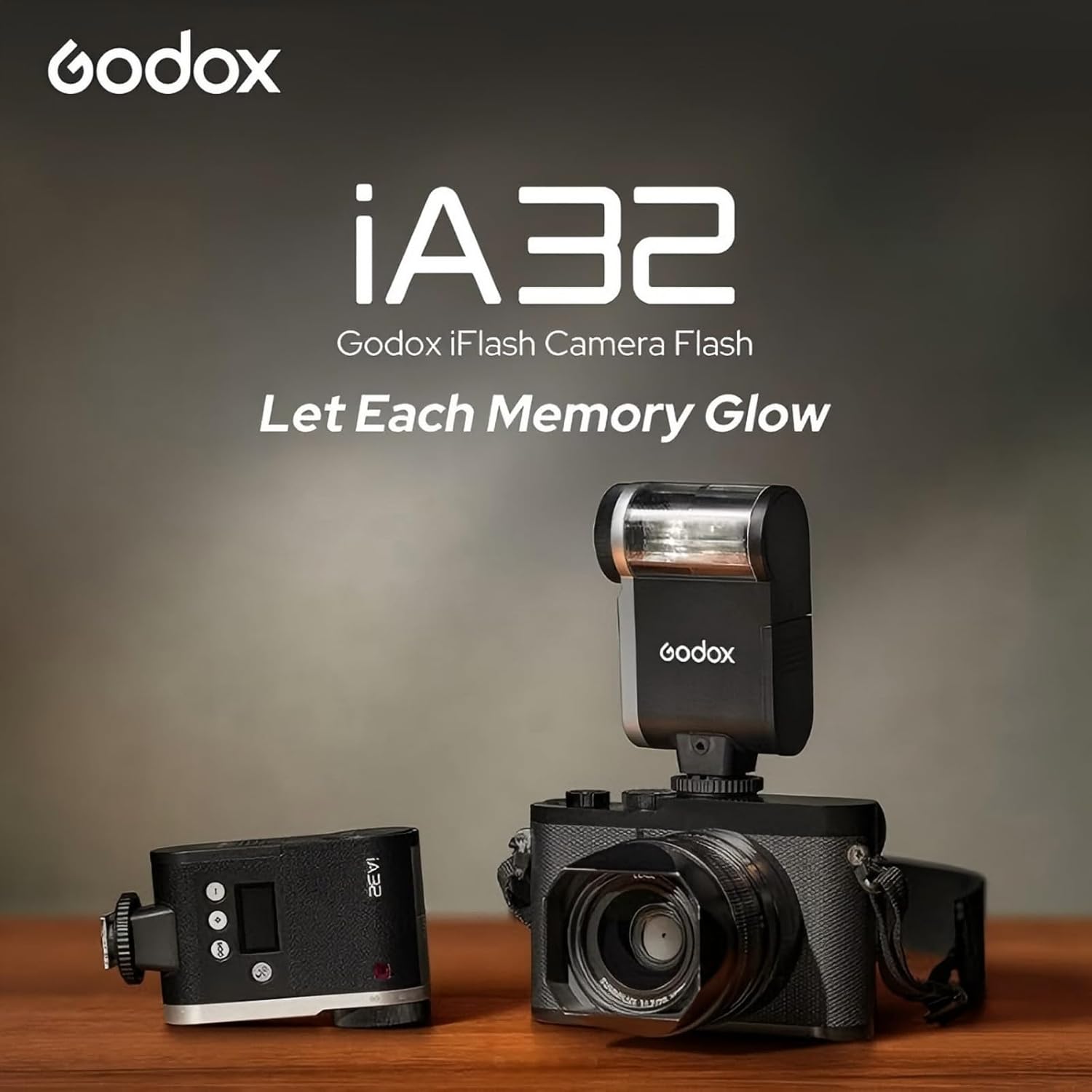
Figure 5: Adjusting the flash head angle for bounce or direct lighting.
5.2 Video Demonstrations
Video 1: Overview of the Godox iA32 Mini Flash Speedlite features and usage.
Video 2: Detailed look at the GODOX iA32 Mini Camera Flash Speedlite.
Video 3: Quick view and demonstration of the iA32 Mini Flash.
Video 4: Comprehensive review of the GODOX Flash Godox iA32 Mini Camera Flash.
6. Maintenance
- Keep the flash unit clean and dry.
- Avoid exposing the flash to extreme temperatures or humidity.
- Remove batteries if the flash will not be used for an extended period to prevent leakage.
- Use a soft, dry cloth to clean the flash body and electrical contacts.
7. Troubleshooting
7.1 Flash Not Firing
- Check battery level and ensure batteries are correctly installed.
- Verify the flash is securely mounted on the camera's hot shoe.
- Ensure the camera's flash settings are appropriate (e.g., not in silent mode or a mode that disables external flash).
- If using optical slave mode, ensure the master flash is firing correctly and the iA32 is set to the appropriate S1/S2 mode.
7.2 Inconsistent Flash Output
- In Auto Mode, ensure ISO and aperture settings on the flash match your camera's settings.
- In Manual Mode, adjust power levels as needed.
- Check for obstructions between the flash sensor and the subject.
7.3 Shadows from Lens
- If using a wide-angle lens, the lens barrel may cast a shadow. Consider using a longer focal length or adjusting the flash position if possible.
8. Specifications
| Feature | Detail |
|---|---|
| Model | iA32 |
| Guide Number (GN) | 15 (ISO 100, in meters) |
| Power Levels | 8 levels (1/128 to 1/1) |
| Recycle Time | Approx. 2.5 seconds |
| Flash Times (Full Power) | Approx. 490 |
| Flash Head Adjustment | -7° to 90° (tilt) |
| Dimensions | 2.76 x 2.76 x 1.97 inches |
| Weight | 4.1 ounces |
| Batteries | 2 AAA batteries (required, not included) |
| Compatible Mountings | Cameras with single hot shoe contact (e.g., Canon, Sony ZV-1/ZVE-10, Ricoh GR3, Nikon, Fuji F1, Olympus, Pentax) |
| Included Components | 1X IA32 Camera Flash; 1X Storage Bag; 1X Diffuser |
9. Warranty and Support
For warranty information and technical support, please refer to the official Godox website or contact your authorized dealer. Keep your purchase receipt as proof of purchase for any warranty claims.


