1. Introduction
Thank you for choosing the Depuley 52-Inch Black 3-Blade Flush Mount Ceiling Fan with Light. This manual provides essential information for the safe and efficient installation, operation, and maintenance of your new ceiling fan. Please read all instructions carefully before beginning installation and retain this manual for future reference.
This low-profile ceiling fan is designed for rooms with low ceilings, offering optimal airflow without occupying excessive vertical space. It features a quiet and energy-efficient DC motor, 6-speed settings, a reversible function for year-round comfort, and an integrated dimmable LED light with adjustable color temperature. Control is convenient via the included remote or a dedicated mobile application.
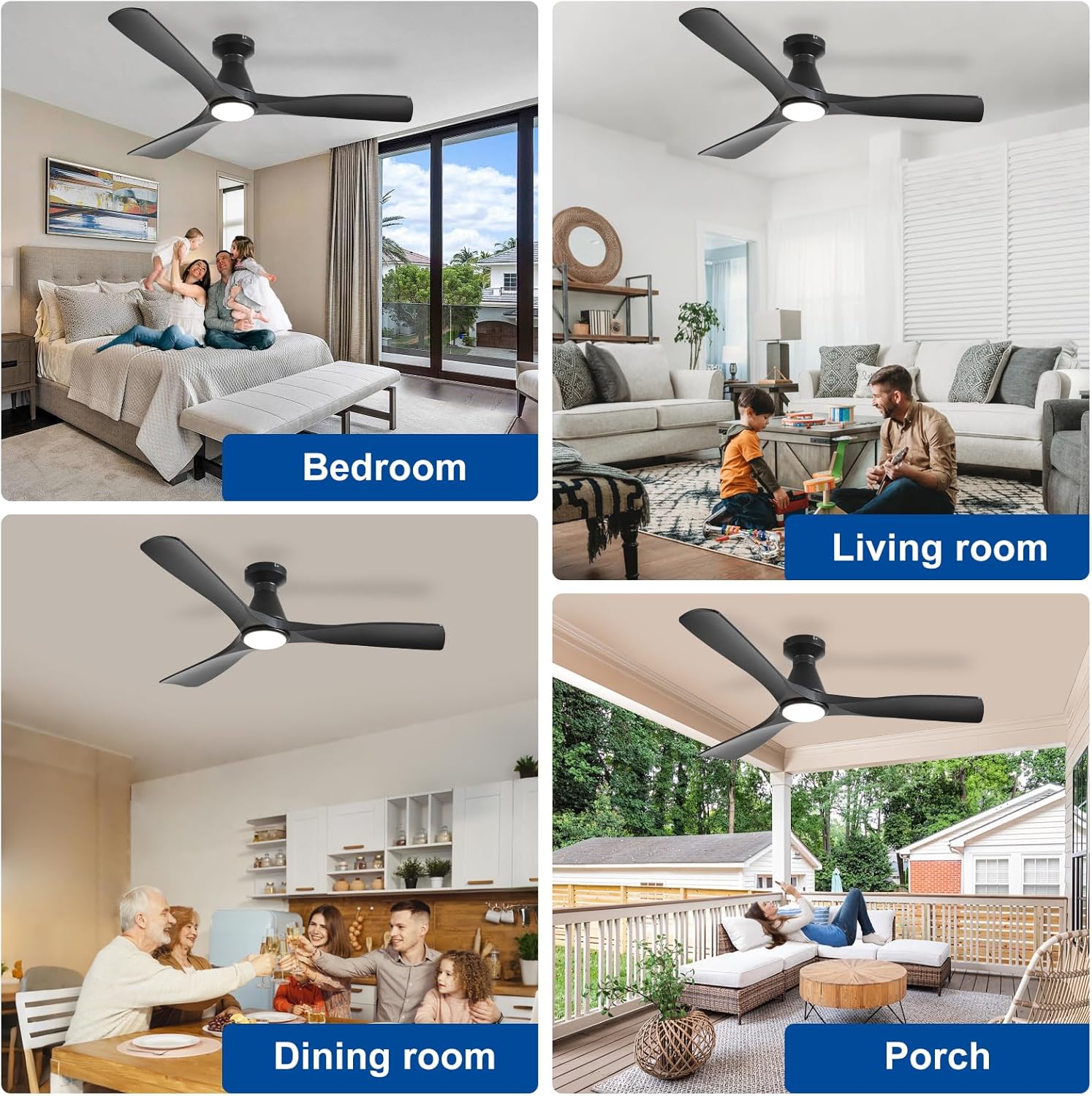
Figure 1: Depuley 52-inch ceiling fan in various indoor and outdoor settings.
2. Safety Information
- Always disconnect power at the main circuit breaker before installation or servicing.
- Ensure all electrical connections comply with local codes and ordinances.
- Consult a qualified electrician if you are unfamiliar with electrical wiring.
- The mounting structure must be capable of supporting the fan's weight (approximately 9.33 pounds).
- Do not bend the blade holders during installation or cleaning.
- Ensure the fan blades are at least 7 feet (2.1 meters) from the floor.
- Do not operate the fan if any part is damaged.
3. Setup
3.1. What's in the Box
Carefully unpack all components and ensure all items are present before beginning installation.
- Fan Motor Assembly
- 3 Fan Blades
- Mounting Bracket
- Remote Control with Batteries
- LED Light Kit
- Remote Receiver
- Hardware Pack (screws, anchors, wire nuts)

Figure 2: Unboxed components of the ceiling fan.
3.2. Installation
Follow these steps for proper installation. Refer to the provided video for a visual guide.
- Disconnect Power: Turn off power at the circuit breaker to avoid electrical shock.
- Install Mounting Bracket: Remove the mounting bracket from the fan's canopy. Secure the mounting bracket to the ceiling junction box using the provided screws. Ensure the bracket is firmly attached and grounded (green wire). Use drywall anchors if necessary for additional support.
- Connect Remote Receiver: Connect the remote receiver wires to the household wiring (black to black, white to white, ground to ground).
- Attach Fan Motor: Carefully lift the fan motor assembly and connect its wires to the remote receiver. Secure the fan motor to the mounting bracket using the provided screws.
- Attach Fan Blades: Secure each of the three fan blades to the motor housing using the provided screws.
- Install LED Light Kit: Remove the cover from the LED light kit. Connect the light kit's wires to the corresponding wires from the fan motor. The LED light module is magnetic and will attach to the fan's base.
- Attach Light Cover: Secure the light cover by twisting it onto the light kit until it is firmly in place.
- Restore Power: Turn the power back on at the circuit breaker.
Video 1: Step-by-step guide on how to install the Depuley Ceiling Fan.
Video 2: Installation process for the Depuley Low Profile Ceiling Fan.
4. Operating Instructions
4.1. Remote Control & App Operation
Your Depuley ceiling fan can be controlled using the included remote control or a dedicated mobile application. The remote allows for easy adjustment of fan speed, light settings, and other functions from anywhere in the room.
- Power On/Off: Use the power button to turn the fan and light on or off.
- Fan Speed: Select from 6 available wind speeds (1-6) to customize airflow.
- Light On/Off: Independently control the LED light.
- Brightness Adjustment: Use the brightness buttons to dim or brighten the light (10% to 100%).
- Color Temperature Adjustment: Adjust the light's color temperature from warm (3000K) to cool (6000K).
- Night Light: Activate a low-brightness night light mode.
- Timer: Set the fan to automatically turn off after 2 hours.
- Forward/Reverse: Change the fan's direction for summer cooling or winter air circulation.
- App Control: Download the specified mobile application (refer to the QR code in the manual or product packaging) to control all fan functions from your smartphone.

Figure 3: Remote and App control features.
Video 3: Demonstration of Depuley Smart Ceiling Fan with Light and Remote APP Control.
4.2. Fan Speeds & Reversible Motor
The fan features an ultra-quiet DC motor with 6 adjustable speeds, ensuring powerful yet silent airflow. The reversible function allows you to change the direction of the blades to optimize comfort throughout the year.
- Summer Mode: Downward airflow creates a cooling effect.
- Winter Mode: Upward airflow circulates warm air trapped near the ceiling, reducing heating costs.
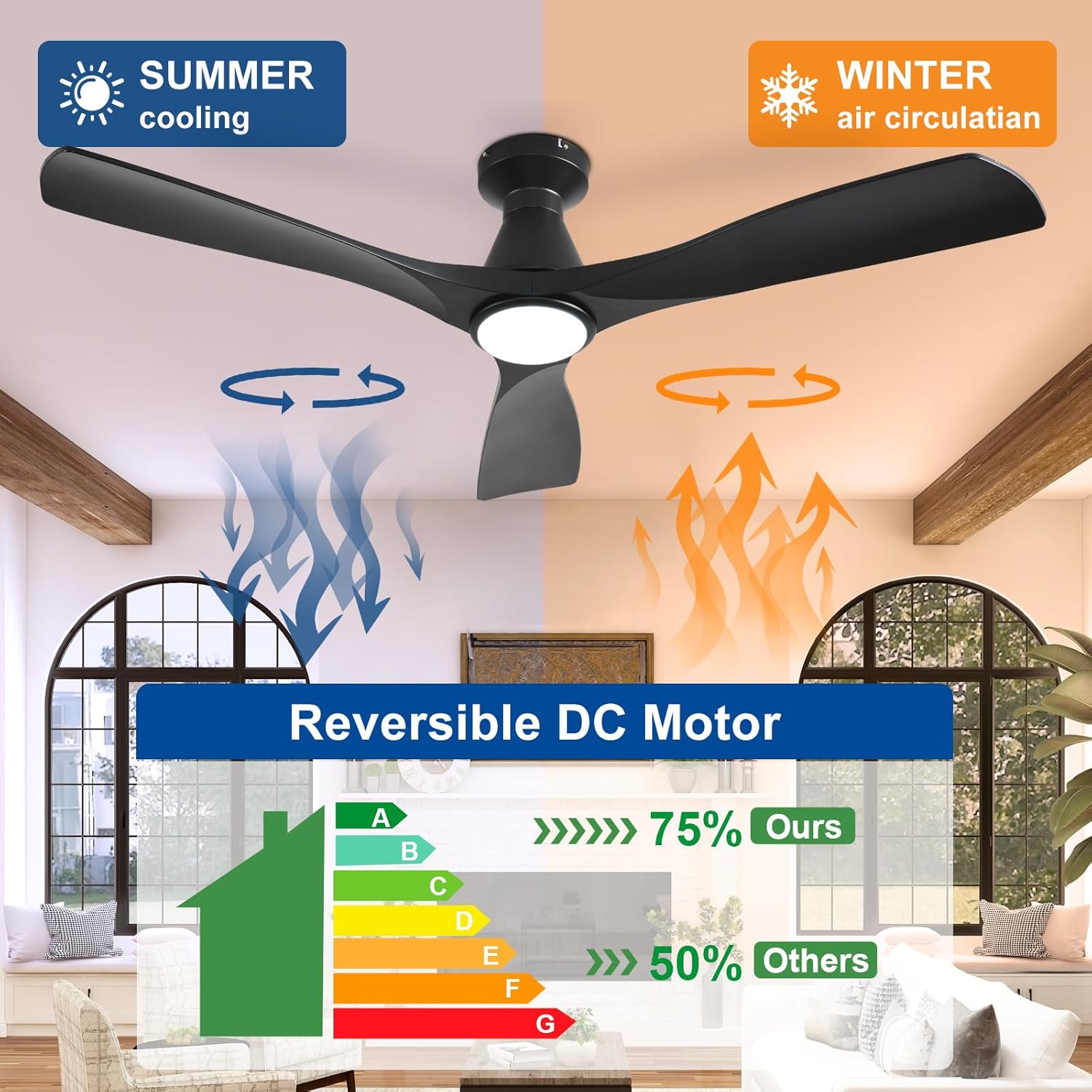
Figure 4: Reversible DC motor for year-round comfort.

Figure 5: Six adjustable wind speeds.
4.3. Dimmable LED Light
The integrated LED light offers stepless dimming from 10% to 100% brightness and adjustable color temperature from 3000K (warm light) to 6000K (cool light). It also includes a memory function that retains your last light setting.

Figure 6: Dimmable LED light with adjustable color temperature.
5. Maintenance
- Cleaning: To avoid damage to the finish, clean the fan with a soft, damp cloth. Do not use abrasive cleaners or solvents.
- Blade Care: Periodically check that all blade screws are tight. Over time, they may loosen, causing the fan to wobble.
- Light Source: The integrated LED light is designed for long-term use and typically does not require replacement.
6. Troubleshooting
| Problem | Possible Cause | Solution |
|---|---|---|
| Fan does not start | No power to the fan; loose wire connections; remote not paired. | Check circuit breaker; ensure all wires are securely connected; re-pair remote control (refer to remote instructions). |
| Fan wobbles | Loose blade screws; unbalanced blades; loose mounting bracket. | Tighten all blade screws; ensure blades are installed correctly; check mounting bracket for secure attachment. |
| Light does not work | Loose wire connection to light kit; LED module not properly seated. | Check light kit wiring; ensure magnetic LED module is securely attached. |
| Remote not responding | Dead batteries; remote not paired; interference. | Replace remote batteries; re-pair remote control; ensure no obstructions between remote and receiver. |
| App control issues | Wi-Fi connectivity issues; incorrect app setup. | Check Wi-Fi connection; ensure correct app setup and pairing with the fan. |
7. Specifications
| Feature | Detail |
|---|---|
| Brand | Depuley |
| Model Name | WS-FPZ186-18C-BK-AP |
| Size | 52 Inch |
| Color | Black |
| Number of Blades | 3 |
| Motor Type | DC (Ultra-Quiet, Reversible) |
| Number of Power Levels | 6 |
| Light Source | Integrated Dimmable LED |
| Color Temperature | Adjustable (3000K-6000K) |
| Control Method | App, Remote |
| Special Features | LED Light, Memory Function, Quiet DC Motor, Reversible, Timer |
| Indoor/Outdoor Usage | Indoor, Outdoor |
| Product Dimensions | 52"D x 52"W x 10.6"H |
| Item Weight | 9.33 pounds |
| Voltage | 120 Volts |
| Wattage | 24 watts |
| Noise Level | 30 Decibels |

Figure 7: Product dimensions and control types.
8. Warranty and Support
For warranty information or technical support, please contact Depuley customer service. Refer to your purchase documentation for specific warranty terms and contact details.
You can also visit the official Depuley store on Amazon for additional product information and support: Depuley Store