
1. Important Safety Information
Please read and understand all instructions before assembling and using this product. Keep this manual for future reference.
- Ensure all parts are present and undamaged before assembly. Do not use if any parts are missing or broken.
- Assemble the table on a soft, clean surface to prevent scratches.
- Tighten all screws and bolts securely. Periodically check and re-tighten fasteners to ensure stability.
- Do not exceed the maximum weight recommendation of 220 pounds (100 kg).
- Keep small parts away from children during assembly to avoid choking hazards.
- This table is designed for indoor use only.
2. Package Contents
Verify that all components listed below are included in your package:
- Table Top (Engineered Wood, Rustic Brown)
- Table Legs (Metal Frame, Black)
- Assembly Hardware (Screws, Allen Wrench, Adjustable Feet)
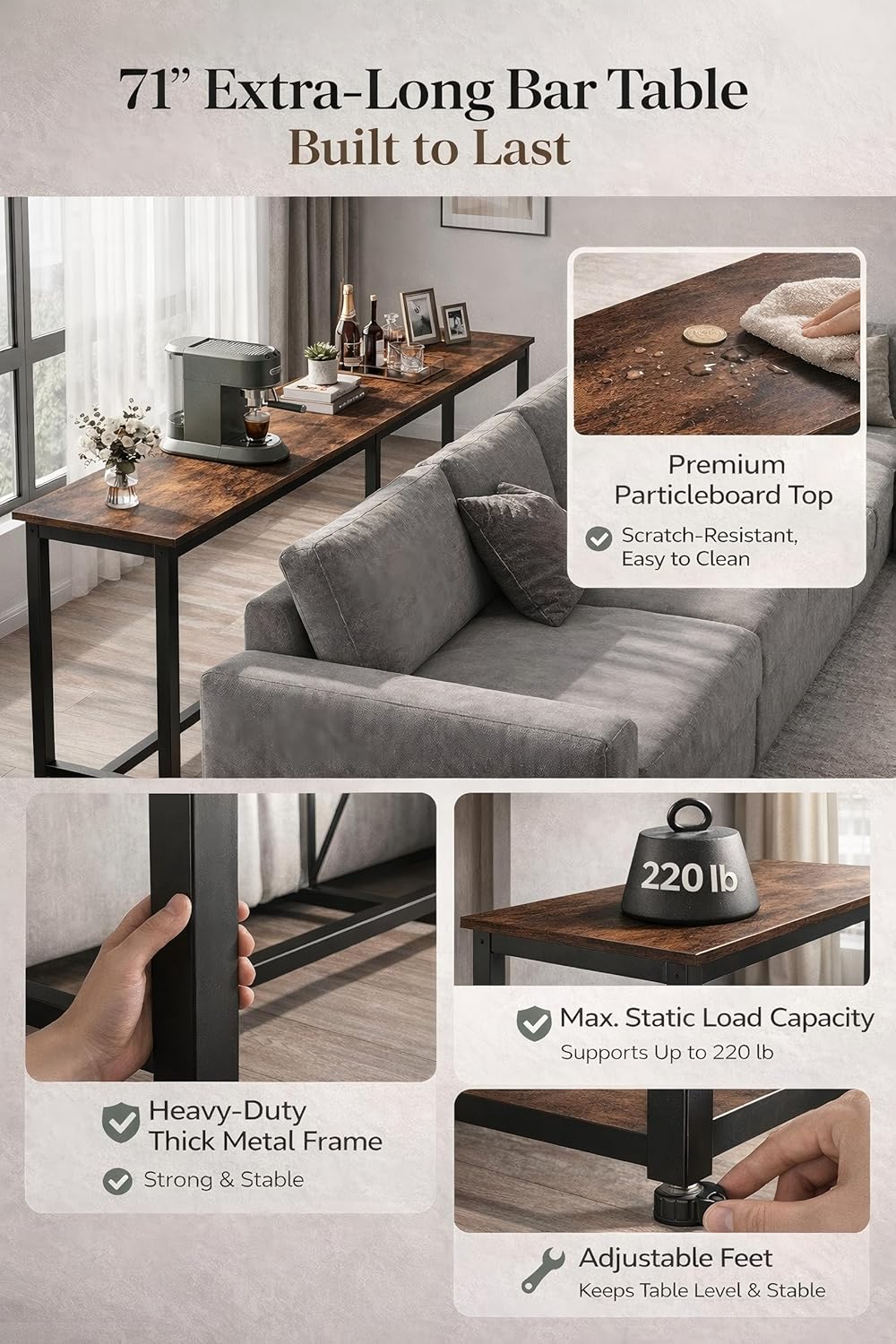
Image: Overview of table components and features, highlighting the premium particleboard top, heavy-duty metal frame, and adjustable feet. Maximum static load capacity is 220 lbs.
3. Assembly Instructions
Assembly is required. Follow these steps carefully:
- Unpack Components: Carefully remove all parts from the packaging. Lay them out on a soft, clean surface to prevent damage.
- Attach Legs to Table Top: Align the metal table legs with the pre-drilled holes on the underside of the table top. Secure them using the provided screws and Allen wrench. Do not fully tighten screws until all components are aligned.
- Install Crossbars (if applicable): If your model includes crossbars for added stability, attach them between the leg frames as indicated in the diagram.
- Tighten All Fasteners: Once all parts are in place and aligned, fully tighten all screws and bolts.
- Attach Adjustable Feet: Screw the adjustable feet into the bottom of each leg.
- Position and Level: Carefully stand the table upright in its desired location. Adjust the feet by rotating them to ensure the table is stable and level on uneven floors.

Image: Detail of the adjustable foot, showing how it can be rotated to level the table.

Image: View of the lower crossbar, designed for stability and comfort.
4. Operating and Usage
The Homleke 71-inch bar table is designed for versatile use in various settings:
- Dining Area: Use as a narrow dining table or breakfast bar, suitable for bar stools or high chairs.
- Kitchen Counter: Provides additional counter space for food preparation or serving.
- Home Bar: Ideal for entertaining guests, serving drinks, or as a coffee bar station.
- Workspace: Can function as a standing desk or a compact workspace in small areas.
- Entryway/Sofa Table: Place behind a sofa or in an entryway for decorative items, lamps, or quick access storage.
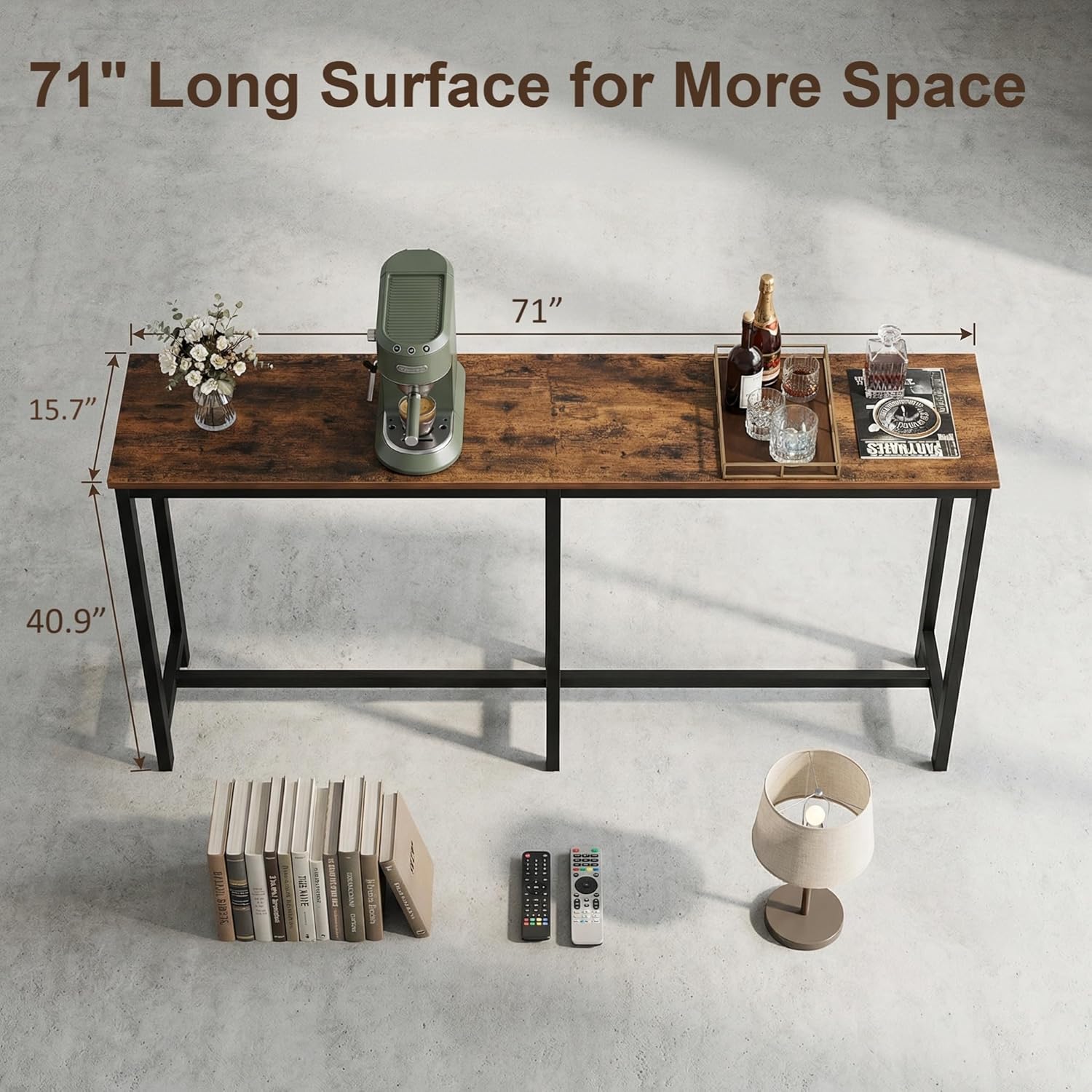
Image: The 71-inch bar table showcasing its dimensions, suitable for various uses.

Image: The bar table configured for kitchen, dining, and home bar use.

Image: The bar table functioning as a gallery display and entryway organizer.

Image: The bar table utilized as a compact and functional home office workspace.
5. Care and Maintenance
Proper care will extend the life and appearance of your bar table:
- Cleaning: Wipe the table surface and frame with a damp cloth. Avoid harsh chemicals or abrasive cleaners that may damage the finish.
- Spills: Clean up spills immediately to prevent staining, especially on the engineered wood top.
- Heat and Moisture: Do not place hot items directly on the surface. Use coasters for drinks to protect against moisture rings.
- Inspection: Periodically check all fasteners and re-tighten if necessary to maintain stability.
- Sunlight: Avoid prolonged exposure to direct sunlight to prevent fading or warping of the wood finish.
6. Troubleshooting
If you encounter any issues with your Homleke bar table, refer to the following common solutions:
| Problem | Possible Cause | Solution |
|---|---|---|
| Table is wobbly or unstable. | Loose fasteners; uneven floor; adjustable feet not properly set. | Ensure all screws and bolts are fully tightened. Adjust the leveling feet on each leg until the table is stable. |
| Parts do not align during assembly. | Incorrect orientation of parts; screws tightened prematurely. | Loosen all screws slightly, re-align parts, then tighten. Refer to assembly diagrams for correct orientation. |
| Surface scratches or minor damage. | Impact during assembly or use; abrasive cleaning. | Use furniture markers or wood repair kits for minor scratches. Avoid dragging objects across the surface. |
7. Product Specifications
| Feature | Specification |
|---|---|
| Brand | Homleke |
| Model Number | BT18X |
| Product Dimensions (D x W x H) | 15.7" x 70.9" x 40.9" (40cm x 180cm x 104cm) |
| Item Weight | 26.4 Pounds (12 kg) |
| Maximum Weight Recommendation | 220 Pounds (100 kg) |
| Frame Material | Metal |
| Top Material Type | Engineered Wood |
| Color | Rustic Brown and Black |
| Seating Capacity | 4 |
| Assembly Required | Yes |
| Recommended Uses | Bar, Dining, Kitchen, Home Office |
8. Warranty and Support
For warranty information or customer support, please refer to the purchase documentation or contact Homleke customer service directly. Keep your purchase receipt as proof of purchase.
If you have any questions or require assistance with assembly or parts, please reach out to the seller or manufacturer through the platform where the product was purchased.