
BNCF Bpad 10 Pro
BNCF Bpad 10 Pro Tablet User Manual
Model: Bpad 10 Pro
Introduction
Thank you for choosing the BNCF Bpad 10 Pro Tablet. This manual provides essential information for setting up, operating, maintaining, and troubleshooting your device. Please read it thoroughly to ensure optimal performance and longevity of your tablet.
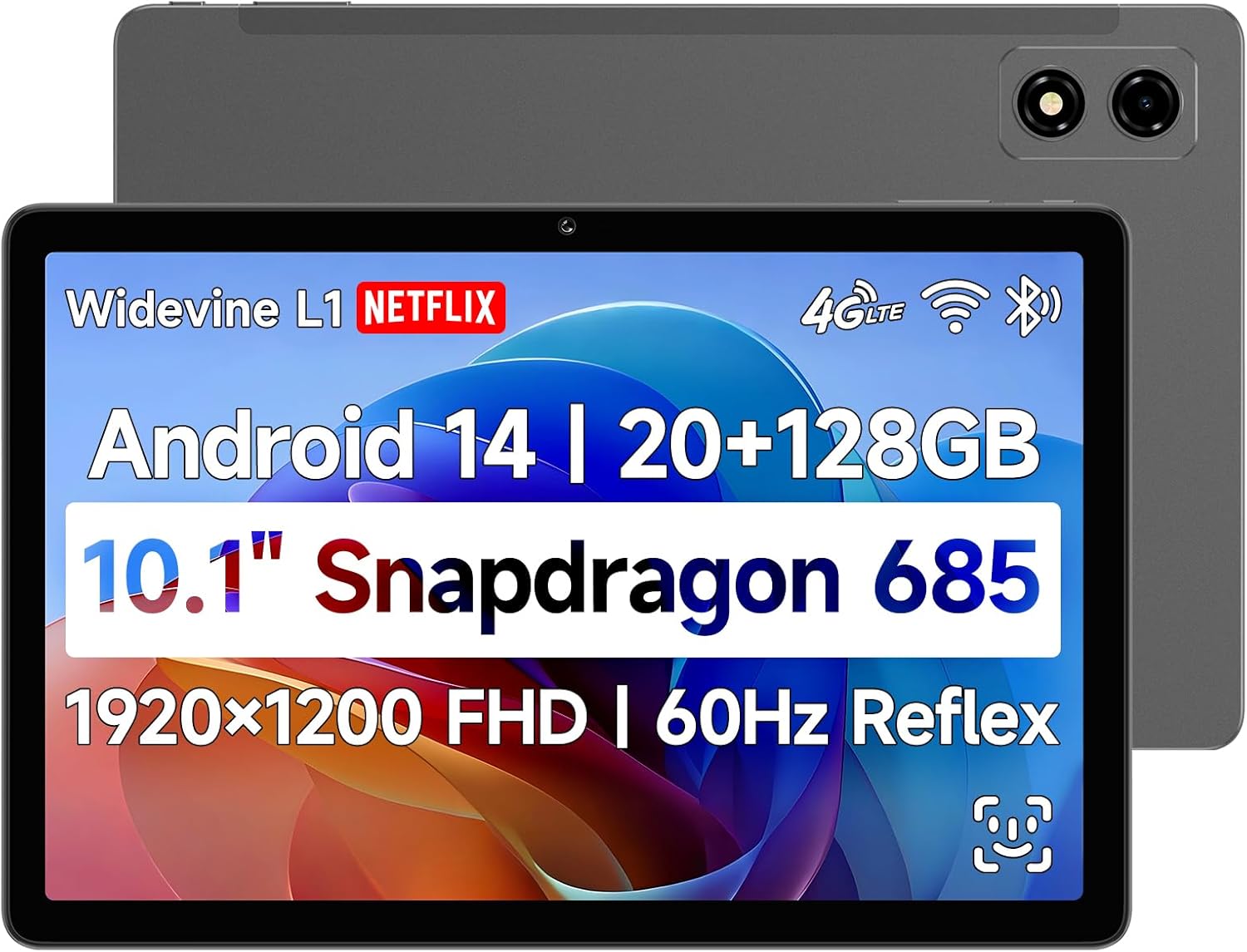
Image: Front and back view of the BNCF Bpad 10 Pro Tablet, showcasing its sleek design and dual camera setup.
Setup Guide
1. Package Contents
Before you begin, ensure all items are present in the box:
- BNCF Bpad 10 Pro Tablet
- User Manual
- Gift Box
- Charge (5V/2A)
- SIM Card Ejector Pin
- Type-C Cable (5V/2A)

Image: A visual representation of the tablet's ports and buttons, alongside the included accessories in the package.
2. Initial Charging
Connect the provided Type-C cable to the tablet's charging port and the other end to the power adapter. Plug the adapter into a wall outlet. Charge the tablet fully before first use. The 6500mAh battery supports 18W PD fast charging.
3. Powering On/Off
To power on, press and hold the Power button until the screen lights up. To power off, press and hold the Power button, then select 'Power off' from the options.
4. SIM and MicroSD Card Installation
Locate the SIM/MicroSD card tray on the side of the tablet. Use the ejector pin to open the tray. Insert your 4G LTE SIM card and/or MicroSD card (up to 1TB) into the designated slots, ensuring correct orientation. Close the tray securely.
5. Initial Android Setup
Upon first power-on, follow the on-screen prompts to complete the initial setup, including language selection, Wi-Fi connection, Google account login, and security settings (e.g., Face Unlock).
Operating Your Tablet
1. Display and Visuals
The Bpad 10 Pro features a 10.1-inch FHD IPS display with 1920x1200 resolution and 60Hz refresh rate. It supports Widevine L1 for high-definition streaming on platforms like Netflix and Prime Video.

Image: Highlights of the tablet's display, including 1920x1200 FHD resolution, 60Hz refresh rate, 400 Nits brightness, and IPS Incell Screen technology.

Image: Illustrates Widevine L1 certification, enabling 1080P HD video playback on popular streaming services like Netflix, Prime Video, and Hulu.
2. Performance
Powered by the Snapdragon 685 processor (2.8GHz, 6nm process) and Adreno 610 GPU, the tablet offers smooth performance. It comes with 20GB (8GB physical + 12GB virtual) RAM and 128GB UFS storage, expandable up to 1TB via MicroSD.

Image: Detailed view of the Snapdragon 685 processor, highlighting its 2.8GHz clock speed, 6nm process, Adreno 610 GPU, and 6-Axis Gyro Sensor.

Image: Illustrates the tablet's ample storage with 8GB RAM, 12GB virtual RAM, 128GB ROM, and 1TB expandable storage.
3. Android 14 Features
The tablet runs on Android 14, offering enhanced multitasking, security, and user-friendly features:
- Face Unlock: Securely unlock your device using facial recognition.
- Split-Screen: Use two apps simultaneously for improved productivity.
- Smart Projection: Cast your tablet screen to compatible external displays.
- Three-finger Screenshot: Capture screenshots quickly with a simple gesture.
- Parental Controls: Manage usage and content for children.
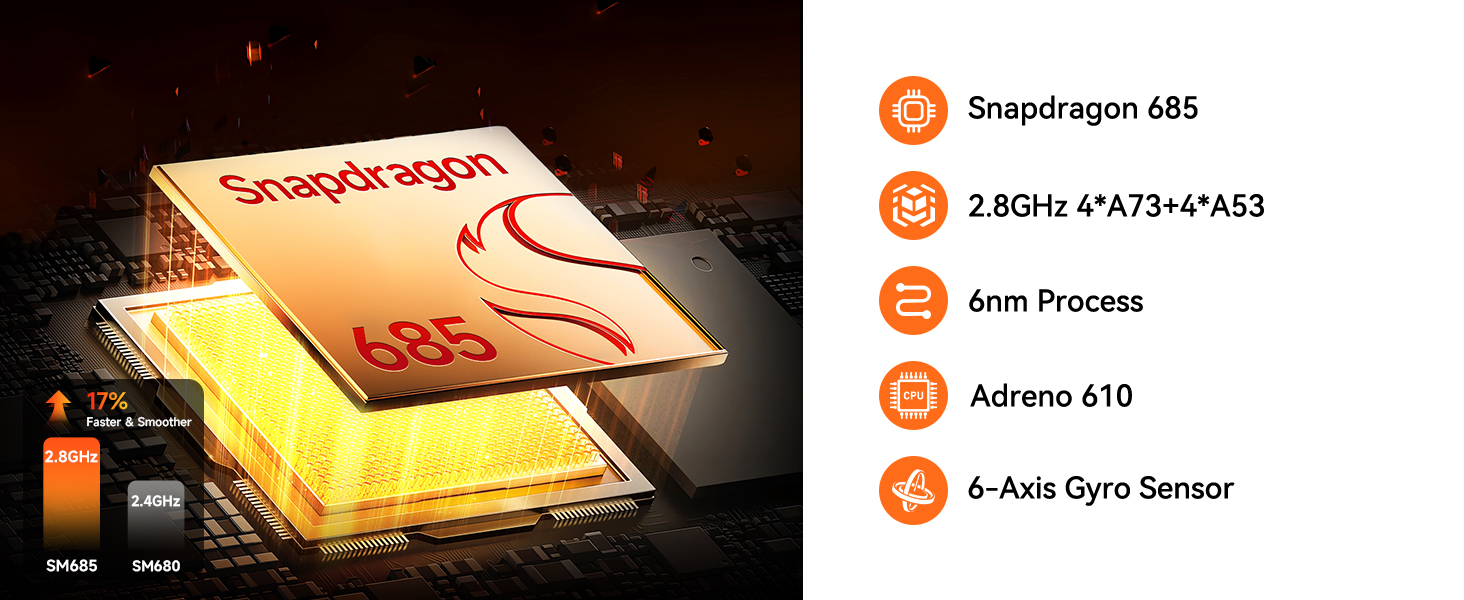
Image: Visuals demonstrating Face Unlock, Smart Projection, Split-Screen, and Three-finger Screen Capture features of Android 14.

Image: A graphic illustrating the tablet's face recognition technology for effortless and secure unlocking.
4. Camera Usage
The tablet is equipped with 5MP front and 5MP rear cameras, suitable for capturing photos, 4K videos, and conducting HD video calls.

Image: A close-up view of the tablet's camera lens, emphasizing its 5MP+5MP dual camera setup for high-resolution captures.
5. Connectivity
Stay connected with dual-band Wi-Fi (2.4G/5G), 4G LTE for cellular data, Bluetooth 5.0 for seamless accessory pairing, and GPS for reliable navigation.

Image: Icons representing the tablet's connectivity options: 4G LTE, Bluetooth 5.0, 2.4GHz+5GHz WiFi, and GPS.
6. Audio
Experience immersive audio with dual stereo speakers. The tablet also features a Type-C headphone jack (requires adapter).

Image: Graphics illustrating the tablet's dual stereo speakers and the presence of a Type-C headphone jack.
7. Gaming and Gyro Sensor
The integrated 6-Axis Gyro Sensor enhances gaming and video recording by providing anti-shake stabilization for precision and stability.

Image: A tablet displaying a racing game, flanked by game controllers, highlighting the smooth gaming experience provided by the 6-Axis Gyro Sensor.
8. Official Product Video
Video: An official product video showcasing the key features and benefits of the BNCF Pro Android Tablet, including its display, performance, and connectivity.
Maintenance and Care
To ensure the longevity and optimal performance of your BNCF Bpad 10 Pro Tablet, follow these maintenance guidelines:
- Cleaning: Use a soft, lint-free cloth to clean the screen and body of the tablet. Avoid using harsh chemicals or abrasive materials.
- Storage: Store the tablet in a cool, dry place away from direct sunlight and extreme temperatures.
- Battery Care: Avoid fully discharging the battery frequently. For long-term storage, charge the battery to about 50-60%.
- Software Updates: Regularly check for and install system updates to ensure your tablet has the latest features and security patches.
- Protection: Consider using a protective case and screen protector to guard against drops and scratches.
Troubleshooting
If you encounter issues with your BNCF Bpad 10 Pro Tablet, try the following solutions:
| Problem | Possible Solution |
|---|---|
| Tablet won't turn on | Ensure the battery is charged. Connect to charger for at least 30 minutes. If still unresponsive, perform a forced restart by holding the Power button for 10-15 seconds. |
| Slow performance | Close unnecessary background apps. Clear cache from apps. Restart the tablet. Ensure sufficient storage space is available. |
| Wi-Fi connection issues | Restart your Wi-Fi router. Forget the network on your tablet and reconnect. Ensure you are within range of the Wi-Fi signal. |
| Apps crashing or freezing | Clear the app's cache and data in Settings > Apps. Update the app to the latest version. If the issue persists, uninstall and reinstall the app. |
| Battery drains quickly | Reduce screen brightness. Disable unused features like GPS, Bluetooth, or Wi-Fi when not needed. Close background apps. Check battery usage in Settings to identify power-hungry apps. |
If these solutions do not resolve the issue, please refer to the Warranty & Support section for further assistance.
Specifications
Detailed technical specifications for the BNCF Bpad 10 Pro Tablet:
- Model Name: Bpad 10 Pro
- Operating System: Android 14
- Processor: Snapdragon 685 (2.8GHz)
- Screen Size: 10.1 Inches
- Screen Resolution: 1920 x 1200 pixels (FHD IPS)
- Memory (RAM): 20GB (8GB physical + 12GB virtual)
- Storage (ROM): 128GB UFS (Expandable up to 1TB via MicroSD)
- Cameras: 5MP Front, 5MP Rear
- Battery: 6500mAh with 18W PD Fast Charging
- Wireless Type: 802.11ax (Dual-band 2.4G/5G Wi-Fi)
- Connectivity: 4G LTE, Bluetooth 5.0, GPS
- Audio: Dual Stereo Speakers, Type-C Headphone Jack
- Dimensions: 9.4 x 6.2 x 0.3 inches
- Item Weight: 1.07 pounds
Warranty and Support
BNCF is committed to providing high-quality products and excellent customer service. We uphold rigorous standards from design to production, ensuring each product undergoes thorough quality checks.

Image: Graphic representing BNCF's commitment to warranty and support services.
Warranty Policy
For tablets purchased from the BNCF Official Flagship Store, customers benefit from a 12-month free repair warranty and lifetime technical support.
Frequently Asked Questions (FAQs)
- Are you specialized in tablets?
Yes, BNCF is dedicated to designing and manufacturing innovative tablets. We prioritize quality, performance, and user experience. You can trust BNCF to deliver devices that exceed your expectations. - What is the RMA policy for this tablet?
We offer a one-year warranty. You can expect a response from us within 24 hours, ensuring that any issues or inquiries are addressed in a timely manner. - If my products have issues, what should I do?
Please leave us a message, and we will use our expertise to solve the problem for you, or provide a return or exchange service!
Contact Support
For any technical assistance, warranty claims, or product inquiries, please contact BNCF customer support through the platform where you purchased the device or visit the official BNCF store page on Amazon: BNCF Store.
Ask a question about this manual
Ask about setup, troubleshooting, compatibility, parts, safety, or missing instructions. Manuals+ will review the question and use this page’s manual context to help answer it.