
KICHKING DLW54BF
KICHKING 54"W 2 Door Commercial Freezer Instruction Manual
Model: DLW54BF
Brand: KICHKING
1. Introduction
Thank you for choosing the KICHKING 54"W 2 Door Commercial Freezer. This manual provides essential information for the safe and efficient operation, installation, and maintenance of your new commercial freezer. Please read this manual thoroughly before installation and use, and keep it for future reference.
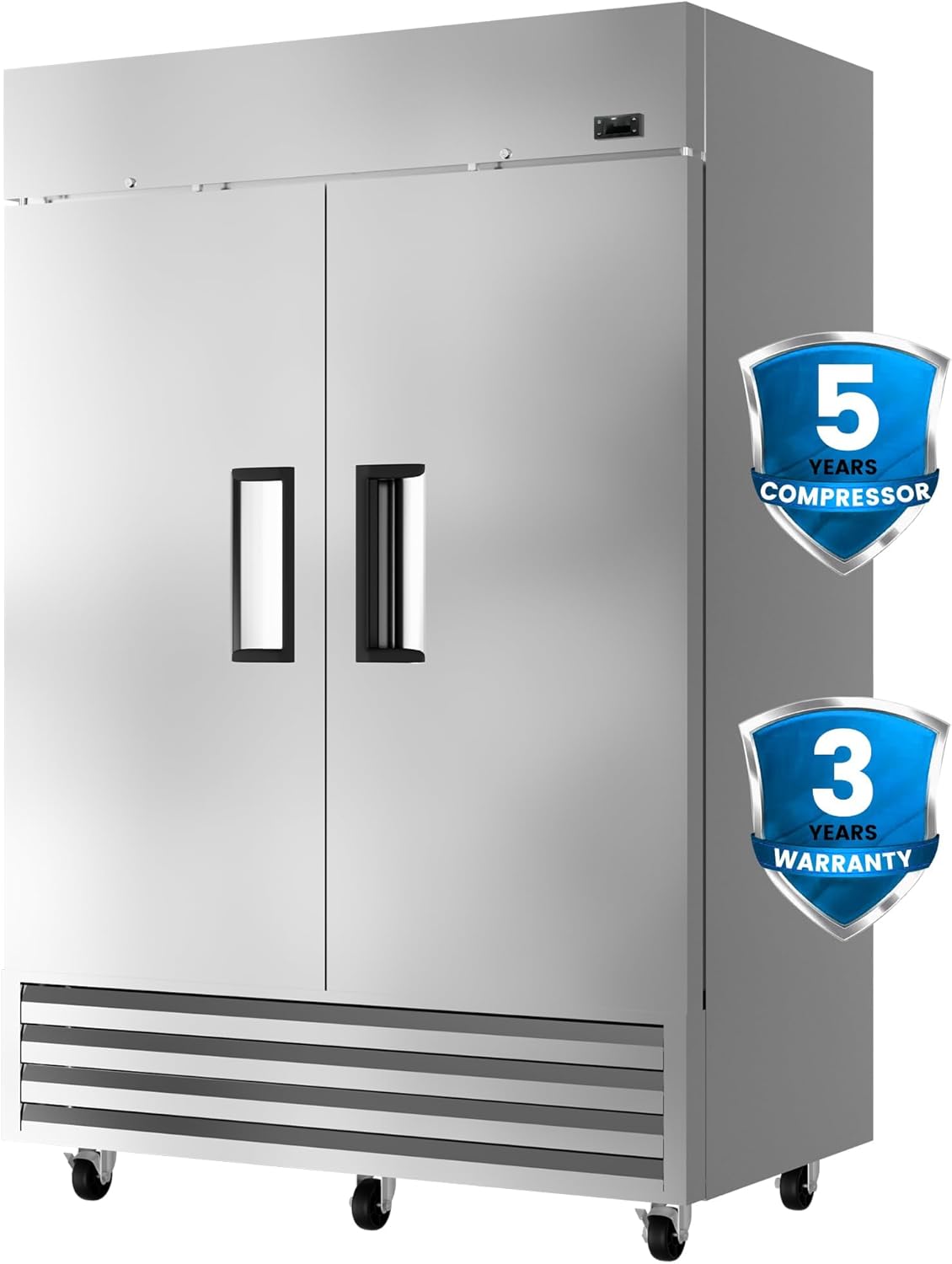
Image 1.1: KICHKING 54"W 2 Door Commercial Freezer. This image displays the full exterior of the stainless steel commercial freezer, highlighting its robust construction and dual-door design. Warranty badges for 5-year compressor and 3-year unit warranty are visible.
2. Safety Information
Always adhere to the following safety precautions to prevent injury or damage to the unit.
- Ensure the freezer is connected to a grounded power outlet with the correct voltage and amperage.
- Do not store flammable or explosive materials inside the freezer.
- Keep ventilation openings clear of obstruction.
- Do not attempt to repair or modify the unit yourself. Contact qualified service personnel.
- Unplug the unit before cleaning or performing any maintenance.
- This appliance is not intended for use by persons (including children) with reduced physical, sensory or mental capabilities, or lack of experience and knowledge, unless they have been given supervision or instruction concerning use of the appliance by a person responsible for their safety.
3. Setup and Installation
3.1 Unpacking and Placement
- Remove all packaging materials, including tape and protective films.
- Inspect the freezer for any shipping damage. Report any damage immediately to the carrier and supplier.
- Place the freezer on a flat, stable surface capable of supporting its weight when fully loaded.
- Ensure adequate clearance around the unit for proper ventilation. Maintain at least 6 inches (15 cm) of space from walls and other appliances.
- Allow the freezer to stand upright for at least 24 hours before plugging it in to allow refrigerants to settle.
3.2 Shelf Installation
The freezer comes with 6 adjustable shelves. Proper shelf placement is crucial for optimal air circulation and cooling performance.
- Ensure the shelf buckles are securely stuck into the second row of grilles.
- Maintain sufficient distance between the shelf and the back of the machine to allow for proper airflow.
- Avoid placing items directly against the rear wall or obstructing the internal vents.

Image 3.1: Correct Shelf Placement. This diagram illustrates the proper way to install shelves to ensure optimal air circulation within the freezer, preventing obstruction of vents.
3.3 Wheel Installation and Stabilization
The freezer is equipped with 6 pre-installed wheels for easy mobility. The front two wheels feature heavy-duty swivel castors with brakes for stability.
- Once the freezer is in its desired location, engage the brakes on the front two wheels to prevent accidental movement.
- Ensure the freezer is level to ensure proper door sealing and efficient operation.
4. Operating Instructions
4.1 Initial Startup
- After allowing the unit to stand for 24 hours, plug the freezer into a dedicated, grounded electrical outlet.
- The digital display will illuminate, showing the current internal temperature.
- Allow the freezer to reach its set temperature before loading it with products. This may take several hours.
4.2 Temperature Control (OmniSmart Thermostat)
The KICHKING commercial freezer features an OmniSmart thermostat, designed to automatically find the most efficient temperature control solution based on internal and external conditions. The temperature range is -10℉ to 10℉ (-23℃ to -12℃).
- Digital Display: The current temperature is shown on the digital display.
- Setting Temperature: Use the control buttons on the digital display to adjust the desired temperature. Refer to the specific thermostat model's instructions for detailed programming.
- Dynamic Cooling System: The 3rd generation dynamic cooling system ensures continuous circulation and even distribution of cold air, maintaining consistent temperatures and preserving food freshness.


Image 4.1: OmniSmart Thermostat and Controls. These images show the digital display for temperature monitoring and adjustment, along with the main power switch.
4.3 Loading the Freezer
- Do not overload the freezer. Ensure there is enough space for air to circulate around items.
- Distribute weight evenly across shelves. Each shelf can support up to 180 lbs.
- Utilize the built-in LED lighting to easily see and access stored items.

Image 4.2: Spacious Interior. This image highlights the large 49 cubic feet capacity of the freezer, demonstrating its ability to store a significant volume of various food items.
5. Maintenance
5.1 Cleaning
- Regularly clean the interior and exterior of the freezer with a mild detergent and warm water.
- Wipe down stainless steel surfaces with a soft cloth to prevent streaks.
- Clean the condenser coils periodically (every 3-6 months) to ensure efficient operation. Unplug the unit before cleaning coils.
- Ensure the door gaskets are clean and free of debris to maintain a tight seal.
5.2 Auto Defrost System
The KICHKING commercial freezer features an automatic defrost system, eliminating the need for manual defrosting. This system prevents frost buildup, helping to retain food flavor and nutrients.
Image 5.1: Auto Defrost Function. This image visually represents the benefit of the auto-defrost system by showing a freezer interior free of frost buildup.
6. Troubleshooting
| Problem | Possible Cause | Solution |
|---|---|---|
| Freezer not cooling |
|
|
| Excessive noise |
|
|
| Frost buildup (despite auto-defrost) |
|
|
If the problem persists after attempting these solutions, please contact KICHKING customer support.
7. Specifications
| Feature | Detail |
|---|---|
| Brand | KICHKING |
| Model Name | DLW54BF |
| Capacity | 49 Cubic Feet |
| Product Dimensions (D x W x H) | 29.1 x 54.1 x 83.1 inches |
| Item Weight | 273 pounds |
| Temperature Range | -10℉ to 10℉ (-23℃ to -12℃) |
| Installation Type | Freestanding |
| Door Material Type | Stainless Steel |
| Number of Shelves | 6 |
| Refrigerant | R290a Propane |
| Certification | ETL, DOE compliant |
| Included Components | Hose (Note: This might be a generic component listed, actual product may not include a hose for a freezer) |

Image 7.1: Model Comparison and Quality Certification. This image provides a detailed table of specifications for various KICHKING models, including the DLW54BF, and illustrates the product dimensions.
8. Warranty and Support
KICHKING stands behind the quality of its products. This commercial freezer comes with the following warranty:
- 3 Years: Full unit warranty.
- 5 Years: Compressor warranty.
For any questions, technical assistance, or warranty claims, please contact KICHKING's professional telephone support team. They aim to respond within 24 hours.
Visit the official KICHKING store for more information: KICHKING Store
Ask a question about this manual
Ask about setup, troubleshooting, compatibility, parts, safety, or missing instructions. Manuals+ will review the question and use this page’s manual context to help answer it.