
UYIKOO PBCH8
UYIKOO PBCH8 Mini Hidden Camera Power Bank User Manual
Model: PBCH8
Product Overview
The UYIKOO PBCH8 is a versatile 2-in-1 device, functioning as both a 1080P HD mini hidden camera and a 5000mAh power bank. Designed for discreet surveillance and portable power, it features long recording duration, motion detection, and night vision capabilities, all within a compact, pocket-sized form factor.

Image: The UYIKOO PBCH8 device, highlighting its hidden camera lens and power bank functionality. It is a sleek black rectangular device with "H8" printed on it.
Key Features
- One-Button Operation: Simple to use with no Wi-Fi or app required. Records directly to a Micro SD card (not included).
- Extended Recording: Built-in 5000mAh battery provides up to 20 hours of continuous video recording.
- 1080P HD Video: Captures high-resolution 1080P video for clear footage.
- Gravity Sensor: Ensures videos are always recorded in the correct orientation, regardless of how the device is positioned.
- Motion Detection: Automatically starts recording when motion is detected, conserving memory.
- Night Vision: Equipped with 2 infrared lights for clear recording up to 2 meters in low-light or dark conditions.
- Portable Design: Ultra-thin and pocket-sized (12 x 6 x 1 cm, 240g), making it easy to carry for various uses.
- Dual Functionality: Serves as both a hidden camera and a portable power bank for charging other devices.
Package Contents
Please check the package for the following items:
- UYIKOO PBCH8 Mini Hidden Camera Power Bank
- Micro USB Charging Cable
- USB Data Reader
- SIM Ejector Tool (for accessing card slot)
- User Manual

Image: Illustration showing the compact size of the device compared to a smartphone, along with the included accessories: Micro USB cable, USB data reader, and a SIM ejector tool.
Setup Guide
1. Charging the Device
Before first use, fully charge the UYIKOO PBCH8. Connect the provided Micro USB cable to the charging port (Port 2) on the device and plug the other end into a USB power adapter or computer USB port. The charging indicator light will show the charging status.

Image: The UYIKOO PBCH8 connected via Micro USB cable, demonstrating its ability to charge other electronic devices like smartphones and earbuds, while also being charged itself.
2. Inserting a Micro SD Card
The device requires a Micro SD card (up to 128GB, not included) to store recordings. Locate the Micro SD card slot on the device. Gently insert the Micro SD card into the slot until it clicks into place. Ensure the card is inserted correctly to avoid damage.
Note: A Micro SD card is essential for recording. The device will not record without one.
Operating Instructions
1. Power On/Off
To power on the device, press and hold the power button for a few seconds until the indicator light illuminates. To power off, press and hold the power button again until the light turns off.
2. Video Recording
The UYIKOO PBCH8 features simple one-button recording. Once powered on, press the main button once to start recording. The indicator light will change to confirm recording has begun. Press the button again to stop recording and save the file.
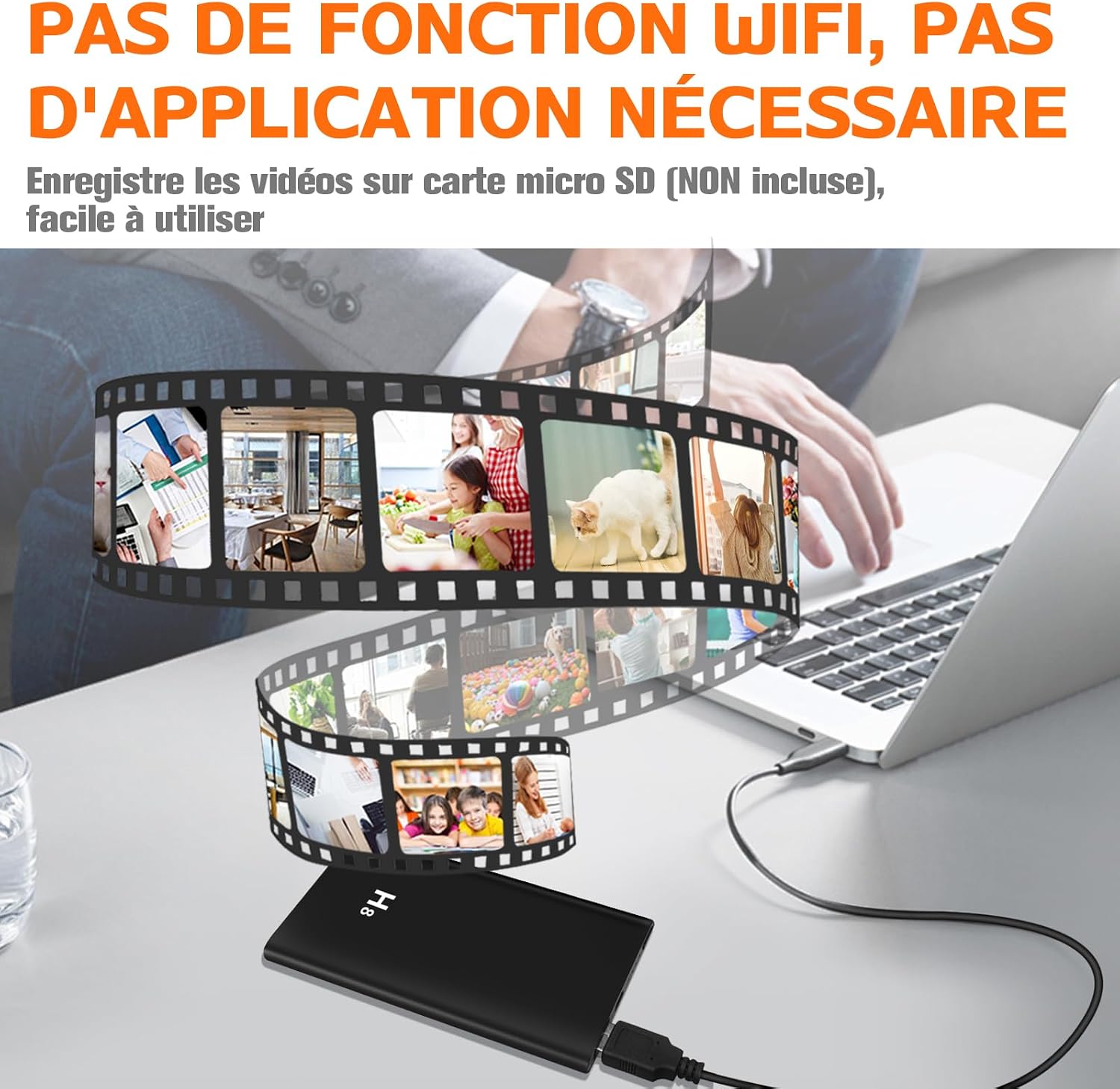
Image: Illustrates the simplicity of use, showing the device connected to a laptop with a visual representation of video files being saved to a Micro SD card, emphasizing no Wi-Fi or app is needed.

Image: A visual representation of the device's long battery life, showing it continuously recording for over 20 hours, with a battery icon indicating full charge.
3. Motion Detection Mode
To activate motion detection recording, refer to the specific button sequence in your included physical manual (as this is a one-button device, specific modes are usually toggled by multiple presses or long presses). In motion detection mode, the camera will only record when movement is detected, saving battery life and storage space.

Image: A split image demonstrating motion detection (top, showing a person breaking in during daytime) and night vision (bottom, showing a sleeping child in a dark room), indicating the camera's ability to record in various lighting conditions.
4. Night Vision
The device automatically activates night vision in low-light conditions. Its two infrared lights allow for clear recording up to 2 meters in complete darkness.
5. Gravity Sensor Function
The integrated gravity sensor ensures that your video recordings are always oriented correctly, whether the device is placed horizontally, vertically, or at an angle. You do not need to manually adjust the orientation.

Image: Illustrates the gravity sensor feature, showing the device in different orientations (flat, upright) and how the video output remains correctly oriented, preventing upside-down recordings.
6. Accessing Recordings (Two Ways to Read Files)
To view your recorded videos, you have two options:
- Direct Connection: Connect the device to your computer using the provided Micro USB cable. The device should appear as a removable disk, allowing you to access the video files stored on the Micro SD card. Use Port 1 for data transmission.
- Using a Card Reader: Remove the Micro SD card from the device and insert it into a Micro SD card reader (like the one provided) connected to your computer. This allows direct access to the files.

Image: Explains the two different ports on the device (Port 1 for data transmission only, Port 2 for Micro USB charging only) and demonstrates two methods for accessing recorded files: direct connection to a laptop or using a separate USB card reader.
Maintenance
- Cleaning: Use a soft, dry cloth to clean the device. Do not use liquid cleaners or solvents.
- Storage: Store the device in a cool, dry place away from direct sunlight and extreme temperatures.
- Battery Care: To prolong battery life, avoid fully discharging the battery frequently. Charge the device regularly, even if not in use, to maintain battery health.
- Micro SD Card: Periodically format the Micro SD card to ensure optimal performance and prevent data corruption. Back up important recordings before formatting.
Troubleshooting
| Problem | Possible Cause | Solution |
|---|---|---|
| Device not turning on. | Low battery. | Charge the device fully. |
| Cannot record video. | No Micro SD card inserted or card is full/corrupted. | Insert a Micro SD card. Check available space. Format or replace the card if corrupted. |
| Poor video quality. | Insufficient lighting; dirty lens. | Ensure adequate lighting or use night vision. Clean the camera lens gently. |
| Device not recognized by computer. | Incorrect USB port used; faulty cable; driver issue. | Ensure you are using Port 1 for data transfer. Try a different USB port or cable. Restart computer. |
| Motion detection not working. | Mode not activated; insufficient motion. | Ensure motion detection mode is correctly activated. Test in an area with clear motion. |
Specifications
- Model: PBCH8
- Brand: UYIKOO
- Video Resolution: 1080p
- Battery Capacity: 5000mAh
- Battery Type: Lithium-polymer
- Continuous Recording Time: Up to 20 hours
- Storage: Supports Micro SD card up to 128GB (card not included)
- Night Vision Range: 2 meters
- Dimensions (L x W x H): 12 x 6 x 1 cm (4.72 x 2.36 x 0.39 inches)
- Weight: 240 grams (0.53 lbs)
- Connectivity: Wired (USB for data/charging), No Wi-Fi function
- Features: Gravity Sensor, Motion Detection, Night Vision
Warranty and Support
Specific warranty information and direct support contact details are not provided in this manual. Please refer to the product packaging or the seller's website for warranty terms and customer support options.
Related Documents - PBCH8
 |
UYIKOO Glasses Camera Instructions - User Manual Comprehensive user manual for the UYIKOO Glasses Camera, providing setup, operation, safety instructions, and troubleshooting for this 1080P HD wearable spy camera. |
 |
H01 Camera User Manual and Power Bank Guide This manual provides instructions for the H01 Camera, covering its features, operation, charging, and reset procedures. It also details its functionality as a power bank. |
 |
UYIKOO Mini Action Cam: User Manual and Operating Instructions Comprehensive guide to operating the UYIKOO Mini Action Cam, covering power, recording, photography, file viewing, charging, and safety precautions for this 1080P HD sports camera. |
 |
UYIKOO 4K Mini Action Camera: WiFi, 120° Sports Camera for Motorcycles & Bikes Explore the UYIKOO 4K Mini Action Camera, a versatile WiFi-enabled sports camera with a 120° wide-angle lens, perfect for motorcycle, bike, and helmet recording. Features include 4K video and robust connectivity. |
 |
Famue L28 Digital Voice Recorder User Manual Comprehensive user manual for the Famue L28 Digital Voice Recorder, detailing its features, operation, charging instructions, specifications, and important precautions. Learn how to maximize your recording experience. |
 |
PoweREC Voice Recorder User Manual - Atto Digital User manual for the Atto Digital PoweREC Voice Recorder, covering setup, recording modes, playback, charging, power bank functionality, and troubleshooting. Features 64GB storage and a 5000mAh battery. |
Ask a question about this manual
Ask about setup, troubleshooting, compatibility, parts, safety, or missing instructions. Manuals+ will review the question and use this page’s manual context to help answer it.