
1. Safety Information
WARNING: CHOKING HAZARD – Small parts may be generated. Not for children under 3 years.
Please ensure all small parts are kept away from young children to prevent choking. Adult supervision is recommended during play.
2. Product Overview
The STAR WARS Epic World of Action Clone Captain Rex Mech Force Suit set includes a 4-inch (10 cm) Captain Rex action figure, a 6.5-inch (16.5 cm) Mech Force Suit, and two repositionable blaster accessories. This set allows for dynamic play scenarios where Captain Rex can pilot his armored mech suit.

Image 2.1: The complete set, showing the 6.5-inch Mech Force Suit, the 4-inch Captain Rex figure, and two blaster accessories.
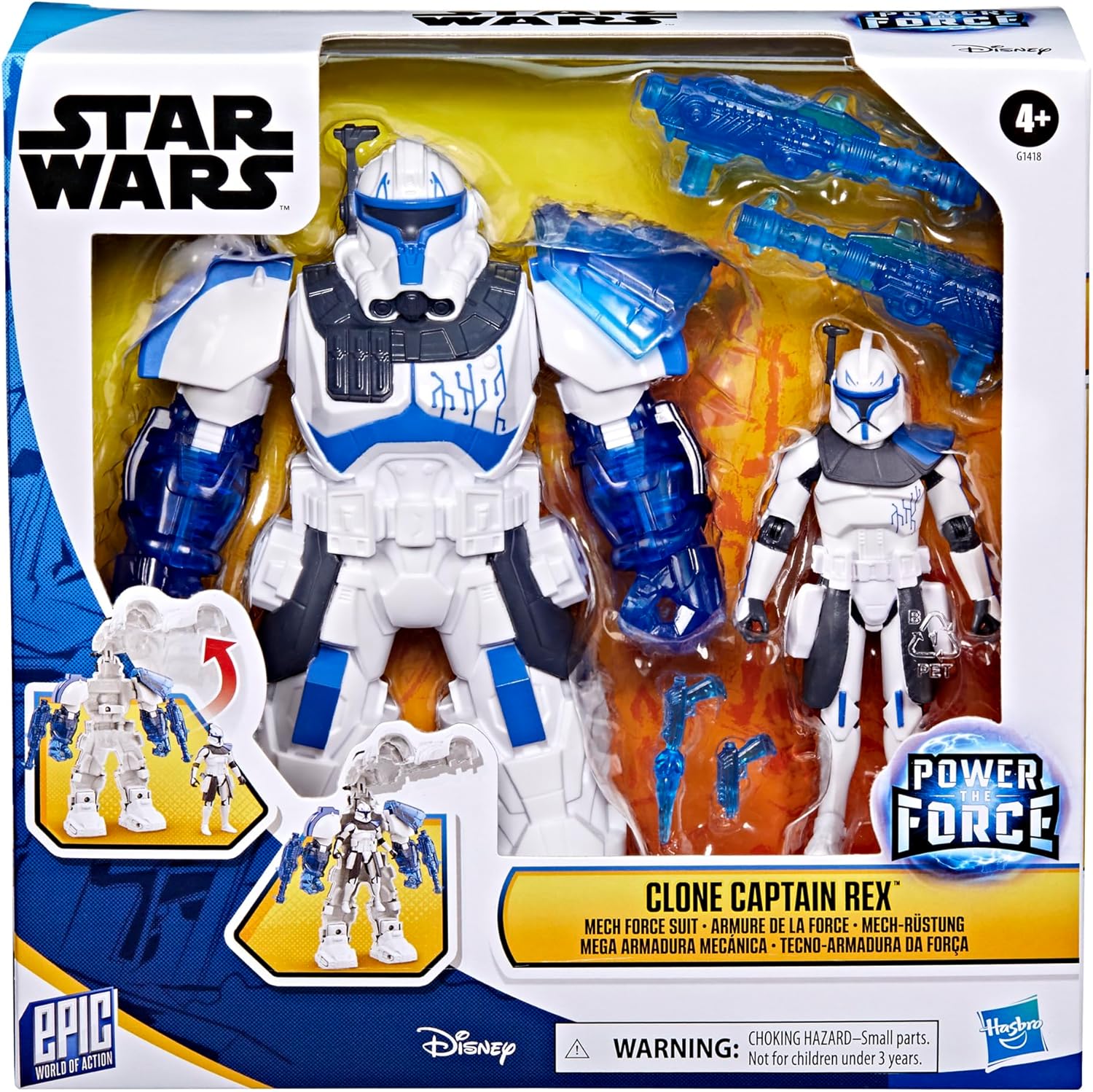
Image 2.2: Product packaging displaying the Mech Force Suit and Captain Rex figure.
Contents:
- 1 x Clone Captain Rex Action Figure (4-inch scale)
- 1 x Mech Force Suit (6.5-inch scale)
- 2 x Blaster Accessories
3. Setup and Assembly
3.1 Placing Captain Rex in the Mech Suit
- Open the Mech Force Suit: Gently pull apart the two halves of the mech suit from the feet upwards. The top section of the suit will hinge open.
- Position Captain Rex: Carefully place the 4-inch Captain Rex action figure inside the open mech suit. Ensure the figure's feet align with the foot pegs inside the suit.
- Close the Mech Suit: Bring the two halves of the mech suit together, ensuring Captain Rex is securely seated inside. Press firmly until the suit clicks into place.

Image 3.1: The Mech Force Suit opened, showing the placement of the Captain Rex figure inside.

Image 3.2: An alternative view of the Mech Force Suit opened with the Captain Rex figure positioned for closure.
3.2 Attaching Blaster Accessories
The two included blaster accessories can be attached to various points on the Mech Force Suit for enhanced play. These points include the shoulder, arms, hands, and legs of the suit.
- Identify Attachment Points: Locate the small pegs and holes on the blasters and the corresponding slots on the mech suit.
- Secure Blasters: Gently push the blaster pegs into the desired attachment slots on the mech suit until they are firmly in place.
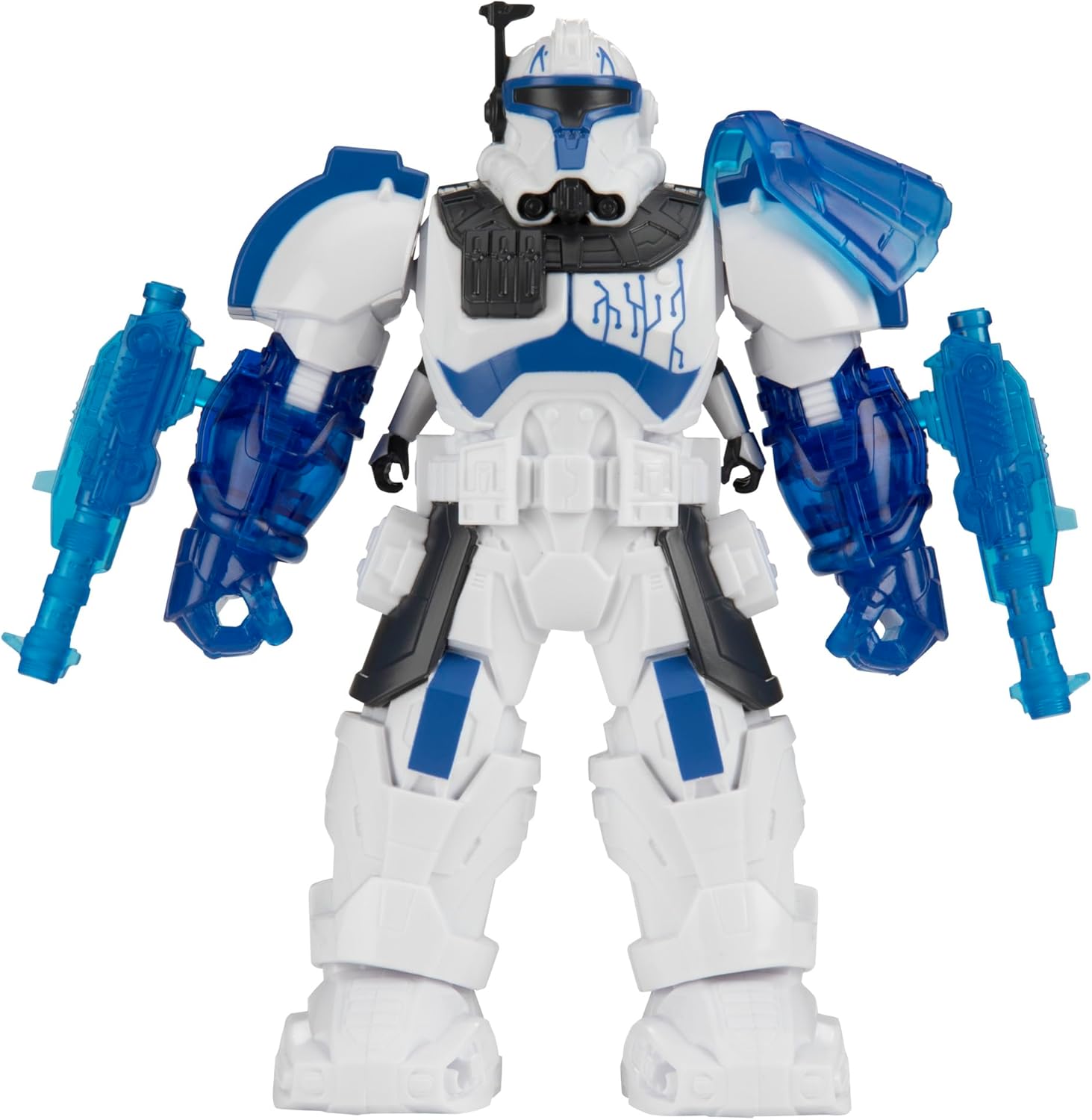
Image 3.3: The Mech Force Suit fully assembled with Captain Rex inside and blasters attached to the arms.
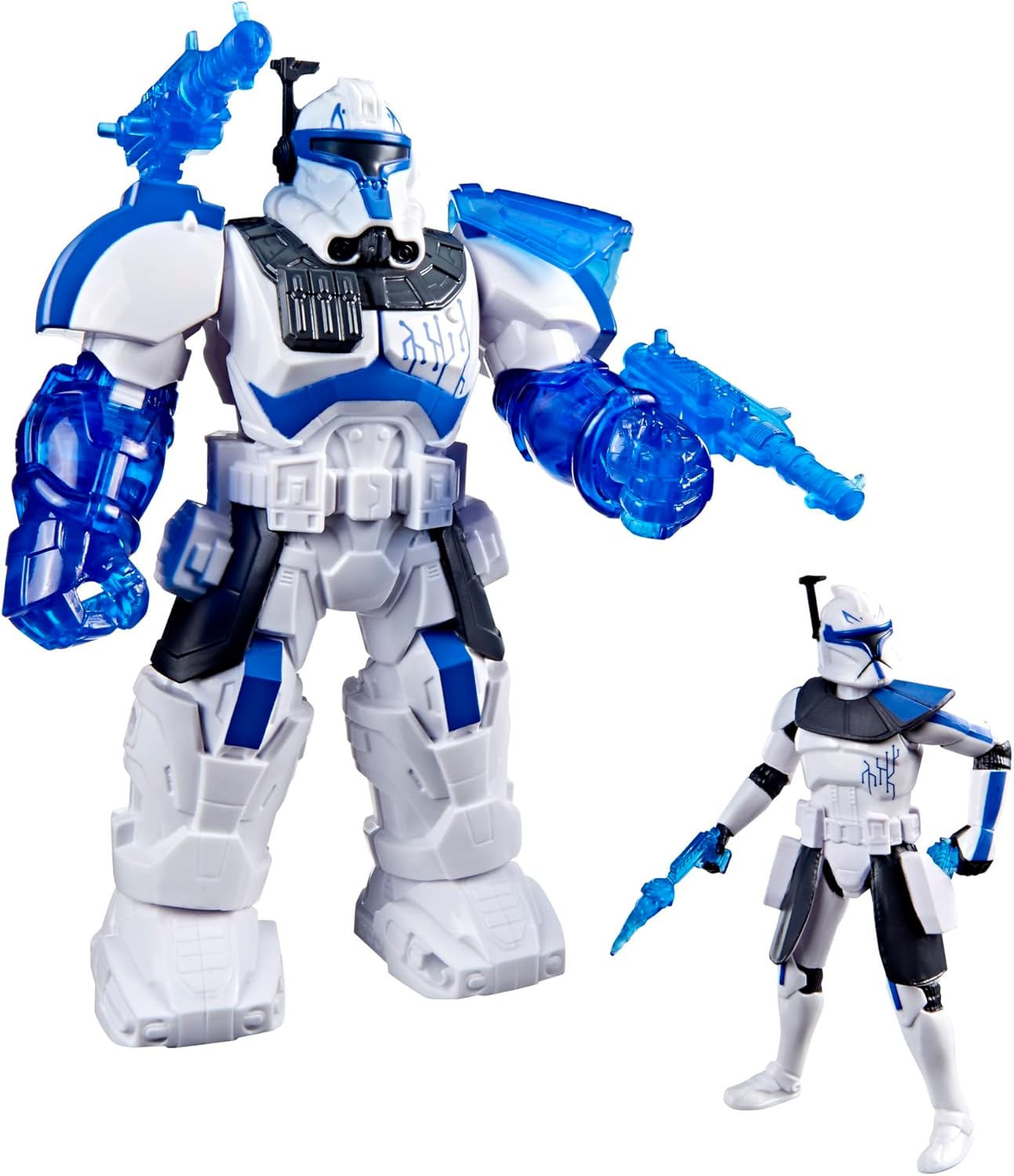
Image 3.4: The Mech Force Suit and Captain Rex figure posed dynamically with blasters.
4. Operating and Play
Once assembled, the Mech Force Suit and Captain Rex figure are ready for imaginative play. The Captain Rex figure features articulation for various poses, and the mech suit provides an armored shell for enhanced action.
4.1 Figure Articulation
The 4-inch Captain Rex figure has multiple points of articulation, allowing for a range of poses both inside and outside the mech suit. This enables users to recreate scenes or invent new adventures.

Image 4.1: The Captain Rex figure holding blasters, demonstrating articulation.

Image 4.2: A close-up view of the Captain Rex figure, highlighting its design details.
4.2 Mech Suit Features
- Protective Shell: The mech suit provides a larger, armored form for Captain Rex.
- Blaster Integration: The translucent blue blasters can be attached to various points on the mech suit, allowing for customizable weapon configurations.
- Compatibility: This set is designed to be compatible with most accessories, vehicles, and figures within Hasbro's Epic World of Action line (sold separately).
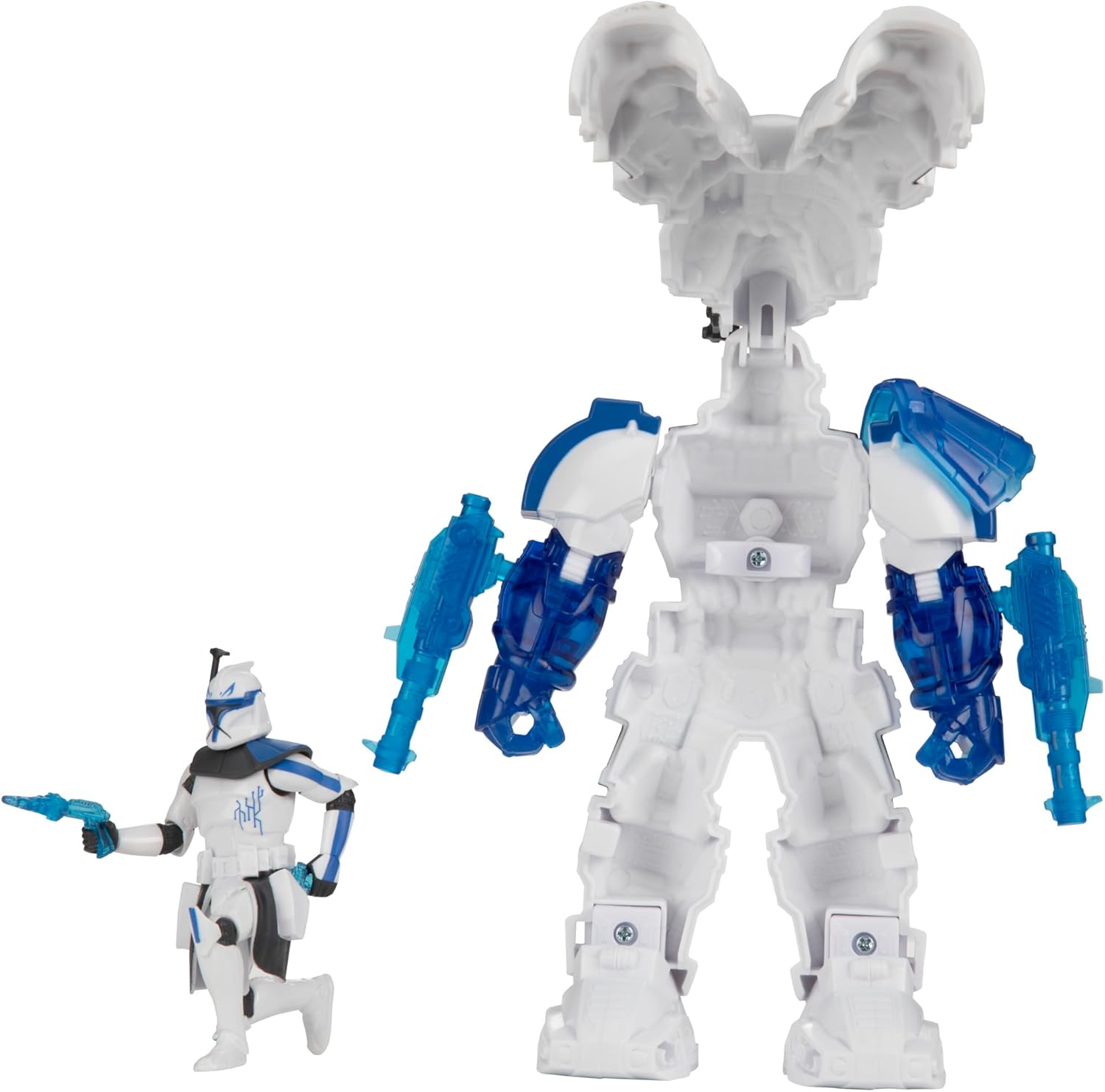
Image 4.3: Rear view of the Mech Force Suit and Captain Rex figure, showing design details.

Image 4.4: Another rear view of the Mech Force Suit and Captain Rex figure.
5. Maintenance
To ensure the longevity of your STAR WARS Epic World of Action Clone Captain Rex Mech Force Suit, follow these simple maintenance guidelines:
- Cleaning: Wipe the figures and mech suit with a soft, damp cloth. Avoid using harsh chemicals or abrasive cleaners, as these may damage the paint or plastic.
- Storage: Store the toy in a cool, dry place away from direct sunlight to prevent discoloration or warping.
- Handling: Handle all parts with care, especially articulated joints and small accessories, to prevent breakage.
6. Troubleshooting
If you encounter any issues with your product, please refer to the following common troubleshooting tips:
- Figure Not Fitting in Mech Suit: Ensure the mech suit is fully open and Captain Rex's limbs are positioned correctly to align with the internal structure before attempting to close the suit. Do not force the suit closed.
- Blasters Not Attaching: Verify that the pegs on the blasters are correctly aligned with the slots on the mech suit. Apply gentle, even pressure. If a peg is bent, carefully try to straighten it.
- Loose Joints: Over time, articulated joints may become slightly loose. This is normal with play. If a joint becomes excessively loose, contact customer support.
7. Specifications
| Feature | Detail |
|---|---|
| Product Dimensions | 7.99 x 2.52 x 8.86 inches |
| Item Weight | 11.1 ounces |
| Item Model Number | G1418 |
| Manufacturer Recommended Age | 4 years and up |
| Release Date | July 2, 2025 |
| Manufacturer | Hasbro |
8. Warranty and Support
For warranty information or product support, please contact Hasbro customer service directly. Details can typically be found on the product packaging or on the official Hasbro website.
You can also visit the official STAR WARS store for more information and products: STAR WARS Store