
1. Introduction
Welcome to the user manual for your BECAMSO T1-DF 2K Wireless Outdoor Battery Security Camera. This guide provides essential information for setting up, operating, and maintaining your security camera to ensure optimal performance and reliable home surveillance. Please read this manual thoroughly before using the product.
2. Product Overview
2.1 Key Features
- 2K Resolution: Captures clear and detailed video footage.
- Wireless & Battery Powered: Operates without power cables, featuring a 5200mAh rechargeable battery for extended use (30-60 days based on activity).
- PIR Motion Detection: Advanced sensor identifies human, pet, and vehicle movement, reducing false alarms.
- Color Night Vision: Provides clear, full-color video even in low-light conditions.
- Two-Way Audio: Allows for real-time communication through the camera.
- IP66 Weatherproof: Designed to withstand various outdoor weather conditions.
- Multi-Alarms: Includes voice warnings, flashlight warnings, and app push notifications.
- Cloud Storage: Supports cloud storage for recorded events (SD card not supported for this model).
2.2 Package Contents
Ensure all items are present in the package:
- BECAMSO T1-DF Security Camera
- Mounting Bracket
- USB Charging Cable
- Mounting Screws and Wall Anchors
- User Manual

Image: BECAMSO T1-DF 2K Wireless Outdoor Battery Security Camera with smartphone view.

Image: Contents of the BECAMSO T1-DF package, including the camera, mounting hardware, and charging cable.
3. Setup Instructions
3.1 Initial Charging
Before first use, fully charge the camera's built-in 5200mAh battery using the provided USB charging cable. Connect the cable to the camera's charging port and a standard USB power adapter (not included). The charging indicator light will show the charging status.
3.2 App Installation
Download and install the 'CloudPlus' application on your smartphone. The app is available on both iOS and Android app stores. Search for 'CloudPlus' and follow the on-screen instructions to complete the installation.
3.3 Camera Pairing
- Open the 'CloudPlus' app and create an account or log in.
- Tap the '+' icon to add a new device.
- Select your camera model from the list.
- Follow the in-app instructions to connect the camera to your 2.4GHz Wi-Fi network. Ensure your camera is close to your Wi-Fi router during the pairing process.
- Once connected, you can name your camera and begin live viewing.
3.4 Physical Installation
The BECAMSO T1-DF camera is designed for flexible indoor and outdoor placement. Use the included mounting bracket, screws, and wall anchors to secure the camera in your desired location. The adjustable mount allows for precise positioning to cover your surveillance area effectively.
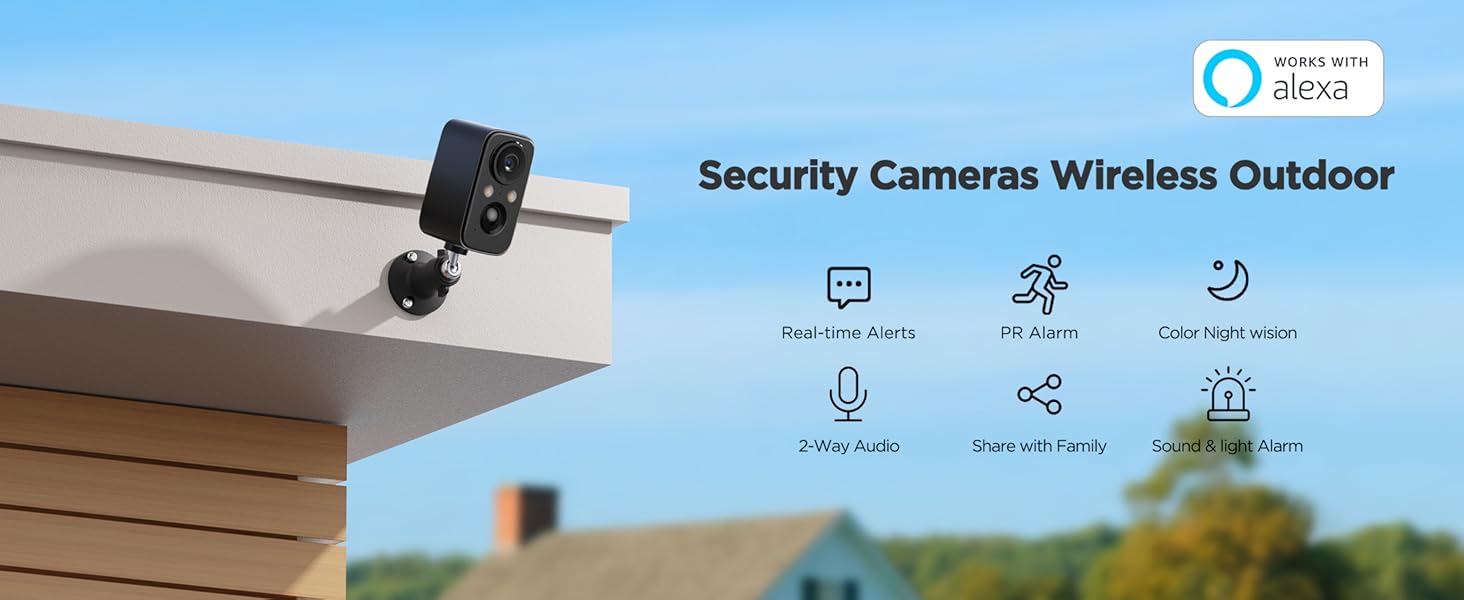
Image: Illustrates the wireless design of the camera, allowing installation anywhere without power constraints.

Image: Shows various installation locations for the camera, highlighting its flexible monitoring capabilities.

Image: Demonstrates the camera's IP66 weatherproof design, suitable for various outdoor conditions including rain and snow.
4. Operating Instructions
4.1 Live View
Access real-time video footage from your camera through the 'CloudPlus' app. Simply select your camera from the device list to start live streaming.
4.2 Two-Way Audio
To communicate through the camera, tap the microphone icon in the live view interface of the app. Hold the button to speak, and release to listen. This feature allows you to interact with visitors or deter unwanted guests.

Image: A person speaking through the camera to a delivery person, illustrating the two-way audio feature.
4.3 Motion Detection & Alerts
The camera utilizes a PIR (Passive Infrared) motion sensor to detect movement. When motion is detected, the camera will send a real-time notification to your smartphone and record a short video clip to cloud storage. You can adjust motion detection sensitivity and set alarm plans within the app.

Image: A smartphone displaying a motion detection alert from the camera, with a person in the background.
Video: Demonstrates the PIR Human Detection feature, showing the camera identifying human movement.
Video: Shows the security camera recording passing vehicles, highlighting its motion detection capabilities for various objects.
4.4 Night Vision
The camera features advanced night vision capabilities, including color night vision, to provide clear images even in complete darkness. This enhances surveillance effectiveness during nighttime hours.

Image: Illustrates the camera's color night vision, showing a person and a dog in a well-lit night scene.
4.5 Light & Siren Alarms
In addition to notifications, the camera can activate a spotlight and a siren upon motion detection to deter intruders. These features can be controlled and configured through the 'CloudPlus' app.
Video: Demonstrates the sound and light alarm features of the camera, showing them activating at night.
4.6 Cloud Storage
This camera model exclusively supports cloud storage for recording and accessing video clips. An SD card is not supported. Review recorded events and manage your cloud subscription through the 'CloudPlus' app.
4.7 Remote Access and Sharing
The 'CloudPlus' app allows you to access your camera feed from anywhere with an internet connection. You can also share access to your camera with family members, enabling multiple users to monitor the property.
Video: Shows the camera monitoring a garden and garage area, demonstrating its utility for property surveillance.
Video: Illustrates the camera's ability to capture movement day and night, showcasing its continuous monitoring.
Video: Demonstrates the camera's use for monitoring pets, showing a pet in a monitored area.
5. Maintenance
5.1 Battery Charging
The camera's 5200mAh battery provides 30-60 days of usage depending on activity levels (e.g., 45 days with 20 daily alarms of 10 seconds each). Recharge the battery when the app indicates a low power level to ensure continuous operation.

Image: Diagram illustrating the internal 5200mAh battery, highlighting its capacity compared to smaller batteries.
5.2 Cleaning
Periodically clean the camera lens and body with a soft, dry cloth to remove dust and debris. Avoid using harsh chemicals or abrasive materials that could damage the camera.
5.3 Firmware Updates
Ensure your camera's firmware is up to date for optimal performance and security. The 'CloudPlus' app will notify you of available updates and guide you through the process.
6. Troubleshooting
- Camera not connecting to Wi-Fi: Ensure your Wi-Fi network is 2.4GHz. Check Wi-Fi signal strength at the camera's location. Restart your router and the camera.
- No motion detection alerts: Verify motion detection is enabled in the app settings. Adjust sensitivity levels. Ensure the camera's view is not obstructed.
- Short battery life: High activity levels (frequent motion detection, live viewing, two-way audio) can reduce battery life. Ensure the camera is fully charged.
- Poor video quality: Check your Wi-Fi connection speed. Ensure the camera lens is clean.
For further assistance, refer to the in-app help section or contact customer support.
7. Specifications
| Model Name | T1-DF |
| Brand | BECAMSO |
| Resolution | 2K (1440p) |
| Power Source | Battery Powered (5200mAh Lithium Polymer) |
| Connectivity | Wi-Fi (2.4GHz) |
| Indoor/Outdoor Usage | Indoor, Outdoor |
| Weatherproof Rating | IP66 |
| Special Features | 2-Way Audio, Night Vision, Portable, Weather Proof |
| Dimensions | 2 x 2 x 4 inches |
| Item Weight | 10.2 ounces (0.29 Kilograms) |
| Controller Type | CloudEdge App |
8. Warranty and Support
For any product-related issues, technical support, or warranty inquiries, please contact BECAMSO customer service. Refer to the contact information provided in your product packaging or on the official BECAMSO website.