
E-Motie HRY-HY8807-04-WH
E-Motie Full Size Bed Frame User Manual
Model: HRY-HY8807-04-WH
1. Introduction
Thank you for choosing the E-Motie Full Size Bed Frame. This bed frame is designed to provide comfort and functionality with its wingback upholstered headboard, integrated LED lighting, and convenient charging station. This manual provides detailed instructions for assembly, operation, and maintenance to ensure optimal use and longevity of your product.
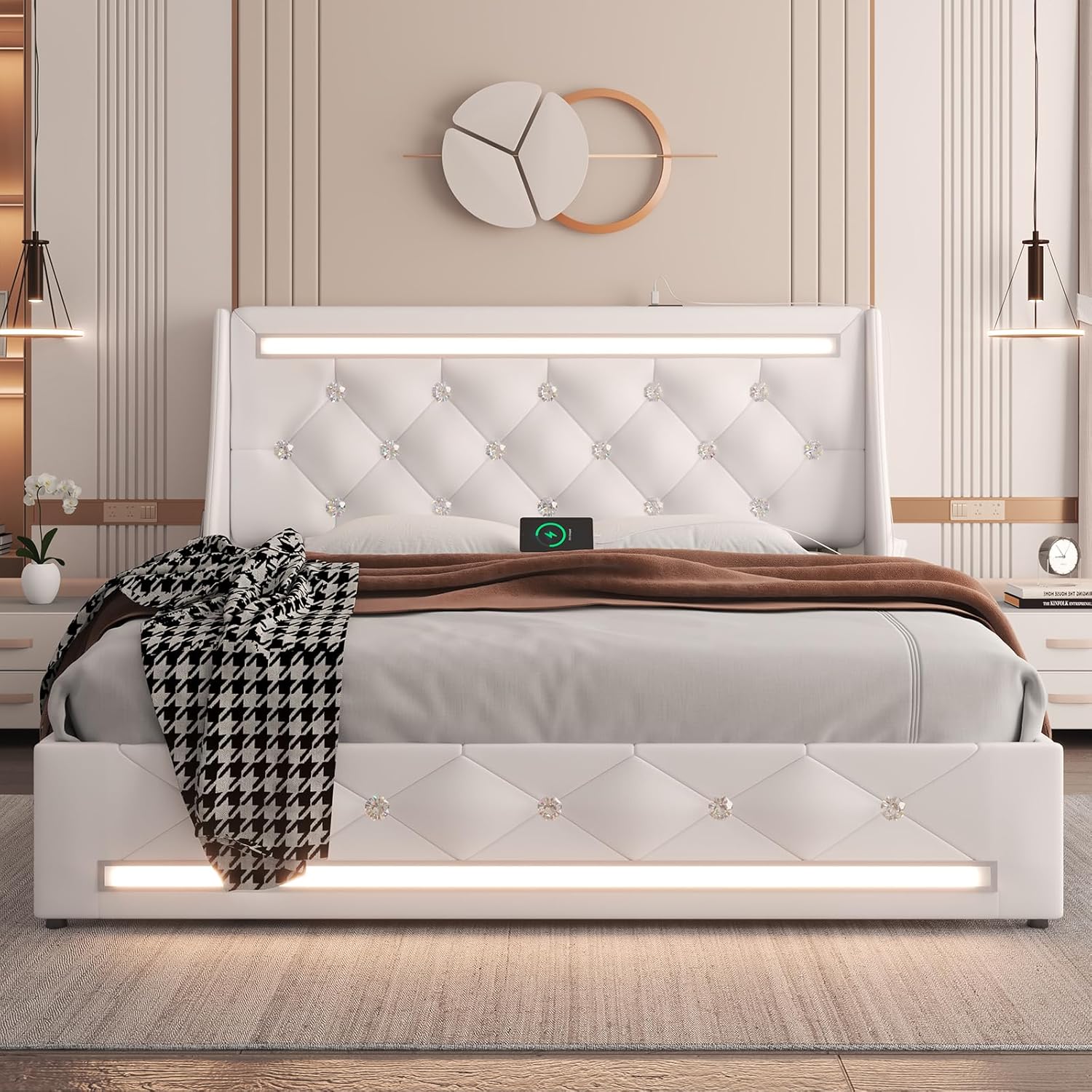
Figure 1: E-Motie Full Size Bed Frame, White. This image displays the complete bed frame with its wingback headboard, LED lights, and a charging station visible on the headboard.
Video 1: E-Motie LED Bed Frame with Charging Station. This video provides a visual overview of the bed frame's features, including the LED lights and integrated charging station.
2. Important Safety Instructions
- Read all instructions carefully before assembly and use.
- Keep all small parts and packaging materials away from children.
- Ensure all connections are secure before using the bed frame.
- Do not exceed the maximum weight limit of 1000 lbs.
- Use only the provided power adapter for the LED lights and charging station.
- Avoid exposing electrical components to moisture.
- Periodically check all bolts and screws to ensure they remain tight.
3. Package Contents
Please verify that all components are present before beginning assembly. Refer to the included parts list in your packaging for specific quantities.
- Headboard (with integrated LED lights and charging station)
- Footboard
- Side Rails
- Solid Wood Slats
- Center Support Legs
- Hardware Pack (screws, bolts, Allen wrench)
- Power Adapter for LED and Charging Station
- Remote Control for LED Lights
- Side Storage Pockets
4. Assembly Instructions
Assembly is designed to be straightforward. It is recommended to have two people for easier installation. All necessary tools are included.
- Unpack Components: Carefully remove all parts from the packaging and lay them out on a clean, soft surface to prevent scratches.
- Attach Side Rails: Connect the side rails to the headboard and footboard using the provided hardware. Ensure all bolts are finger-tight initially.
- Install Center Support: Secure the center support beam and legs to the bed frame.
- Place Slats: Lay the solid wood slats across the frame. The slats feature a Velcro design for quick assembly and to prevent movement. Press firmly to secure the Velcro strips.
- Tighten All Hardware: Once all components are in place, fully tighten all bolts and screws.
- Connect Electrical: Plug in the power adapter for the LED lights and charging station.

Figure 2: Assembly and Construction Details. This image illustrates the easy assembly process, the composite solid construction for durability, and the EVA mute bars for noise-free operation.

Figure 3: Velcro Slat Design. This image highlights the Velcro strips under the wood slats, designed to simplify assembly and prevent slat movement.

Figure 4: Steel and Wood Support System. This image details the robust steel and wood mixed support system, featuring EVA foam for noise reduction, ensuring a quiet sleep environment.
5. Operating Instructions
5.1. LED Lights
The bed frame features built-in RGB LED lights with over 60,000 color adjustments and multiple dynamic modes. Control the lights using the included remote or a mobile application.
- Remote Control: Use the key control to switch colors, adjust brightness, and select dynamic modes.
- Mobile App: Download the dedicated app to your smartphone. Connect via Bluetooth to access advanced controls, including music rhythm synchronization and smart timing functions.
- Functions: The LED lights can serve as a night light, provide reading illumination, or create ambient lighting for various moods.
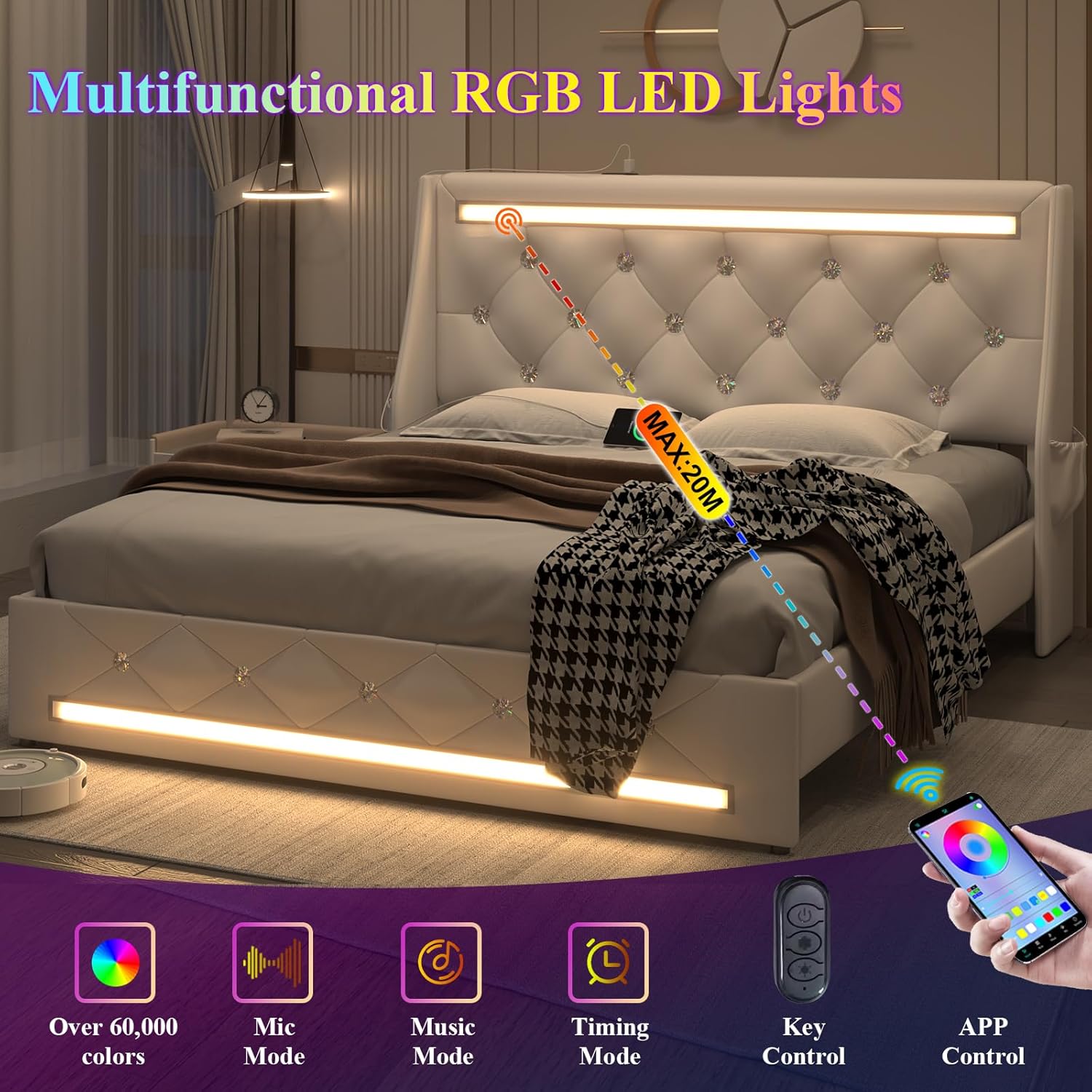
Figure 5: Multifunctional RGB LED Lights. This image demonstrates the RGB LED lights with various control options, including app control, key control, music mode, and timing functions.
5.2. Charging Station
The headboard includes a 4-in-1 charging station for your convenience.
- Ports: The charging station is equipped with 2 USB ports, 1 Type-C port, and 2 AC sockets.
- Usage: Simply plug your devices into the appropriate ports for quick charging.

Figure 6: Integrated Charging Station. This image provides a detailed view of the charging station, showing the USB, Type-C, and AC outlets for convenient device charging.
5.3. Storage Features
The bed frame offers practical storage solutions.
- Under-Bed Space: A 5.9-inch clearance beneath the bed provides space for storage boxes or other items.
- Side Pockets: Large pockets on both sides of the headboard are ideal for storing mobile phones, books, remote controls, and other small items.

Figure 7: Convenient Side Storage Pockets. This image illustrates the practical side pockets integrated into the headboard, perfect for keeping small items like books and remote controls within reach.
6. Maintenance
To maintain the appearance and longevity of your E-Motie bed frame, follow these simple care instructions:
- Cleaning the Upholstery: The faux leather upholstery is easy to clean. For general cleaning, wipe with a damp cloth. For spills, wipe immediately with a dry cloth. Avoid harsh chemicals or abrasive cleaners.
- Dusting: Regularly dust the bed frame with a soft, dry cloth.
- Hardware Check: Periodically inspect all bolts and screws and tighten them if necessary to ensure stability.

Figure 8: Easy-to-Clean PU Leather. This image shows the texture of the PU leather, highlighting its easy-to-clean properties.
7. Troubleshooting
If you encounter any issues with your bed frame, refer to the following common problems and solutions:
- LED Lights Not Working:
- Ensure the power adapter is securely plugged into both the bed frame and a working wall outlet.
- Check the remote control battery.
- Verify that the mobile app is correctly connected via Bluetooth.
- Charging Station Not Functioning:
- Confirm the bed frame's power adapter is connected and receiving power.
- Test with different devices and cables to rule out device-specific issues.
- Squeaking Noise:
- Tighten all assembly bolts and screws.
- Ensure slats are properly seated and the Velcro is secure.
- Verify that the EVA silent strips are correctly positioned between the wood slats and metal frame.
- Mattress Movement:
- The wingback headboard is designed to help prevent mattress movement. Ensure the mattress is properly centered within the frame.
8. Specifications
| Feature | Detail |
|---|---|
| Size | Full |
| Model Number | HRY-HY8807-04-WH |
| Product Dimensions | 79.13"L x 55.91"W x 40.16"H |
| Weight Limit | 1000 Pounds |
| Item Weight | 88.2 Pounds |
| Color | White |
| Upholstery Material | Faux Leather |
| Special Features | Charging Station, Faux Leather, LED Lights, Storage bag, Wingback Headboard |
| Included Components | Charging Station, Footboard, Headboard, LED Lights, Slat |
| Ground To Item Distance | 5.91 Inches |
| Assembly Required | Yes |

Figure 9: Product Dimensions and Weight Capacity. This image provides a visual representation of the bed frame's dimensions and highlights its 1000 lbs weight capacity.

Figure 10: Mattress Matching Style. This image illustrates the recommended mattress height (10-12 inches) for optimal fit and appearance with the bed frame.
9. Warranty and Support
Specific warranty information is typically provided with your purchase documentation. Please refer to the warranty card or contact the retailer for details regarding your product's warranty coverage.
For further assistance, technical support, or to inquire about replacement parts, please contact E-Motie customer service through the contact information provided at the point of purchase or on the official E-Motie website.
Ask a question about this manual
Ask about setup, troubleshooting, compatibility, parts, safety, or missing instructions. Manuals+ will review the question and use this page’s manual context to help answer it.