Introduction
Thank you for choosing the Hihhy H-508 Cordless Handheld Vacuum. This manual provides essential information for the safe and efficient use, maintenance, and troubleshooting of your new vacuum cleaner. Please read it thoroughly before first use and retain it for future reference.
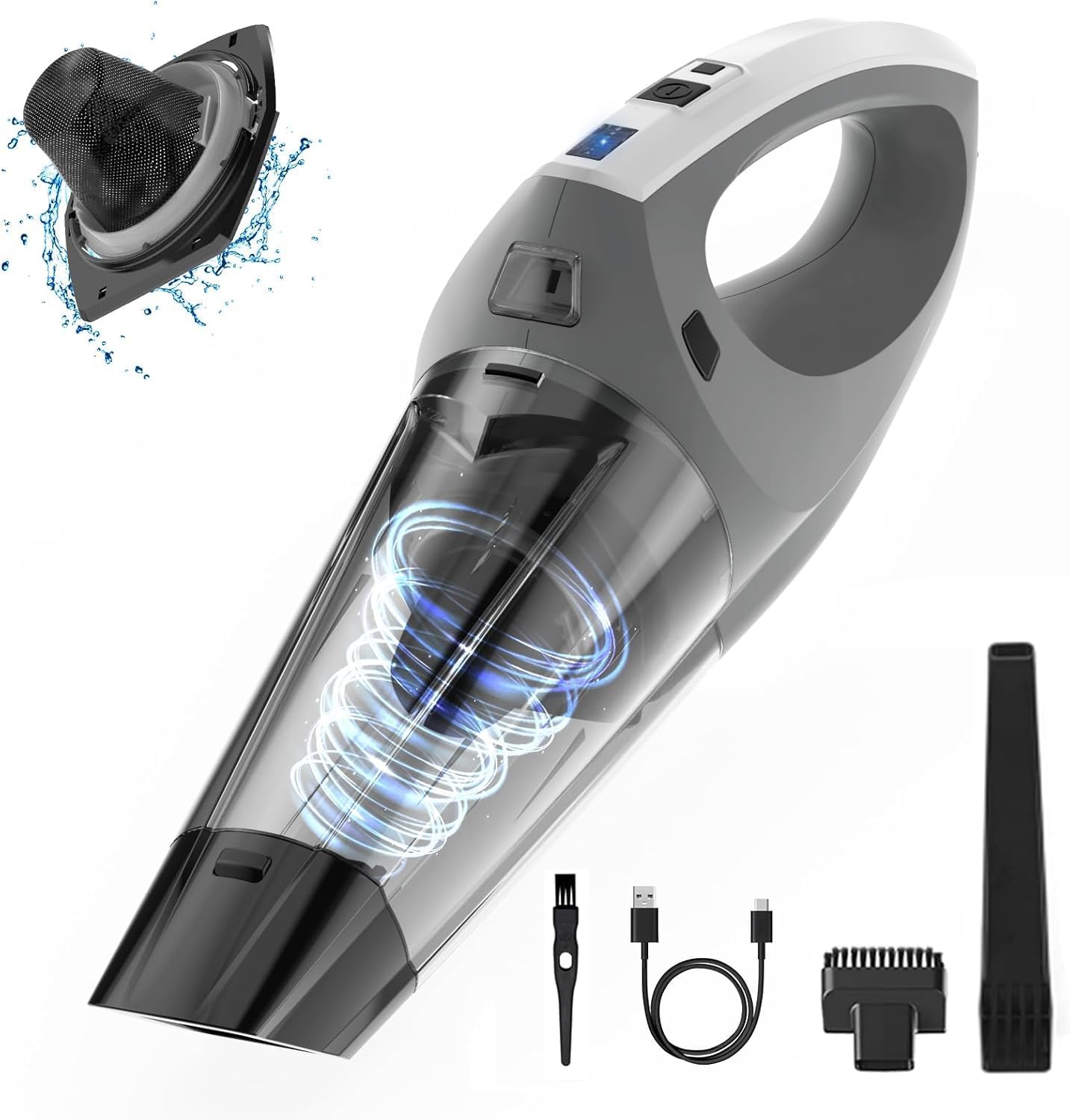
Image: The Hihhy H-508 Cordless Handheld Vacuum, shown with its dust cup, handle, and various attachments including a crevice tool, brush, and USB-C charging cable.
Important Safety Instructions
To reduce the risk of fire, electric shock, or injury, please observe the following safety precautions:
- Read all instructions before using the appliance.
- Do not use outdoors or on wet surfaces.
- Do not allow to be used as a toy. Close attention is necessary when used by or near children.
- Use only as described in this manual. Use only manufacturer's recommended attachments.
- Do not use with damaged cord or plug. If appliance is not working as it should, has been dropped, damaged, left outdoors, or dropped into water, return it to a service center.
- Do not pull or carry by cord, use cord as a handle, close a door on cord, or pull cord around sharp edges or corners. Do not run appliance over cord. Keep cord away from heated surfaces.
- Do not unplug by pulling on cord. To unplug, grasp the plug, not the cord.
- Do not handle plug or appliance with wet hands.
- Do not put any object into openings. Do not use with any opening blocked; keep free of dust, lint, hair, and anything that may reduce airflow.
- Keep hair, loose clothing, fingers, and all parts of body away from openings and moving parts.
- Do not pick up anything that is burning or smoking, such as cigarettes, matches, or hot ashes.
- Do not use to pick up flammable or combustible liquids, such as gasoline, or use in areas where they may be present.
- Do not pick up toxic material (e.g., chlorine bleach, ammonia, drain cleaner).
- Do not use without dust cup and/or filters in place.
- Turn off all controls before unplugging.
- Use extra care when cleaning on stairs.
- Do not charge the unit outdoors.
- Use only the charger specified by the manufacturer.
- Do not incinerate the appliance even if it is severely damaged. Batteries can explode in a fire.
What's in the Box
Upon opening your Hihhy H-508 package, please ensure all components are present:
- 1 x Handheld Vacuum
- 1 x Crevice Nozzle
- 1 x Brush Nozzle (2-in-1)
- 1 x USB-C Charging Cable
- 1 x Cleaning Brush
- 1 x User Manual
- 9 x Extra Replaceable Filters

Image: An exploded view showing the Hihhy H-508 handheld vacuum and all its included accessories: crevice nozzle, brush nozzle, USB-C cable, cleaning brush, user manual, and nine extra filters.
Setup
1. Initial Charging
Before first use, fully charge the vacuum cleaner. Connect the provided USB-C charging cable to the vacuum's charging port and plug the other end into a compatible USB power source (e.g., computer, power bank, wall adapter, car charger). A full charge typically takes 3-4 hours.

Image: The Hihhy H-508 handheld vacuum connected to a wall outlet via its USB-C charging cable, illustrating the charging process. Icons indicate compatibility with computer, power bank, power adapter, and car charger.
2. Filter Assembly
Ensure the filter is correctly installed before operation.
- Secure the filter holder into the dust cup.
- Align the filter housing with the dust cup in the correct direction, then push the filter housing into the dust cup completely.
- Align the slot on the bottom of the dust bowl with the tab on the bottom of the motor housing and twist to secure.

Image: A three-step diagram illustrating how to assemble the filter and dust cup: 1. Secure the filter holder. 2. Align and insert the filter housing into the dust cup. 3. Align and attach the dust cup to the motor housing.
3. Attaching Accessories
Select the appropriate attachment for your cleaning task and firmly attach it to the vacuum's suction inlet.
- Crevice Nozzle: Ideal for reaching tight spaces, corners, and narrow gaps in cars, furniture, and windows.
- Brush Nozzle (2-in-1): Suitable for cleaning upholstery, carpets, pet hair, and delicate surfaces.

Image: The Hihhy H-508 handheld vacuum demonstrating the use of its two-in-one brush head, showing both the crevice nozzle for car mats and the brush attachment for sofa cleaning.
Operating Instructions
1. Powering On/Off
Press the power button located on the handle to turn the vacuum on. Press it again to turn the vacuum off.
2. General Usage
The Hihhy H-508 provides powerful 9000Pa suction for various cleaning tasks. Its lightweight and cordless design allows for easy maneuverability.
- Use the vacuum for quick clean-ups in your car, home, or office.
- The integrated LED light illuminates dark areas, making hidden dirt visible.
- The vacuum is designed for indoor use.

Image: A collage showing the Hihhy H-508 handheld vacuum being used in various settings: cleaning a window track, inside a drawer, under furniture in a living room, and on a sofa.

Image: A close-up of the Hihhy H-508 handheld vacuum actively suctioning dry debris from a hard floor, illustrating its 9000Pa powerful suction.
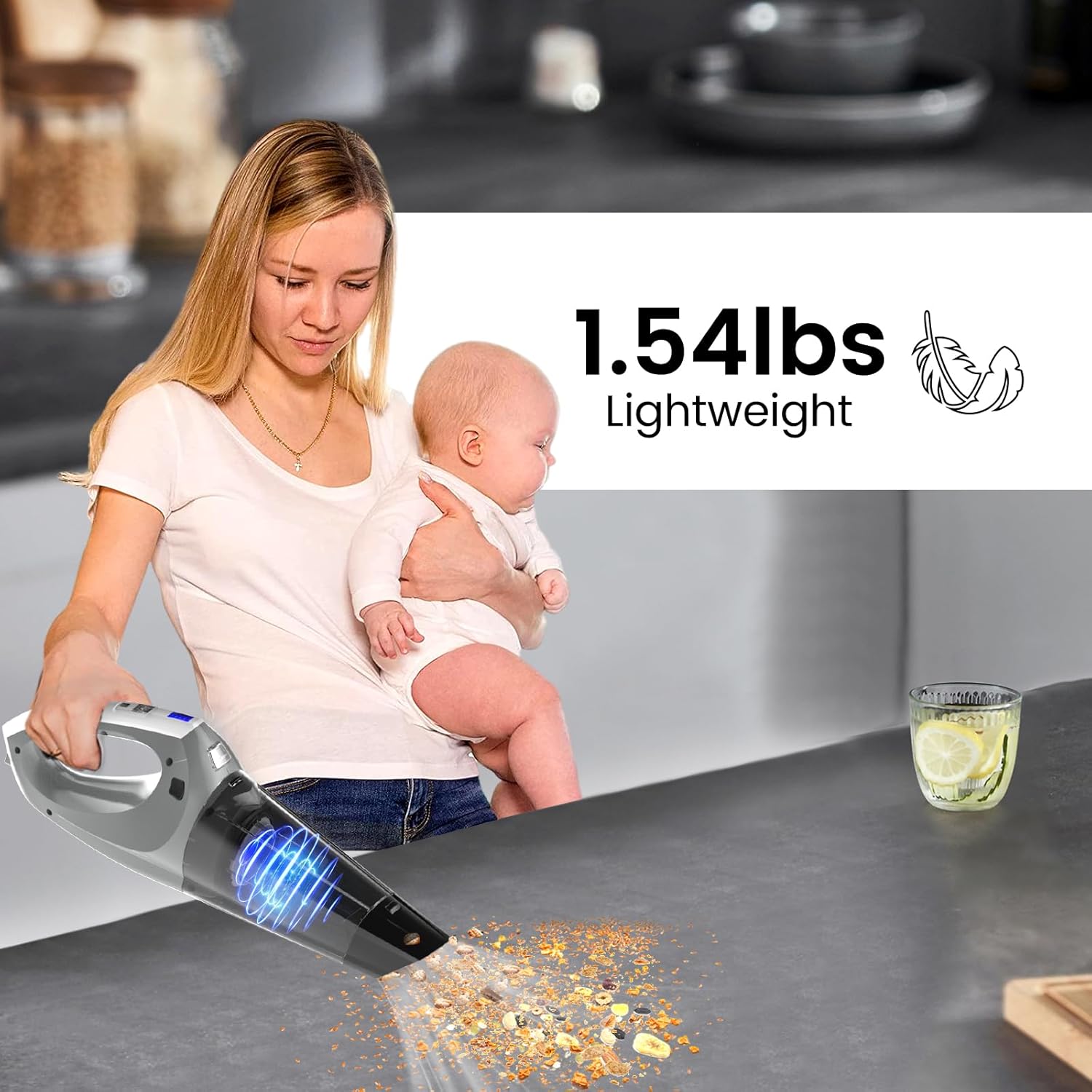
Image: A person holding the Hihhy H-508 handheld vacuum with one hand while holding a baby with the other, highlighting its lightweight design at 1.54 lbs.
Maintenance
1. Emptying the Dust Cup
For optimal performance, empty the dust cup regularly, especially when it appears full or suction power decreases. To empty, press the release button and detach the dust cup from the main unit. Dispose of collected debris.
2. Cleaning and Replacing Filters
The Hihhy H-508 uses washable and reusable non-woven filters. Regular cleaning and timely replacement are crucial for maintaining suction power and air quality.
- Press the button and take off the dust cup.
- Remove the fixed bracket and the used filter.
- Rinse the filter under running water until clean. Ensure it is completely dry before reinserting.
- Replace with a new filter cloth and fix it if the old one is damaged or excessively dirty. The vacuum includes 9 extra filters for replacement.
Note: The filter needs to be completely dried before reinstallation to prevent damage to the motor and maintain efficiency. Each filter can last approximately 3 to 6 months depending on usage.

Image: A four-step diagram illustrating how to replace the filter: 1. Press the button and remove the dust cup. 2. Remove the fixed bracket and used filter. 3. Replace with a new filter cloth and fix. 4. A note emphasizes that the filter needs to be dried, and an image shows the filter being washed and a pack of 9 extra filters.

Image: A person washing the non-woven filter of the Hihhy H-508 handheld vacuum under running water in a sink, demonstrating its reusability.
3. General Cleaning
Wipe the exterior of the vacuum with a soft, damp cloth. Do not use harsh chemicals or abrasive cleaners. Ensure the vacuum is completely dry before storing or recharging.
Troubleshooting
If you encounter issues with your Hihhy H-508 vacuum, please refer to the following common problems and solutions:
| Problem | Possible Cause | Solution |
|---|---|---|
| Vacuum does not turn on or charge. |
|
|
| Weak suction power. |
|
|
| Short operating time after full charge. |
|
|
Specifications
| Feature | Detail |
|---|---|
| Brand | Hihhy |
| Model Name | H-508 |
| Special Feature | Cordless, Lightweight, Portable |
| Filter Type | Cloth (Non-woven) |
| Included Components | Handheld vacuum, 9 Extra filters, Crevice nozzle, Brush, USB-C cable, Cleaning brush, User manual |
| Cordless | Yes |
| Capacity | 2 Pounds (Dust cup capacity) |
| Charging Time | 3-4 Hours |
| Form Factor | Handheld |
| Color | Gray |
| Product Dimensions | 9.53"L x 6.38"W x 4.53"H |
| Battery Type | Lithium-Ion |
| Battery Life (Runtime) | Up to 25 minutes |
| Motor Horsepower | 0.67 horsepower |
| Connectivity Technology | USB |
| Suction Power | 9000Pa |
| Item Weight | 1.98 pounds |
| Indoor/Outdoor Usage | Indoor |
Warranty and Support
For information regarding the product warranty, please refer to the warranty card included with your purchase or visit the official Hihhy website. If you require technical assistance, have questions about your product, or need to report a defect, please contact Hihhy customer support through the contact information provided on the packaging or their official website.