
1. Introduction
The X10 Bone Conduction Swimming Headphones are designed for active individuals, offering a unique audio experience through bone conduction technology. These headphones feature 32GB of internal memory, a digital display, and are built to be waterproof and sweatproof, making them suitable for various sports activities including swimming, running, and gym workouts. They provide wireless connectivity via Bluetooth for seamless audio streaming from compatible devices.

Image: The X10 Bone Conduction Swimming Headphones, showcasing their over-ear design and integrated digital display.
2. What's in the Box
Upon unboxing your X10 Bone Conduction Swimming Headphones, please ensure all the following components are present:
- X10 Bone Conduction Headphones
- Charging Cable
- User Manual
3. Key Features
- Wireless Connectivity: Equipped with Bluetooth technology for seamless audio streaming from compatible devices.
- Bone Conduction Design: Audio vibrations are transmitted directly to the inner ear, allowing you to enjoy music without obstructing your ears.
- Waterproof and Sweatproof (IPX8): Designed to withstand water exposure and resist sweat, ideal for swimming and intense workouts.
- Built-in 32GB Memory: Store thousands of music files directly on the headphones, eliminating the need for a separate device.
- Digital Display: Provides real-time information such as battery level, playback time, and track details.

Image: The X10 headphones demonstrating their super waterproof capability, along with text indicating three modes, 32GB RAM, and comfortable wear.

Image: A detailed view of the AI Smart Screen, illustrating the LED digital display for battery, Bluetooth playback mode, and MP3 playback mode.

Image: A swimmer wearing the X10 headphones, demonstrating their IPX8 waterproof design suitable for swimming.

Image: An internal diagram highlighting the Bluetooth 5.3 chip and 32GB memory, indicating ultra-fast and stable connectivity.
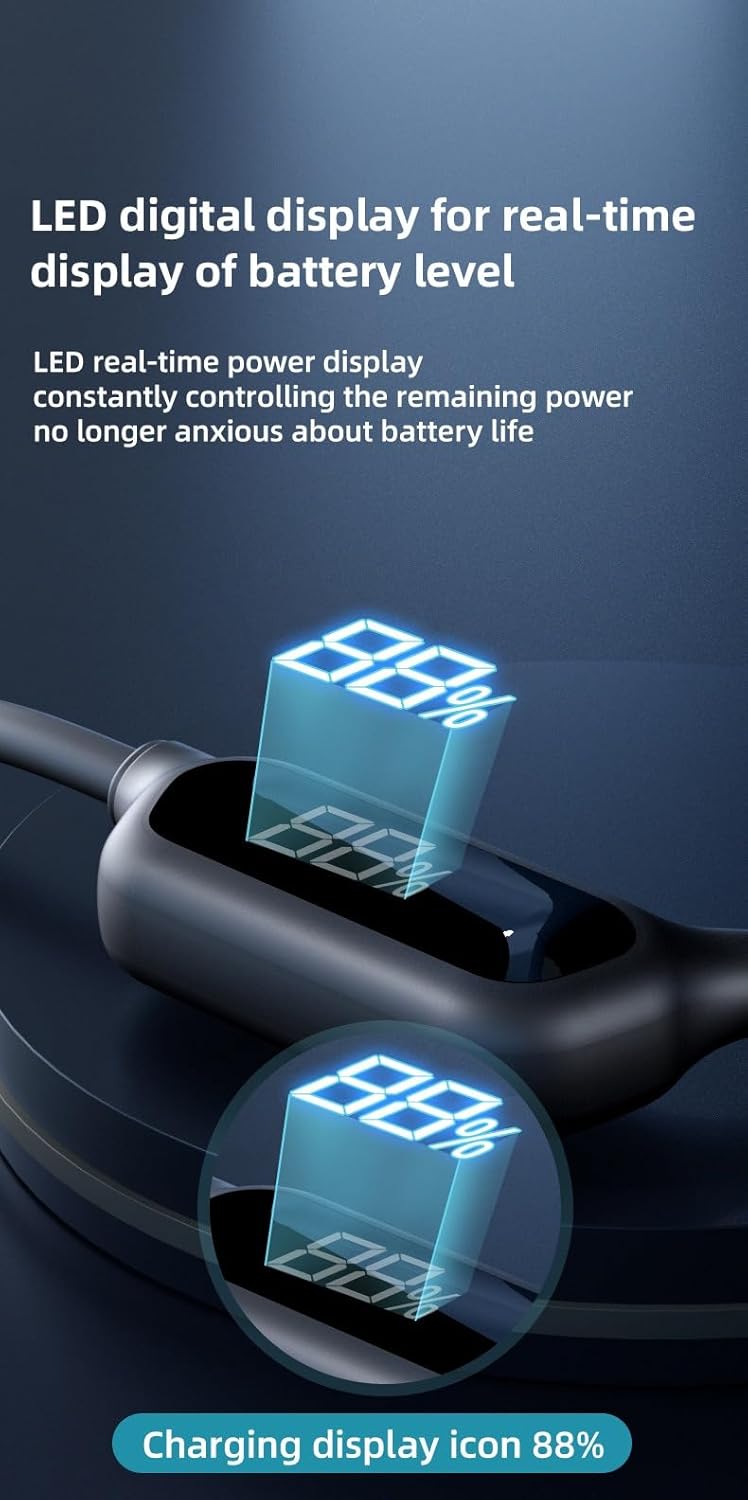
Image: A close-up of the LED digital display, showing the real-time battery level percentage.

Image: The headphones with an overlay emphasizing their large 32GB memory, capable of storing thousands of songs.
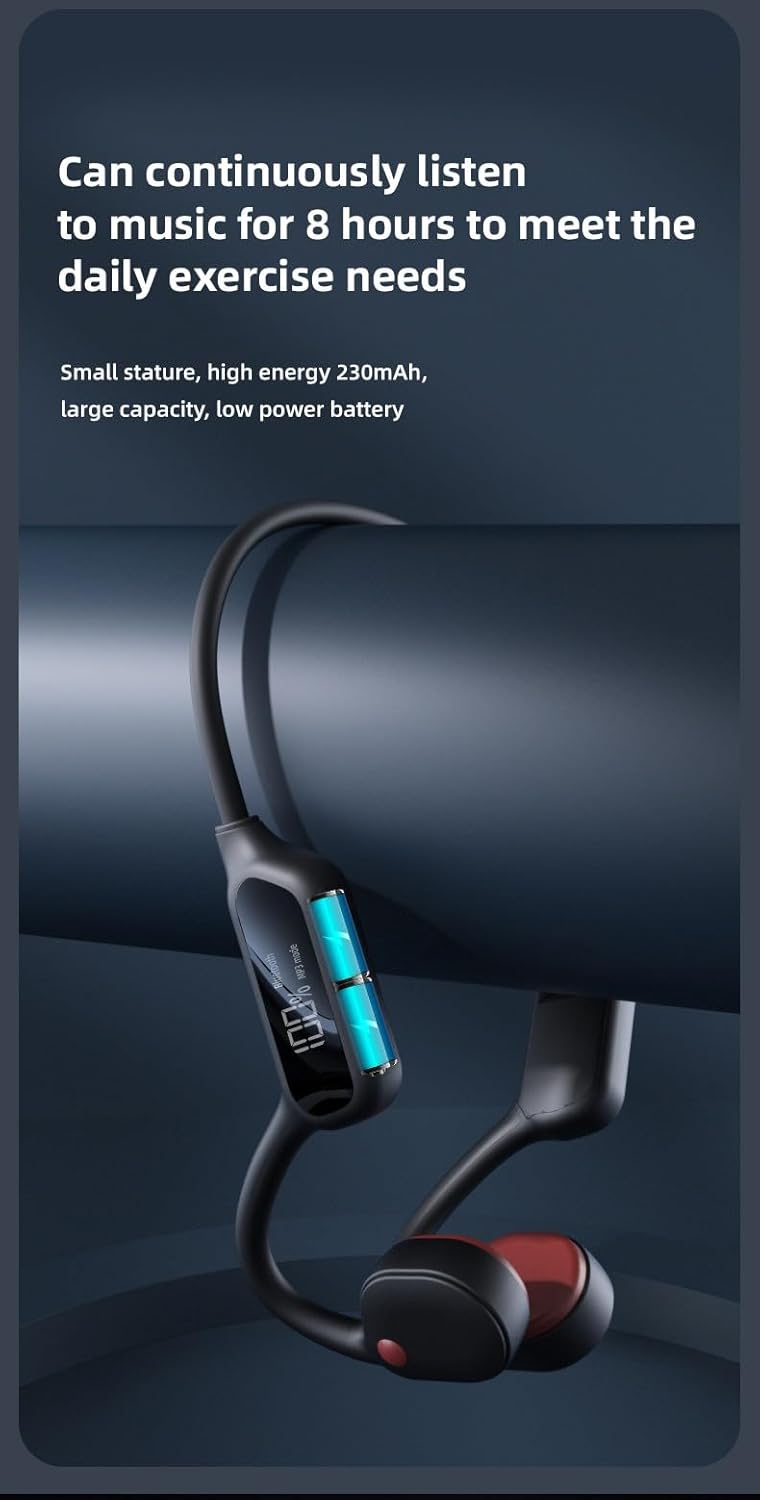
Image: The headphones with text highlighting their ability to continuously play music for 8 hours, meeting daily exercise needs.
4. Setup
4.1 Charging the Headphones
Before first use, fully charge the headphones. The charging time is approximately 2 hours.
- Connect the charging cable to the charging port on the headphones.
- Connect the other end of the cable to a USB power adapter (not included) or a computer's USB port.
- The digital display will show the charging status. A full charge is indicated by 100% on the display.
4.2 Bluetooth Pairing
To connect your headphones to a Bluetooth-enabled device:
- Ensure the headphones are powered off.
- Press and hold the Power button (Right button) until the digital display shows "Bluetooth" and the indicator light flashes, indicating pairing mode.
- On your device (smartphone, tablet, etc.), enable Bluetooth and search for available devices.
- Select "X10 Headphones" (or similar name) from the list of found devices.
- Once connected, the display will show "Bluetooth" steadily, and a voice prompt will confirm the connection.
4.3 Loading Music to Internal Memory (MP3 Mode)
The headphones have 32GB of built-in memory for storing music files directly.
- Connect the headphones to your computer using the provided charging cable. The headphones will appear as a removable disk drive.
- Drag and drop your desired audio files (e.g., MP3, WAV) into the headphone's storage folder.
- Safely eject the headphones from your computer once file transfer is complete.
5. Operating Instructions
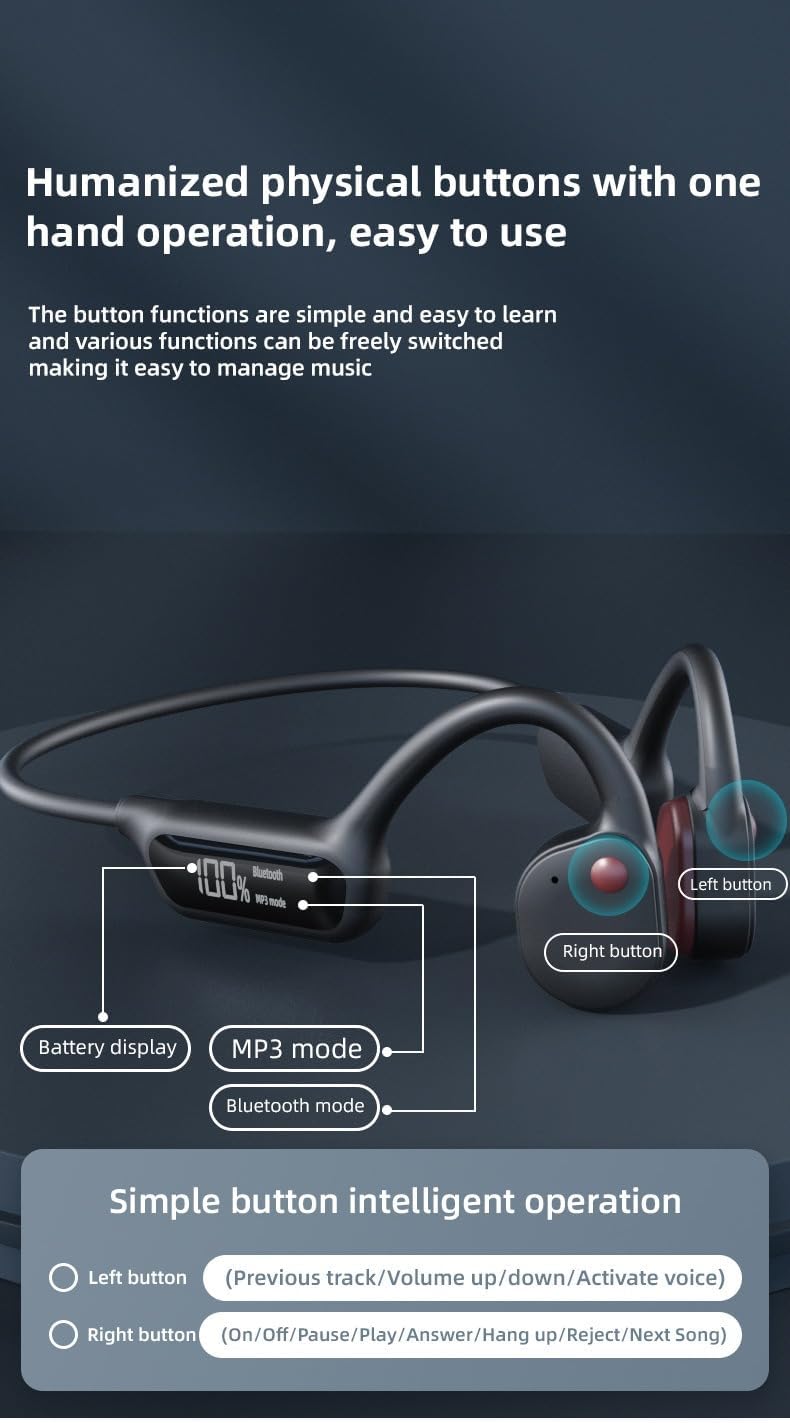
Image: A visual guide to the physical buttons on the X10 headphones, detailing the functions of the Left and Right buttons.
5.1 Power On/Off
- Power On: Press and hold the Right button for 3 seconds. The display will light up.
- Power Off: Press and hold the Right button for 5 seconds. The display will turn off.
5.2 Mode Switching
The headphones support both Bluetooth and MP3 playback modes.
- Switch Modes: Double-press the Right button to toggle between Bluetooth mode and MP3 mode. The digital display will indicate the current mode.
5.3 Music Playback (Bluetooth & MP3 Mode)
- Play/Pause: Single-press the Right button.
- Next Track: Triple-press the Right button.
- Previous Track: Triple-press the Left button.
- Volume Up: Single-press the Left button.
- Volume Down: Press and hold the Left button.
5.4 Call Management (Bluetooth Mode Only)
- Answer Call: Single-press the Right button when a call comes in.
- End Call: Single-press the Right button during a call.
- Reject Call: Press and hold the Right button for 2 seconds when a call comes in.
5.5 Voice Assistant Activation
- Activate Voice Assistant: Double-press the Left button.
6. Maintenance
Proper care will extend the life of your headphones.
- Cleaning: Wipe the headphones with a soft, damp cloth after each use, especially after swimming or intense workouts. Do not use harsh chemicals or abrasive cleaners.
- Water Resistance: While IPX8 rated, avoid prolonged submersion beyond recommended depths and times. Ensure the charging port cover is securely closed before exposing to water. Rinse with fresh water after use in chlorinated or saltwater.
- Storage: Store the headphones in a cool, dry place away from direct sunlight and extreme temperatures.
- Charging: Only use the provided charging cable. Avoid overcharging the battery.
7. Troubleshooting
| Problem | Possible Cause | Solution |
|---|---|---|
| Headphones do not power on. | Low battery. | Charge the headphones fully. |
| Cannot connect via Bluetooth. | Headphones not in pairing mode; device Bluetooth off; too far from device. | Ensure headphones are in pairing mode. Turn device Bluetooth off/on. Move closer to device. |
| No sound in MP3 mode. | No music files loaded; corrupted files; volume too low. | Load music files. Check file format. Increase volume. |
| Sound quality is poor. | Low battery; interference; improper fit. | Charge headphones. Move away from interference sources. Adjust headphone position for optimal bone conduction. |
| Headphones not recognized by computer. | Faulty cable; driver issue. | Try a different USB port or cable. Restart computer. |
8. Specifications
| Feature | Detail |
|---|---|
| Model Name | S190 |
| Connectivity Technology | Bluetooth 5.3 |
| Internal Memory | 32GB |
| Water Resistance Level | IPX8 (Waterproof) |
| Charging Time | 2 Hours |
| Continuous Playback | Up to 8 Hours |
| Control Type | Touch Control / Physical Buttons |
| Material | Plastic |
| Ear Placement | In Ear (Bone Conduction) |
| Noise Control | Active Noise Cancellation |
| Impedance | 140 Ohm |
9. Warranty and Support
Your X10 Bone Conduction Swimming Headphones come with a standard manufacturer's warranty. For specific warranty details, claims, or technical support, please refer to the warranty card included with your purchase or contact the retailer where the product was purchased. Please retain your proof of purchase for warranty purposes.