
A-100
User Manual for Generic Aigo A100 Gaming Mechanical Keyboard
Model: A-100
1. Product Overview
The Generic Aigo A100 is a high-performance mechanical gaming keyboard designed for an optimal typing and gaming experience. It features a compact 100-key layout, hot-swappable switches, durable PBT keycaps, and vibrant RGB backlighting. Its robust construction ensures longevity and responsiveness for demanding users.
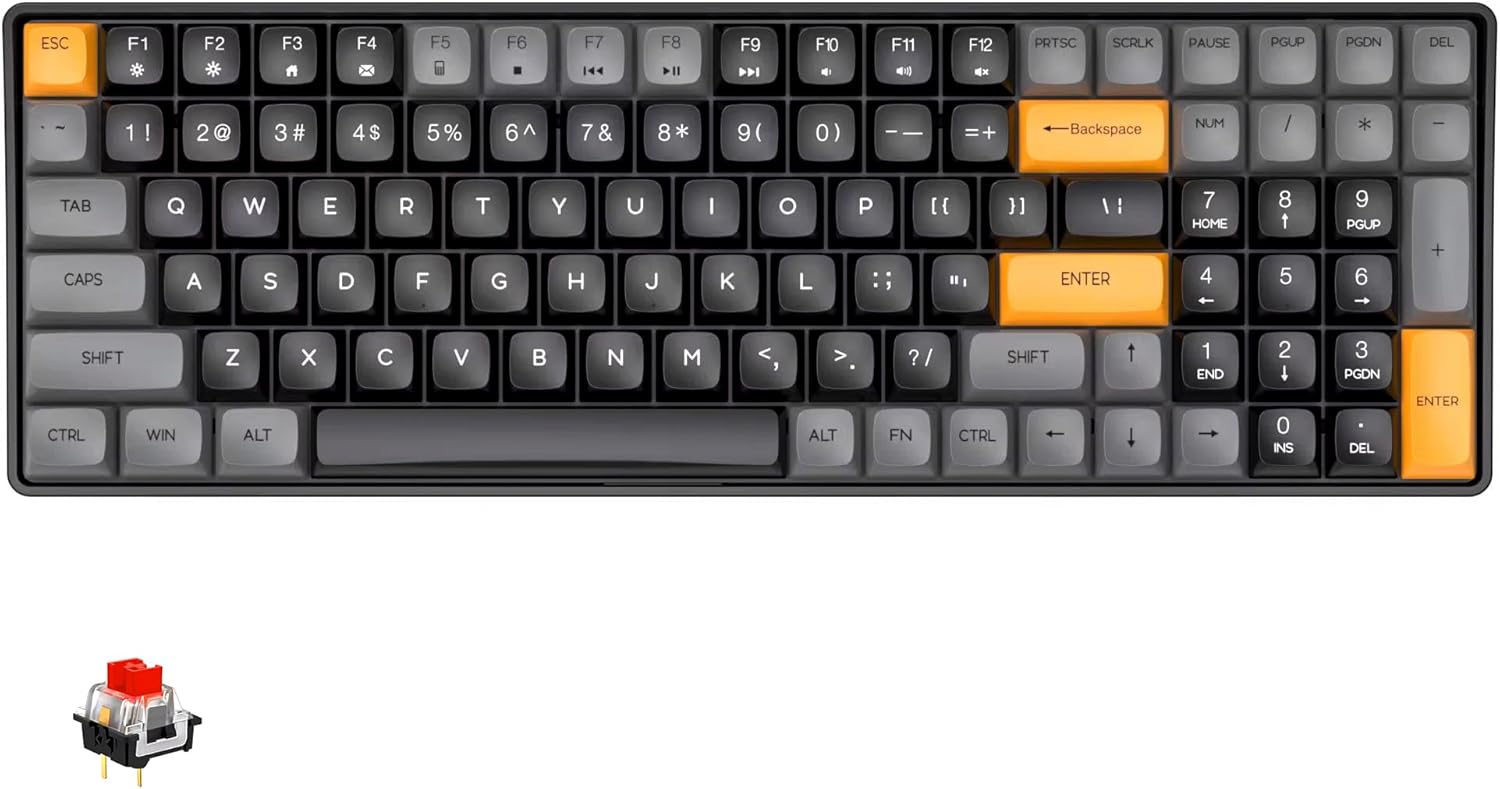
Figure 1: Generic Aigo A100 Gaming Mechanical Keyboard with its 100-key layout and distinct orange accent keys.
2. Package Contents
- Aigo A100 Mechanical Keyboard
- Detachable USB-C Cable
- Keycap Puller
- Switch Puller
- User Manual (this document)
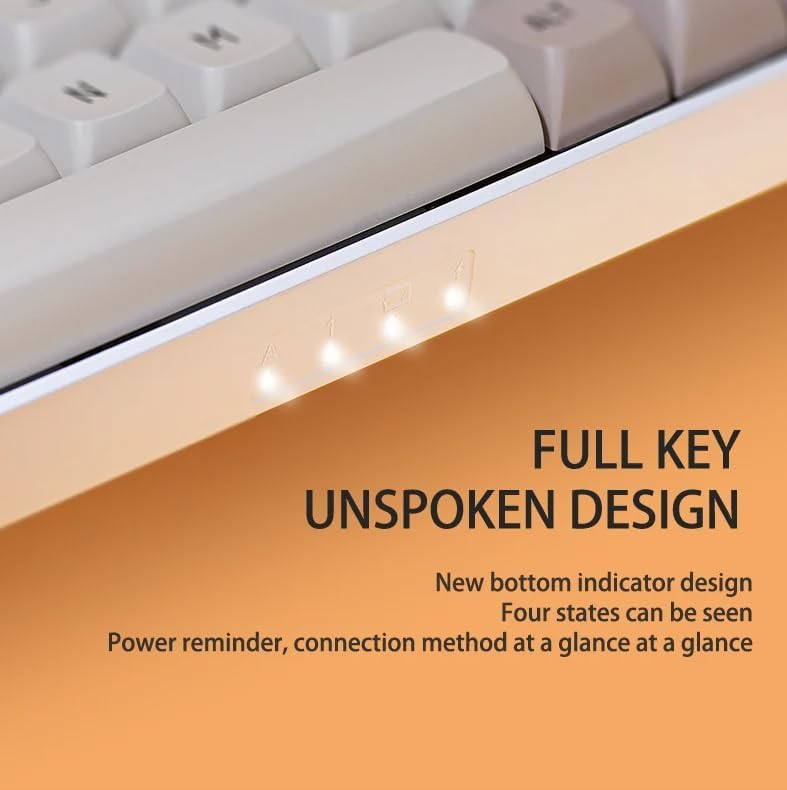
Figure 2: The Aigo A100 keyboard, its packaging, and the included detachable USB-C cable.
3. Setup Guide
3.1 Connecting the Keyboard
- Locate the detachable USB-C cable provided in the package.
- Connect the USB-C end of the cable to the port on the keyboard.
- Connect the USB-A end of the cable to an available USB port on your computer.
- The keyboard will be automatically recognized by your operating system.
3.2 Hot-Swappable Switches
The Aigo A100 features a hot-swappable design, allowing you to change mechanical switches without soldering. This provides flexibility to customize your typing feel.

Figure 3: Close-up view demonstrating the hot-swappable switch sockets and the durable PBT keycaps.
Changing Switches:
- Gently remove the keycap using the provided keycap puller.
- Use the switch puller to carefully grip the switch from its top and bottom clips.
- Pull the switch straight up to remove it from the PCB.
- Align the pins of the new switch with the holes on the PCB.
- Press the new switch firmly into place until it clicks. Ensure it is seated properly.
Note: Only optical switches are compatible with the hot-swap sockets on this keyboard.
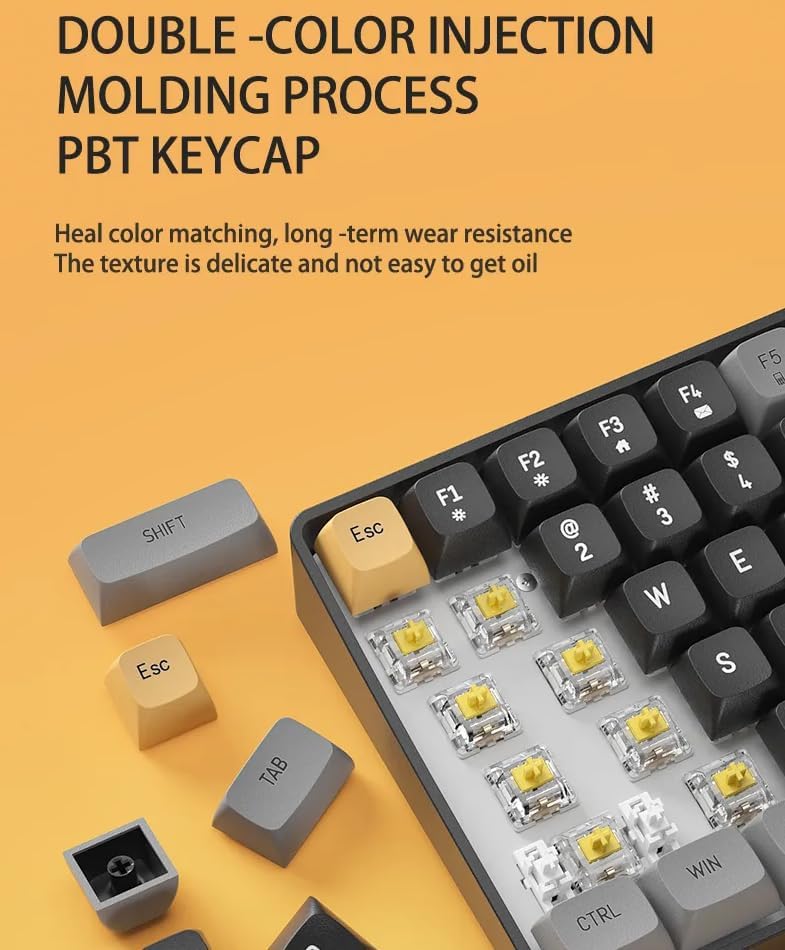
Figure 4: An individual red mechanical switch, commonly found in the Aigo A100 keyboard, known for its linear and quiet operation.
5. Operating Instructions
5.1 Keyboard Layout and Features
The Aigo A100 features a compact 100-key layout, which optimizes desk space while retaining essential keys including a numeric keypad and dedicated arrow keys. This design is more streamlined than traditional 108-key layouts.

Figure 5: Visual comparison illustrating the compact 100-key layout of the Aigo A100 versus a standard 108-key keyboard, highlighting space efficiency.
5.2 N-Key Rollover and Anti-Ghosting
The keyboard supports N-Key Rollover (NKRO) and anti-ghosting, ensuring that every key press is registered accurately, even when multiple keys are pressed simultaneously. This is crucial for fast-paced gaming and typing.
5.3 RGB Backlighting
The Aigo A100 is equipped with vibrant RGB backlighting, offering over 16.8 million colors and various lighting effects. These effects can be customized and updated via the dedicated software application.
5.4 Software and Customization
Utilize the accompanying software (Drive AP) to unlock the full potential of your keyboard. Features include:
- DIY light effects customization.
- Creation of powerful game macros.
- Access to hundreds of downloadable light effects (continuously updated).
- Full-key programmability for remapping keys.
5.5 Status Indicators
The keyboard features bottom status indicators that provide quick visual feedback on power status and connection method.
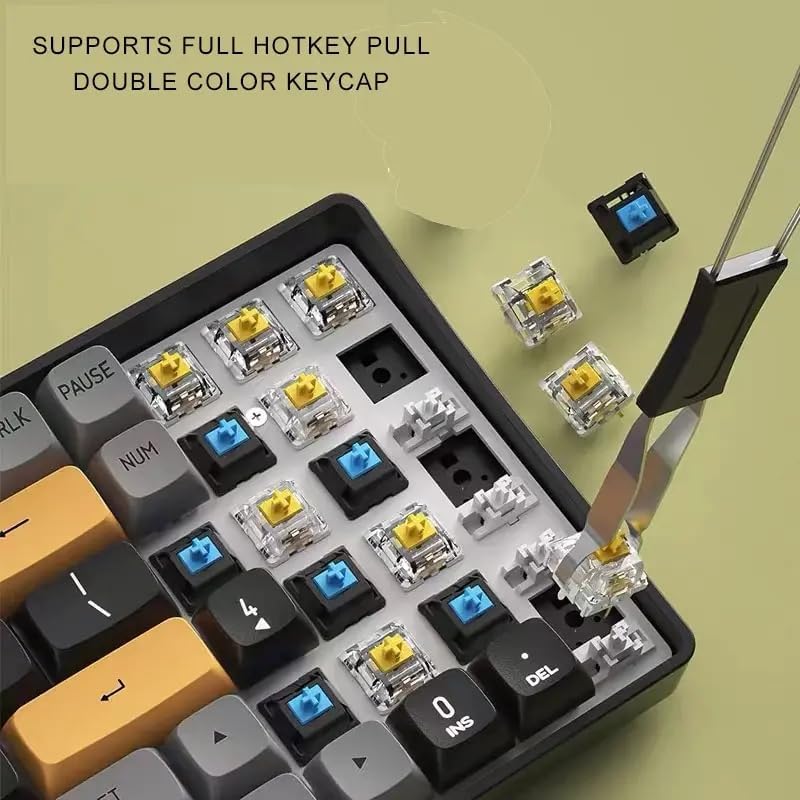
Figure 6: Close-up of the bottom-mounted indicator lights, providing clear status information for the keyboard.
6. Maintenance and Care
6.1 Cleaning the Keyboard
- Disconnect the keyboard from your computer before cleaning.
- Use a can of compressed air to blow away dust and debris from between the keycaps.
- For surface cleaning, wipe the keycaps and keyboard body with a soft, slightly damp cloth. Avoid excessive moisture.
- The PBT keycaps are designed to be durable and oil-proof, resisting fading over time.
6.2 Dust and Water Resistance
The keyboard features an IPX6 dustproof mainboard design, offering protection against dust ingress. While it has some resistance, it is not fully waterproof. Avoid exposing the keyboard to liquids.
7. Troubleshooting
7.1 Keyboard Not Responding
- Ensure the USB-C cable is securely connected to both the keyboard and the computer.
- Try connecting the keyboard to a different USB port on your computer.
- Test the keyboard on another computer to rule out system-specific issues.
7.2 Stuck or Unresponsive Keys
- Remove the keycap and inspect the switch for any visible debris or obstruction.
- If the switch feels stiff or stuck, it may require lubrication. Carefully apply a small amount of switch lubricant to the stem of the switch.
- If the issue persists, consider replacing the switch with a new one, utilizing the hot-swappable feature.
7.3 Backlighting Issues
- Ensure the keyboard software (Drive AP) is installed and up to date.
- Check the software settings to ensure backlighting is enabled and configured correctly.
- Try resetting the keyboard's lighting profile through the software.
8. Specifications
| Feature | Detail |
|---|---|
| Model | A-100 |
| Brand | Generic |
| Connectivity | Wired, USB-C Detachable Cable |
| Keyboard Type | Mechanical |
| Number of Keys | 100 |
| Keycap Material | PBT (Double-color injection molding) |
| Switch Type | Red Switch (Hot-Swappable, Optical switches only) |
| Backlighting | RGB (16.8 Million Colors) |
| Lifespan | Over 100 million keystrokes |
| Dimensions (L x W x H) | 41.29 x 17.5 x 6.2 cm |
| Weight | 1 kg |
| Special Features | Hot-Swappable, IPX6 Dustproof Mainboard, N-Key Rollover, Anti-Ghosting, Programmable Keys |
9. Warranty and Support
Specific warranty information for the Generic Aigo A100 Gaming Mechanical Keyboard is not provided in this manual. Please refer to the retailer or manufacturer's official website for detailed warranty terms and conditions.
For technical support, troubleshooting assistance, or further inquiries, please contact the seller or the manufacturer's customer service department. Keep your purchase receipt or order details handy for faster service.
Ask a question about this manual
Ask about setup, troubleshooting, compatibility, parts, safety, or missing instructions. Manuals+ will review the question and use this page’s manual context to help answer it.