
VT3T45UAAE64HRAL3
Foot Massager Machine User Manual
Model: VT3T45UAAE64HRAL3 | Brand: Generic
1. Introduction
Thank you for purchasing the Generic Foot Massager Machine. This device is designed to provide a relaxing and therapeutic foot massage experience in the comfort of your home. It features adjustable intensity, multiple massage modes, and a heating function to help alleviate foot fatigue and promote relaxation. Please read this manual thoroughly before use to ensure proper operation and maintenance.
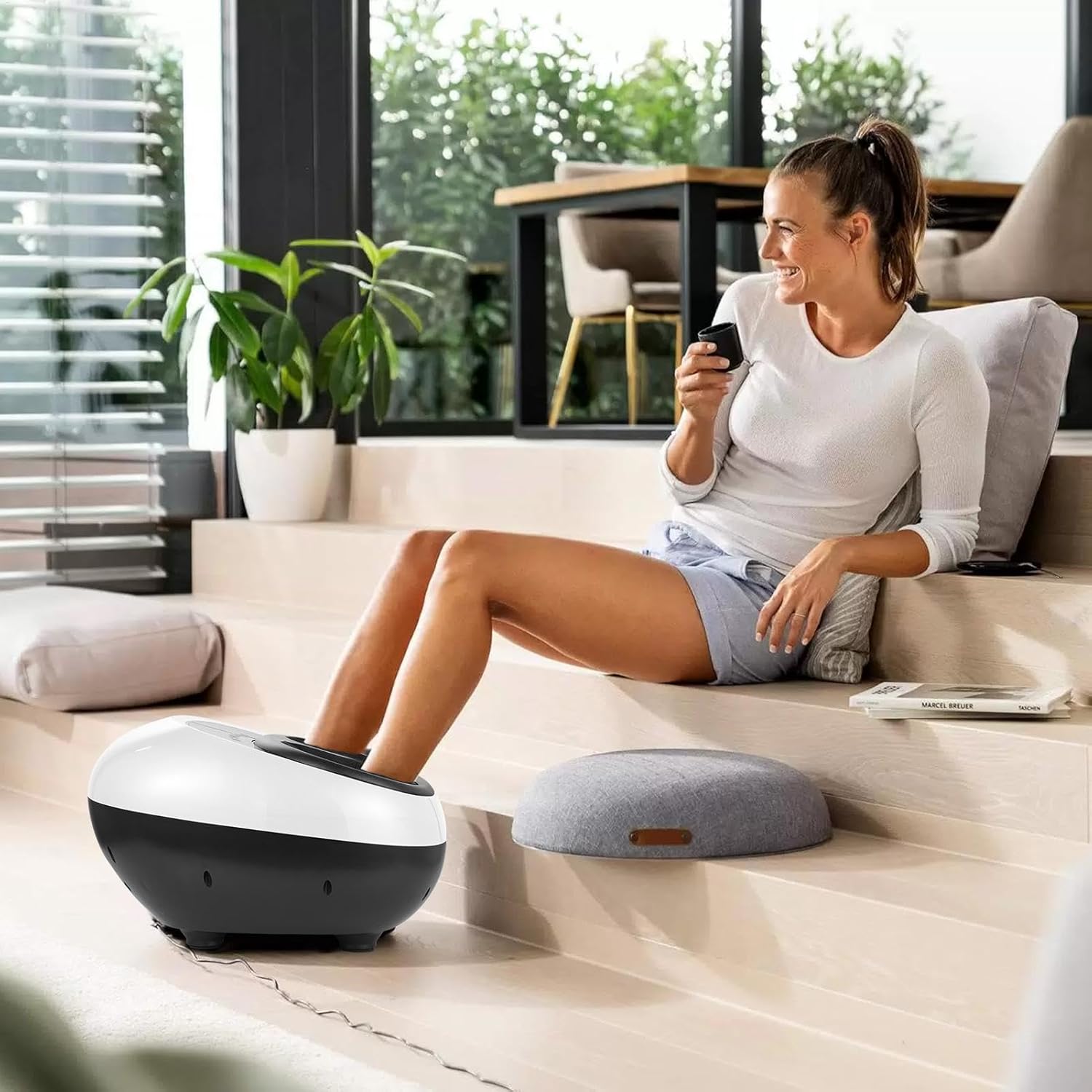
Figure 1.1: User enjoying the foot massager in a home setting.
2. Safety Information
To reduce the risk of electric shock, burns, fire, or injury, always follow these basic safety precautions:
- Read all instructions before using this appliance.
- Do not use while sleeping or drowsy.
- Do not use on infants, invalids, or on a sleeping or unconscious person.
- Do not use on sensitive skin or on a person with poor blood circulation.
- Never operate the appliance if it has a damaged cord or plug, if it is not working properly, or if it has been dropped or damaged.
- Keep the cord away from heated surfaces.
- Do not use outdoors.
- Do not operate where aerosol (spray) products are being used or where oxygen is being administered.
- To disconnect, turn all controls to the OFF position, then remove the plug from the outlet.
- This appliance is intended for household use only.
- Statements regarding dietary supplements have not been evaluated by the FDA and are not intended to diagnose, treat, cure, or prevent any disease or health condition.
3. Product Overview
3.1 Components
The Foot Massager Machine consists of the main unit, foot inserts, and a control panel.

Figure 3.1: Top view of the Foot Massager Machine with control panel.
3.2 Control Panel
The control panel features an HD digital display and several touch-sensitive buttons for easy operation.

Figure 3.2: Detailed view of the control panel and digital display.
- Time Button: Adjusts the massage duration (10, 15, 20, 25, 30 minutes).
- Air Button: Controls the airbag wrap massage function.
- Mode Button: Cycles through different massage modes (6 techniques, 3 overall modes).
- Intensity Button: Adjusts massage intensity (3 levels).
- Heating Button: Activates or deactivates the heating function.
- Power Button: Turns the unit ON/OFF.
3.3 Massage Features
- 360° Full Wrap Massage: Utilizes airbags on top of the foot (covering 55% of foot area) and ankle airbags to press, circulate, and knead, providing comprehensive comfort and relieving Achilles tendon pain.
- Simulated Human Massage: Accurately acts on the soles of your feet with 6 major massage modes.
- Warm and Hot Compress: Provides constant temperature heating between 37-40°C (98.6-104°F) for deep relaxation.
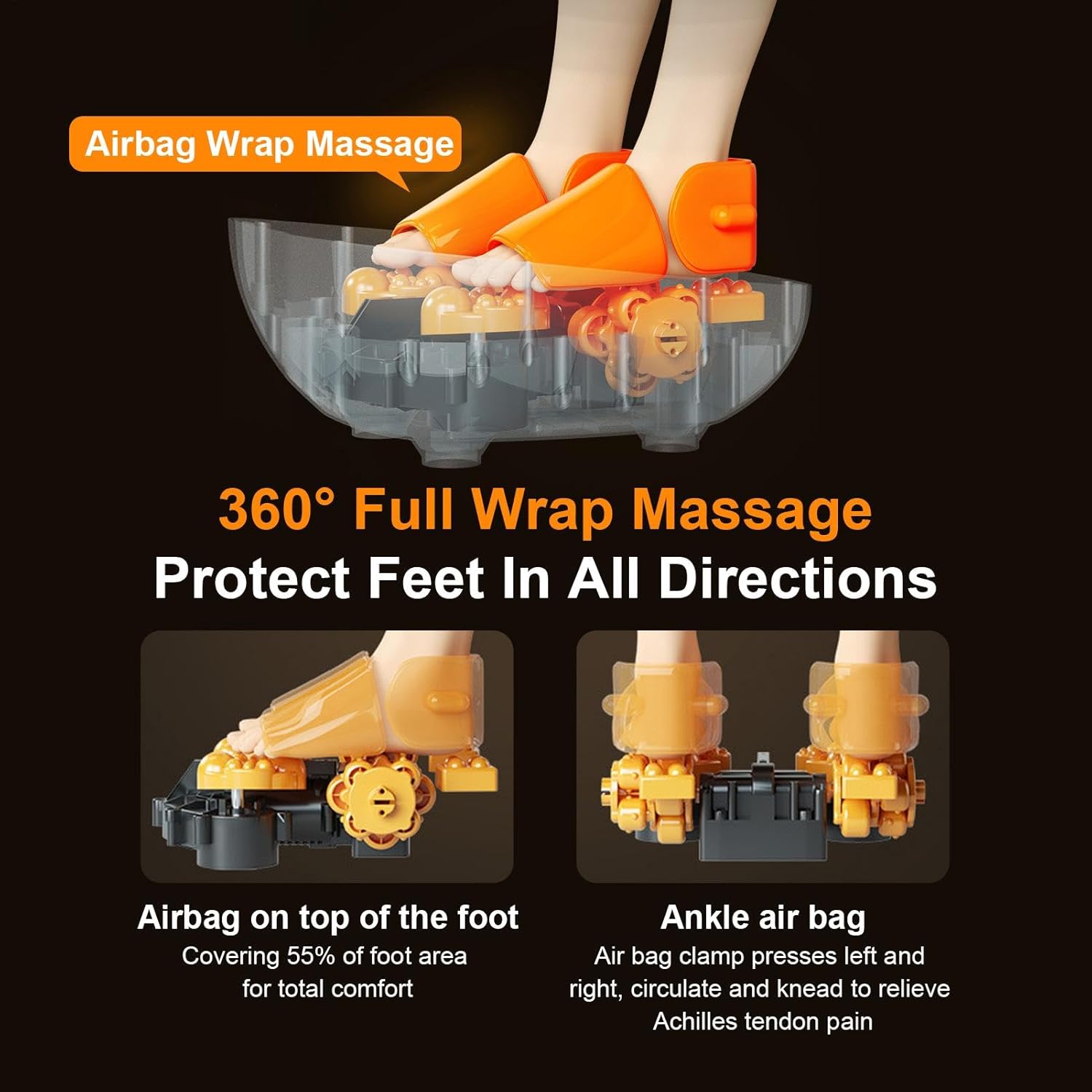
Figure 3.3: Illustration of the 360° Full Wrap Massage technology.
4. Setup
- Unpack: Carefully remove the foot massager from its packaging. Ensure all components listed in the packing list (Foot Massager, US Adapter, English Instruction Manual) are present.
- Placement: Place the foot massager on a flat, stable surface in a comfortable area, such as a living room or bedroom. Ensure there is enough space around the unit for proper ventilation.
- Connect Power: Insert the power adapter into the power input port on the back or side of the massager. Plug the other end of the adapter into a standard 110-240V electrical outlet.
- Prepare for Use: Ensure the removable foot covers are properly installed inside the foot inserts.
5. Operating Instructions
5.1 Basic Operation
- Power On: Press the Power button on the control panel to turn on the unit. The digital display will illuminate.
- Insert Feet: Sit comfortably and place both feet into the foot inserts of the massager.
- Select Mode: Press the Mode button to cycle through the available massage modes. The display may indicate the current mode.
- Adjust Intensity: Press the Intensity button to select your desired massage strength (3 levels available).
- Activate Heating: Press the Heating button to turn on the warming function. The heating temperature ranges from 37-40°C (98.6-104°F). Press again to turn off.
- Set Timer: Press the Time button to set the desired massage duration (10, 15, 20, 25, or 30 minutes). The unit will automatically shut off after the selected time.
- Airbag Massage: Press the Air button to activate or deactivate the airbag compression massage.
- Power Off: When finished, press the Power button to turn off the unit. Remove your feet from the massager.

Figure 5.1: The foot massager can be used in various settings for relaxation.
6. Maintenance
6.1 Cleaning
- Always unplug the unit from the power outlet before cleaning.
- Wipe the exterior of the massager with a soft, damp cloth. Do not use abrasive cleaners or solvents.
- The foot covers are removable and washable. Gently pull them out for cleaning. Hand wash with mild soap and water, then air dry completely before reinserting.
- Do not immerse the unit in water or any other liquid.

Figure 6.1: Key design features for easy maintenance and durability.
6.2 Storage
- Store the massager in a cool, dry place when not in use.
- Avoid placing heavy objects on the unit.
- Keep the power cord neatly coiled and avoid sharp bends.
7. Troubleshooting
| Problem | Possible Cause | Solution |
|---|---|---|
| Unit does not power on. | Power cord not properly connected. No power from outlet. | Ensure the power cord is securely plugged into both the unit and the wall outlet. Test the outlet with another device. |
| Massage intensity feels too weak/strong. | Intensity setting is not optimal. | Press the Intensity button to adjust to one of the 3 available levels. |
| Heating function is not working. | Heating function is not activated. | Press the Heating button to turn on the heating function. Allow a few minutes for the heat to build up. |
| Airbag massage is not active. | Airbag function is not activated. | Press the Air button to activate the airbag massage. |
| Unit stops unexpectedly. | Timer has expired. Overheating protection activated. | The unit automatically shuts off after the set timer duration. Unplug the unit and let it cool down for 30 minutes before restarting. |
8. Specifications
| Product Name | Foot Massager Machine |
| Model Number | VT3T45UAAE64HRAL3 |
| Brand | Generic |
| Material | PP, Metal, ABS |
| Voltage | 110-240V |
| Power | 26W |
| Timing Options | 10, 15, 20, 25, 30 minutes |
| Heating Temperature | 37-40°C (98.6-104°F) |
| Product Dimensions (L x W x H) | 38 x 26 x 40 cm (14.96 x 10.24 x 15.75 inches) |
| Product Weight | 2.5 kg (5.5 lbs) / 7.19 Pounds |
| Country of Origin | China |
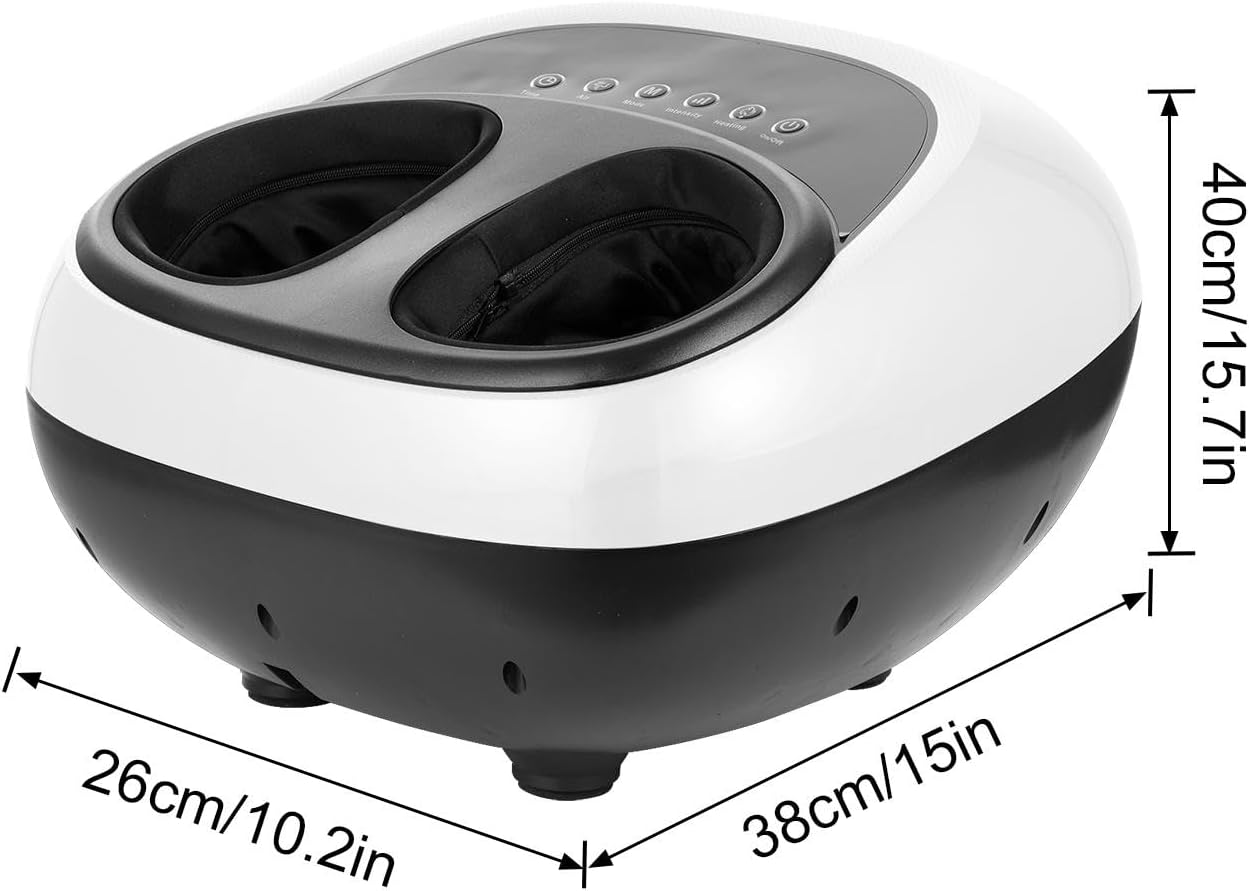
Figure 8.1: Product dimensions overview.
9. Warranty & Support
This product is manufactured by Generic. For any questions regarding product operation, maintenance, or troubleshooting that are not covered in this manual, please refer to the seller or retailer from whom you purchased the product for support.
Please retain your purchase receipt as proof of purchase for any warranty claims. Specific warranty terms may vary by retailer or region.
no relevant documents
Ask a question about this manual
Ask about setup, troubleshooting, compatibility, parts, safety, or missing instructions. Manuals+ will review the question and use this page’s manual context to help answer it.