
TG-113
TG-113 Portable Bluetooth Speaker User Manual
Model: TG-113
Introduction
Thank you for purchasing the TG-113 Portable Bluetooth Speaker. This manual provides essential information for setting up, operating, and maintaining your speaker. Please read it carefully before use to ensure optimal performance and longevity of your device.

Image: The TG-113 Portable Bluetooth Speaker, featuring a camouflage design and a top handle.
Safety Information
To ensure safe operation and prevent damage, please observe the following precautions:
- Do not expose the speaker to extreme temperatures, direct sunlight, or high humidity.
- Avoid dropping or subjecting the speaker to strong impacts.
- Do not disassemble, repair, or modify the speaker yourself. Contact qualified service personnel for assistance.
- Keep the speaker away from water and other liquids. While it is splash-resistant, it is not waterproof.
- Use only the provided charging cable or a certified equivalent.
- Keep out of reach of children.
Package Contents
Please check the package for the following items:
- TG-113 Portable Bluetooth Speaker
- Power Cable (USB charging cable)
- User Manual (this document)

Image: The TG-113 speaker shown alongside its retail packaging and the included charging cable.
Product Overview
Familiarize yourself with the various parts and controls of your TG-113 speaker.

Image: A detailed diagram illustrating the control buttons on the top of the TG-113 speaker, including power, volume, track control, and mode buttons.
Control Buttons:
- Power Button (ON/OFF): Press and hold to turn the speaker on or off.
- Play/Pause / Answer Call Button: Press to play or pause music. Press to answer an incoming call, press again to end a call.
- Volume Down / Previous Track (-): Press to decrease volume. Press and hold to go to the previous track.
- Volume Up / Next Track (+): Press to increase volume. Press and hold to go to the next track.
- Mode Button (M): Press to switch between Bluetooth, FM Radio, and other available modes.
Setup
1. Charging the Speaker
- Connect the provided USB charging cable to the charging port on the speaker.
- Connect the other end of the USB cable to a USB power adapter (not included) or a computer's USB port.
- The charging indicator light will illuminate during charging and turn off when fully charged.
- A full charge provides approximately 3-4 hours of playtime.

Image: The TG-113 speaker positioned next to a laptop, illustrating its portability and highlighting its 3-4 hour playtime and 1500mAh battery capacity.
2. Powering On/Off
- To Power On: Press and hold the Power button (ON/OFF) for a few seconds until you hear an audible prompt or see an indicator light.
- To Power Off: Press and hold the Power button (ON/OFF) again for a few seconds until the speaker powers down.
Operating Instructions
1. Bluetooth Pairing
- Ensure the speaker is powered on and in Bluetooth pairing mode (it will usually enter this mode automatically upon power-on if not connected). The indicator light will flash.
- On your mobile device (smartphone, tablet, etc.), enable Bluetooth.
- Search for available Bluetooth devices. You should see "TG-113" or a similar name in the list.
- Select "TG-113" to connect. Once paired, the speaker will emit a confirmation sound, and the indicator light will stop flashing.
- The speaker will automatically reconnect to the last paired device when powered on, if the device's Bluetooth is active and within range.
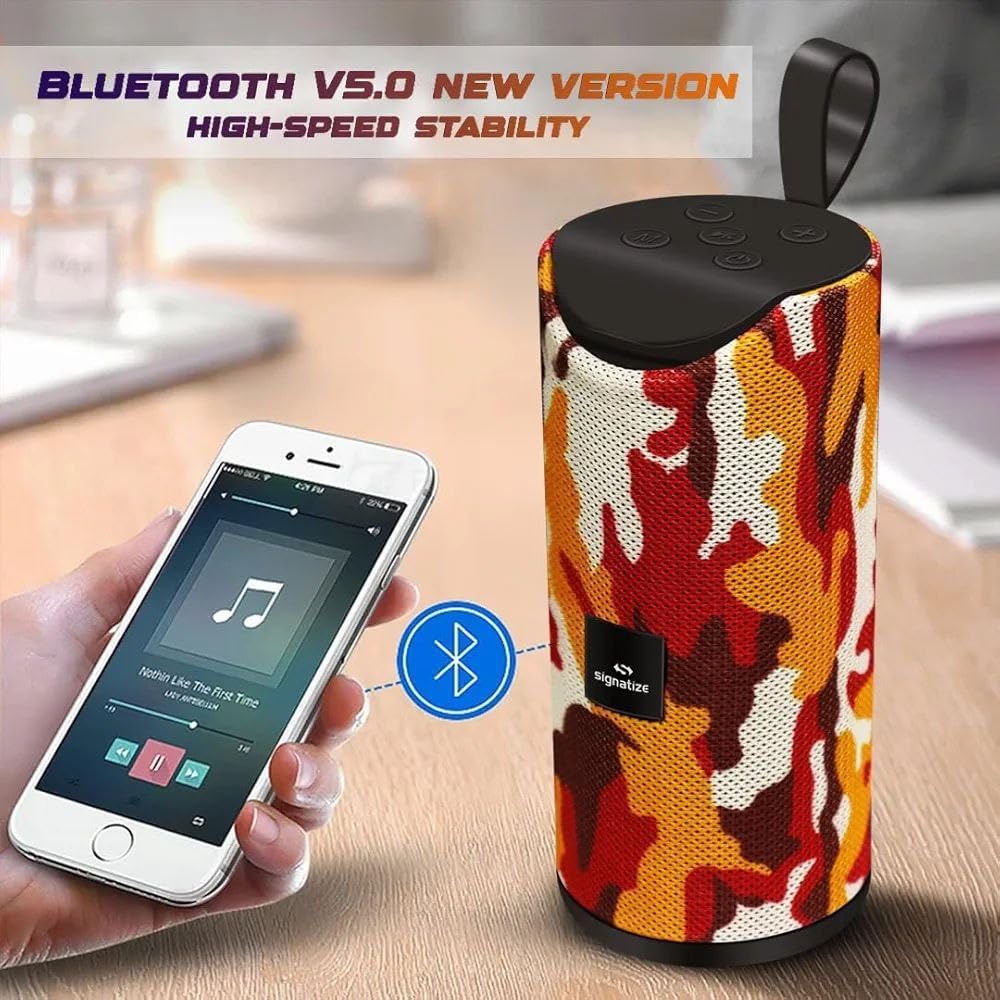
Image: The TG-113 speaker demonstrating its Bluetooth V5.0 connectivity, shown wirelessly paired with a smartphone playing music.
2. Audio Playback
- Play/Pause: Press the Play/Pause button.
- Next Track: Press and hold the '+' button.
- Previous Track: Press and hold the '-' button.
- Volume Up: Short press the '+' button.
- Volume Down: Short press the '-' button.
3. Call Handling
- Answer Call: Press the Play/Pause button when a call comes in.
- End Call: Press the Play/Pause button during a call.
- Reject Call: Press and hold the Play/Pause button when a call comes in.
4. FM Radio Mode
- Press the Mode (M) button to switch to FM Radio mode.
- In FM mode, short press the Play/Pause button to auto-scan and save available radio stations.
- Use the '+' and '-' buttons to navigate between saved stations.
Maintenance
Cleaning
- Wipe the speaker with a soft, dry cloth.
- Do not use abrasive cleaners, alcohol, or chemical solvents.
Storage
- Store the speaker in a cool, dry place away from direct sunlight and extreme temperatures.
- If storing for an extended period, charge the battery periodically to maintain its lifespan.
Troubleshooting
| Problem | Possible Cause | Solution |
|---|---|---|
| Speaker does not turn on. | Battery is low or depleted. | Charge the speaker fully. |
| Cannot pair with Bluetooth device. | Bluetooth is not enabled on the device; speaker is too far; speaker is already connected to another device. | Ensure Bluetooth is on. Move device closer. Disconnect from other devices or restart speaker. |
| No sound or low volume. | Volume on speaker or device is too low; speaker is not connected. | Increase volume on both speaker and connected device. Ensure successful Bluetooth connection. |
| Poor FM radio reception. | Weak signal; interference. | Move speaker to a location with better signal. Try auto-scanning again. |
Specifications
| Feature | Detail |
|---|---|
| Model Name | TG-113 Portable Bluetooth Speaker |
| Connectivity Technology | Bluetooth V5.0 |
| Speaker Output Power | 10 Watts |
| Battery Capacity | 1500mAh |
| Play Time | 3-4 Hours (approx.) |
| Product Dimensions | 5"D x 16"W x 5"H |
| Included Components | Power Cable |
| Manufacturer | RAMDEV EXPORTS |
Warranty and Support
This product is covered by a standard manufacturer's warranty. Please refer to the retailer's policy or contact the seller for specific warranty terms and conditions.
For technical support or inquiries, please contact your point of purchase or the manufacturer directly.
Ask a question about this manual
Ask about setup, troubleshooting, compatibility, parts, safety, or missing instructions. Manuals+ will review the question and use this page’s manual context to help answer it.