1. Introduction
The AJDFVHJF HC01 Battery Equalizer is designed to maintain voltage balance between individual batteries in a series-connected lead-acid battery bank. This device actively monitors and regulates the voltage of each battery, ensuring that they remain at similar charge levels. This process helps to optimize battery performance and extend the overall lifespan of the battery system.
2. Product Overview
The HC01 Battery Equalizer is an active balancer specifically designed for 2S (two series) lead-acid battery configurations. It features a compact design with integrated voltage displays for each battery, allowing for real-time monitoring.
Key Features:
- Voltage Balancing: Ensures consistent voltage across each battery cell in a series, preventing over- or under-voltage conditions.
- Extended Battery Life: By preventing imbalances, the equalizer helps to prolong the operational life of your battery pack.
- Improved Efficiency: Contributes to more efficient charging and discharging cycles, reducing energy loss.
- Reduced Maintenance: Minimizes the need for frequent battery replacements due to premature degradation.
- Wide Applicability: Suitable for various lead-acid battery pack applications.
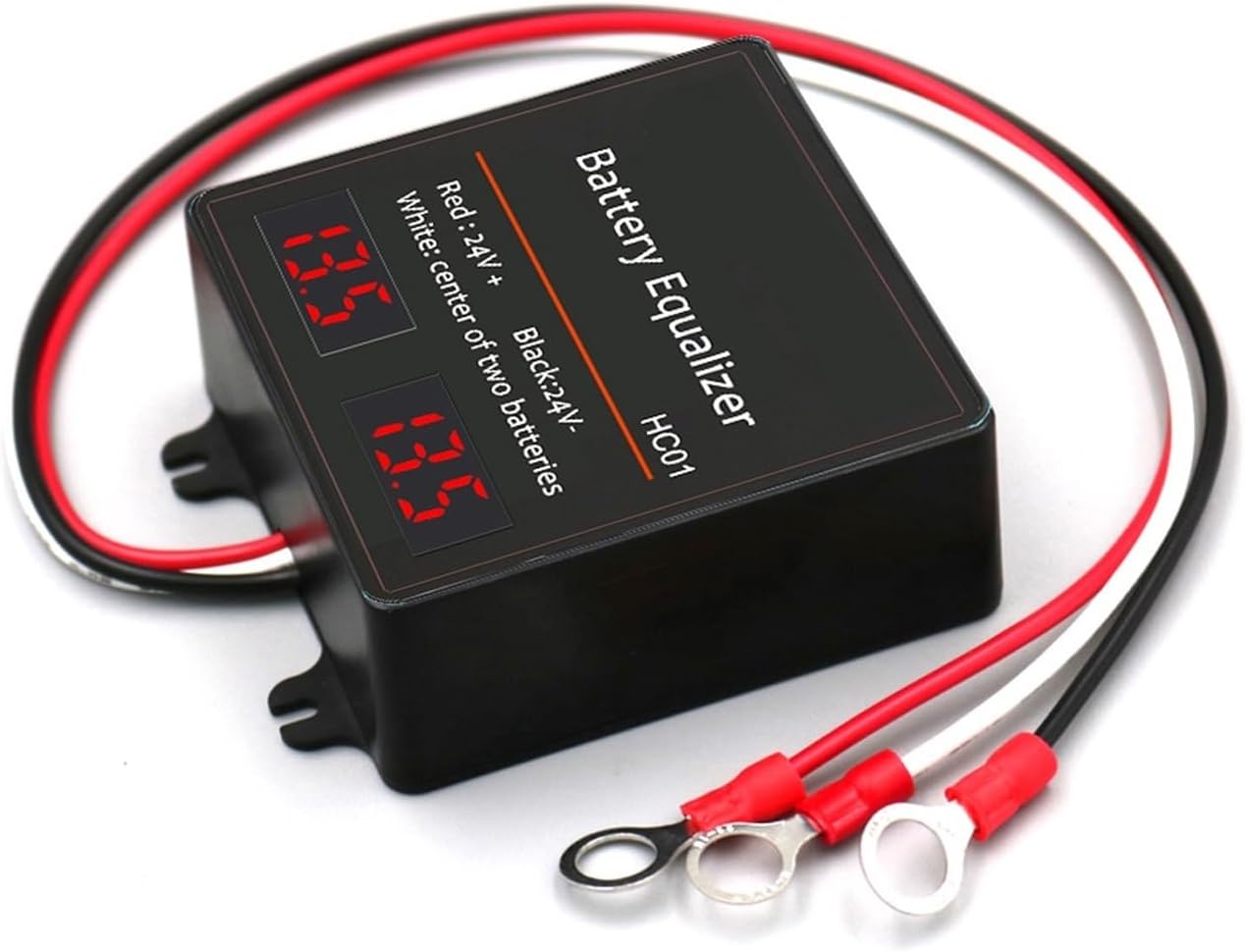
Image 2.1: Front view of the HC01 Battery Equalizer, showing the main unit with attached red, black, and white wires, and two digital displays indicating voltage.
3. Safety Information
Please read and understand all safety instructions before installing or operating the HC01 Battery Equalizer. Failure to follow these instructions may result in electric shock, fire, or serious injury.
- Always wear appropriate personal protective equipment (PPE), such as safety glasses and insulated gloves, when working with batteries.
- Ensure the battery system is disconnected from any charging source before installation.
- Verify correct polarity before making any connections. Incorrect wiring can damage the equalizer and batteries.
- Do not short-circuit the battery terminals or the equalizer's wires.
- Keep the equalizer away from water, moisture, and flammable materials.
- Do not attempt to open or modify the equalizer. There are no user-serviceable parts inside.
- Install the equalizer in a well-ventilated area.
4. Package Contents
Upon opening the package, please verify that all components are present and undamaged:
- 1 x AJDFVHJF HC01 Battery Equalizer Unit with integrated wiring.
5. Setup and Installation
The HC01 Battery Equalizer is designed for a 2S series lead-acid battery configuration. Follow these steps carefully for proper installation:
- Prepare Batteries: Ensure your two lead-acid batteries are connected in series. This means the positive terminal of the first battery is connected to the negative terminal of the second battery.
- Identify Terminals: Locate the positive (+) terminal of the first battery, the negative (-) terminal of the second battery, and the connection point between the two batteries (the center point).
- Connect Red Wire: Connect the RED wire from the equalizer to the positive (+) terminal of the first battery (the overall positive terminal of the 2S series).
- Connect Black Wire: Connect the BLACK wire from the equalizer to the negative (-) terminal of the second battery (the overall negative terminal of the 2S series).
- Connect White Wire: Connect the WHITE wire from the equalizer to the center connection point between the two batteries (where the positive of one meets the negative of the other).
- Secure Connections: Ensure all connections are tight and secure to prevent loose contacts and potential arcing.

Image 5.1: Detailed view of the HC01 Battery Equalizer, highlighting the red, black, and white wire connections with ring terminals, and the two digital voltage displays.
Once connected, the equalizer will automatically begin its balancing function, and the digital displays will show the individual voltages of the two batteries.
6. Operating Instructions
The HC01 Battery Equalizer operates automatically once correctly installed. There are no manual controls or settings required.
- Automatic Balancing: The device continuously monitors the voltage of each battery in the 2S series. If a voltage difference is detected, the equalizer will actively transfer energy from the higher voltage battery to the lower voltage battery until they are balanced.
- Voltage Display: The two integrated digital displays show the real-time voltage of each individual battery. This allows for quick visual confirmation of battery health and the equalizer's operation.
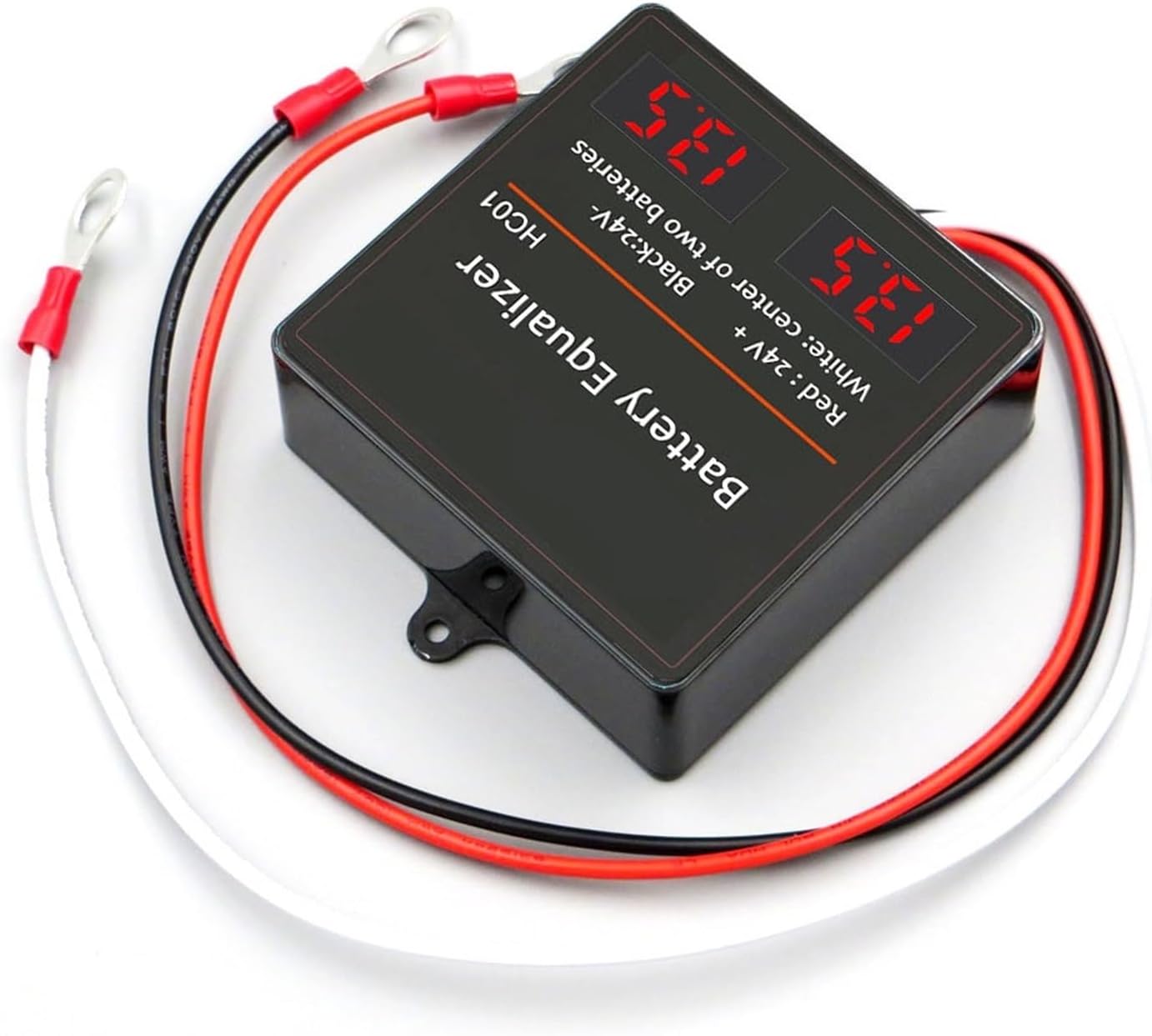
Image 6.1: Angled view of the HC01 Battery Equalizer, illustrating the compact design and the visibility of the dual digital voltage readouts.
7. Maintenance
The HC01 Battery Equalizer requires minimal maintenance to ensure optimal performance and longevity.
- Keep Clean and Dry: Periodically wipe the equalizer with a dry, soft cloth to remove dust and dirt. Ensure it remains dry and free from moisture.
- Inspect Connections: Regularly check all wire connections to the batteries to ensure they are tight and free from corrosion. Loose connections can lead to poor performance or damage.
- Environmental Conditions: Ensure the equalizer is operating within its specified temperature range and is not exposed to extreme conditions.

Image 7.1: Side view of the HC01 Battery Equalizer, showing the robust casing and wire entry points.
8. Troubleshooting
If you encounter issues with your HC01 Battery Equalizer, refer to the following common problems and solutions:
| Problem | Possible Cause | Solution |
|---|---|---|
| No display or equalizer not functioning. | Loose or incorrect wiring connections. | Check all red, black, and white wire connections for proper polarity and tightness. Ensure they are securely attached to the correct battery terminals. |
| Incorrect voltage readings. | Faulty connection or damaged equalizer. | Verify connections. If readings remain incorrect, contact customer support. |
| Batteries remain unbalanced. | Significant battery health disparity or severely discharged batteries. | Ensure batteries are in reasonable health. The equalizer works best to maintain balance, not to correct severely unbalanced or damaged batteries. Allow time for balancing to occur. |
9. Specifications
- Model: HC01
- Brand: AJDFVHJF
- Application: 2S Series Lead-Acid Batteries
- Package Dimensions: 1.18 x 0.79 x 0.39 inches
- Item Weight: 2.2 pounds
- Number of Pieces: 1
- Assembly Required: No
10. Warranty and Support
For warranty information or technical support, please refer to the retailer where the product was purchased or visit the official AJDFVHJF website. Please have your product model (HC01) and purchase details available when contacting support.


