
1. Introduction
This manual provides detailed instructions for the installation, operation, maintenance, and troubleshooting of the Fiqops 370W Sliding Gate Motor. This motor is designed for automating sliding gates up to 12 meters wide and weighing up to 800 kg. It features Bluetooth and Wi-Fi controls, two remote controls, and three automatic closing presets. Its robust and compact design, combined with an IP44 rating, ensures durability against various weather conditions. The system includes advanced safety features such as obstacle detection and manual unlock keys for power outages.
2. Safety Information
Please read and understand all safety instructions before installation and operation. Failure to follow these instructions may result in serious injury or property damage.
- Professional Installation Recommended: Installation should be performed by qualified personnel familiar with gate automation systems and electrical wiring.
- Keep Clear: Ensure the gate's path is clear of people, children, and pets during operation. Never allow children to play near the gate or its controls.
- Emergency Stop: Familiarize yourself with the emergency stop procedures and the manual release mechanism.
- Power Disconnection: Always disconnect power to the motor before performing any maintenance, cleaning, or repairs.
- Obstacle Detection: Do not disable or tamper with safety devices such as photocells or obstacle detection systems. Regularly test these features.
- Electrical Safety: Ensure all electrical connections comply with local codes and regulations. Use appropriate wiring and grounding.
- Secure Mounting: The motor and all components must be securely mounted to prevent accidental dislodgement.
3. Product Overview and Components
The Fiqops 370W Sliding Gate Motor system includes the main motor unit and various accessories to facilitate automatic gate operation.

Figure 3.1: Complete kit showing the motor unit, 4-meter rack, remote controls, manual release keys, and mounting hardware.
Main Components:
- Motor Unit: The central drive mechanism for the sliding gate.
- 4-Meter Rack (Cremallera): Gear rack sections that attach to the gate, engaging with the motor's drive gear.
- Remote Controls (x2): Wireless transmitters for opening, closing, and stopping the gate.
- Manual Release Keys (x2): For disengaging the motor and operating the gate manually during power outages.
- Mounting Plate and Hardware: For securing the motor unit to the ground.
- Control Board: Integrated within the motor unit, managing all functions including smart connectivity.
- Photocells (Optional/Included in some kits): Safety sensors to detect obstacles in the gate's path.

Figure 3.2: Included remote controls and manual release keys for convenient and emergency operation.
4. Specifications
| Feature | Specification |
|---|---|
| Manufacturer | Fiqops |
| Power | 370W |
| Maximum Gate Weight | 800 kg |
| Maximum Gate Length | 12 meters |
| Noise Level | < 58dB |
| Operating Speed | 12 meters/minute |
| Motor RPM | 1470 RPM |
| Voltage | 230V +10% / 50Hz |
| Operating Temperature | -20°C to +70°C |
| Remote Control Range | Approximately 50 meters |
| Protection Rating | IP44 |
| Package Dimensions | 52.5 x 33 x 26 cm |
| Product Weight | 19.6 kg |
| Mounting Type | Surface Mount |
5. Setup and Installation
Proper installation is crucial for the safe and reliable operation of your sliding gate motor. Follow these steps carefully.
5.1 Site Preparation
- Ensure the gate slides smoothly and freely without obstruction.
- Prepare a level, solid concrete base for mounting the motor unit. The base should be stable enough to support the motor's weight and operational forces.
- Ensure access to a suitable power supply (230V AC, 50Hz) at the motor's installation location.
5.2 Mounting the Motor Unit
- Position the motor unit's mounting plate on the prepared concrete base. Ensure it is correctly aligned with the gate's path.
- Mark the drilling points for the anchor bolts.
- Drill holes and secure the mounting plate using appropriate anchor bolts.
- Mount the motor unit onto the secured plate.

Figure 5.1: Example of a Fiqops sliding gate motor unit correctly installed next to a gate.
5.3 Installing the Rack
- Attach the rack sections to the bottom edge of the gate, ensuring they are level and parallel to the ground.
- Maintain a small clearance (approximately 1-2mm) between the rack and the motor's drive gear to allow for smooth operation and thermal expansion.
- Ensure the rack covers the full travel distance of the gate.
5.4 Electrical Connections
- Connect the main power supply to the motor's control board according to the wiring diagram provided in the detailed product manual (not included here).
- Connect any optional accessories such as photocells, flashing lights, or external keypads.
- Ensure all connections are secure and properly insulated.
5.5 Limit Switch Adjustment
Adjust the limit switches to define the gate's fully open and fully closed positions. Refer to the detailed product manual for specific instructions on adjusting the mechanical or magnetic limit switches.
5.6 Remote Control Pairing & App Connection
- Remote Controls: Follow the instructions in the detailed product manual to pair the included remote controls with the motor unit.
- Mobile App: Download the Fiqops smart control app (available for Android and iPhone). Follow the in-app instructions to connect the motor to your Wi-Fi network and pair it via Bluetooth. This enables control via Wi-Fi or 4G network from anywhere.
6. Operating Instructions
Once installed and configured, your Fiqops sliding gate motor offers multiple ways to operate your gate.
6.1 Using Remote Controls
The included remote controls allow for convenient operation from a distance of up to 50 meters.
- Open/Close: Press the designated button to open or close the gate. A second press during movement will stop the gate.
- Stop: A dedicated stop button may be available to halt the gate's movement immediately.
- Pedestrian Mode: Some remotes offer a pedestrian mode, which opens the gate partially for foot traffic.

Figure 6.1: Operating the gate using the remote control or the dedicated mobile application.
6.2 Using the Mobile App
The Fiqops mobile app provides advanced control and monitoring capabilities.
- Remote Access: Control your gate from anywhere using Wi-Fi or 4G network.
- Status Monitoring: Check the gate's open/closed status.
- Custom Settings: Adjust automatic closing times and other parameters.
6.3 Automatic Closing Function
The motor can be configured to close automatically after a set period.
- Adjustable Time: Set the automatic closing delay to 5, 10, or 20 seconds via the control board or mobile app.
- Safety First: Ensure photocells are installed and functioning correctly when using the automatic closing feature to prevent accidental closure on obstacles.
6.4 Obstacle Detection
For enhanced safety, the motor is equipped with an obstacle detection mechanism.
- If an obstacle is detected during closing, the gate will immediately reverse its direction to prevent impact.
- If an obstacle is detected during opening, the gate will stop.
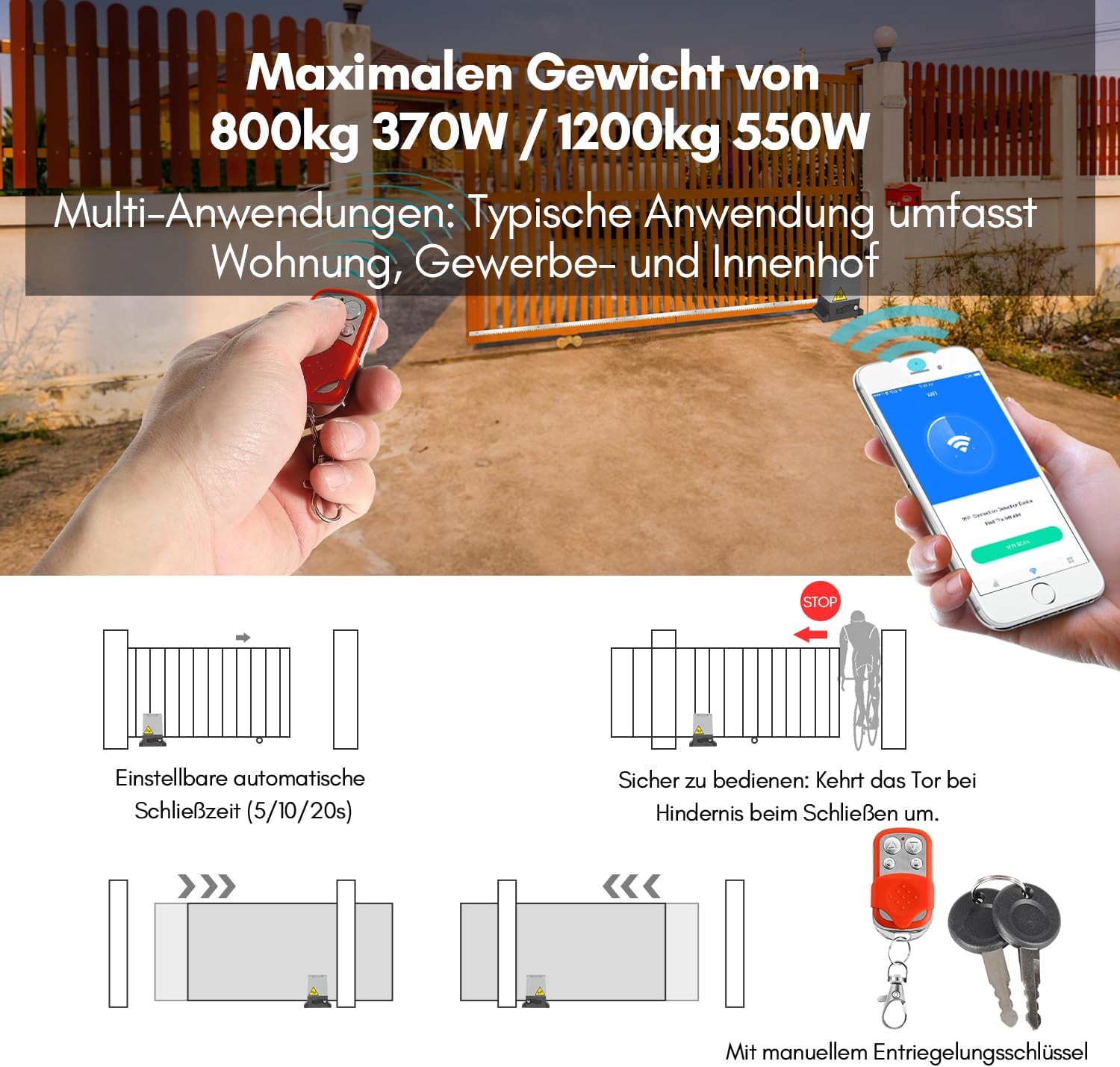
Figure 6.2: Diagrams illustrating automatic closing and obstacle detection safety features, along with manual release keys.
6.5 Manual Release
In case of a power outage or if remote controls are lost/malfunctioning, the gate can be operated manually.
- Locate the manual release lock on the motor unit.
- Insert the manual release key and turn it to disengage the motor's drive mechanism.
- The gate can now be pushed open or closed by hand.
- Remember to re-engage the motor after manual operation by turning the key back and removing it.
7. Maintenance
Regular maintenance ensures the longevity and optimal performance of your Fiqops sliding gate motor.
- Monthly Inspection: Check the gate's movement for any signs of friction, grinding, or unusual noises. Ensure the rack is clean and free of debris.
- Clean Sensors: Periodically clean the lenses of any photocells to ensure they are free from dirt, dust, or spiderwebs that could interfere with their operation.
- Check Fasteners: Inspect all mounting bolts and screws for tightness. Re-tighten if necessary.
- Lubrication: Apply a suitable lubricant to the gate's wheels, hinges, and any other moving parts as recommended by the gate manufacturer. Avoid lubricating the motor's internal gears unless specifically instructed.
- Electrical Connections: Annually, with power disconnected, inspect electrical connections for corrosion or loose wiring.
- Weather Protection: The motor unit has an IP44 rating for weather resistance. However, ensure its housing remains intact and free from cracks or damage that could compromise its protection.
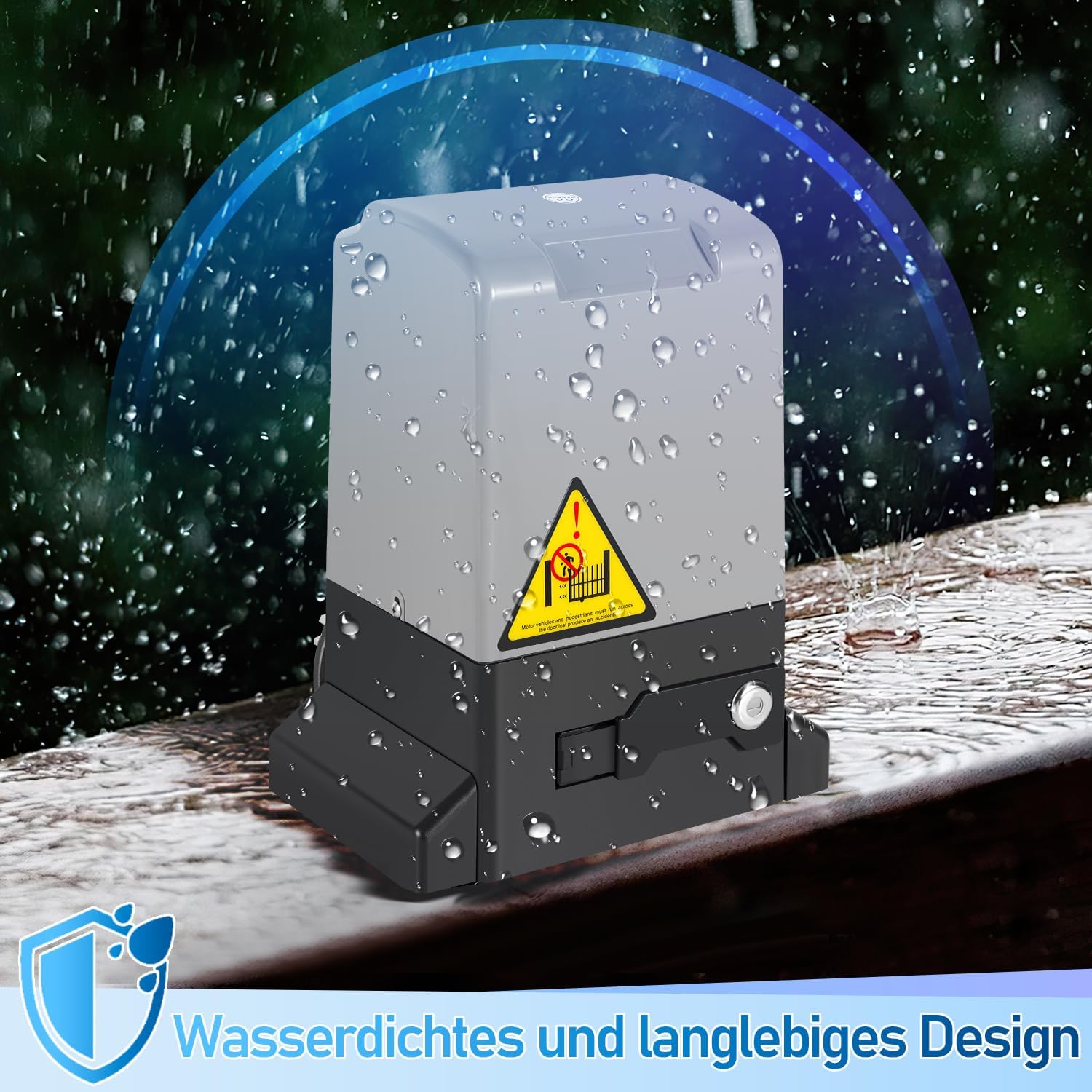
Figure 7.1: The motor unit features an IP44 waterproof design, ensuring durability in various weather conditions.
8. Troubleshooting
This section addresses common issues you might encounter with your Fiqops sliding gate motor.
| Problem | Possible Cause | Solution |
|---|---|---|
| Gate does not move. | No power supply; Remote control battery low/dead; Motor in manual release mode; Obstacle detected. | Check power connection and circuit breaker; Replace remote battery; Re-engage motor with key; Remove obstacle. |
| Remote control not working. | Battery low/dead; Not paired; Out of range. | Replace battery; Re-pair remote (refer to manual); Operate within 50m range. |
| Gate stops unexpectedly or reverses. | Obstacle detected by photocells or motor's force sensor; Limit switch issue. | Clear gate path; Clean and align photocells; Check limit switch settings. |
| Gate does not close fully. | Limit switch misadjusted; Obstruction. | Adjust close limit switch; Remove obstruction. |
| App connectivity issues (Wi-Fi/Bluetooth). | Poor Wi-Fi signal; Incorrect network settings; App not updated. | Ensure strong Wi-Fi signal near motor; Reconfigure network settings in app; Update app to latest version. |
| Manual release key not working. | Key not fully inserted; Lock mechanism jammed. | Ensure key is fully inserted and turned correctly; Do not force the key. Contact support if jammed. |
9. Warranty and Support
Fiqops is committed to providing reliable products and customer satisfaction.
- Return Policy: This product is typically covered by a 30-day refund/replacement policy from the date of purchase. Please refer to your purchase platform's specific return policy for details.
- Technical Support: For any technical issues, installation queries, or troubleshooting assistance not covered in this manual, please contact Fiqops customer support through your purchase channel. Provide your product model and purchase date for faster service.


