
1. Introduction
Thank you for choosing the Fiqops 550W 1200kg Sliding Gate Opener. This manual provides essential information for the safe installation, operation, and maintenance of your new gate opener. Please read this manual thoroughly before installation and keep it for future reference. This system is designed for heavy-duty sliding gates, offering convenience with remote and app control, automatic closing, and integrated safety features.
2. Safety Instructions
- Always disconnect power before performing any maintenance or installation procedures.
- Installation should be performed by qualified personnel to ensure proper function and safety.
- Keep children and pets away from the gate area, especially during operation.
- Do not allow anyone to stand or pass through the gate opening while the gate is in motion.
- Ensure that the gate path is clear of any obstructions. The system includes an obstacle detection mechanism that reverses the gate if an obstruction is encountered during closing.
- In case of power failure or remote control loss, use the provided manual release keys to operate the gate.
- Regularly inspect the gate and opener for signs of wear, damage, or misalignment.
3. Package Contents
Verify that all components are present in your package:
- 1 x Fiqops Sliding Gate Opener Unit (550W)
- 4 meters of Gear Rack
- 2 x Wireless Remote Controls
- 2 x Manual Release Keys
- Mounting Hardware (bolts, nuts, etc.)
- Instruction Manual (this document)

Image: Remote controls and manual release keys, essential for operating and overriding the gate opener.
4. Specifications
| Feature | Specification |
|---|---|
| Model Number | M-RB10125-1c |
| Manufacturer | Fiqops |
| Max. Gate Weight | 1200 kg |
| Rated Power | 550 W |
| Max. Gate Length | 12 m |
| Operating Speed | 12 m/min |
| Running Speed | 1470 RPM |
| Noise Level | < 58 dB |
| Voltage | 230V ± 10% / 50 Hz |
| Ambient Temperature | -20°C to +70°C |
| Remote Control Range | Approx. 50 meters |
| IP Rating | IP44 |
| Material | Iron |
| Mounting Type | Floor Mount |
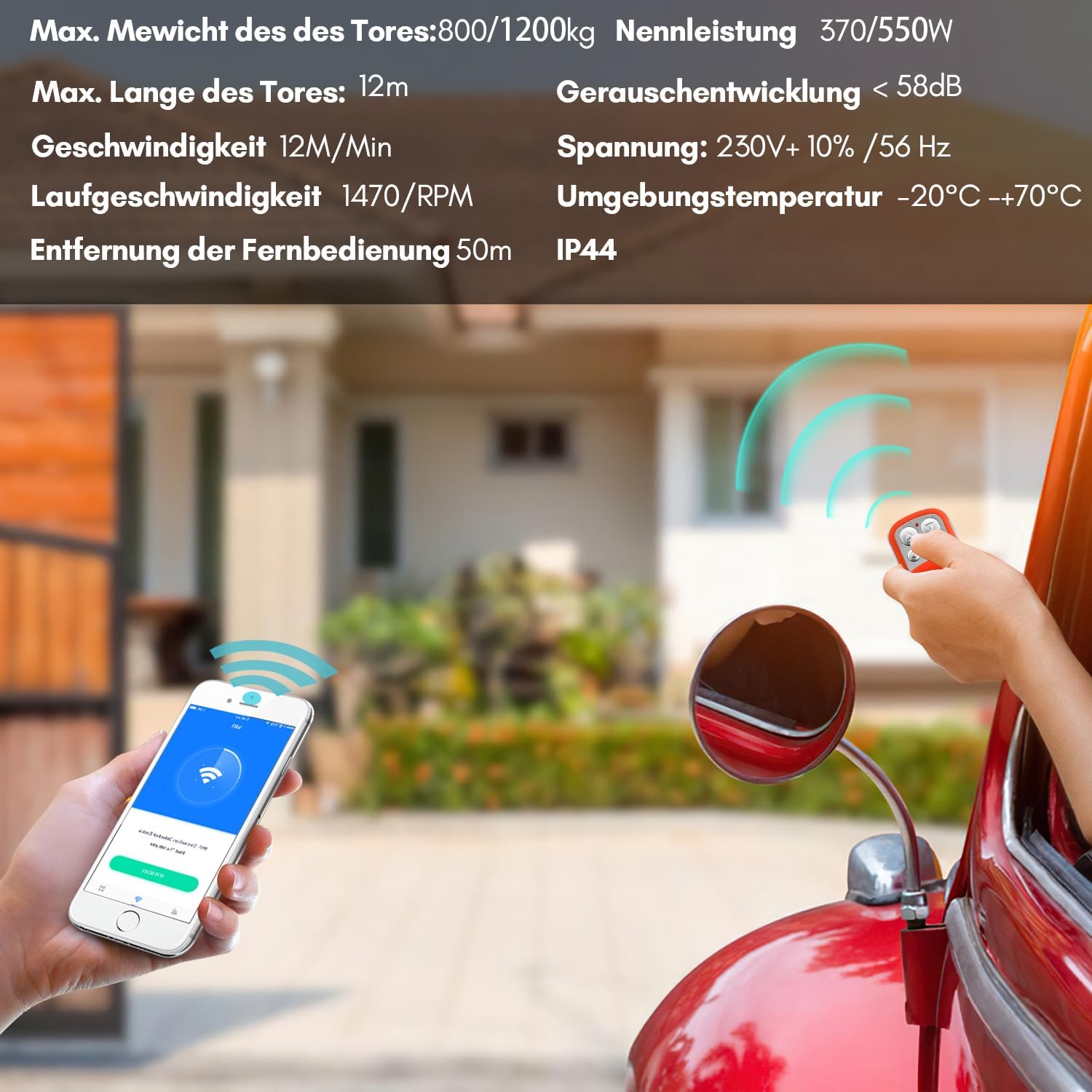
Image: Technical specifications and features of the gate opener, including power, weight capacity, and remote range.
5. Setup and Installation
Proper installation is crucial for the safe and efficient operation of your gate opener. It is highly recommended to have this system installed by a qualified professional.
5.1 Mounting the Opener Unit
- Choose a stable, level surface near the gate for mounting the opener unit.
- Ensure the unit is positioned correctly relative to the gate's movement and the gear rack.
- Securely fasten the opener unit to the ground using the provided mounting hardware.
5.2 Installing the Gear Rack
- Attach the gear rack sections along the bottom edge of the sliding gate.
- Ensure the rack is level and parallel to the ground, with proper engagement with the opener's drive gear.
- Maintain a small clearance between the rack and the drive gear to allow for gate movement and thermal expansion.
5.3 Electrical Connection
- Connect the gate opener to a suitable power supply according to local electrical codes.
- Ensure all wiring is properly insulated and protected from environmental factors.
- Consult the detailed wiring diagram provided in the separate installation guide for specific connections.

Image: The gate opener unit installed, demonstrating remote and app control functionality.
6. Operating Instructions
6.1 Using Remote Controls
The system comes with two wireless remote controls for convenient operation. Each remote typically has four buttons:
- Open: Fully opens the gate.
- Close: Fully closes the gate.
- Stop: Halts the gate's movement at any point.
- Pedestrian Mode: Opens the gate partially for pedestrian access.
The remote controls have an operating range of approximately 50 meters.
6.2 Using the Mobile Application
The Fiqops gate opener supports control via a mobile application on Android and iPhone devices. Once configured, the app allows you to control the gate from anywhere using Wi-Fi or 4G networks.
- Download the official Fiqops gate opener application from your device's app store.
- Follow the in-app instructions to connect the gate opener to your home Wi-Fi network.
- Once connected, you can use the app to open, close, stop, or activate pedestrian mode for your gate.
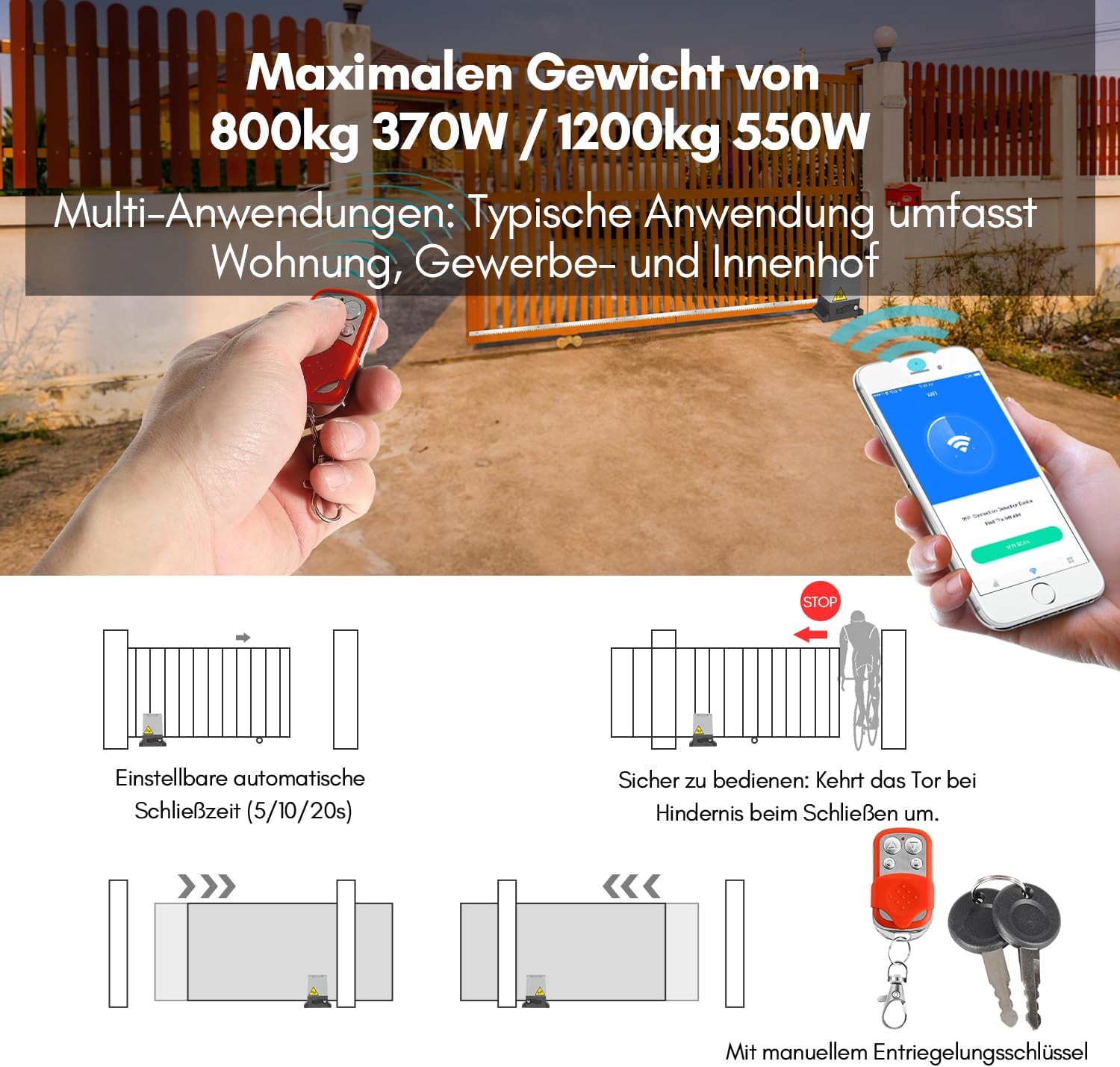
Image: Visual representation of automatic closing, obstacle detection, and manual override features.
7. Automatic Closing Function
The gate opener features an adjustable automatic closing mechanism. After the gate has fully opened, it can be set to close automatically after a predetermined delay.
- Available delay settings: 5, 10, or 20 seconds.
- Refer to the detailed programming guide (usually a separate document or section in the main manual) for instructions on how to set or disable this function.
8. Manual Override
In the event of a power outage or if your remote controls are lost or malfunctioning, you can manually operate the gate using the provided release keys.
- Locate the manual release lock on the gate opener unit.
- Insert one of the release keys into the lock and turn it to disengage the motor.
- You can now manually push the gate open or closed.
- Remember to re-engage the motor by turning the key back to the locked position once power is restored or manual operation is no longer needed.
Image: Detail of the manual release key slot on the gate opener.
9. Maintenance
Regular maintenance ensures the longevity and reliable operation of your gate opener.
- Monthly: Inspect the gate's movement for any resistance or unusual noises. Check the gear rack for debris or damage.
- Quarterly: Clean the opener unit's exterior to prevent dirt buildup. Check all mounting bolts for tightness. Lubricate moving parts of the gate (hinges, rollers) as recommended by the gate manufacturer.
- Annually: Have a qualified technician inspect the entire system, including electrical connections and safety features, to ensure optimal performance.
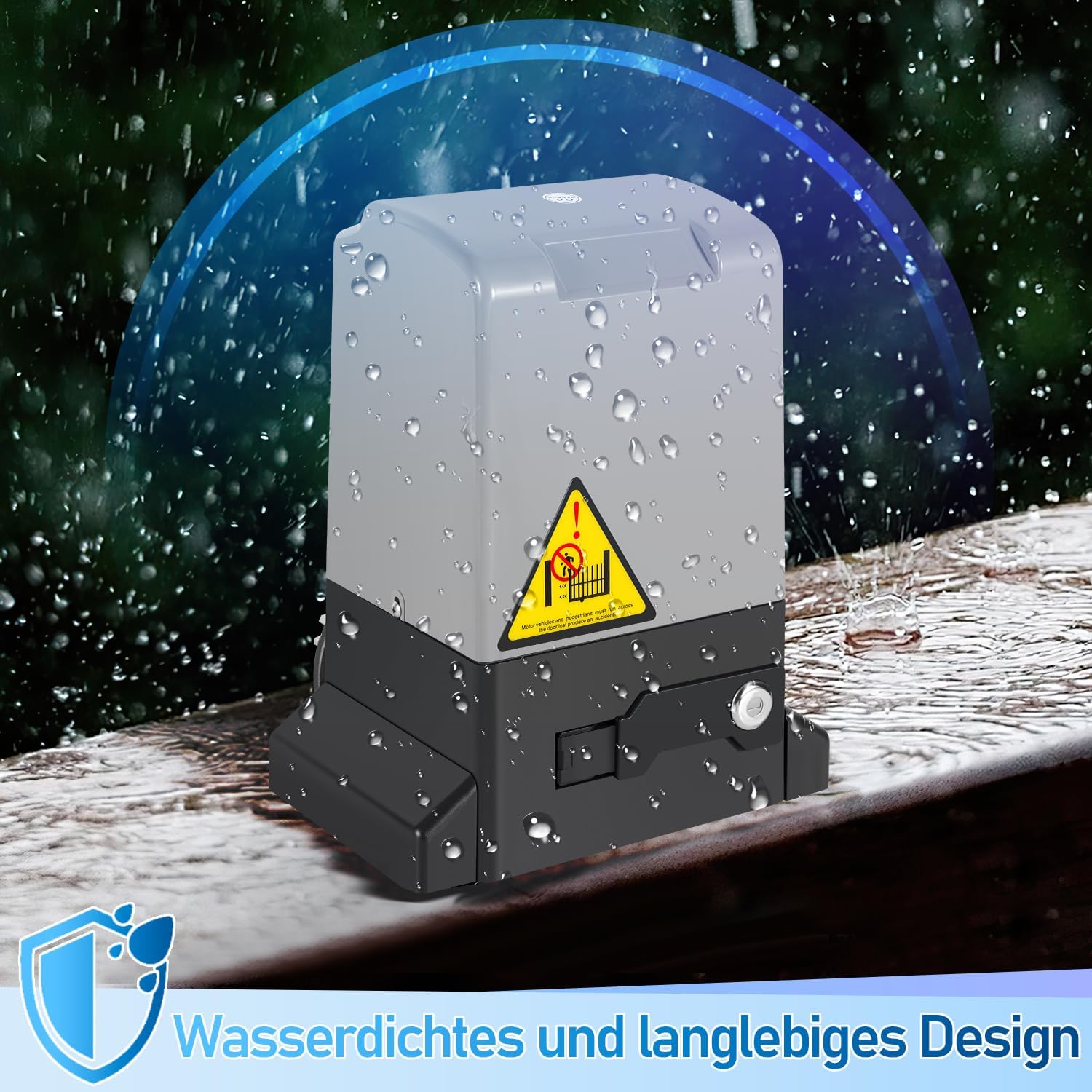
Image: The gate opener unit features a waterproof and durable design, suitable for outdoor conditions.
10. Troubleshooting
If you encounter issues with your gate opener, refer to the following common problems and solutions:
- Gate does not move:
- Check if the power supply is connected and active.
- Ensure the manual release is fully engaged.
- Verify remote control batteries are not depleted.
- Gate stops unexpectedly:
- Check for any obstructions in the gate's path that might trigger the safety sensor.
- Inspect the gear rack for debris or damage.
- Remote control not working:
- Replace remote control batteries.
- Ensure you are within the operating range (approx. 50 meters).
- Re-pair the remote control with the opener unit if necessary (refer to pairing instructions).
- App control not working:
- Check your Wi-Fi or mobile data connection.
- Ensure the gate opener is connected to your Wi-Fi network.
- Restart the app and/or your mobile device.
For more complex issues or if the problem persists, please contact customer support.
11. Warranty and Support
For warranty information, please refer to the documentation provided at the time of purchase or contact your retailer. If you require technical assistance or have questions not covered in this manual, please contact Fiqops customer support through the seller's contact information or the official Fiqops website.